



We’re back with Part 2 of our tips! Here are a few more helpful tips to support you on your journey.
Before diving in, be sure to check out Part I here: Beacon Tips: Create Collections and Print
How to Find and Edit a Collection
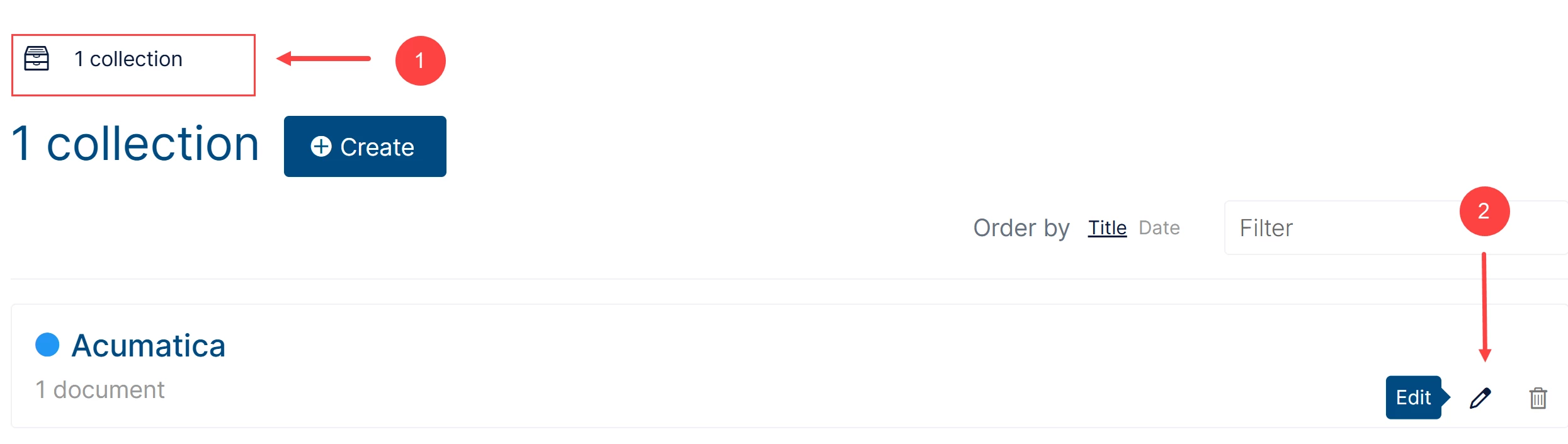
- Click Collections from the main navigation (Item 1).
- Find the collection you want to edit.
- Click the Edit (pencil) button next to the collection (Item 2).
- Update the collection name, description, or color as needed.
- Click Save to apply your changes.
How to Delete a Collection
- Find the collection you want to delete.
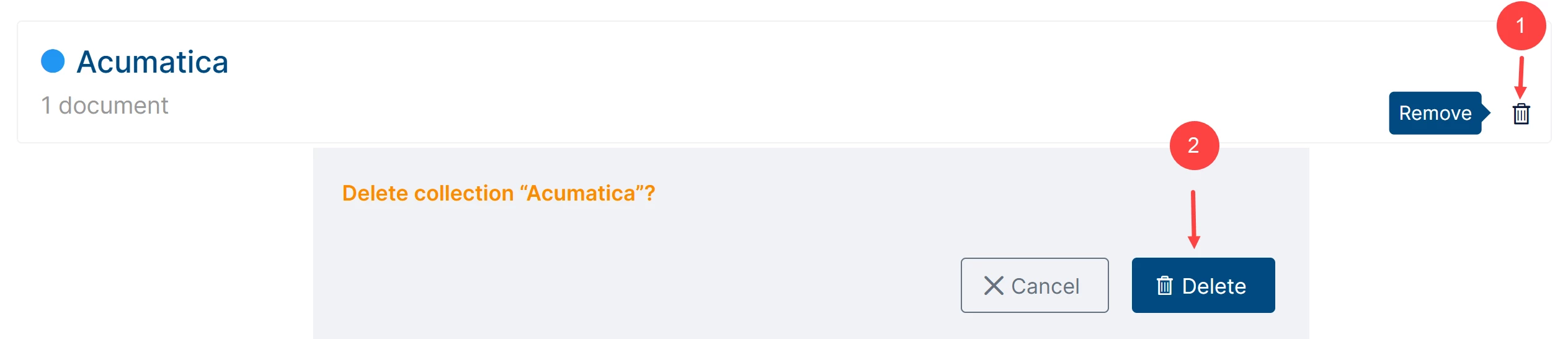
- Click the Remove (bin) button next to the collection (Item 1 below).
- Confirm the deletion when prompted (Item 2).
Can I Print or Download a Collection?
A collection is designed to help you organize related Beacon resources in one place.
You can open the items in a collection and work with them individually. For example, you can open a guide or document and print it if needed.
A collection itself is not combined into one printable or downloadable document. If you want to create a single customized document from selected topics, use a personal book instead.