




The wait is over—Beacon has landed! Say hello to your new knowledge destination. Read all about it: Introducing Beacon: Your New Knowledge Destination.
This is just the beginning. Over the coming weeks, we'll be rolling out a series of tips and how-to guides to help you get the most out of Beacon—so stay tuned!
Getting started is easy. Many resources are available without signing in, but creating an account unlocks the full Beacon experience.
- Already have an Acumatica Portal account? Just sign in to Beacon with the same credentials.
- New here? Follow these steps to create your account.
Create a Beacon account
- Go to the Beacon website.
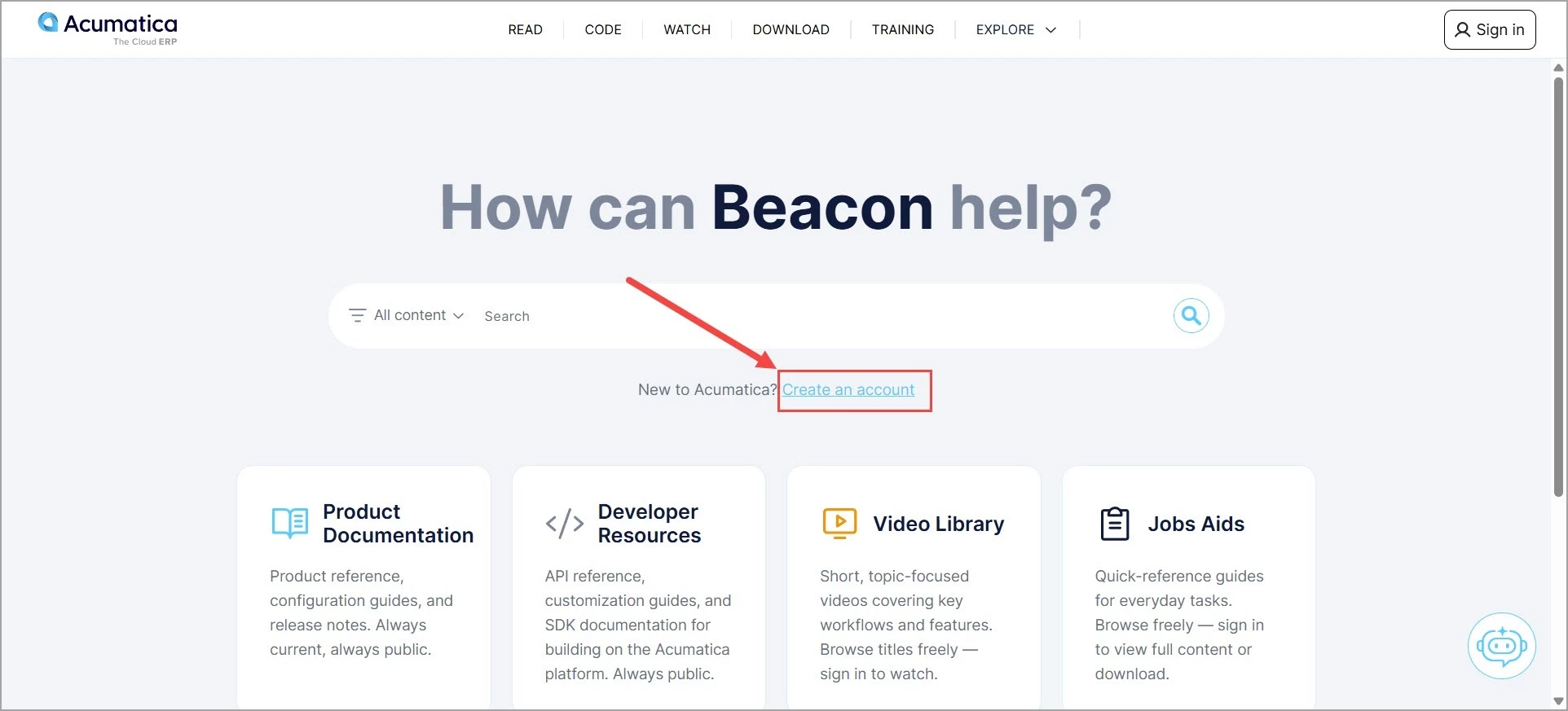
- Click the Create an account link right under the search bar, as shown in the screenshot below.
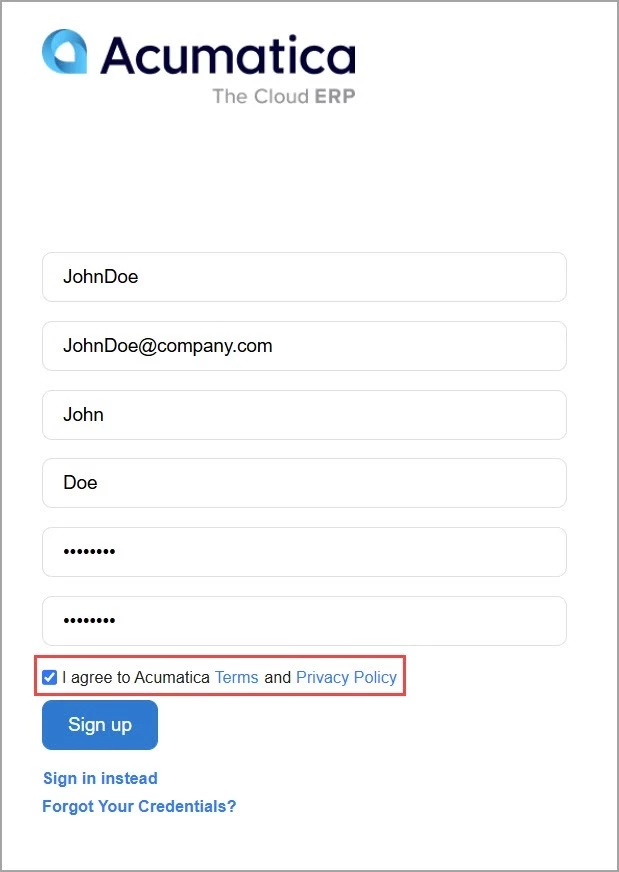
- Enter your username, work email, first name, last name, password, and password confirmation in the window that opens.
- Select I agree to Acumatica Terms and Privacy Policy, then click Sign Up. A 10-digit verification code will be sent to your email. It may take up to five minutes to arrive.
- Enter the verification code on the Sign-Up page and click Sign Up to complete your registration.
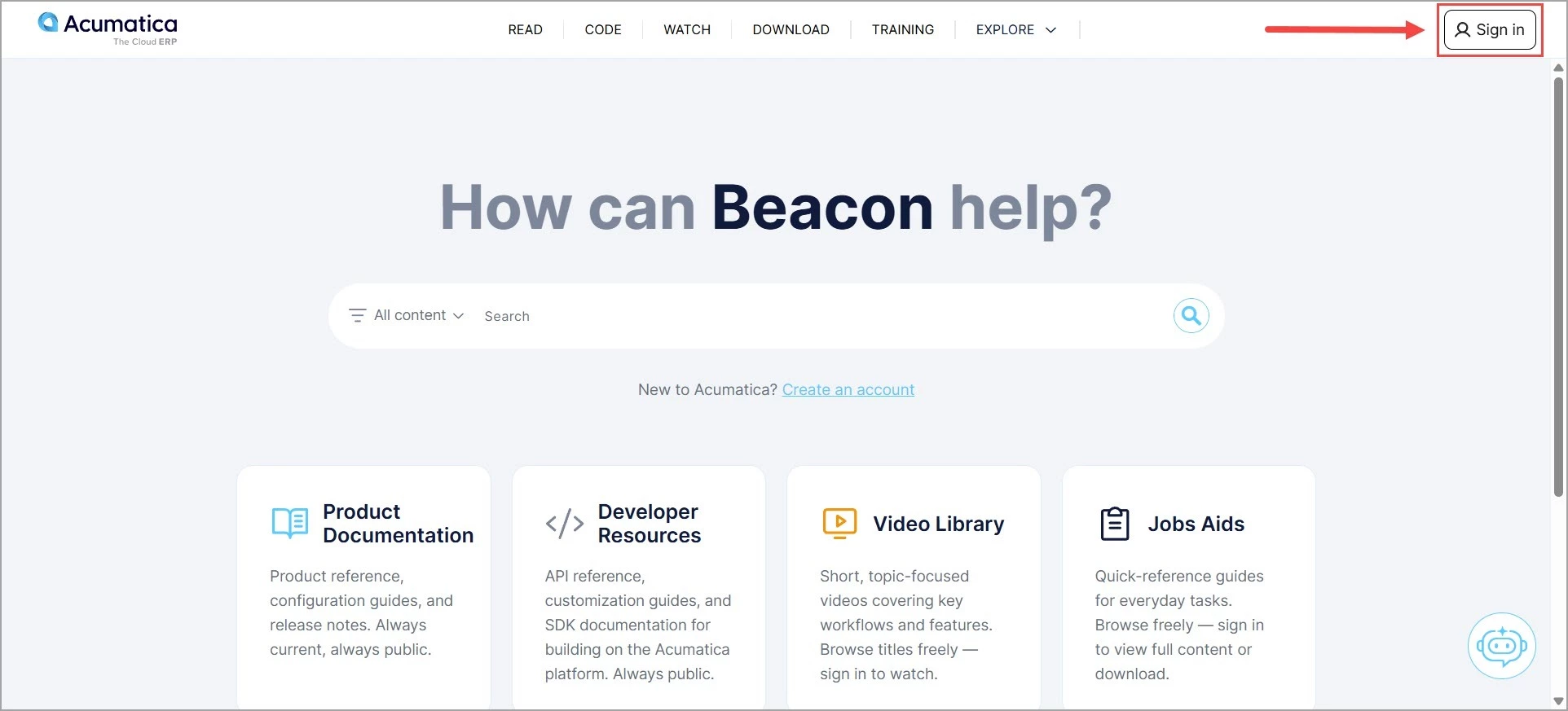
- Return to Beacon and sign in again using the username and password you created to start exploring the available content.
Stay tuned for more Beacon tips and guides!
Questions? Contact training@acumatica.com