Solved

Trouble in set up Auto Schedule of Process Shipment SO503000

  • December 14, 2022
  • 8 replies
  • 140 views

Hi All,

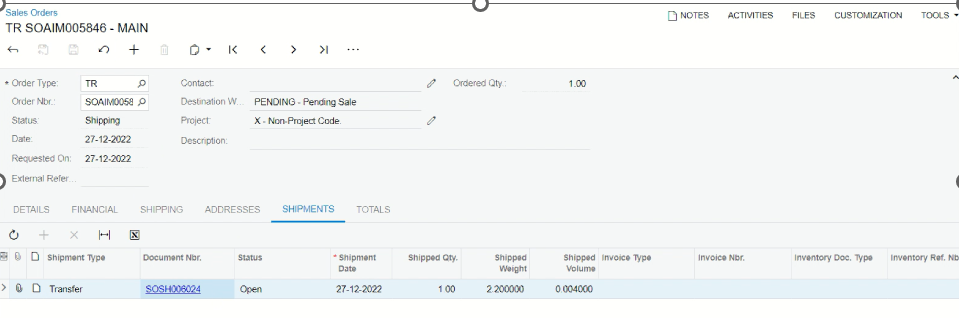
When creating SO type TR, the information of the Customer will be default as MAIN:
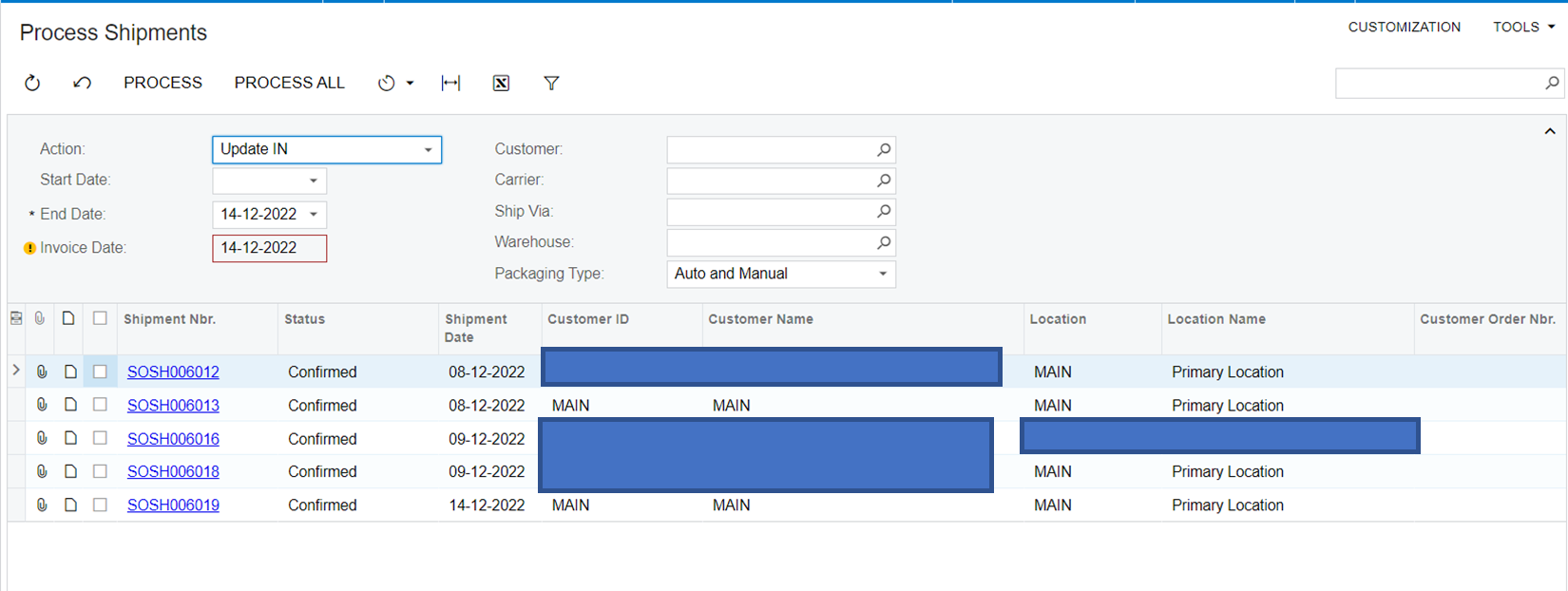
I would like to create a Schedule that will auto UPDATE IN all shipments that has customer ID MAIN and Custsomer Name MAIN as below
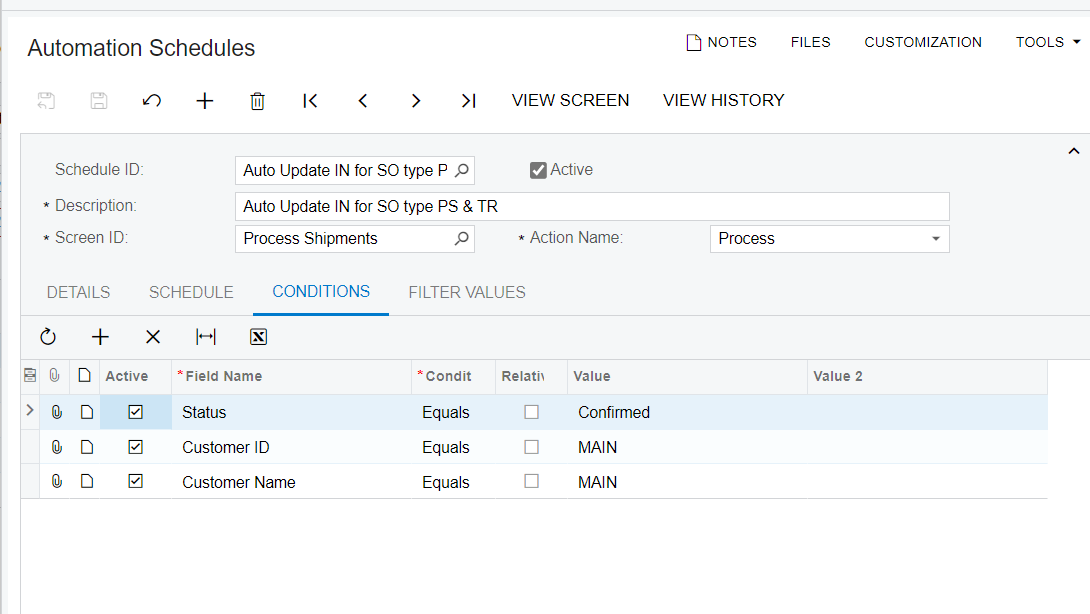
But it seems this condition doesn't work. Do you have any idea to process with this condition.

Best regards,

Yên Chi

Best answer by Christine

After checking w Acumatica Supporter, this is a defect (current version 22R2) will be fix on 23R2

8 replies

Manikanta Dhulipudi
Captain II
Forum|alt.badge.img+15

Hi @chidao 

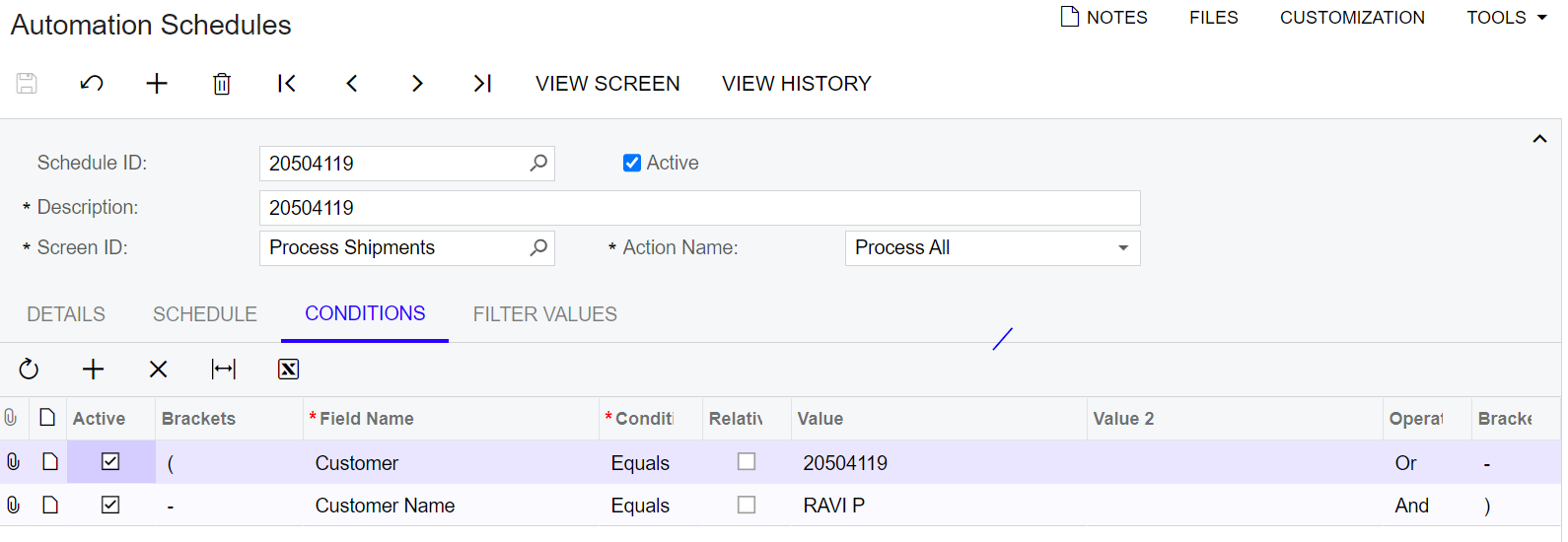
Please use below suggestions and check once

Thanks


  • Author
  • 128 replies
  • December 27, 2022

Hi @manikantad18 It doesnt work. Can i ask what does “RAVI P” & “20504119” mean?


Manikanta Dhulipudi
Captain II
Forum|alt.badge.img+15

Hi @chidao 

In My scenario


Customer = 20204119

Customer Name= RavI P


Thanks


  • Author
  • 128 replies
  • December 27, 2022

@manikantad18 In my case, when creating SO type TR (transfer) so it doesn't have a Customer ID or Customer Name.

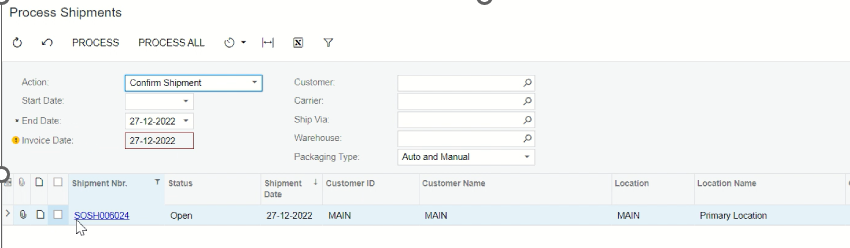
When Process Shipment, that shipment will be default as Customer ID = Main, Customer Name = Main (Main is the branch name)

so now I want to set up a schedule automatically UPDATE IN for all shipments has SO type TR, I set up the condition Customer ID = MAIN, Customer Name = MAIN as an image on the topic but it doesn't work.

Notes: MAIN is not a specific customer name on our database, it generates automatically for all shipments belonging to SO type TR (transfer)


Chris Hackett
Community Manager
Forum|alt.badge.img
  • Acumatica Community Manager
  • 3298 replies
  • March 15, 2023

Hi @chidao  were you able to find a solution? Thank you!


  • Author
  • 128 replies
  • March 20, 2023

HI @Chris Hackett Im still pending on this issue. Don't have any solution yet.


  • Author
  • 128 replies
  • Answer
  • September 12, 2023

After checking w Acumatica Supporter, this is a defect (current version 22R2) will be fix on 23R2


Chris Hackett
Community Manager
Forum|alt.badge.img
  • Acumatica Community Manager
  • 3298 replies
  • September 12, 2023

Thank you for sharing with the community @chidao!