
Microsoft Edge Breaking Export to Excel on Modern UI

  • October 30, 2025
  • 12 replies
  • 165 views

Kyle Vanderstoep
Varsity I
Forum|alt.badge.img+1

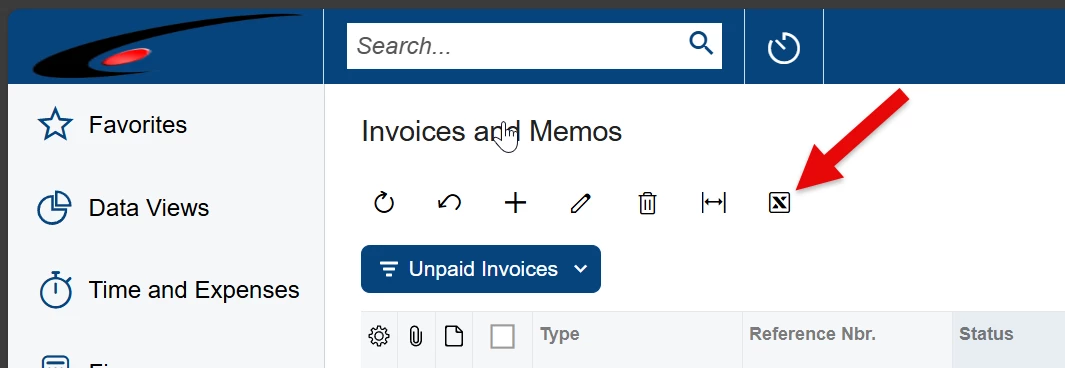
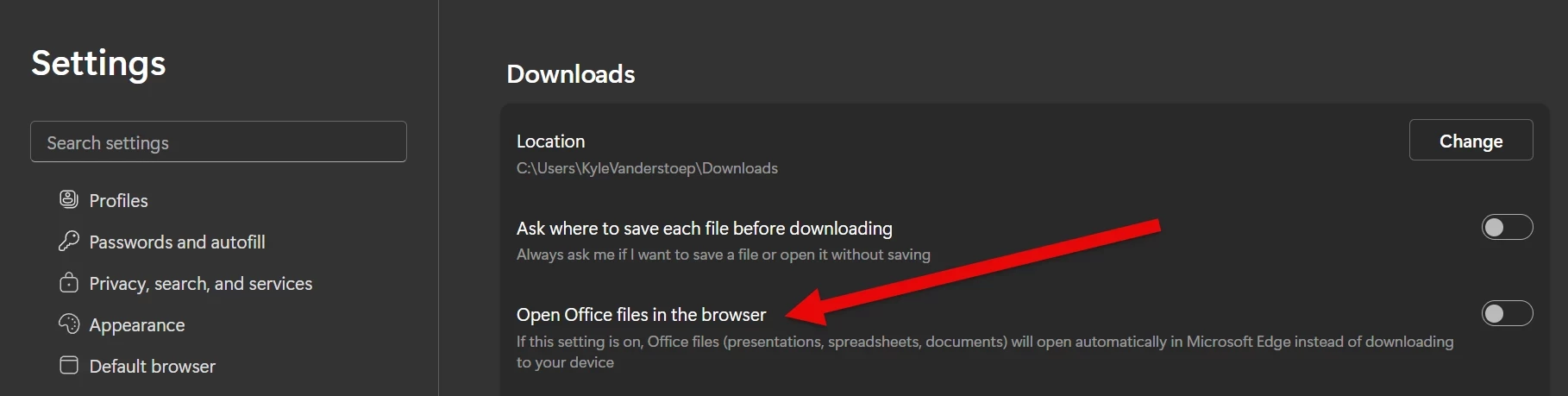
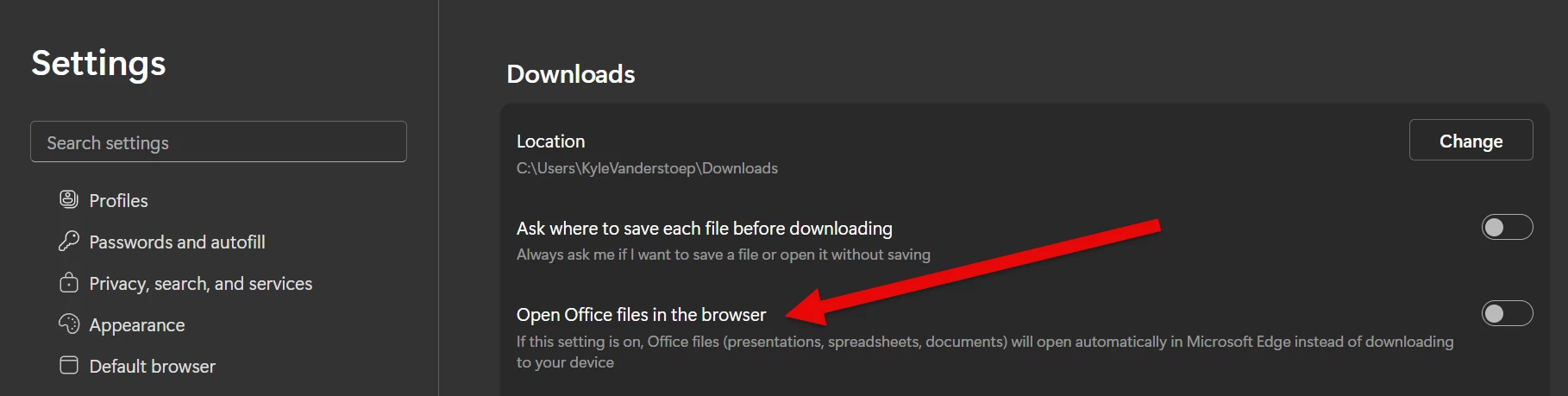
I wanted to take a minute to share this with the community. If you have the following feature enabled on Microsoft Edge, it breaks the ability for Acumatica to export to excel ( the little excel buttons on every grid in the system ) if you are using Modern UI. Disable it and you can export to excel again.



12 replies

Chris Hackett
Community Manager
Forum|alt.badge.img
  • Acumatica Community Manager
  • October 31, 2025

Thank you for sharing this with the community ​@Kyle Vanderstoep!


Forum|alt.badge.img
  • Varsity II
  • November 14, 2025

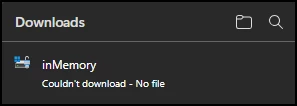
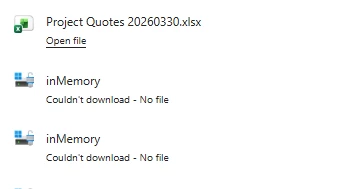
Thanks for posting.  I ran into this issue today in 25R2, and changing the setting above fixed it.  For other searchers, the message you may receive is “Couldn’t download - no file”.

Excel Export from Modern UI


Olesia Alpeeva
Community Manager
Forum|alt.badge.img
  • Acumatica Support Team
  • November 20, 2025

@bbohn ​@Kyle Vanderstoep 

Thank you very much for sharing your findings with Acumatica, we can’t seem to replicate the issue on our end, it looks like there are additional conditions that lead to the issue.

Could you please share the following information:

  1. what Edge version you are using
  2. what exact acumatica screen you tested on
  3. what Acumatica build you used to test

MissyMain41
Jr Varsity I
Forum|alt.badge.img
  • Jr Varsity I
  • November 20, 2025

@bbohn ​@Kyle Vanderstoep 

Thank you very much for sharing your findings with Acumatica, we can’t seem to replicate the issue on our end, it looks like there are additional conditions that lead to the issue.

Could you please share the following information:

  1. what Edge version you are using
  2. what exact acumatica screen you tested on
  3. what Acumatica build you used to test


Olesia, I managed to replicate something similar to this the first time testing it on 25.200 using Official current Build of Edge 142.0.3595.90. For me it was not the open office files in browser, or maybe it was, but it worked the second time after I allowed pop-up.
The first time doing this it took 3 to 4 minutes to export SO GI, and when it completed there was nothing in my downloads folder, however there WAS a popup blocker notification on the right-hand side of my browser URL saying a pop up was blocked. If I had not noticed that and clicked “allow pop ups”, perhaps it would have continued to happen the next time I exported.
The second time, with pop ups allowed, my export completed in less than a minute and appeared in my downloads folder. Perhaps this information can help the Original Poster as well. 

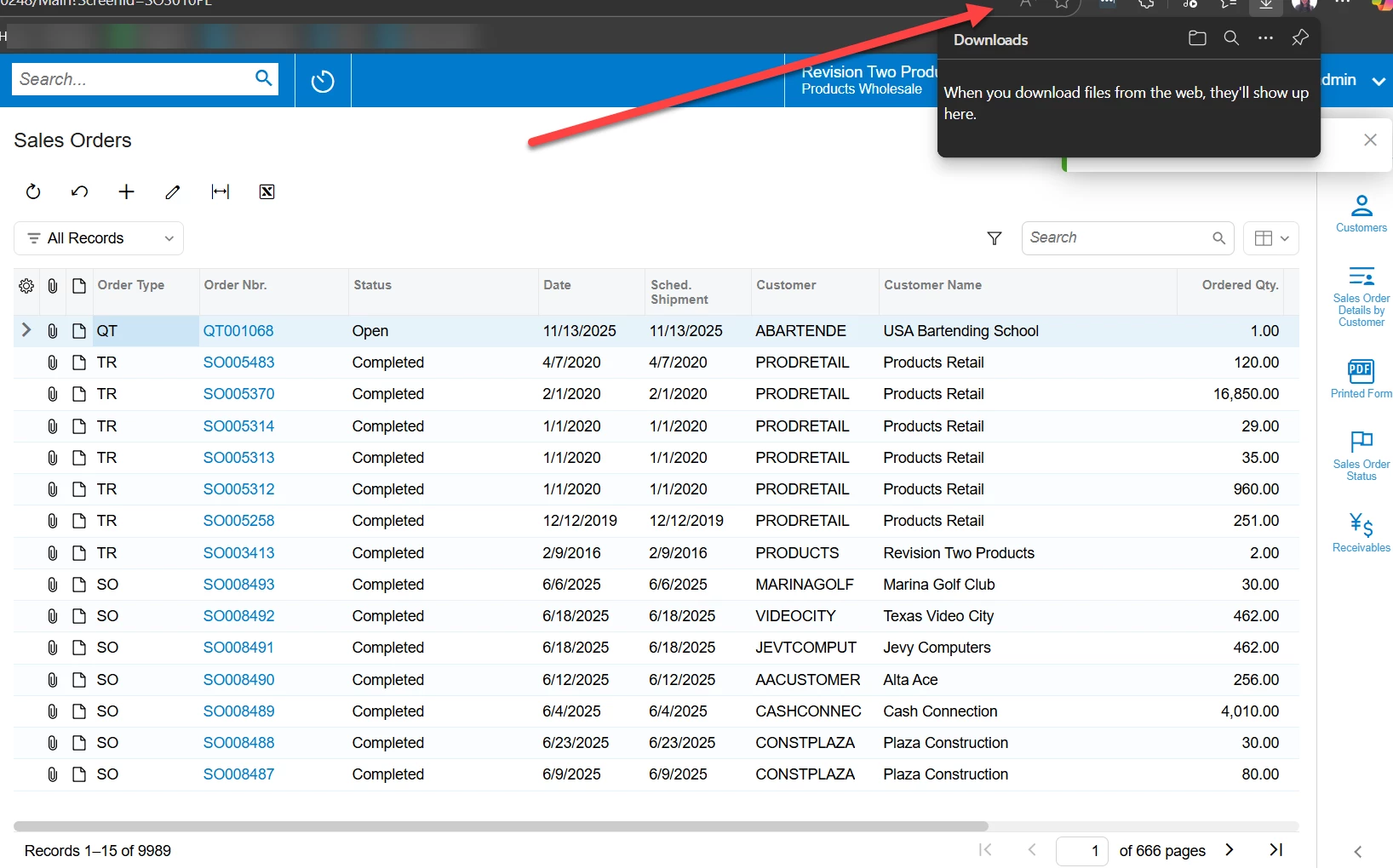
Image below showing the result of my first attempt at exporting where the file was completely lost due to pop up blocker, (I didn't snag a picture of the teeny tiny pop-up blocker notification on edge browser though, apologies!)

Image shows operation completed, no file in downloads folder, and an arrow pointing to the location in the URL box where the pop-up blocker notification had appeared the first time. A second download was necessary after allowing pop ups to retrieve the downloaded file. 


Kyle Vanderstoep
Varsity I
Forum|alt.badge.img+1

@bbohn ​@Kyle Vanderstoep 

Thank you very much for sharing your findings with Acumatica, we can’t seem to replicate the issue on our end, it looks like there are additional conditions that lead to the issue.

Could you please share the following information:

  1. what Edge version you are using
  2. what exact acumatica screen you tested on
  3. what Acumatica build you used to test
  1. Edge Version 142.0.3595.80
  2.   Every single acumatica screen where this button is available


  3. Build 25.200.0248.1

    I just recreated it on my end, 

    NOTE: I have my computer Entra Joined to my company domain, which I think filters into the browser

Forum|alt.badge.img
  • Varsity II
  • November 20, 2025

@bbohn ​@Kyle Vanderstoep 

Thank you very much for sharing your findings with Acumatica, we can’t seem to replicate the issue on our end, it looks like there are additional conditions that lead to the issue.

Could you please share the following information:

  1. what Edge version you are using
  2. what exact acumatica screen you tested on
  3. what Acumatica build you used to test
  1. Version 142.0.3595.90 (Official build) (64-bit)
  2. All of them - it happens for every screen that I tried
  3. Build 25.200.0248.1

Thanks.


Olesia Alpeeva
Community Manager
Forum|alt.badge.img
  • Acumatica Support Team
  • November 21, 2025

@Kyle Vanderstoep ​@bbohn  we are not able to confirm an existing functionality flaw on Acumatica side, our assumption that the behavior is caused by a forbidden pop-ups in your browser, as ​@MissyMain41  described in her comment.


MissyMain41
Jr Varsity I
Forum|alt.badge.img
  • Jr Varsity I
  • November 21, 2025

It could also be a workstation/domain specific issue
Perhaps try on a personal computer that is not linked to any Entra domains or is restricted by any network or group policies, with your own local install of 25R2, and see if same thing happens


Forum|alt.badge.img
  • Varsity II
  • November 21, 2025

My Edge browser on my PC explicitly allows pop-ups from my SaaS system domain and is not joined to any work domain or restricted by my organization.  To test again, I switched the Edge setting back and the issue still occurs with the SaaS system with no indication of a blocked pop-up.  A tab opens that shows a url briefly then goes blank and then reverts control back to the original tab with the “no file” error shown.  The tab that was opened stays open and is blank.  It does not occur from my local instance.  This issue only started happening after the upgrade to 25R2.


Olesia Alpeeva
Community Manager
Forum|alt.badge.img
  • Acumatica Support Team
  • November 21, 2025

My Edge browser on my PC explicitly allows pop-ups from my SaaS system domain and is not joined to any work domain or restricted by my organization.  To test again, I switched the Edge setting back and the issue still occurs with the SaaS system with no indication of a blocked pop-up.  A tab opens that shows a url briefly then goes blank and then reverts control back to the original tab with the “no file” error shown.  The tab that was opened stays open and is blank.  It does not occur from my local instance.  This issue only started happening after the upgrade to 25R2.

Thanks for additional input, at this point It would be beneficial to investigate this deeper with our support team, we are inviting you to submit a support case if you have a valid support contract.


Glen Martin
Acumatica Moderator
Forum|alt.badge.img+1
  • Acumatica Moderator
  • November 24, 2025

If the workarounds above do not work, we have open bug AC-359894 for the issue with exporting to Excel in Modern UI. The workaround is to use Classic UI.


Forum|alt.badge.img+1

@Kyle Vanderstoep’s fix resolved it for me.  Even with that setting turned on under Classic UI, it always downloaded the file and never opened a new tab to view it.  


I’m on Edge Version 142.0.3595.94 (Official build) (64-bit), non domain joined PC.  Confirmed it does it on 25R1 and 25R2 (Build 25.200.0248.2) modern UI.  Anywhere “Export to Excel” button is used.