Answer

Maintence Mode for Snapshots

  • August 16, 2023
  • 3 replies
  • 1216 views

dougmcbride79
Semi-Pro I
Forum|alt.badge.img

Where do I put my Acumatica into Maintenance Mode so I can get a clean, no error snapshot?

Best answer by Kandy Beatty

HI @dougmcbride79 

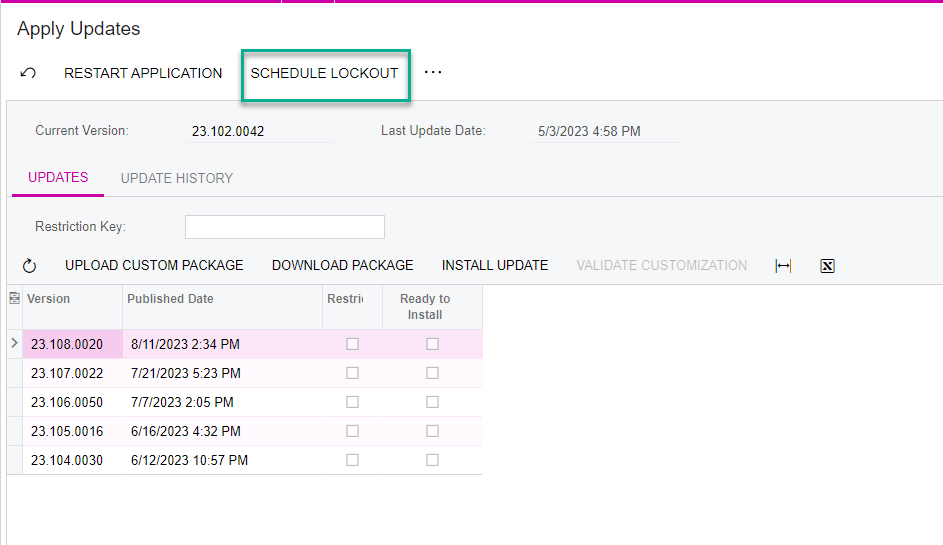
This is under System Management> System Maintenance> Apply Updates


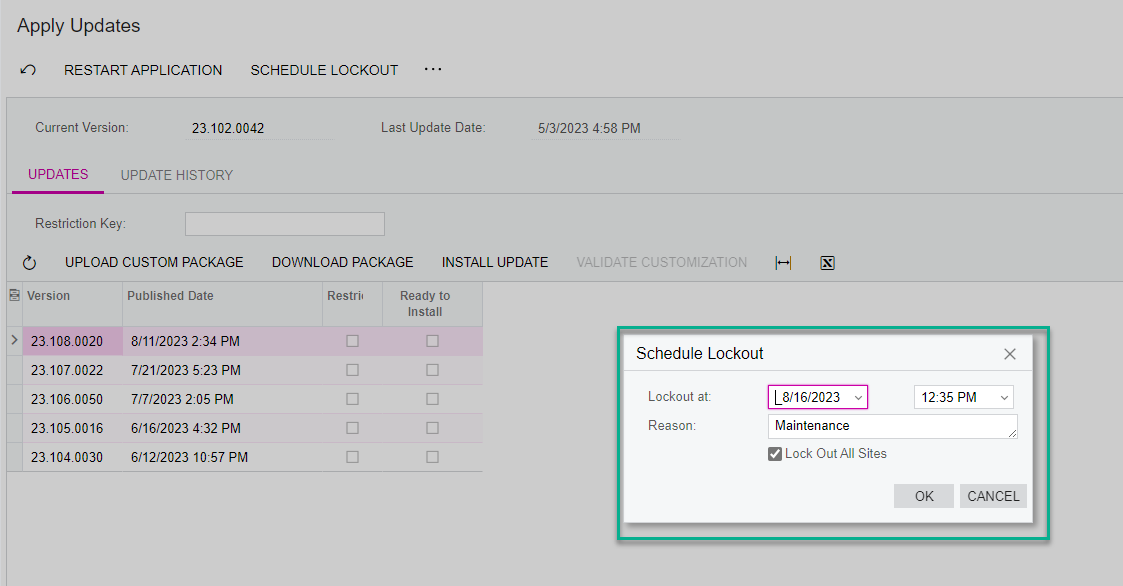
  1. Schedule Lockout
  1. Take your snapshot as you would
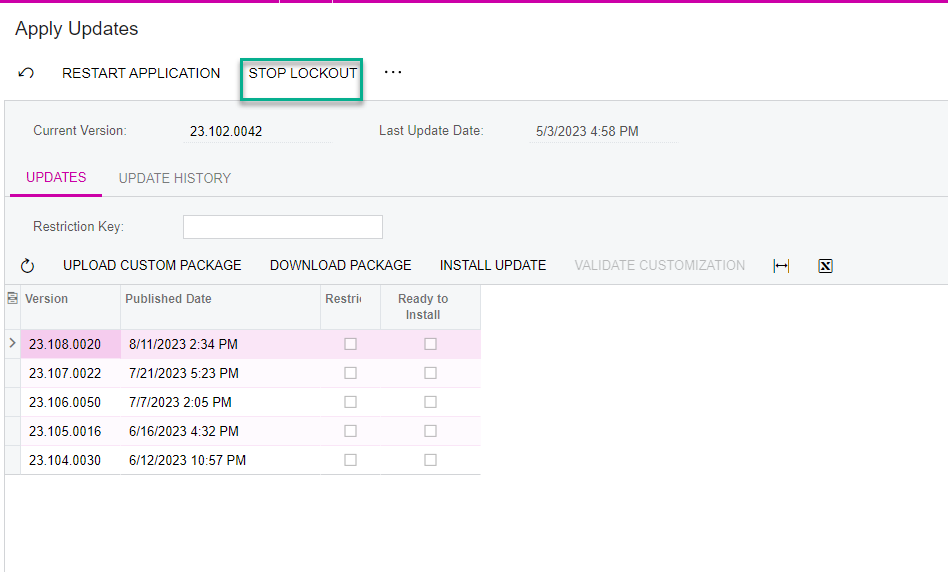
  2. Ensure you Stop the Lockout


3 replies

Kandy Beatty
Captain II
Forum|alt.badge.img+17
  • Captain II
  • Answer
  • August 16, 2023

HI @dougmcbride79 

This is under System Management> System Maintenance> Apply Updates


  1. Schedule Lockout
  1. Take your snapshot as you would
  2. Ensure you Stop the Lockout


iqraharrison
Captain II
Forum|alt.badge.img+8
  • Captain II
  • August 16, 2023

@dougmcbride79 to add to what @kandybeatty49 instructions just make sure once the snapshot is complete, take the environment out of maintenance mode.  sometimes i completely forget about that step and get bombarded with emails that we can’t access the system! easy thing to fix but even i dont remember every time!


Manikanta Dhulipudi
Captain II
Forum|alt.badge.img+15

Hello @dougmcbride79 


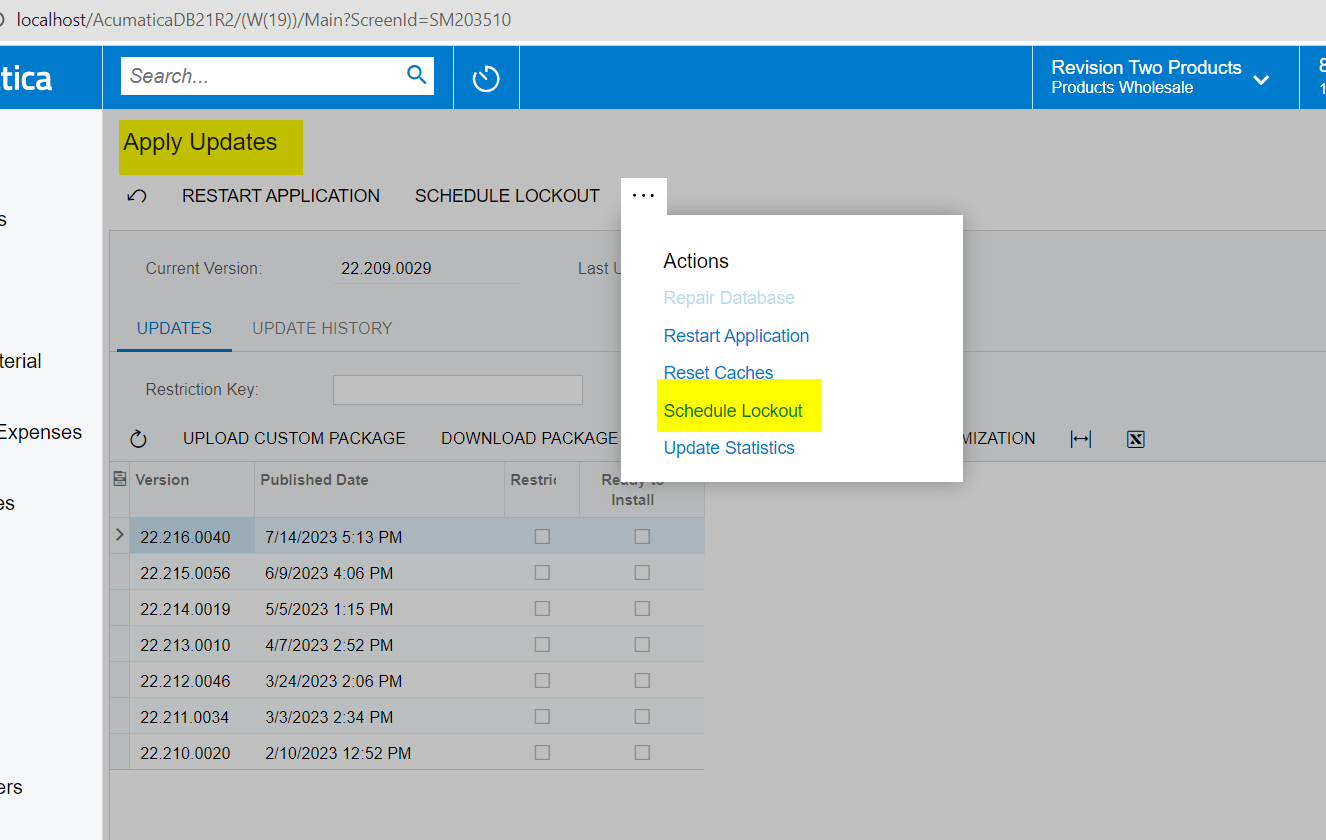
System Management> System Maintenance> Apply Updates

https://www.greytrix.com/blogs/acumatica/2022/08/12/create-and-restore-snapshot-in-acumatica/