Question

Create Pick List for multiple locations

  • June 30, 2023
  • 4 replies
  • 413 views
  • Translate All

Forum|alt.badge.img+3

Hello linkies,
Hope y’all doing well.

I have been trying to create Wave Picklist for a Shipment with multiple locations.

So here’s the scenario: I am looking to assign multiple pickers to the wave lists - one wave list for single shipment - with inventories from same warehouse but different locations - for those different locations different pickers to be assigned.

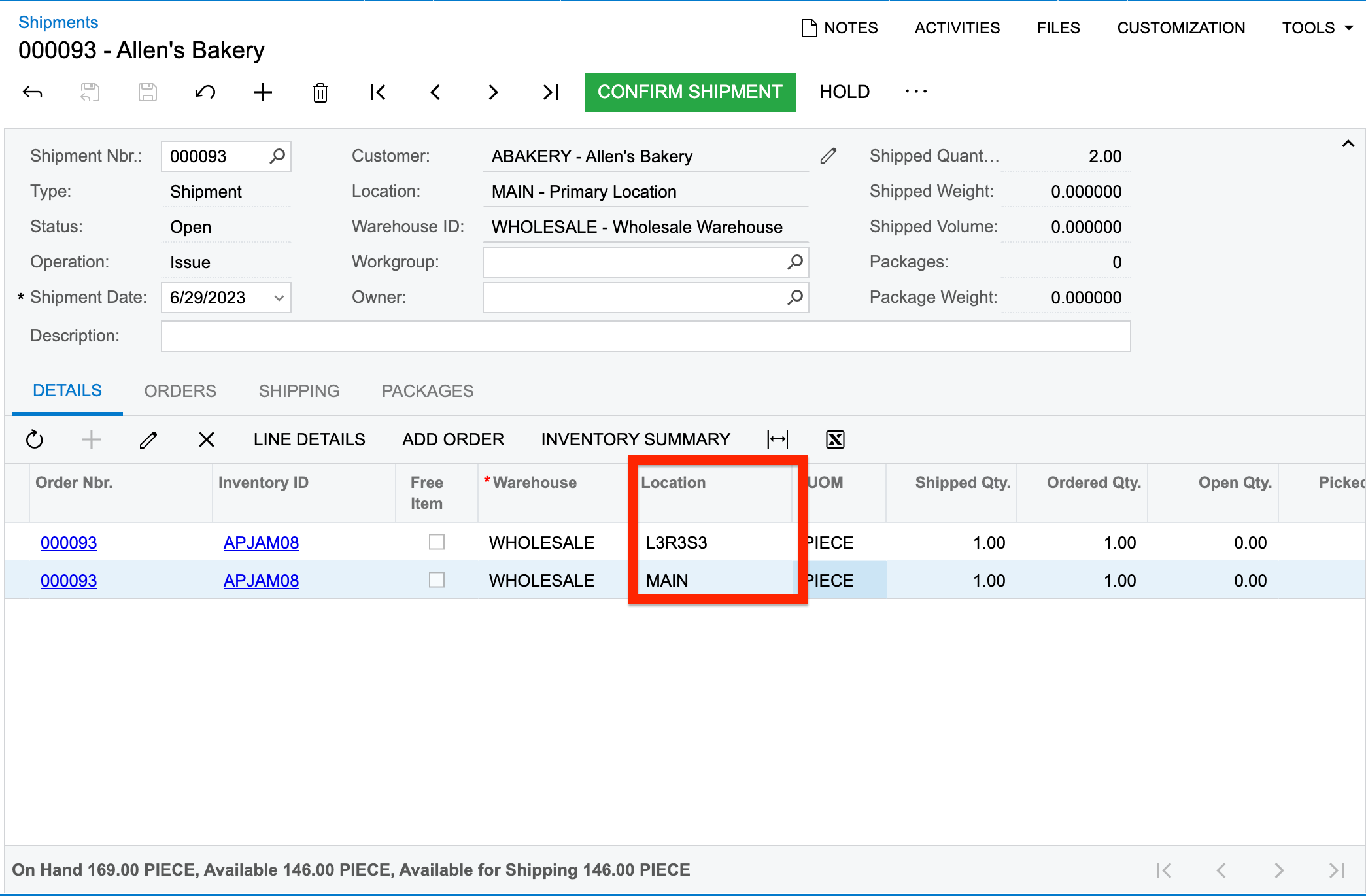
I have created a Shipment as shown below:


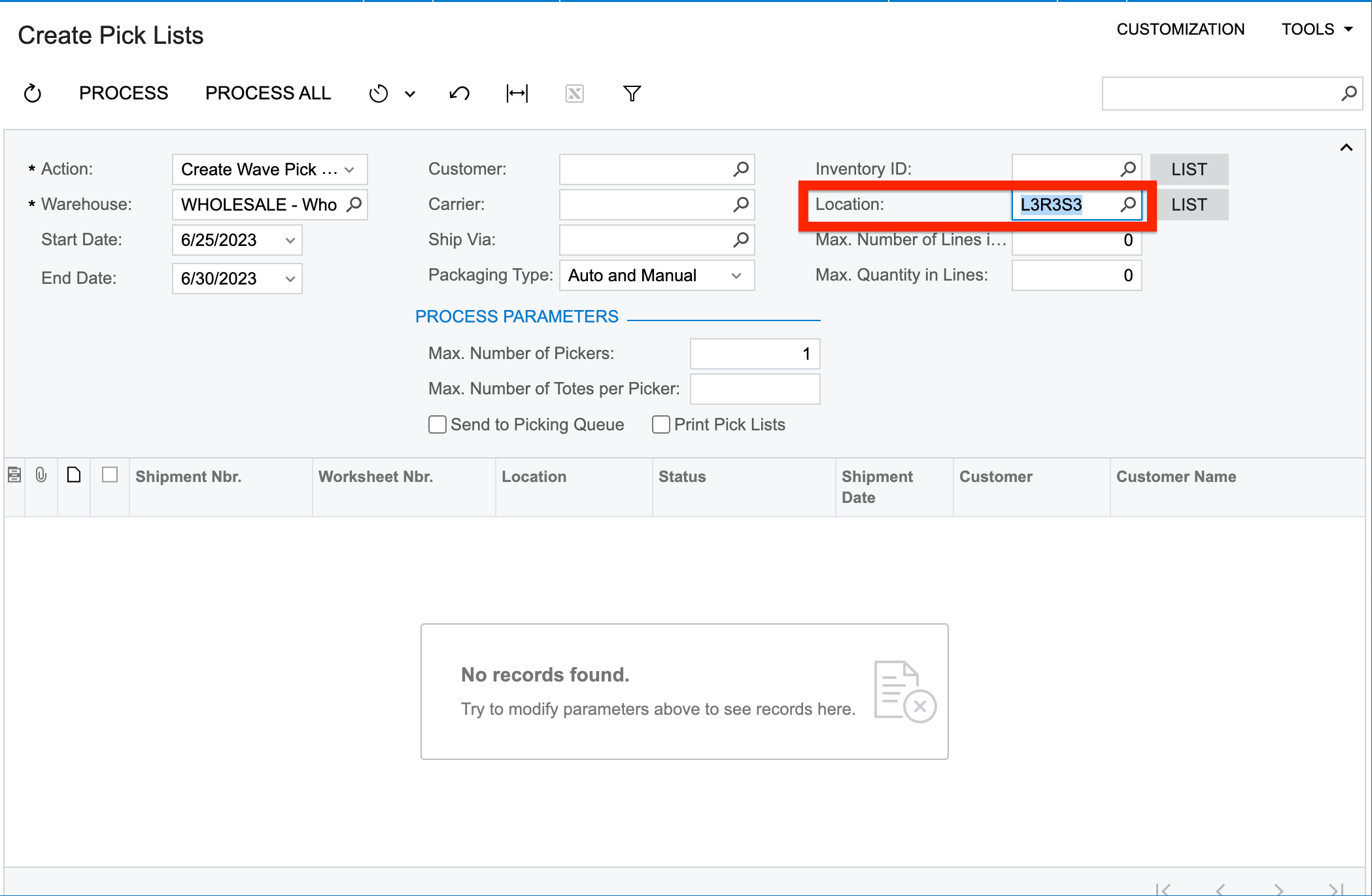
And now when I try to Create a Pick List by filtering the values on the basis of the Location, the system doesn’t display the results in the table as shown below:


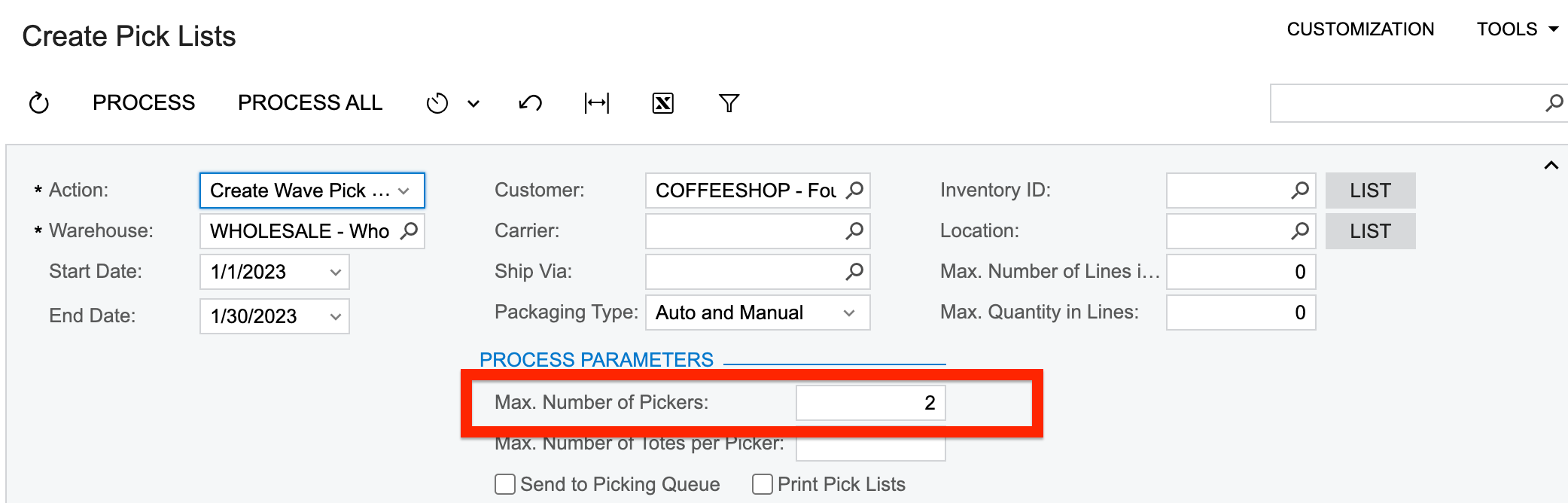
Also, upon creating a Wave Picklist, when I proceed to assign, the system displays me only 1 picker for one wavelist. Whereas, I have not been able to assign the same picklist to different pickers-as the locations are different:
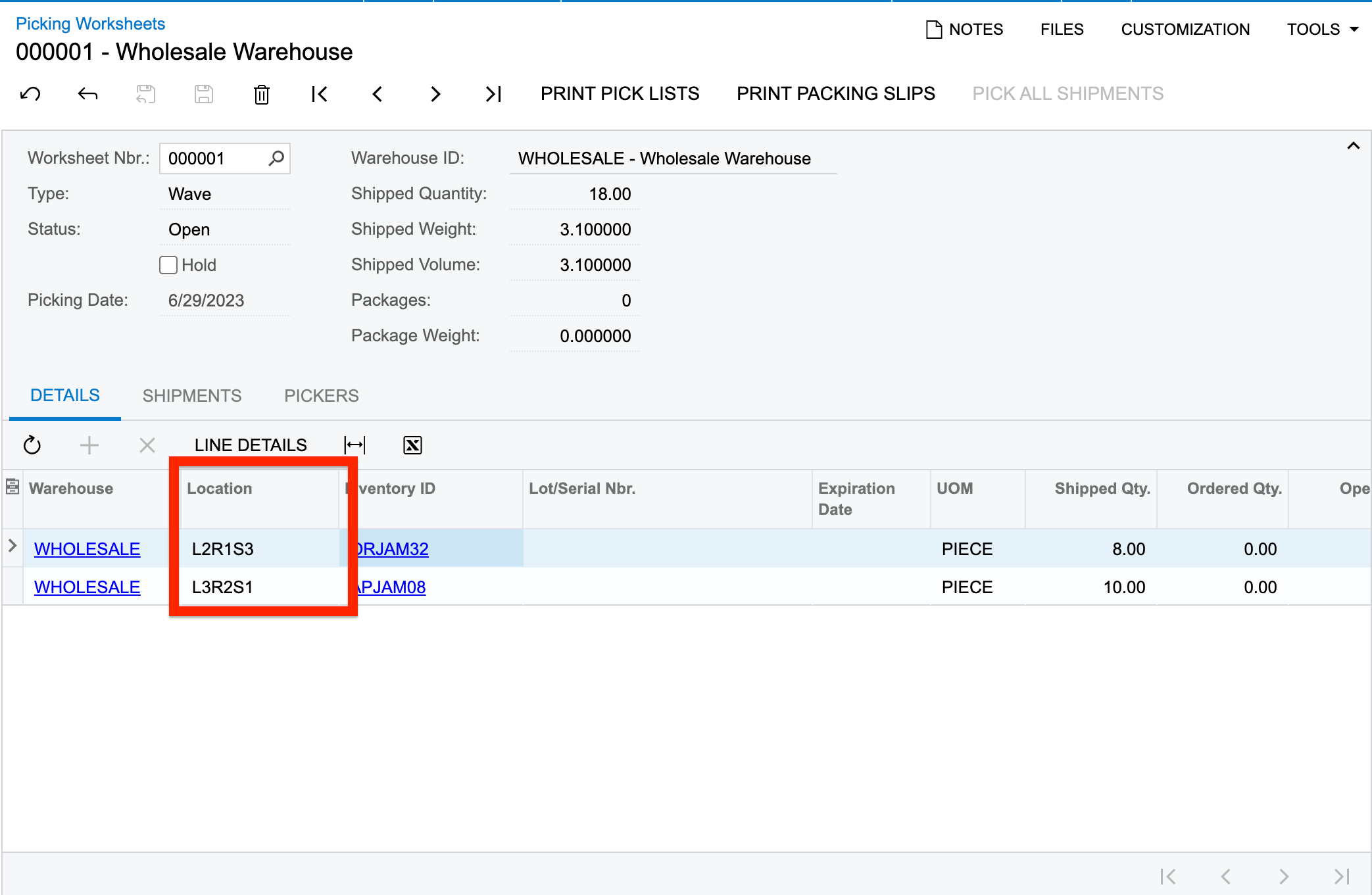


Can anyone please guide me what I am missing here?


Thank you in advance.

4 replies

AndrewStorm
Freshman II
Forum|alt.badge.img+1

I concur with this.  What is needed is to allow the system to select multiple criteria for assigning pick lists.  Companies may want to pull parts by different inventory item attributes or location zones, or by weight for example.  It would be powerful to have the ability to do this and allow more companies to fit inside the ‘Acumatica WMS box’.

Translate

Forum|alt.badge.img

Hi ​@Harshita ,

Have you verified whether the Advanced Picking feature is enabled in your environment?


Thank You,

Kasuni E


Translate

AndrewStorm
Freshman II
Forum|alt.badge.img+1

Yes it is enabled.

Translate

Forum|alt.badge.img

H ​@Harshita,

From the Create Pick Lists screen, the Location filter works as follows:

  • You can select one location to show shipments containing items from that location.
  • You can also click the List button and select multiple locations to include shipments that contain items from any of those locations.
  • If Partial Match is cleared, the system will only show shipments that contain items exclusively from the selected locations.

Because your shipment contains items from two locations (MAIN and L3R3S3), the results may not appear if the filter is set to a single location and Partial Match is unchecked.

Things to try:

  • Leave the Location field blank to see shipments from all locations.
  • Or click List and select both locations (MAIN and L3R3S3).
  • If you select multiple locations, enable Partial Match so shipments with items from those locations appear.
Translate