Answer

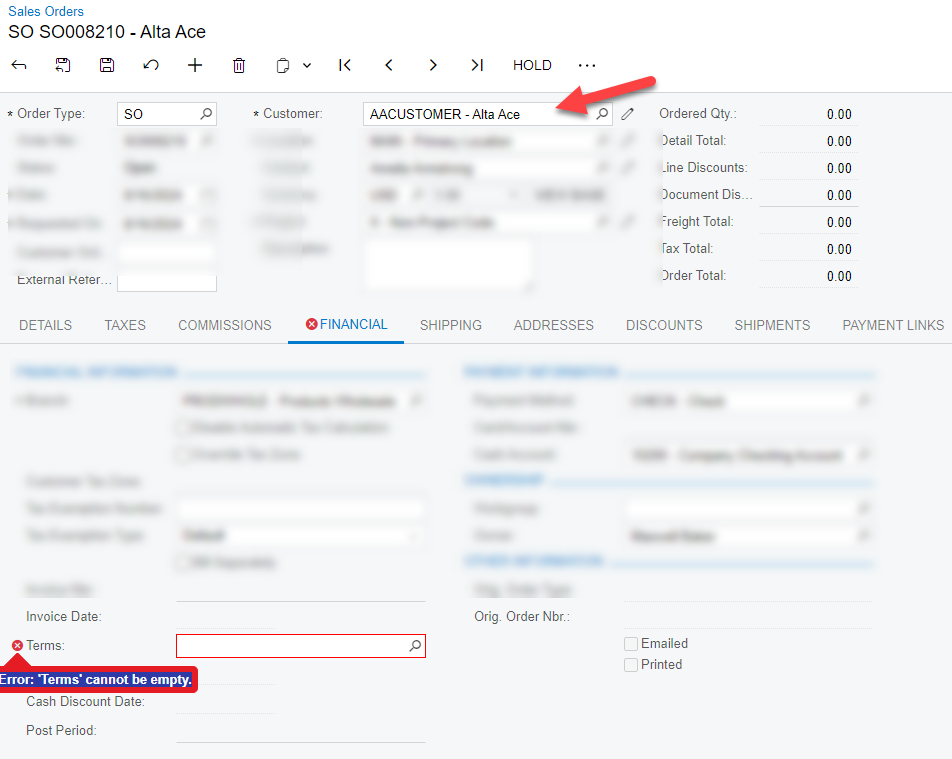
Syncing Sales Order with BigCommerce B2B Edition Error: SalesOrder.FinancialSettings.Terms: 'Terms' cannot be empty.

  • August 16, 2024
  • 3 replies
  • 63 views

Forum|alt.badge.img

Hello everyone,

How to fix the above error? This is an order placed in BigCommerce from a B2B customer. 

Also, to add context: the user used to placed the order is a super admin, that “masquerades” the Customer, and place order in behalf. Not sure if that is related, but just mention if can help.

Best answer by Yuri Karpenko

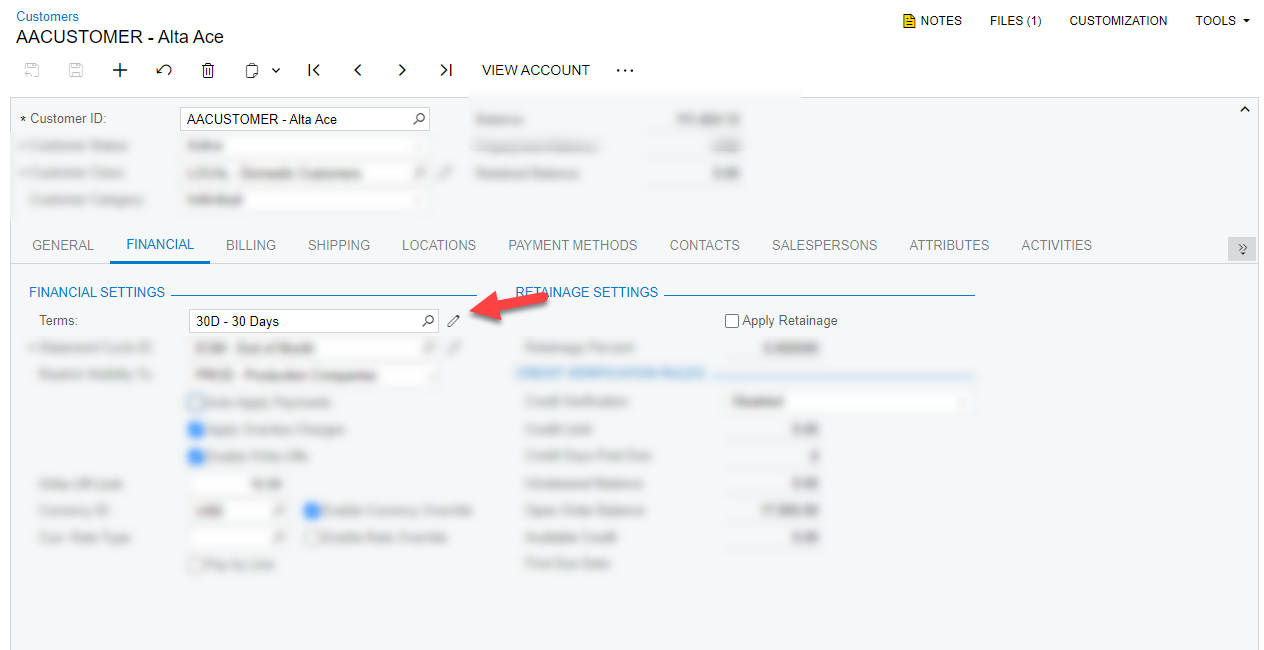
@jib87 , if you have that customer in Acumatica already, just set the Terms for them on the Financial tab. And the order will be imported with no problem.

You can also add a formula to the Entities Mapping if you need to dynamically select a Term and there is some piece of data in BC that would help you determine the Term.

Last time I checked, terms in B2B edition of BC are NOT synced with Acumatica Terms.

3 replies

Yuri Karpenko
Captain II
Forum|alt.badge.img+6
  • Captain II
  • Answer
  • August 16, 2024

@jib87 , if you have that customer in Acumatica already, just set the Terms for them on the Financial tab. And the order will be imported with no problem.

You can also add a formula to the Entities Mapping if you need to dynamically select a Term and there is some piece of data in BC that would help you determine the Term.

Last time I checked, terms in B2B edition of BC are NOT synced with Acumatica Terms.


gabrielpaz86
Acumatica Employee
Forum|alt.badge.img+1
  • Acumatica Employee
  • August 16, 2024

Hi @jib87,
This error is the same as if you try to create an Order without Financial Terms. This field is taken from Customer setting or the Customer Class. Could you please try that?
Disclaimer: these images were taken from demo data, they are not real.


Forum|alt.badge.img
  • Author
  • Varsity I
  • August 19, 2024

Orders are now syncing following your recommendations. Thank you for your help. 😊 @Yuri Karpenko @gabrielpaz86