


In this article I will show you how to configure Acumatica to automatically accrue Gift Certificate amount.
Step 1: We need to create a new GL Account that will hold sold Gift Certificates value.
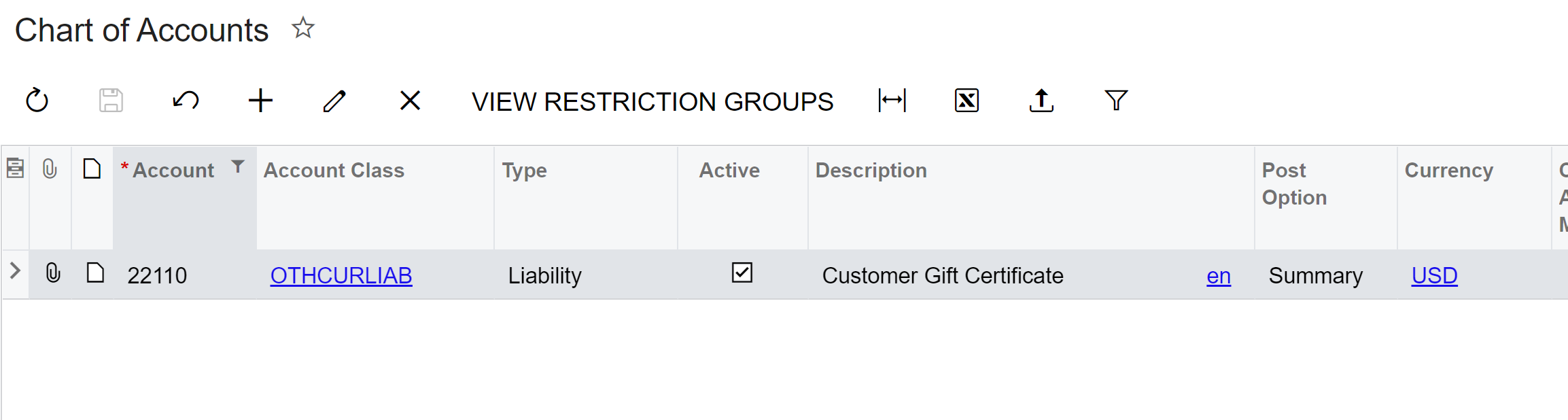
Step 2: We need to create a corresponding Cash Account that will be used for the payment by gift Certificates.
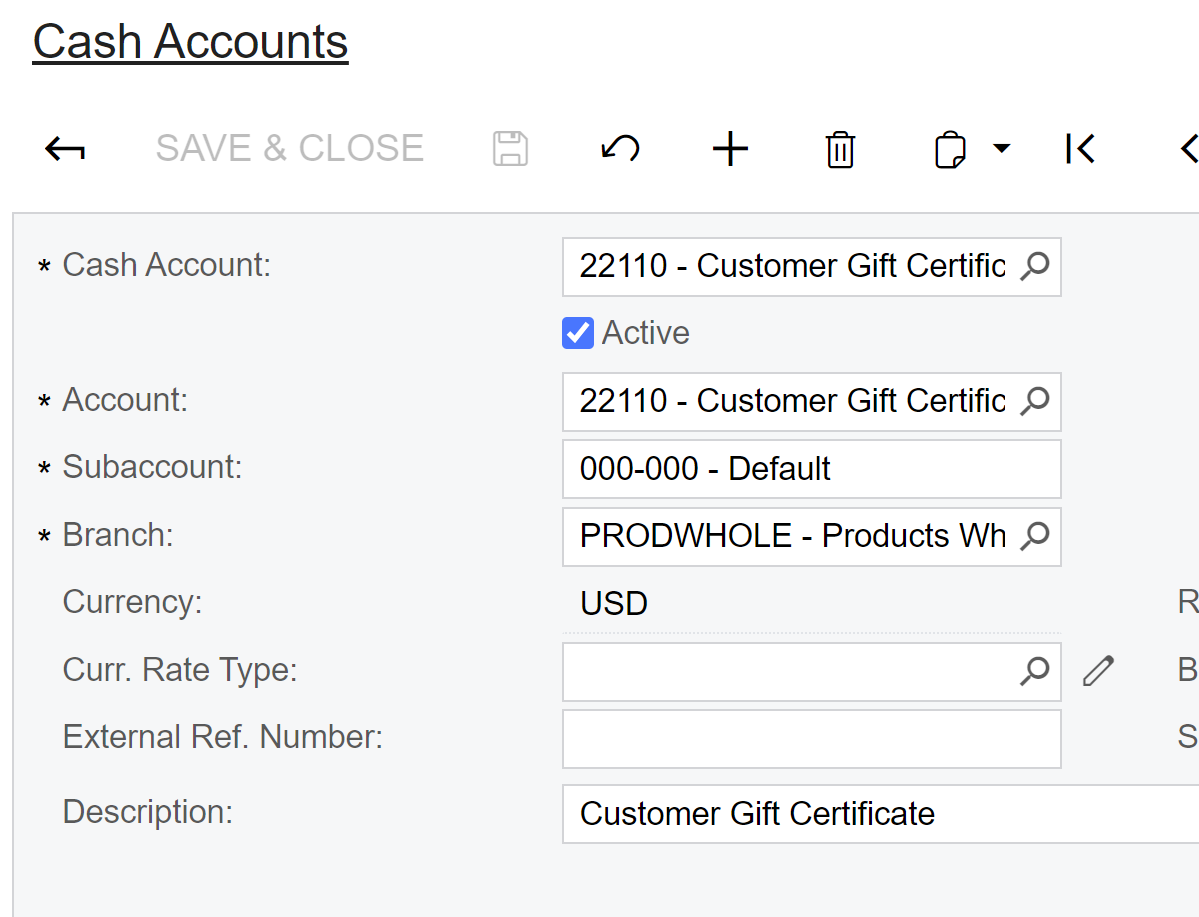
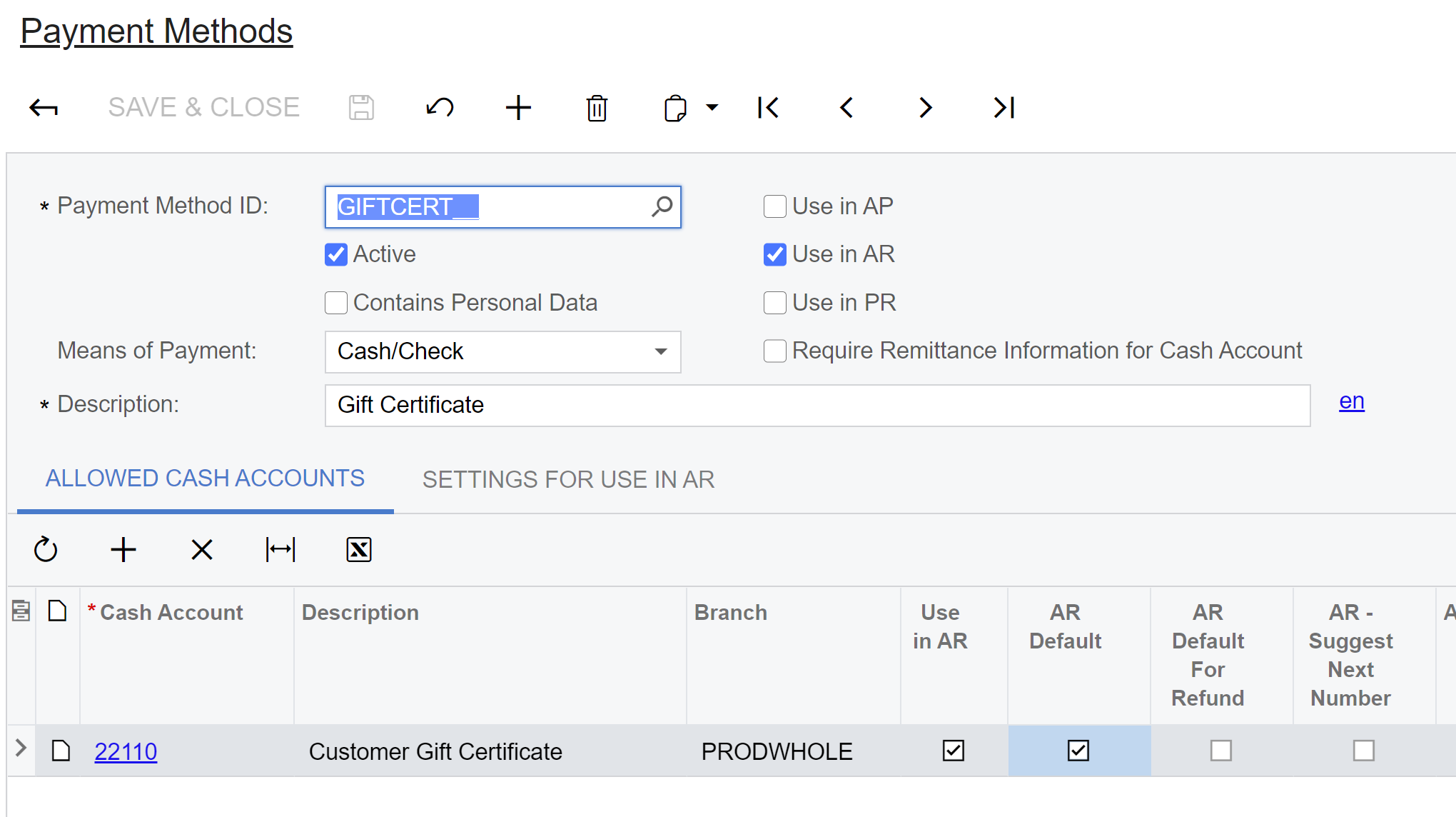
Step 3: We need to create a Payment Method that will accept payments by Gift Certificates
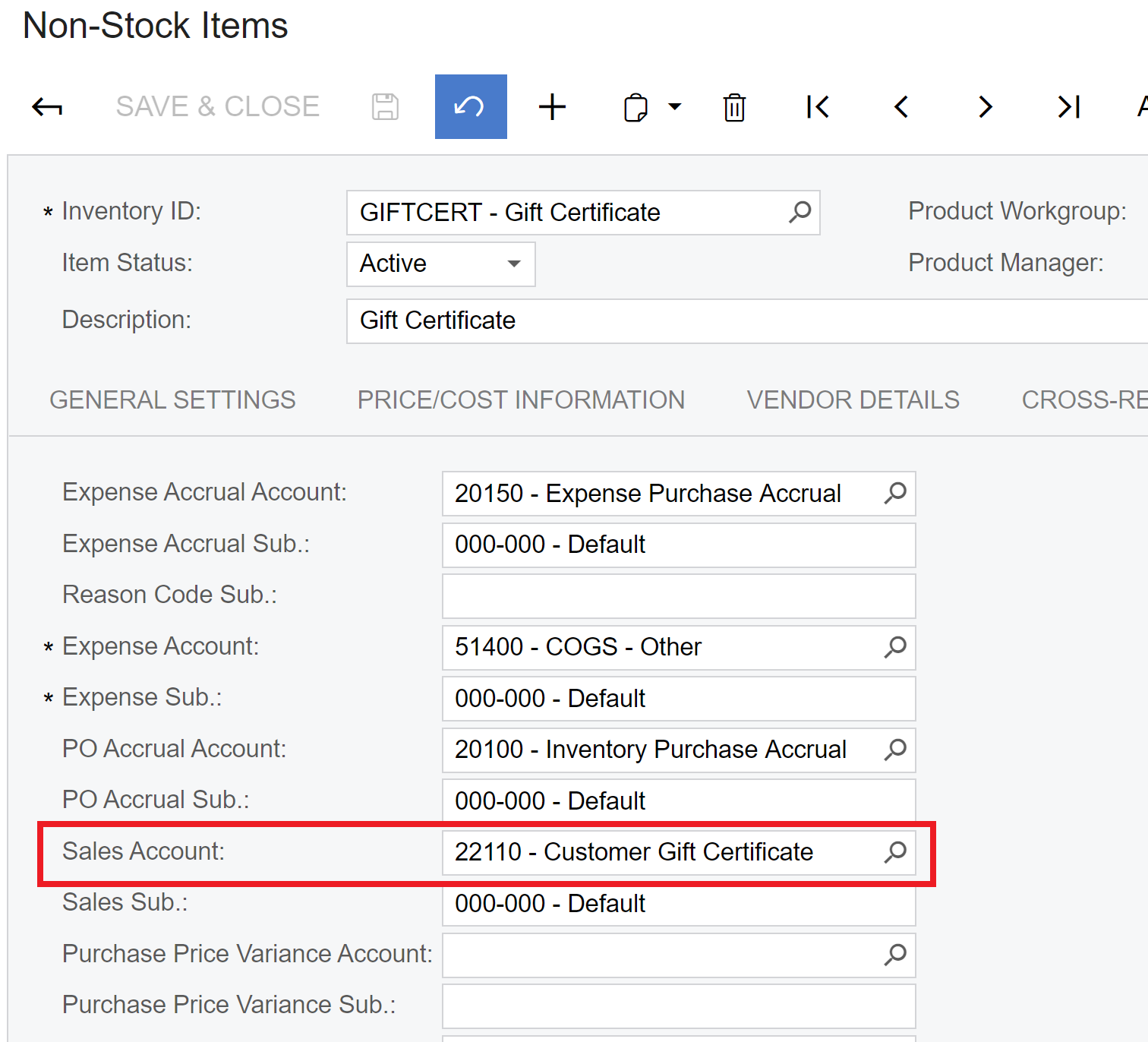
Step 4: Now we need to create a Non-Stock Item that will represent a Gift Certificate item in the Sales Order. Please note that we should use Customer Gift Certificate GL Account as Sales Account in the Non-Stock Item settings.
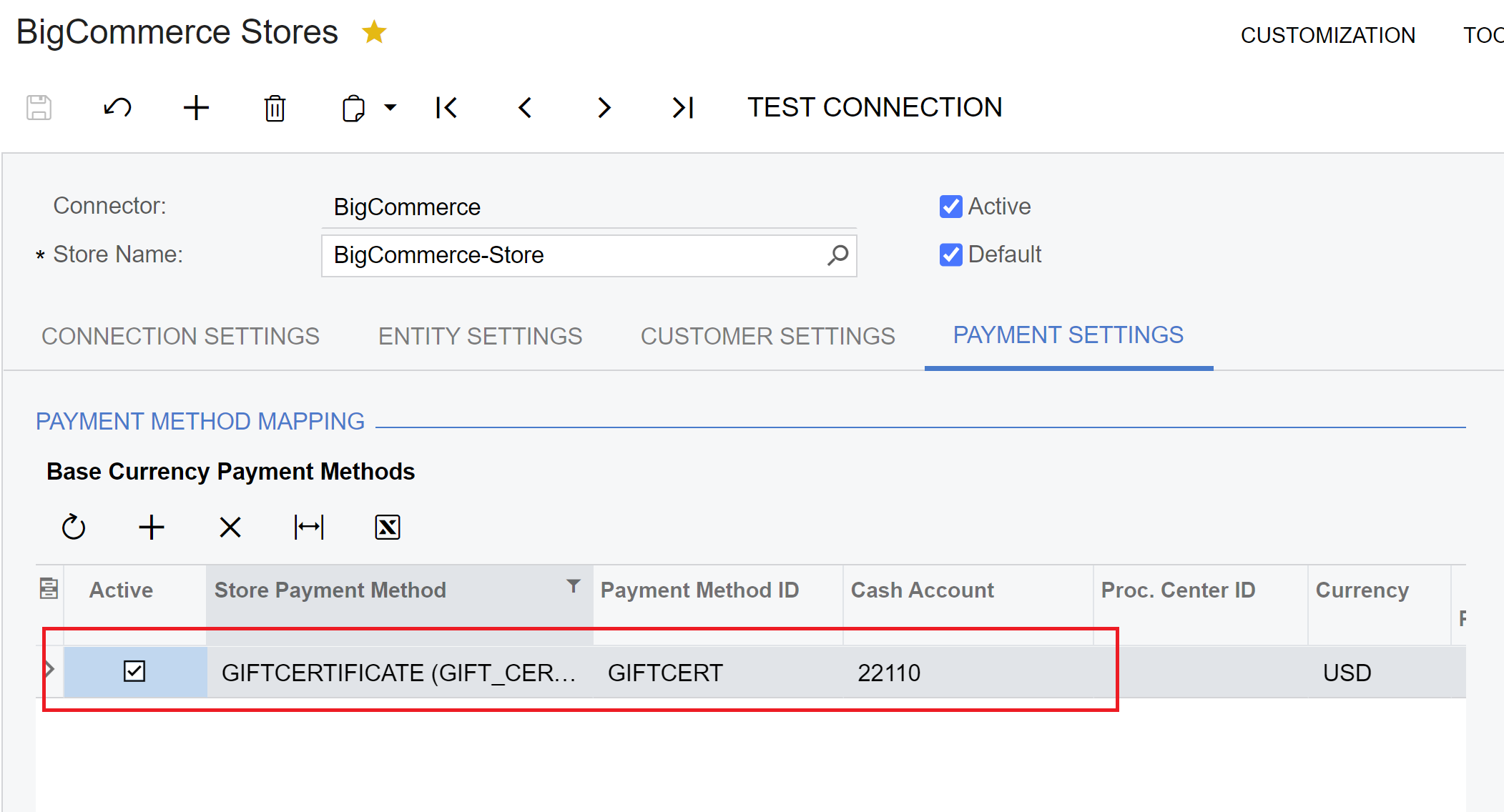
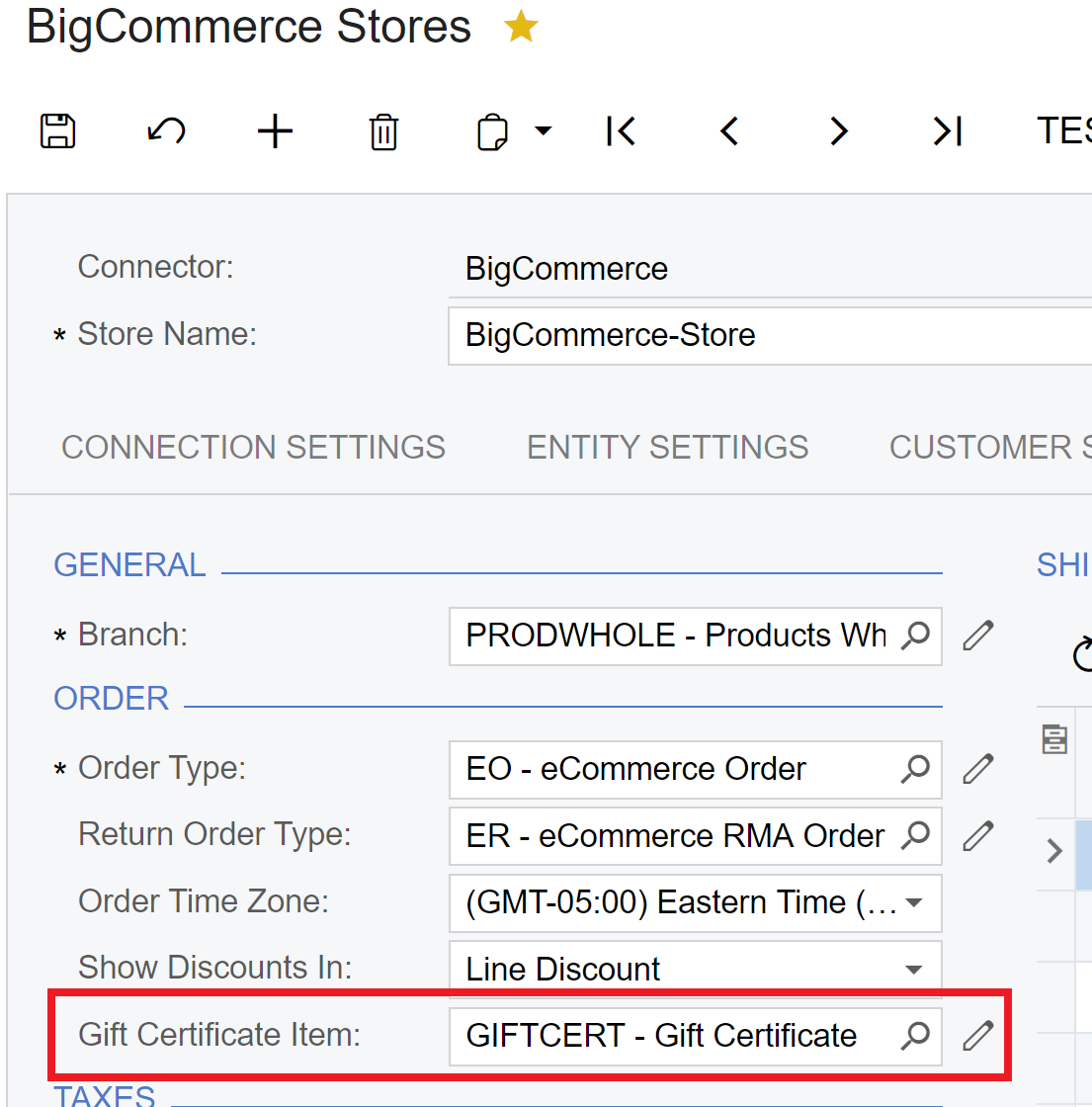
Step 5: We need to configure BigCommerce or Shopify to handle Gift Certificates payments and associate a Gift Certificate Non-Stock Item:
Step 6: Place an order with Gift Certificate at BigCommerce/Shopify. In this example I’ll buy 100$ certificate:
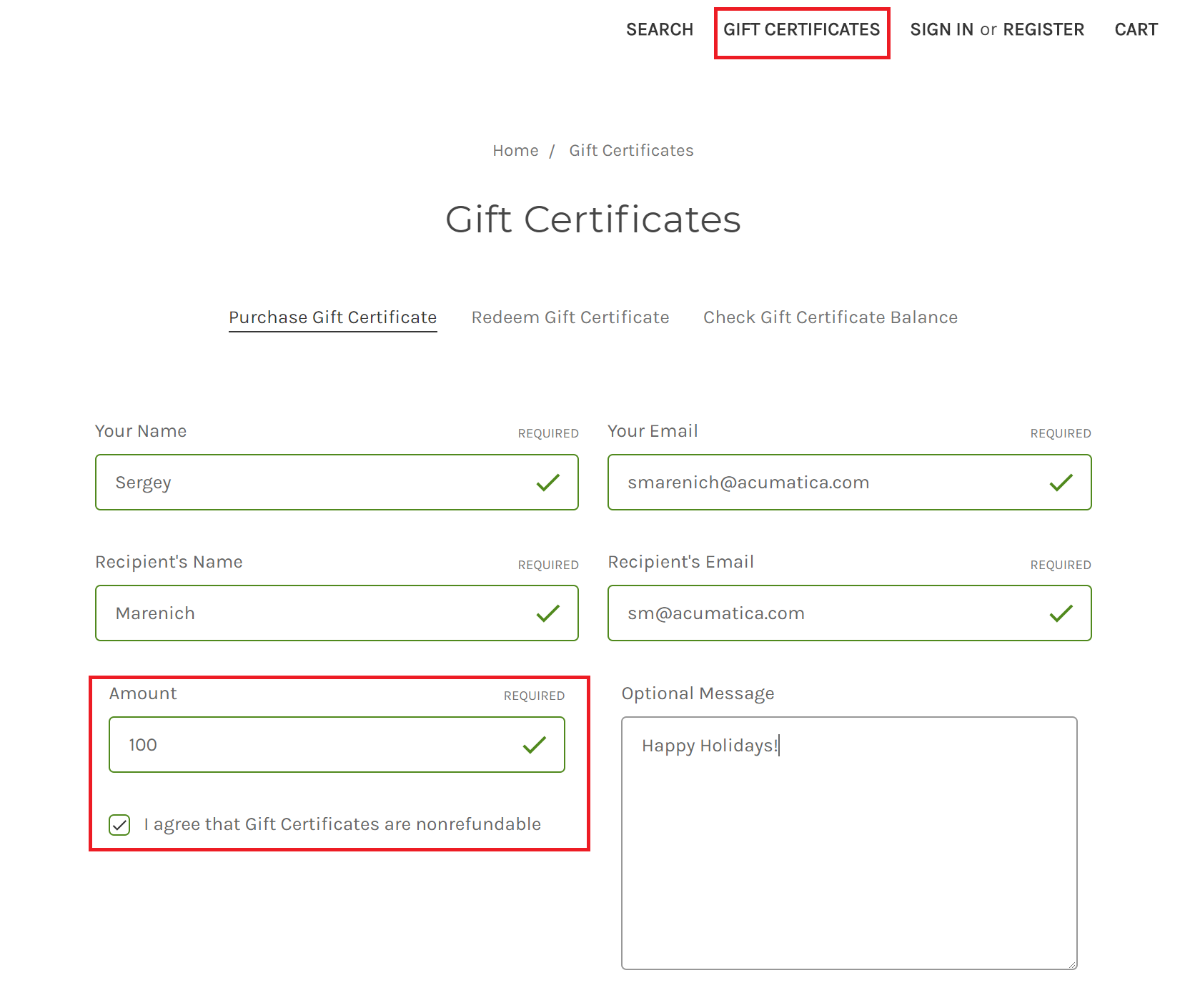
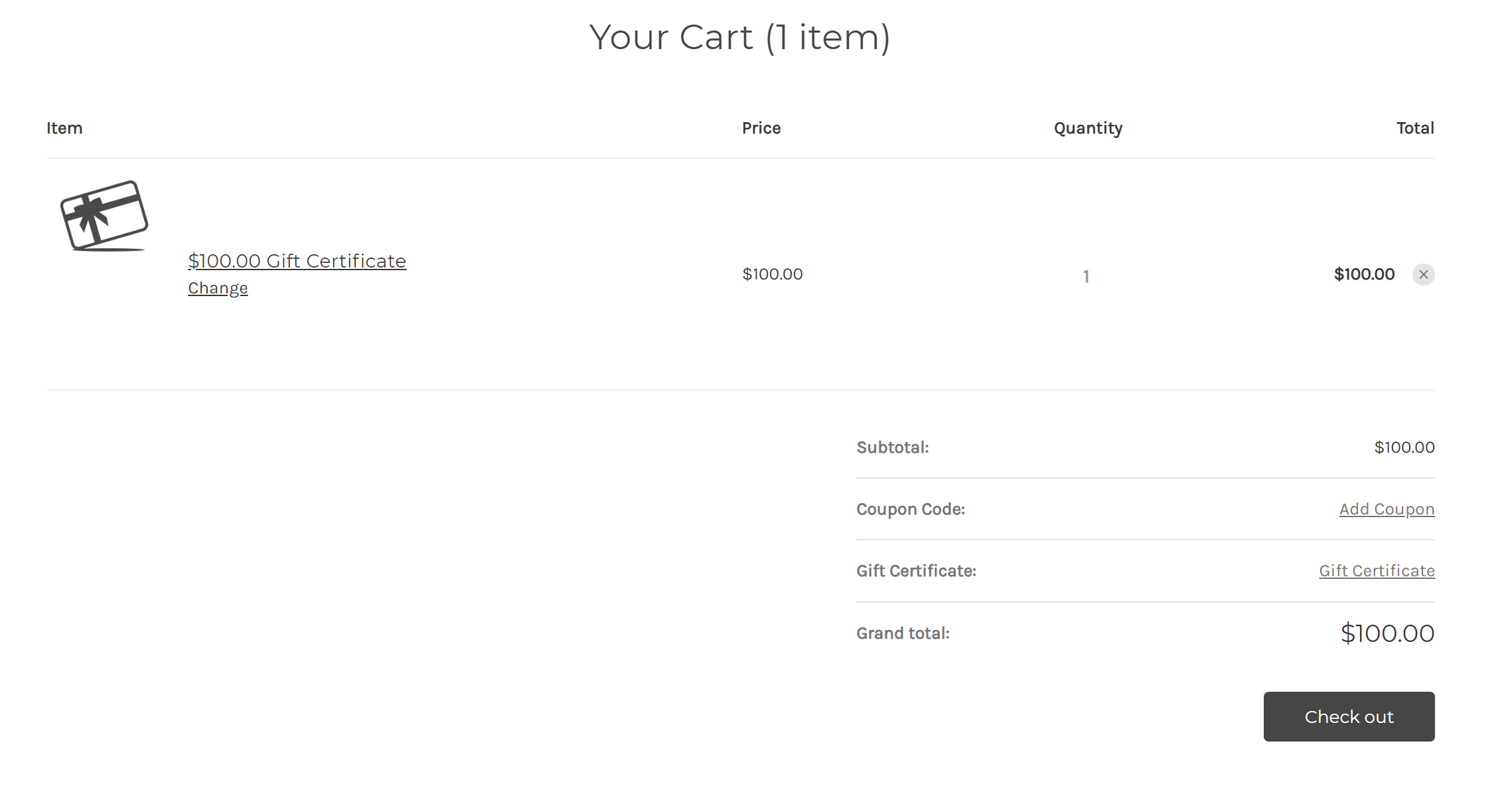
And proceed with checkout.
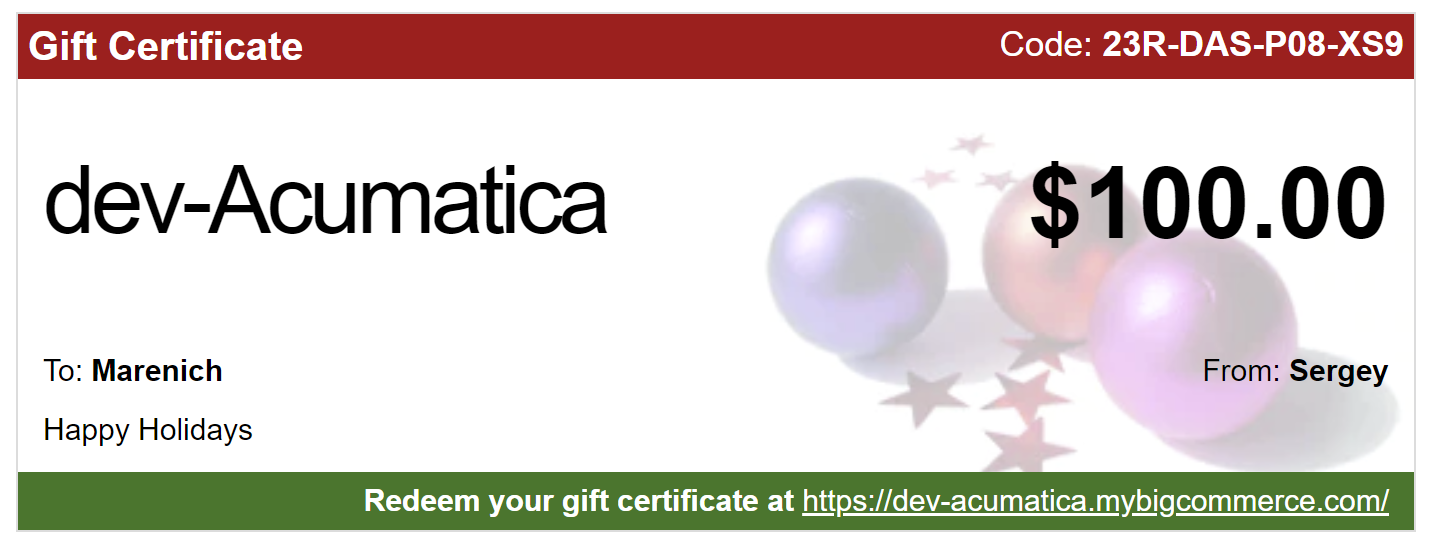
Step 7: You will receive a Gift Certificate at your email address.
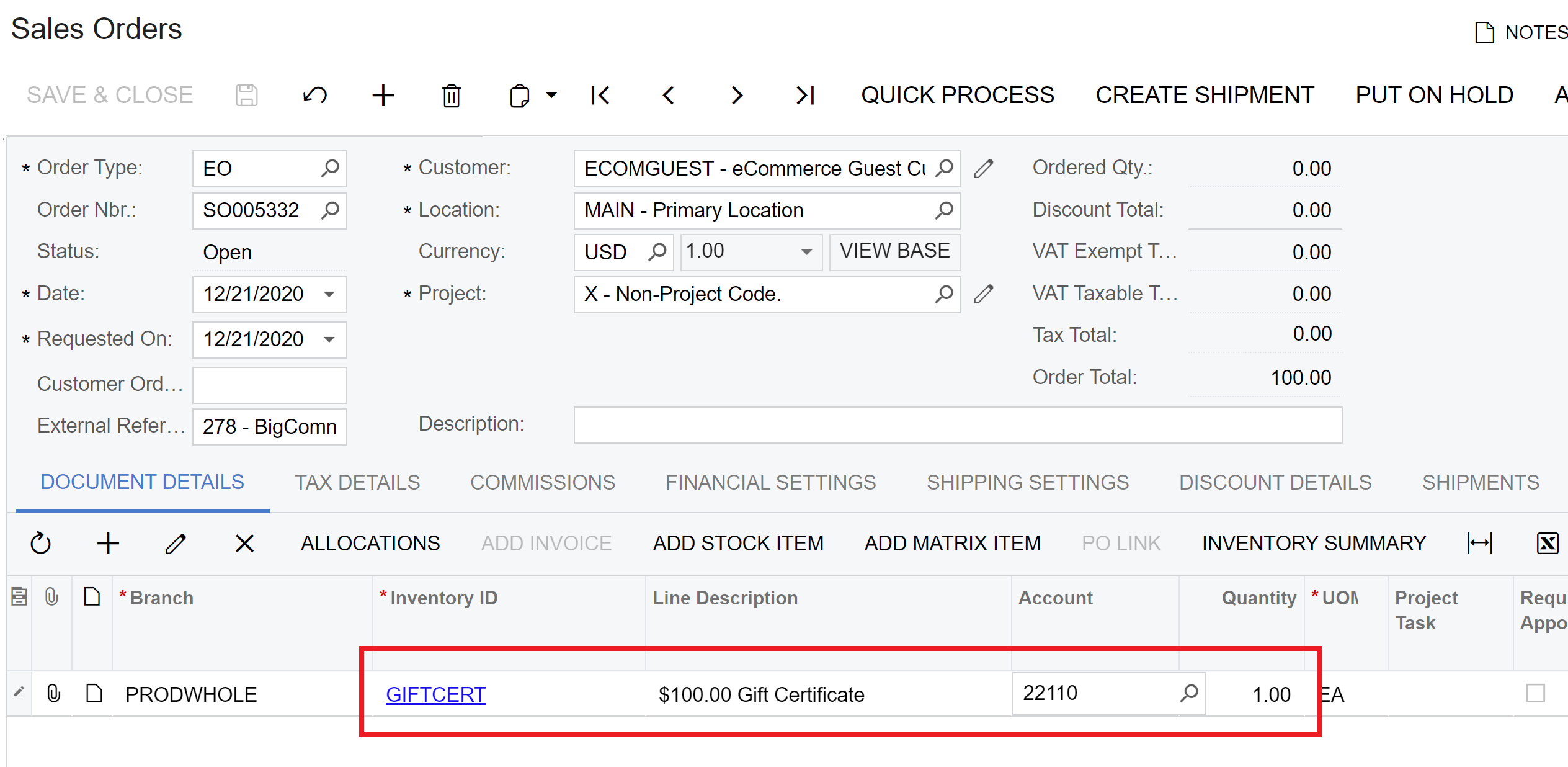
Step 8: Synchronize the Sales Order with Gift Certificate to Acumatica using BigCommerce or Shopify connectors. Note that Non-Stock Item and account used.:
Step 9: Proceed with Prepare Invoice and Release of Invoice for Gift Certificate Order.
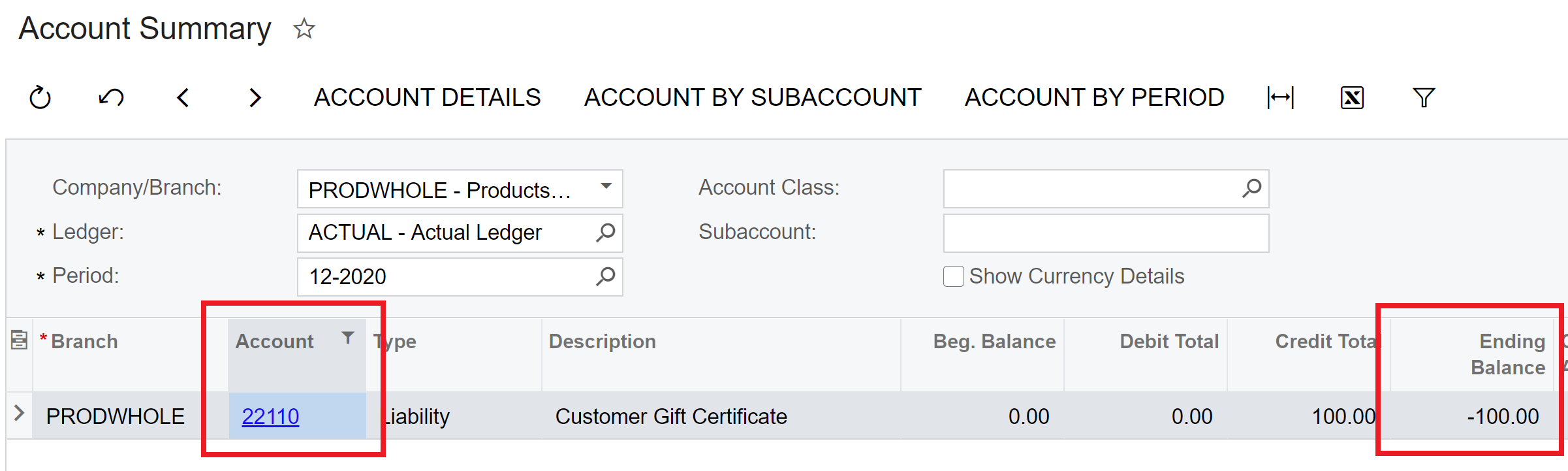
Step 10: Upon Invoice release, you can see that Gift Certificate amount is accrued on our liability account:
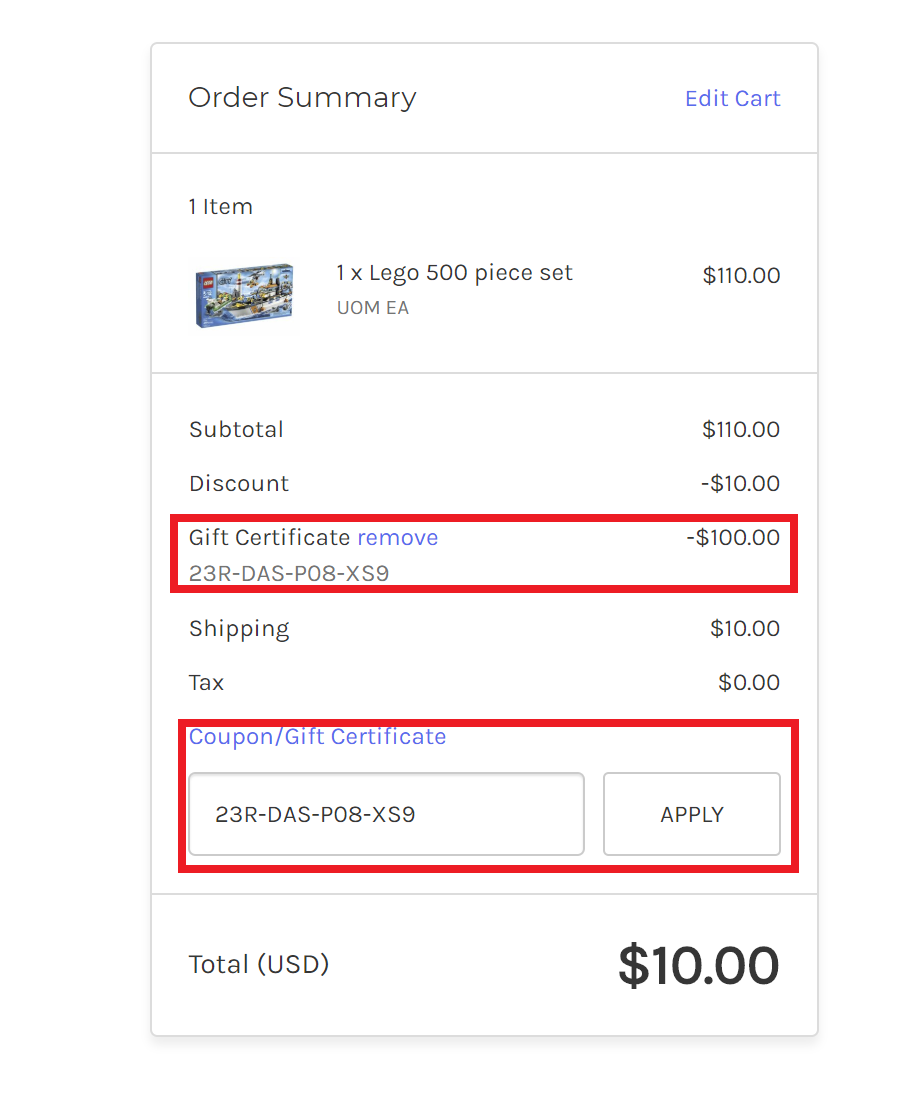
Step 11: Place and checkout a new order with any item and pay by Gift Certificate.
Step 12: Synchronize the Sales Order with Gift Certificate payment to Acumatica using BigCommerce or Shopify connectors. Note that Payment by Gift Certificate is created by connector automatically. Corresponding payment method (created in the step 3) is used:
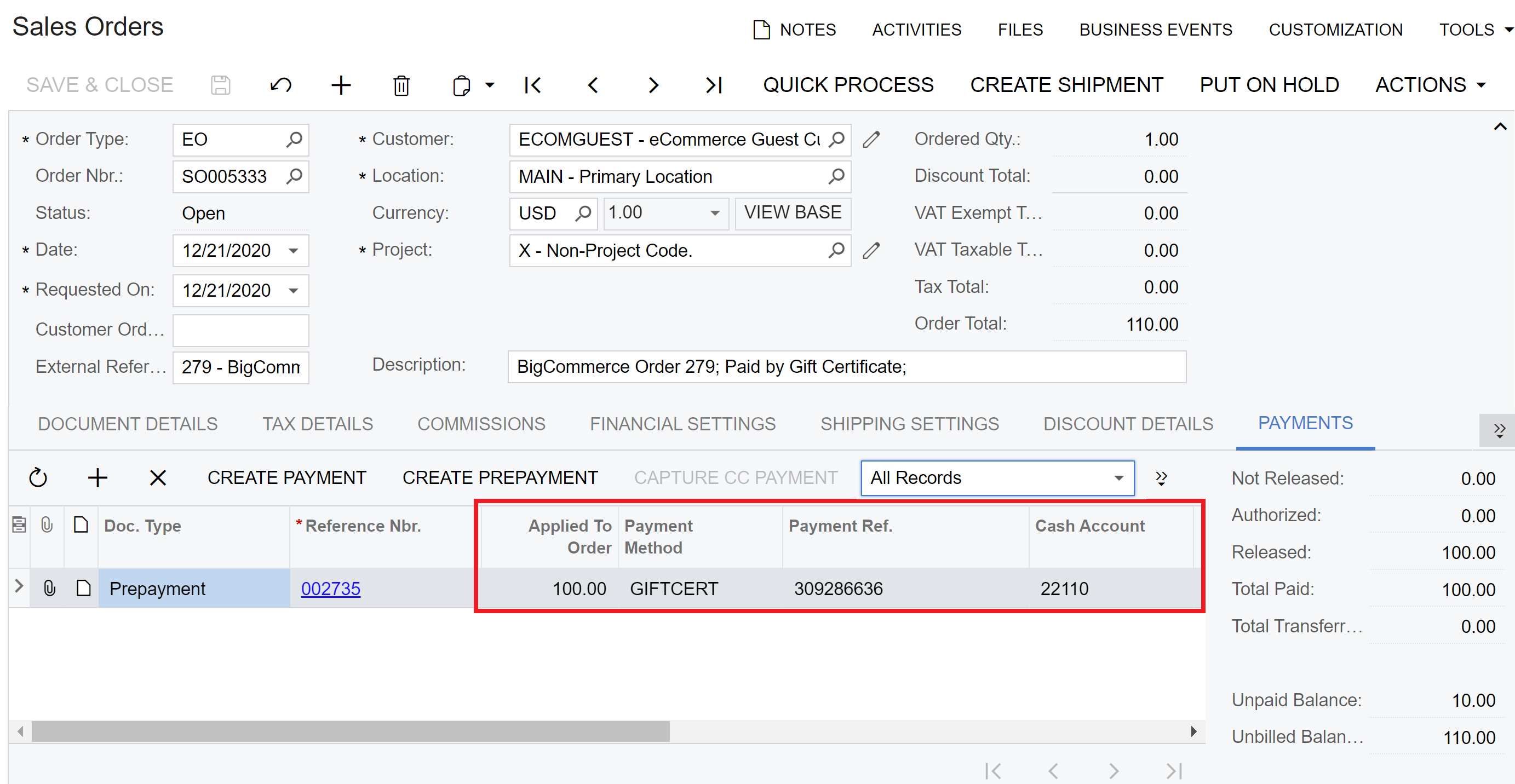
Step 13: If you haven’t configured Gift Certificates payments to be automatically release, you need to go and Release corresponding payment. If you want to configure system to auto-release payments, you can do it in the Payment Methods mapping table from Step 5.
Step 14: Proceed with Shipment creation, Invoice preparation and Invoice release as per standard sales process.
Step 15: When Invoice is released you can see that Payment by Gift Certificate is created and fully applied to the Invoice. Note that our Customer Gift Certificate Cash Account is used in the payment:
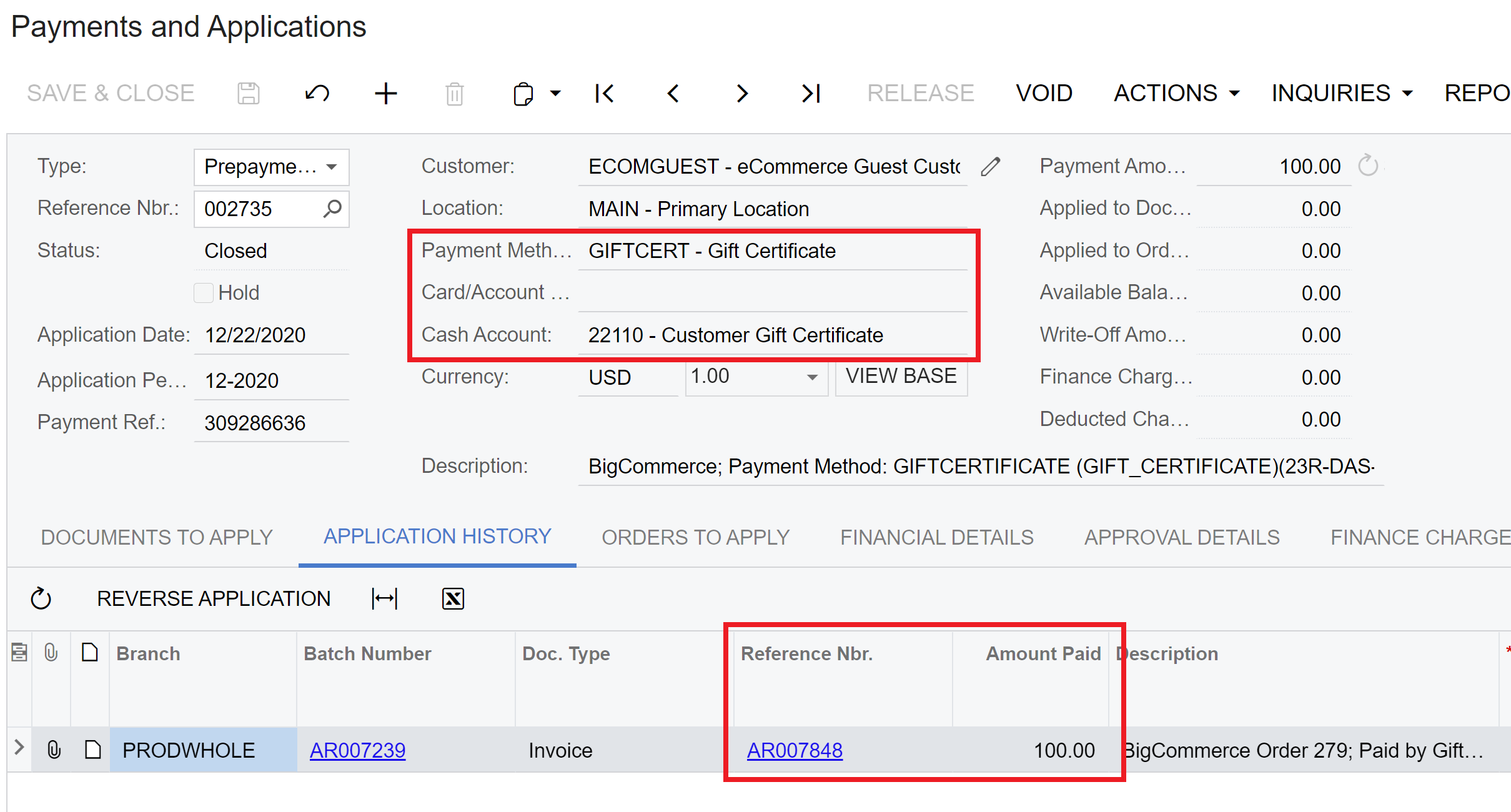
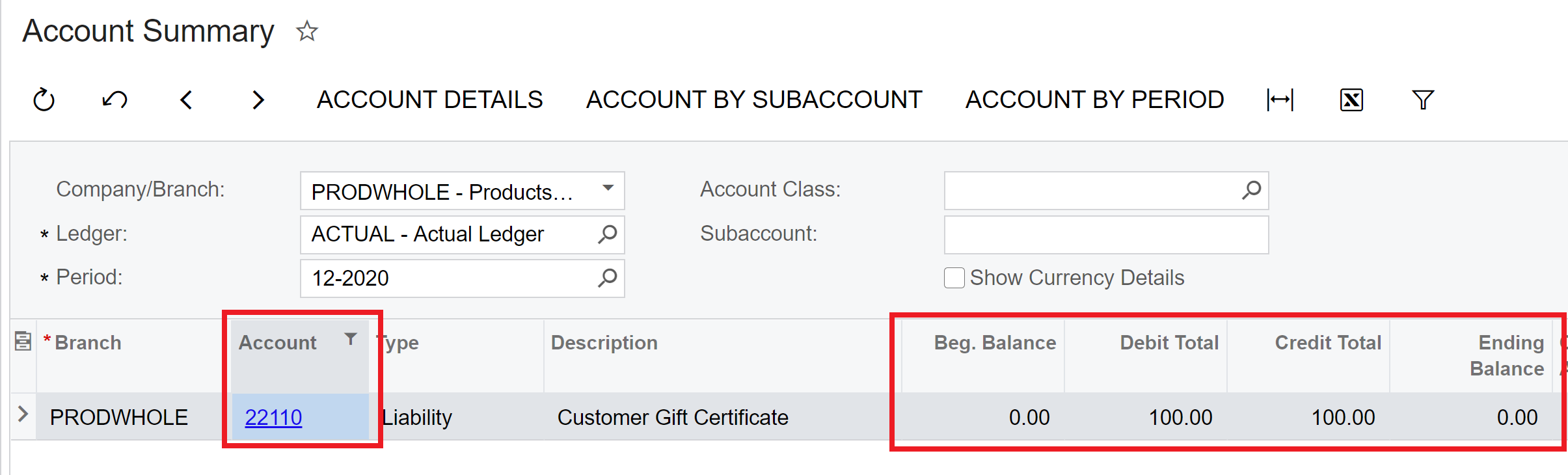
Step 16: Finally you can go to Account Summary and validate that Customer Gift Certificate account has been offset by payment and it’s balance is zero now.
Hope it helps! Feel free to ask questions if any.