

Answer

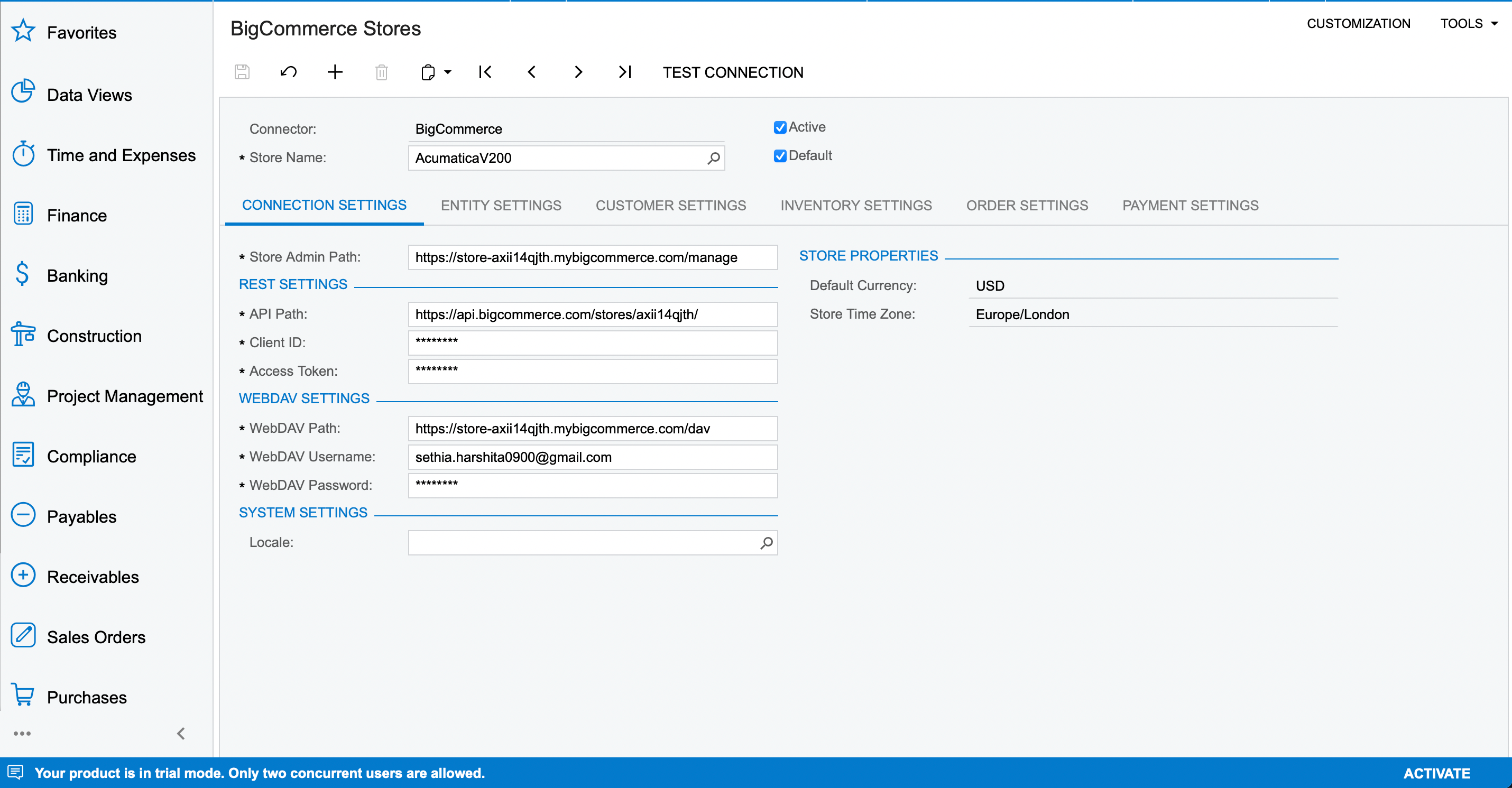
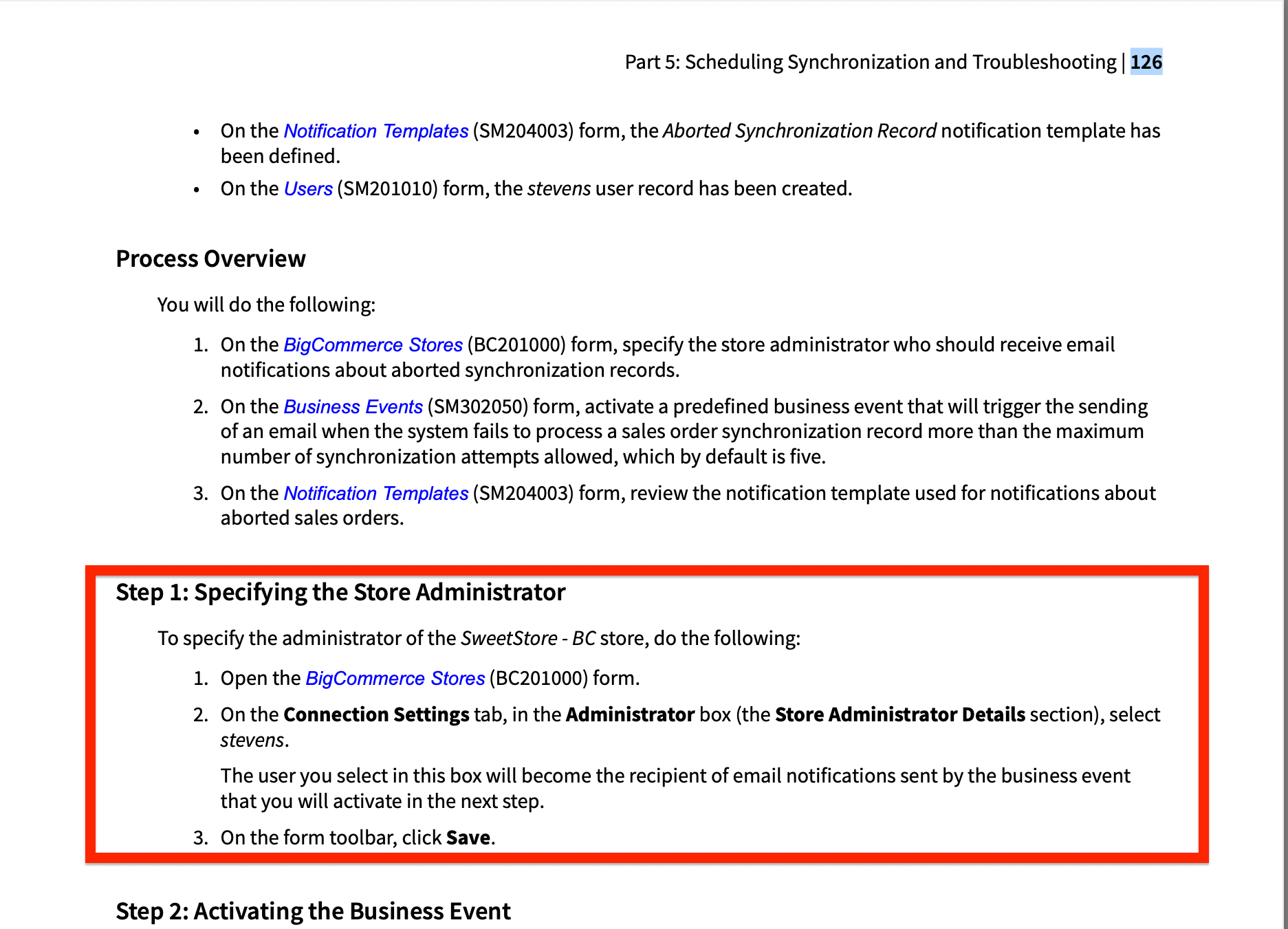
How can we find the Administrator box (Store Administrator Details) in the BigCommerce Stores(BC201000) form?

  • May 23, 2022
  • 5 replies
  • 72 views

Forum|alt.badge.img+3


As per the V200 Manual:


Best answer by Naveen Boga

Here it is @Harshita 

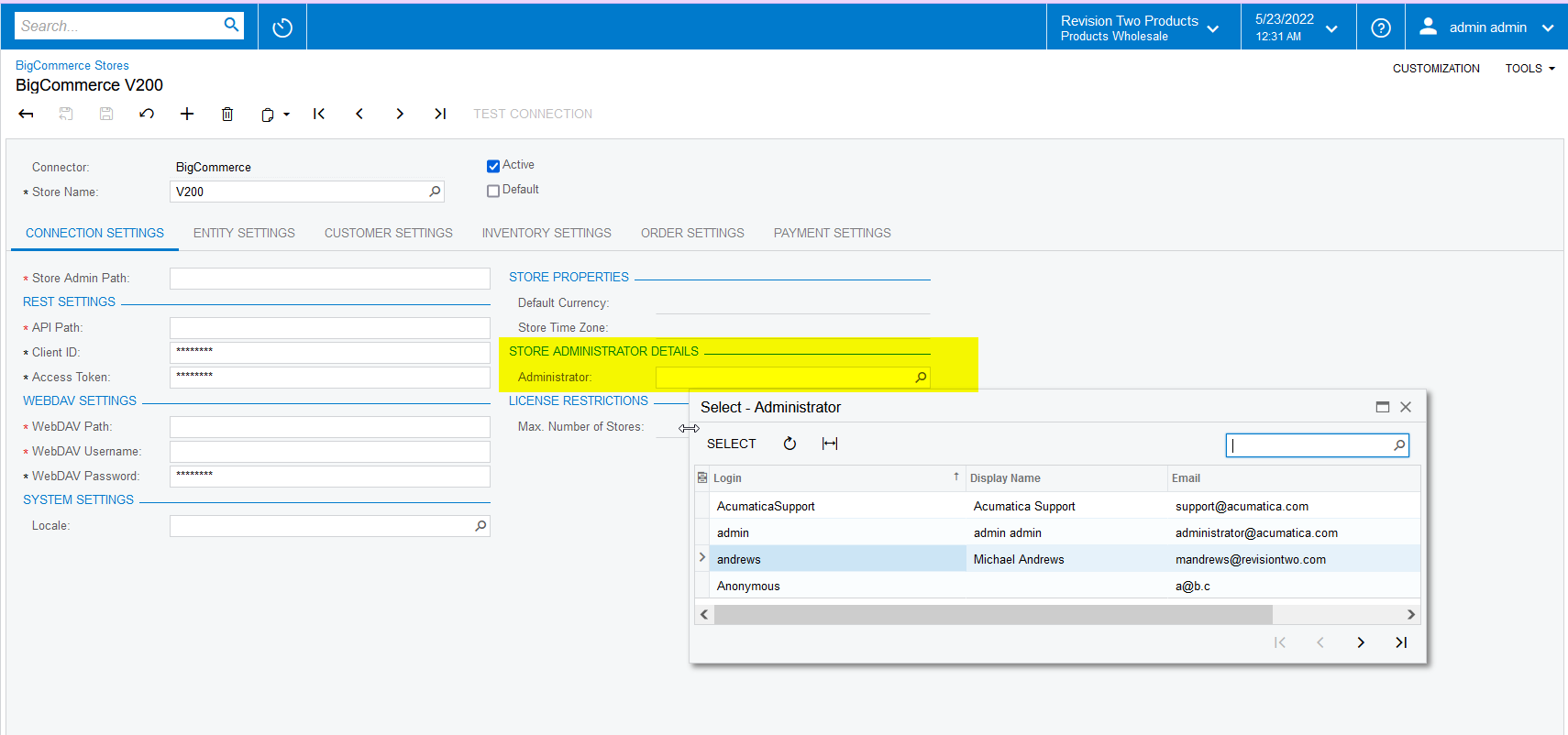
I hope you are checking in the 21 R1 version, but below fields are available in the 22 R1 version.

Please instance 22 R1 and verify.
 

5 replies

Naveen Boga
Captain II
Forum|alt.badge.img+19
  • Captain II
  • Answer
  • May 23, 2022

Here it is @Harshita 

I hope you are checking in the 21 R1 version, but below fields are available in the 22 R1 version.

Please instance 22 R1 and verify.


Forum|alt.badge.img+3
  • Author
  • Captain II
  • May 23, 2022

Here it is @Harshita 

I hope you are checking in the 21 R1 version, but below fields are available in the 22 R1 version.

Please instance 22 R1 and verify.


Thanks Naveen for clearing out. How can we install the cloud instance ? Kindly let us know.


Naveen Boga
Captain II
Forum|alt.badge.img+19
  • Captain II
  • May 23, 2022

Hi @Harshita  Do you want to install Acumatica 22 R1 instance?


Forum|alt.badge.img+3
  • Author
  • Captain II
  • May 23, 2022

Hi @Harshita  Do you want to install Acumatica 22 R1 instance?

I would like to create a new one.


Naveen Boga
Captain II
Forum|alt.badge.img+19
  • Captain II
  • May 23, 2022

@Harshita  You can download the latest 22 R1 instance from the below link and install and then create the new instance


http://acumatica-builds.s3.amazonaws.com/index.html?prefix=builds/22.1/22.105.0031/AcumaticaERP/

