

Answer

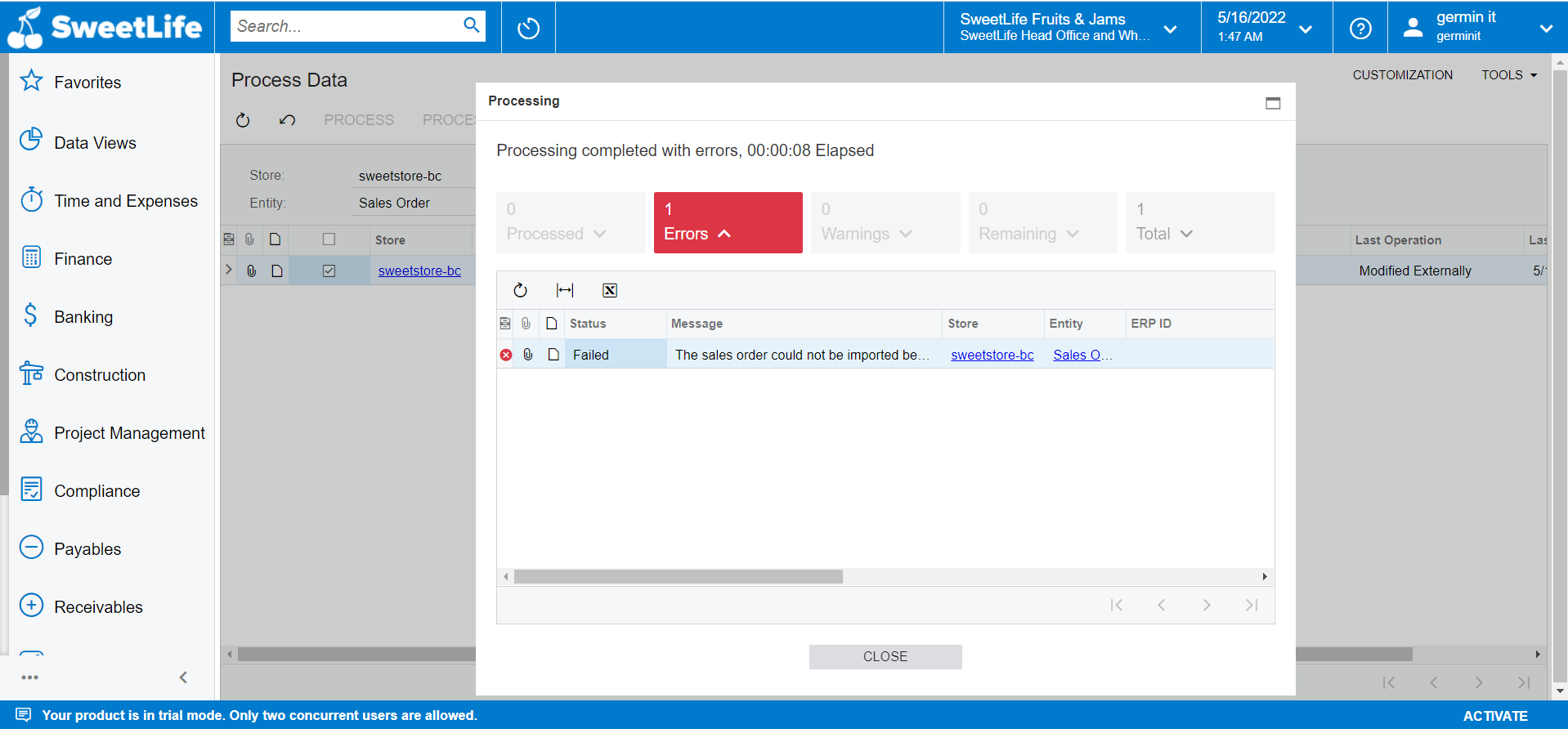
ERROR: The sales order could not be imported because the combination of the New York State store shipping zone and the None store shipping method is not mapped to a Ship Via or the mapping is inactive in the store settings.

  • May 16, 2022
  • 1 reply
  • 89 views

Forum|alt.badge.img

i am getting error when i process sales order 

ERROR:

The sales order could not be imported because the combination of the New York State store shipping zone and the None store shipping method is not mapped to a Ship Via or the mapping is inactive in the store settings.


Best answer by Nikolay Sobinov

Hi Madhu!

What you need to do is go to the BigCommerce Stores form (Order Settings tab) and specify a ship via in the Shipping Option Mapping table for the combination of New York State store shipping zone and the None store shipping method. 

As far as I understand, you’re taking the V200 course. Chances are, when you were creating an order in BC, you selected a shipping option other than the one specified in the course guide (and the selected option hasn’t been mapped to any ship via code in Acumatica).

Hope this helps.

Nikolay

1 reply

  • Acumatica Employee
  • Answer
  • May 16, 2022

Hi Madhu!

What you need to do is go to the BigCommerce Stores form (Order Settings tab) and specify a ship via in the Shipping Option Mapping table for the combination of New York State store shipping zone and the None store shipping method. 

As far as I understand, you’re taking the V200 course. Chances are, when you were creating an order in BC, you selected a shipping option other than the one specified in the course guide (and the selected option hasn’t been mapped to any ship via code in Acumatica).

Hope this helps.

Nikolay