Solved

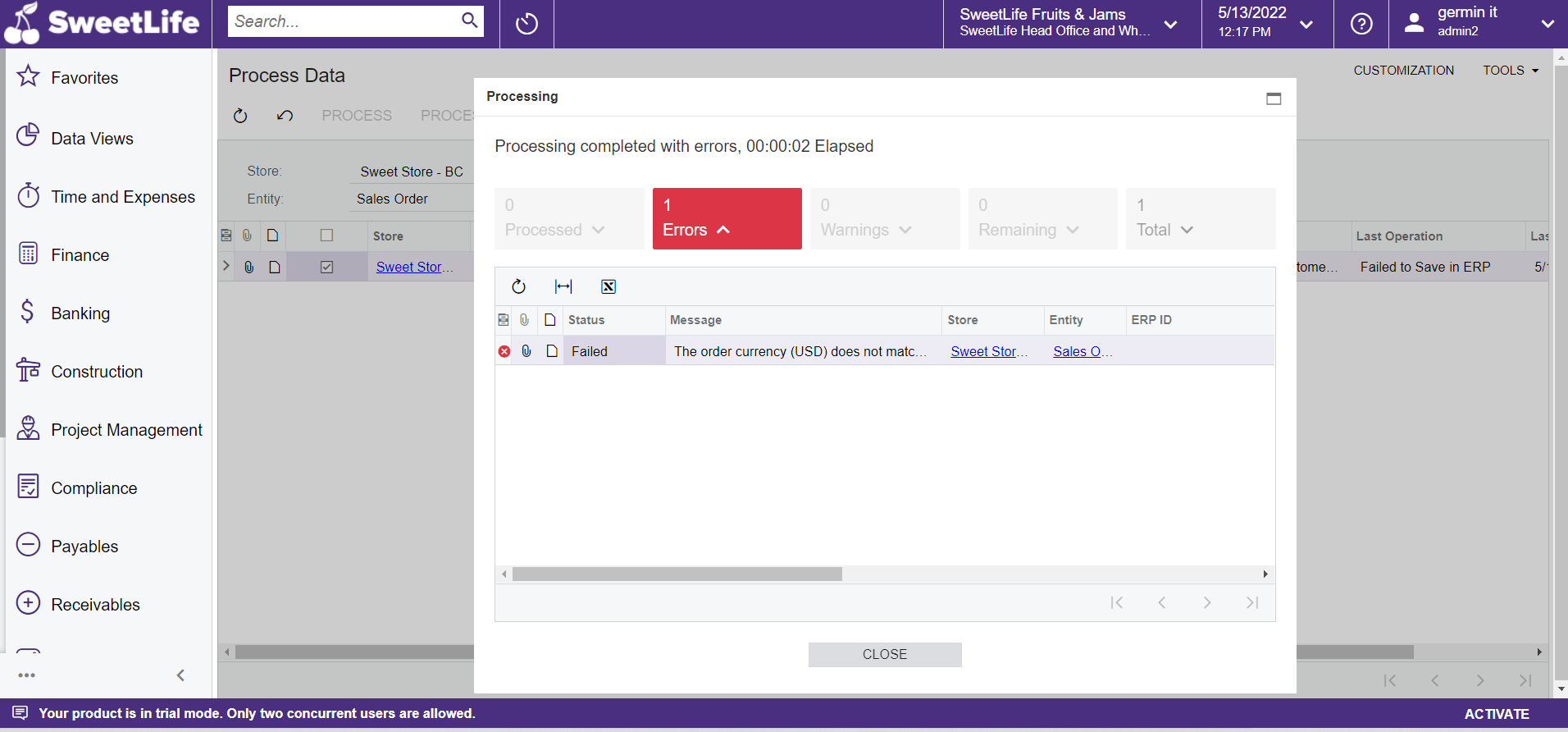
ERROR: The order currency (USD) does not match the customer currency (), and currency override is not allowed in the customer settings.
  • May 13, 2022
  • 4 replies
  • 304 views

Forum|alt.badge.img

The following error i has getting when do process step prepare data form

Error: 

The order currency (USD) does not match the customer currency (), and currency override is not allowed in the customer settings.


Best answer by praveenpo

hi @madhu ,

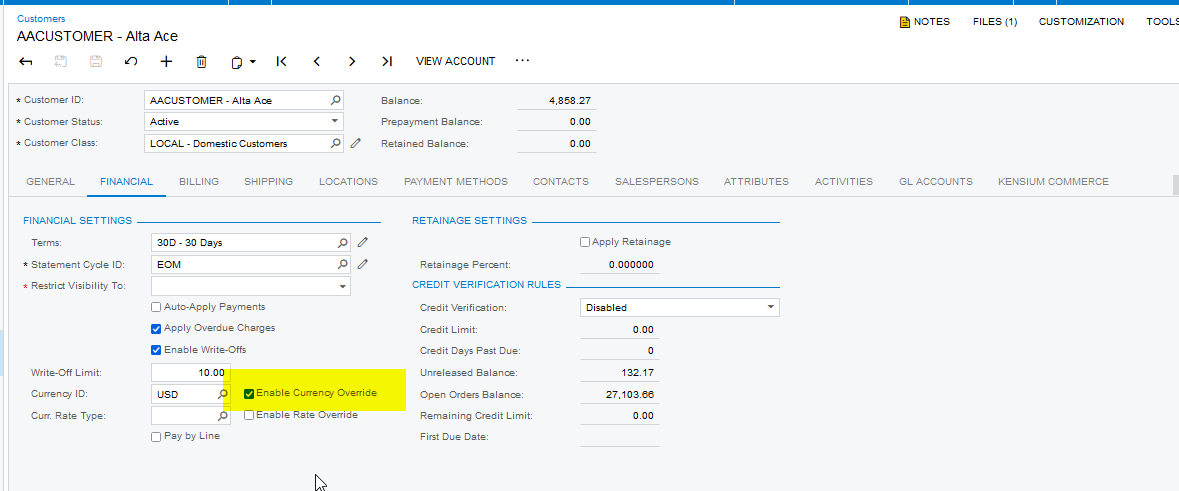
Customer level Currency override is not enabled. You can enable and try to import.


4 replies

praveenpo
Semi-Pro III
Forum|alt.badge.img+3
  • Semi-Pro III
  • Answer
  • May 13, 2022

hi @madhu ,

Customer level Currency override is not enabled. You can enable and try to import.


Forum|alt.badge.img

@praveenpo 

I enable that future but it  not working


KarthikGajendran
Acumatica Moderator
Forum|alt.badge.img+3

@madhu  I think you did not enable it in the right customer record. Go to the external system(bigcommerce) and try to find the Customer for that concerned order. Get the external reference number of that customer and then try to filter the customer records with that reference number in the Sync History(BC301000) form. Once the right customer is found, then you can enable this checkbox. Also, you can enable this in the Customer Classes(AR201000) for the customer class which you are using for your store so that it applies for future new customers. 


Yuri Karpenko
Captain II
Forum|alt.badge.img+6

@madhu ,

I’ve seen the same issue, and enabling the override didn’t help. What fixed the issue for me, was to set the customer currency to USD (a field on the customer record, to the left of the Enable Currency Override. Try that and let us all know if that helps.

I agree with @KarthikGajendran , that you have to be 100% sure you’re modifying the right customer.

Good luck!