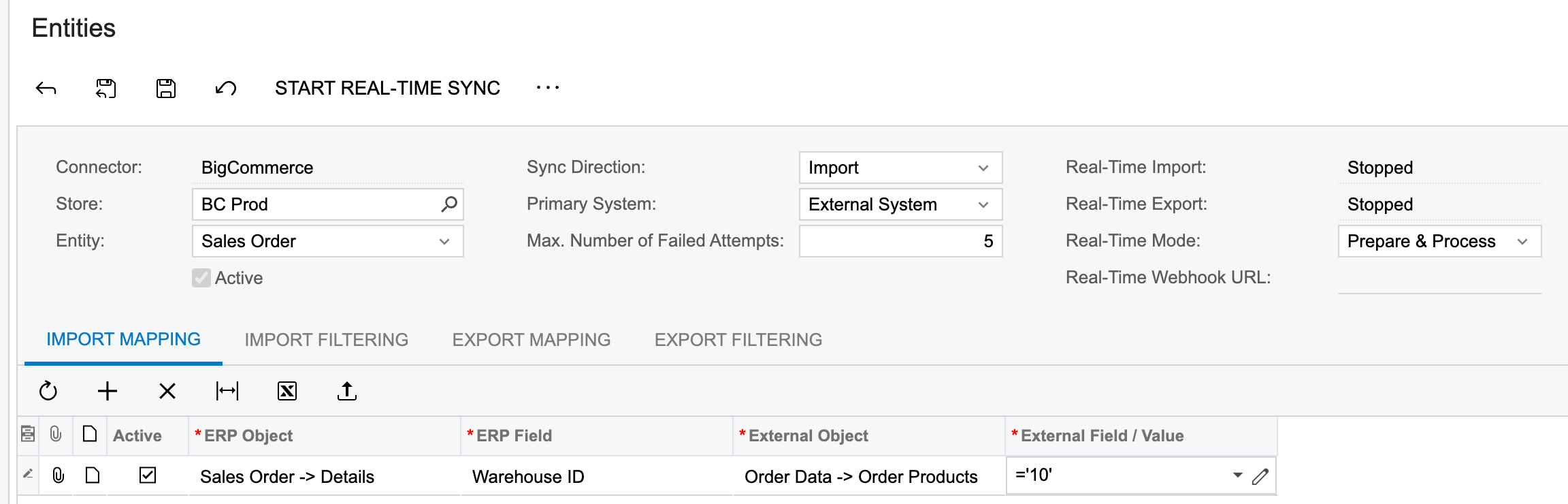
We are having an issue with the online sales orders. In our specific case, our Main warehouse is “01” and our Online warehouse is “10”. In Acumatica, all inventory items have “01” as the Default Warehouse. In the BC Connector we are syncing data only from warehouse “10” (Warehouse Mode: Specific – “10”). . All incoming BC orders are defaulting to the Default Warehouse and not the Specific Warehouse in the connector. We must manually change the warehouse from “01” to “10” on all online orders. High demand products are oversold because Acumatica is not “subtracting” inventory from the correct warehouse.
We need to somehow “force” all incoming BC orders to pull inventory from warehouse “10”.
Anybody knows how could this been done with configuration?