



We have 9 fields in a tab under contacts in Acumatica and in order to get credit for it our sales representatives must have at least 3 of these fields filled out with some form of information, my manager has asked me to figure out a method of filtering down the list of Contacts to just those that have a minimum of 3 of these fields that are not Null in value. how might I go about doing this?
Attached are 2 images, one of the fields as they look under the Contact Profile and the other is how they are in the results tab of the Generic Inquiry (GI) editor.
Solved
X number of Y fields filled filter logic in a generic Inquiry
Best answer by Naveen Boga
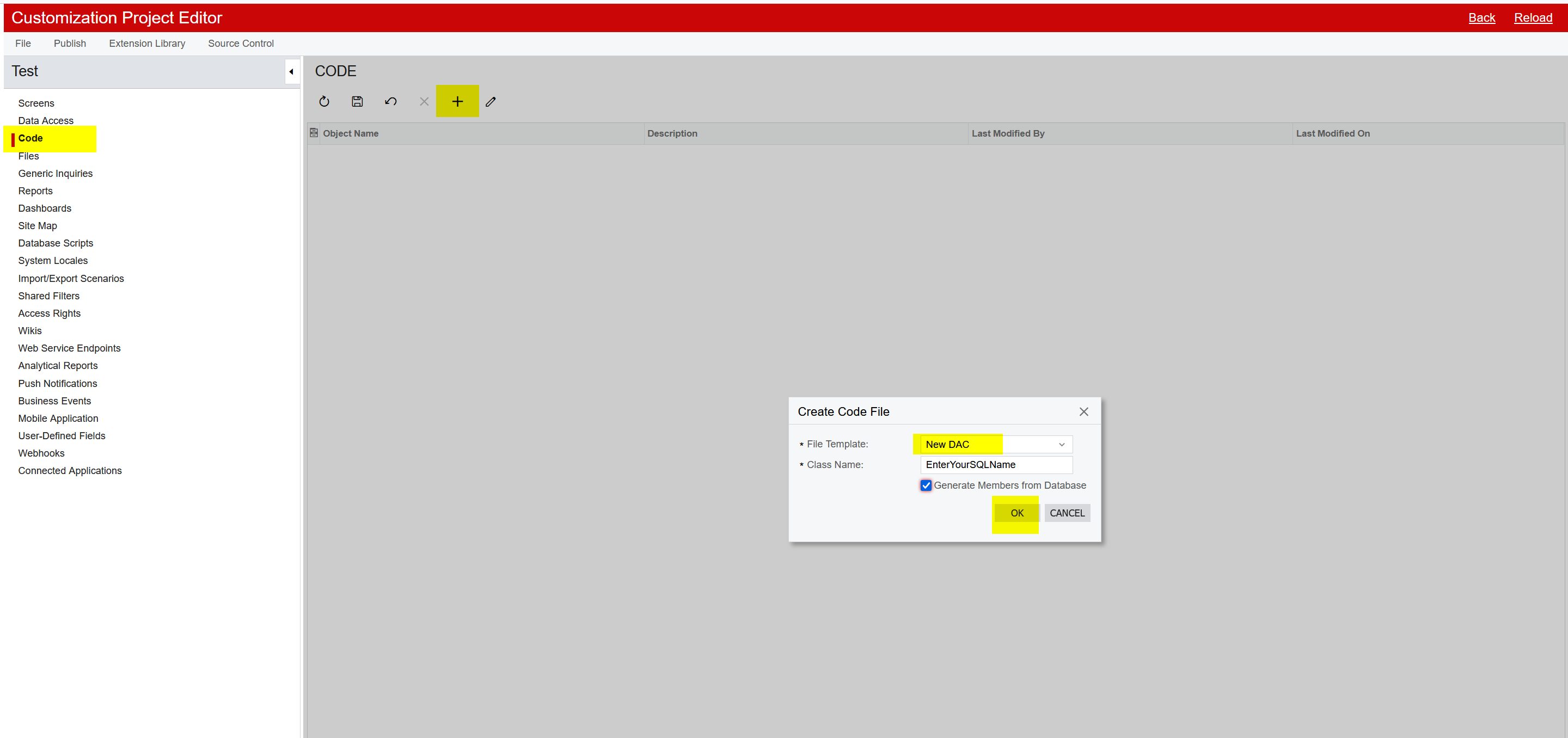
- Please go to the Customization Projects
- Create new customization package and open it.
- Select the Code at left side panel
- Choose the File Template as “New DAC”
- Enter your SQL View name in the Class Name
- Check the Generate from the Database checkbox
- Then click on OK
- It will create the DAC class file.
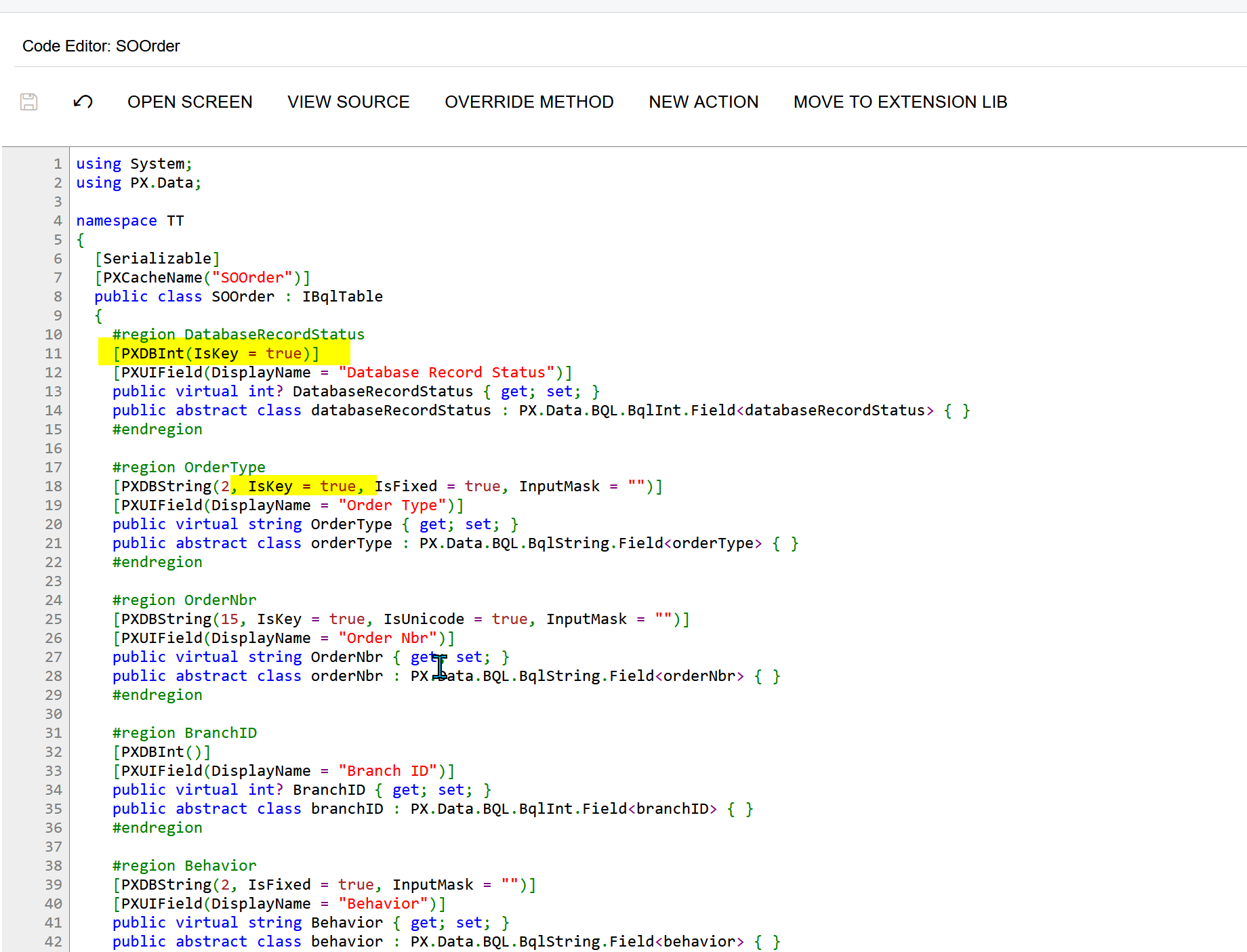
- In this DAC class file, add property IsKey = true for the key fields.
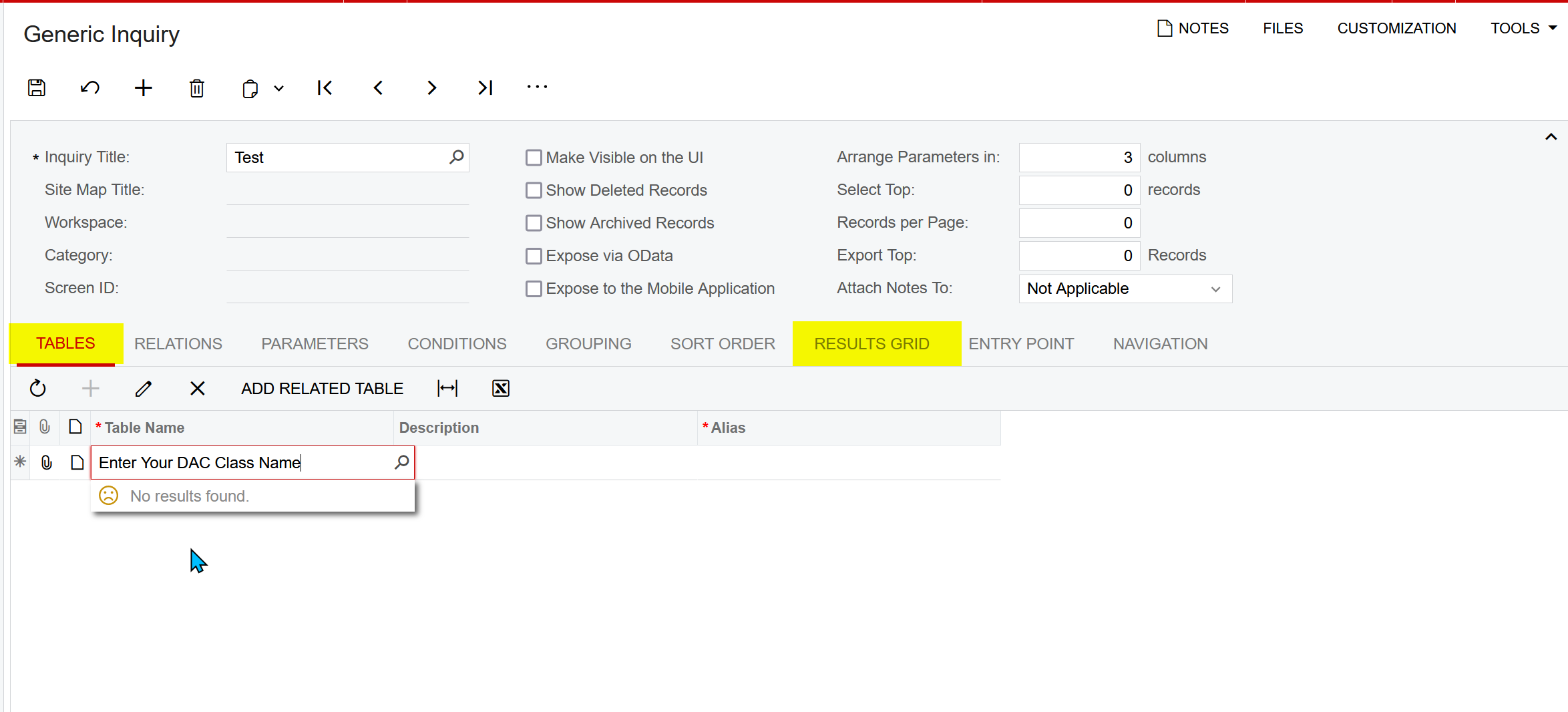
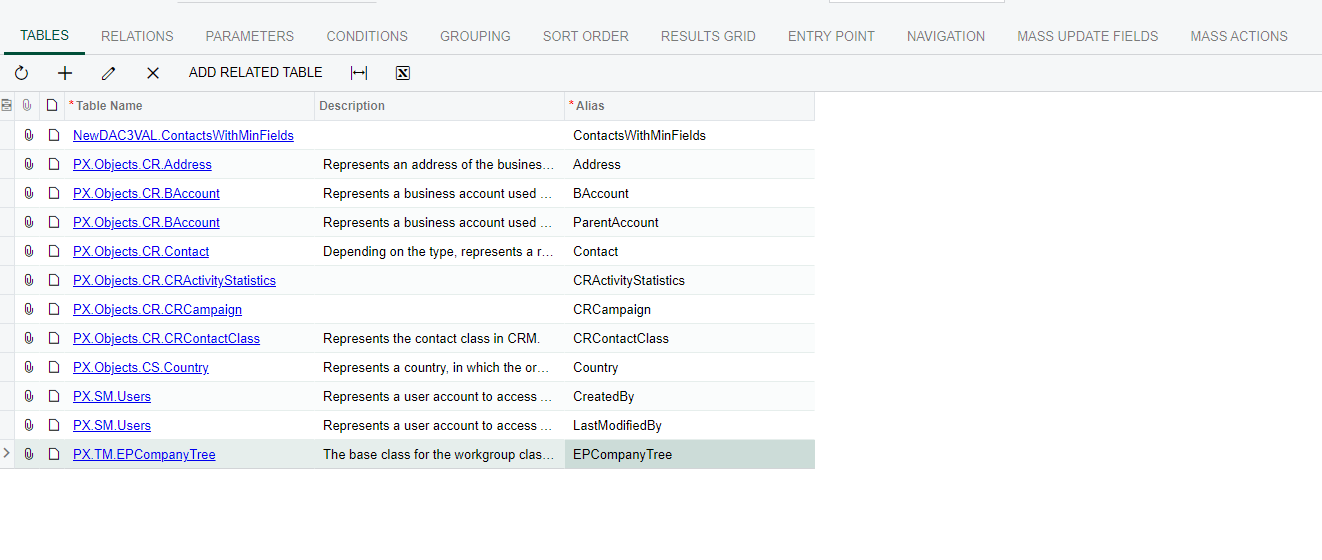
- Go to the Generic Inquiry and select this DAC class in the Tables tab and add the required columns in the RESULTS Grid tab.




Enter your E-mail address. We'll send you an e-mail with instructions to reset your password.