Answer

Vendor Shipment Packlist Form - How to removing Wip items from the report designer form

  • March 3, 2025
  • 4 replies
  • 47 views

Forum|alt.badge.img

I am trying to modify the vendor shipments packlist. I do not want it to show the type WIP on the report. Any suggestions?

Best answer by DipakNilkanth

Hi ​@jdabney37,

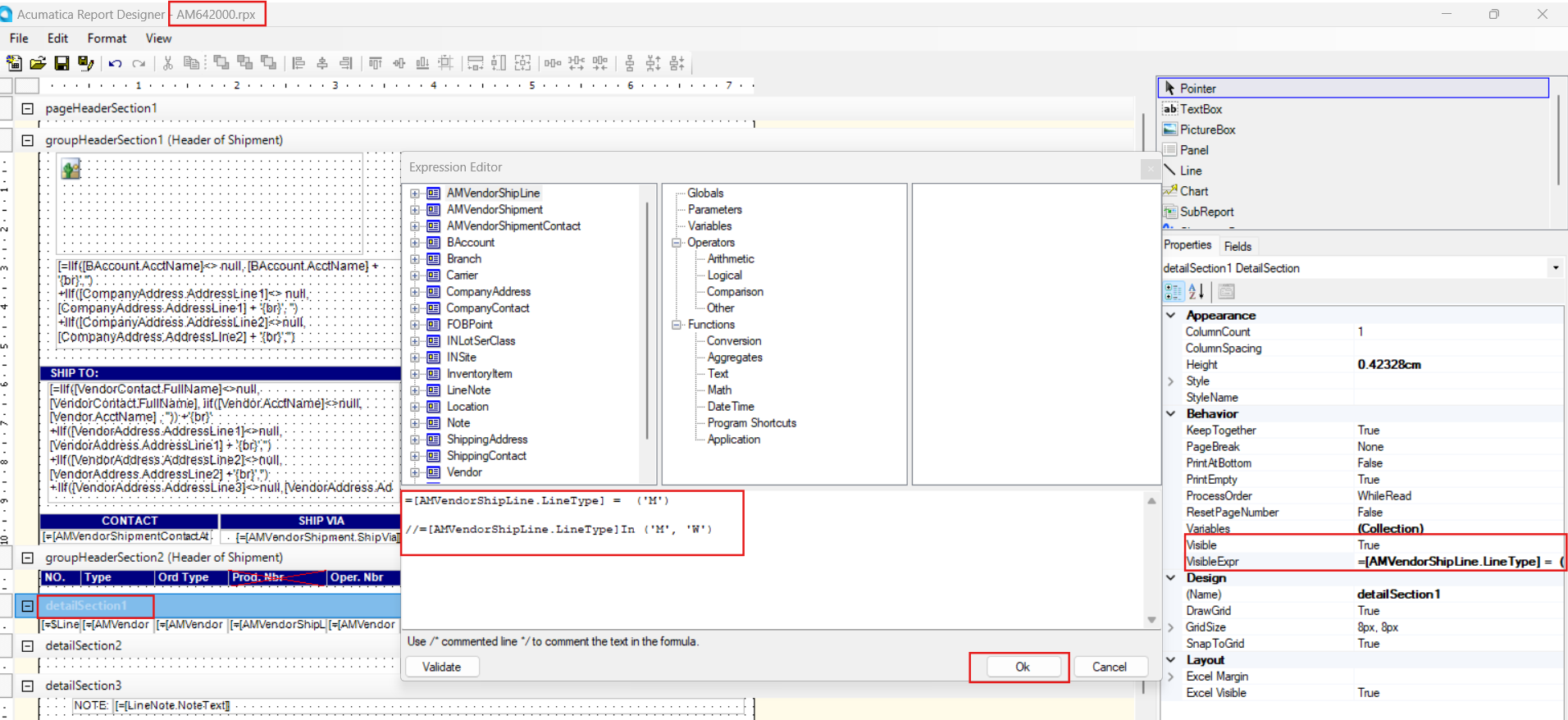
Please modify your existing report to display the line type as "Material" instead of "WIP."

To do this, simply update the visibility expression for DetailSection1 as shown below
Hope, it helps!

4 replies

DipakNilkanth
Pro III
Forum|alt.badge.img+13
  • Pro III
  • Answer
  • March 4, 2025

Hi ​@jdabney37,

Please modify your existing report to display the line type as "Material" instead of "WIP."

To do this, simply update the visibility expression for DetailSection1 as shown below

Hope, it helps!



Forum|alt.badge.img
  • Author
  • Freshman I
  • March 4, 2025

Thank you so much for your help. This worked on the vendor pack list, but not on the vendor pick list. Any suggestions?


DipakNilkanth
Pro III
Forum|alt.badge.img+13

Hi ​@jdabney37,

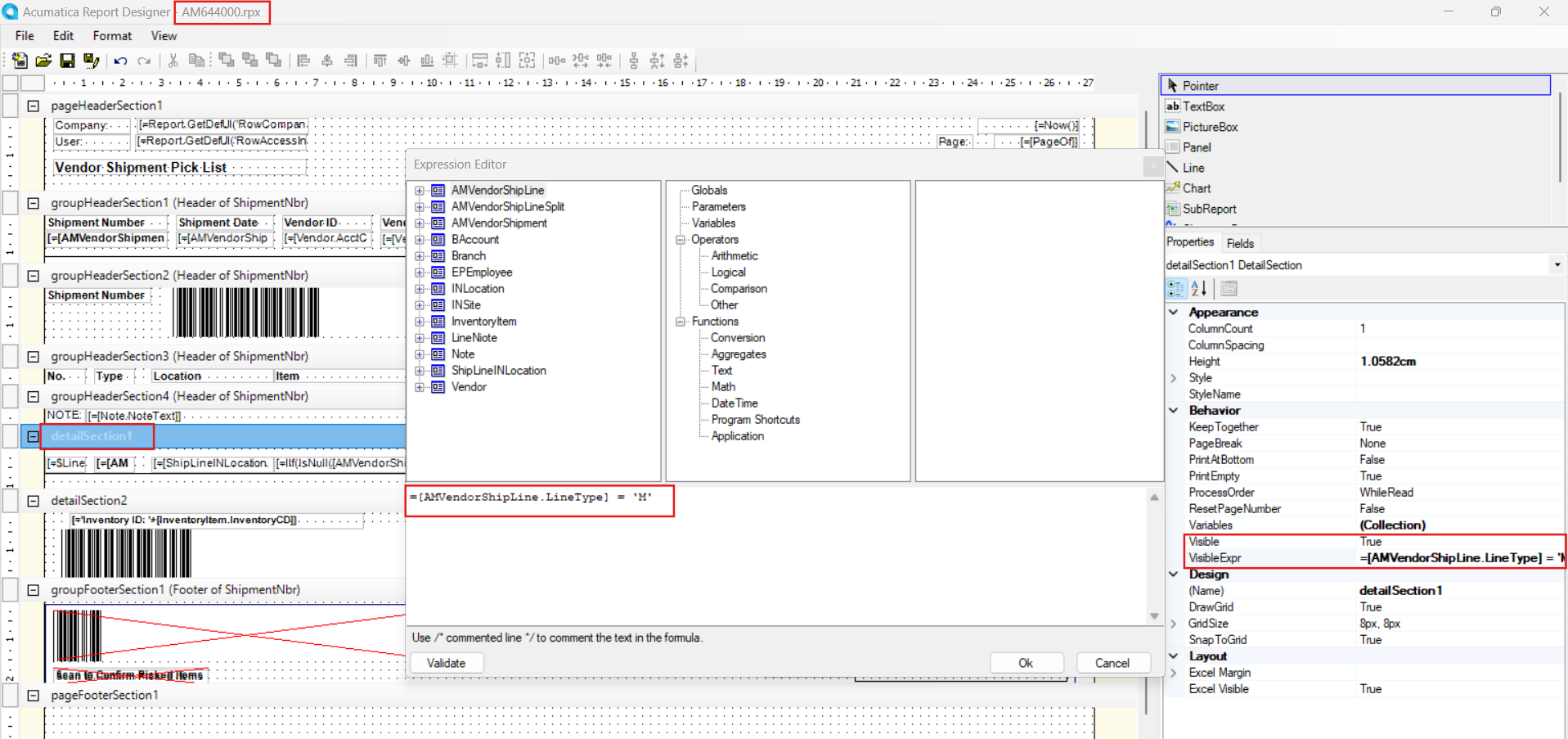
Use the AM644000 report file to modify and add the visibility expression as shown below.
=[AMVendorShipLine.LineType] = 'M'

Hope, it helps!


Forum|alt.badge.img
  • Author
  • Freshman I
  • March 4, 2025

I figured it out. Thanks