Answer

Vendor Phone & Email Data source

  • March 17, 2025
  • 4 replies
  • 71 views

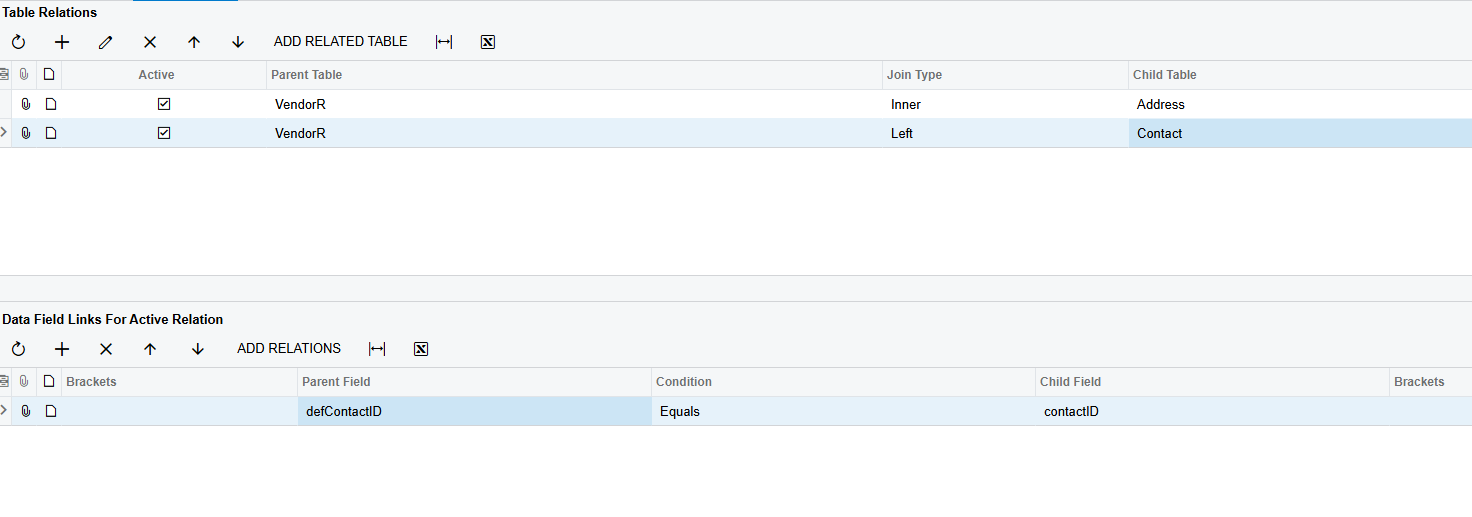
Seems like I am missing something. I’d like to add the Phone and Email to a vendor GI. I’ve added PX.Objects.CR.Contact but this will only show if the contact tab is filled out (for most vendors we don’t have the contact tab filled out)
 

Best answer by BenjaminCrisman

Hi ​@richard77 It looks like you’re on the right track! Depending on which field from the Vendor table you join to the Contact table, it will determine which contact information is retrieved.

If you are on the General tab of the Vendor and you want this data, you link DefContactID = ContactID

If you are on the Shipment tab then you would link to Location and then from Location to Contact

Let me know if this is what you’re looking for

4 replies

BenjaminCrisman
Acumatica Employee
Forum|alt.badge.img+4
  • Acumatica Support Team
  • Answer
  • March 17, 2025

Hi ​@richard77 It looks like you’re on the right track! Depending on which field from the Vendor table you join to the Contact table, it will determine which contact information is retrieved.

If you are on the General tab of the Vendor and you want this data, you link DefContactID = ContactID

If you are on the Shipment tab then you would link to Location and then from Location to Contact

Let me know if this is what you’re looking for


  • Author
  • Freshman I
  • March 17, 2025

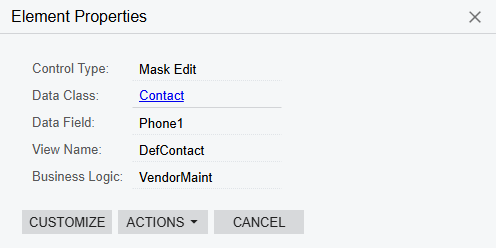
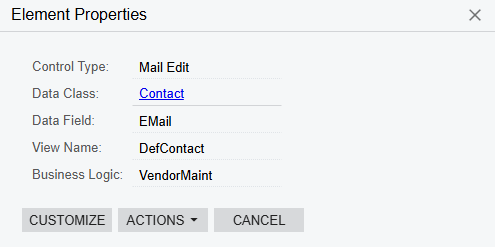
@BenjaminCrisman Ahh okay, that worked. So is it a good rule to relate them based on the View Name?


  • Author
  • Freshman I
  • March 17, 2025


BenjaminCrisman
Acumatica Employee
Forum|alt.badge.img+4
  • Acumatica Support Team
  • March 17, 2025

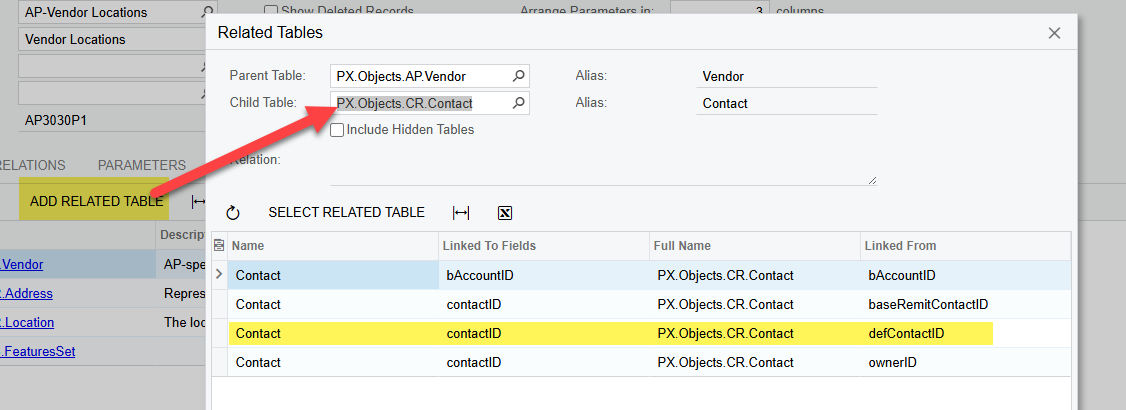
I’m not sure that’s always going to work. There are a couple tools to help understand how to relate them though. If you click to Add Related Table you can enter the Child table you’re looking for and see if there is a good match:

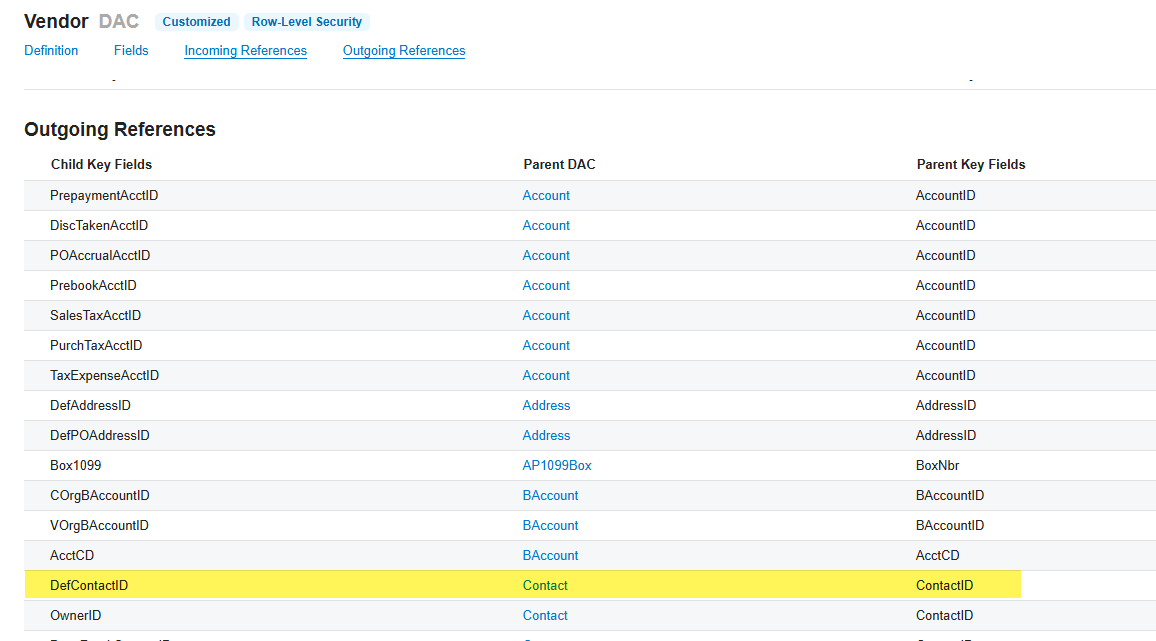
You can also click the blue table link in the Tables tab to open the DAC Schema Browser, then scroll down to the Incoming and Outgoing references, which will have linking fields:

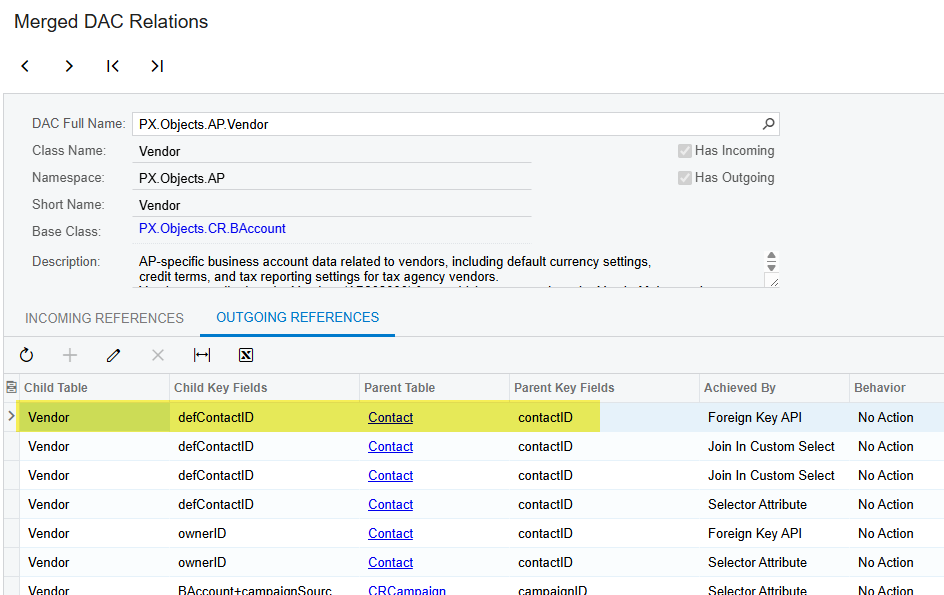
And Lastly you can navigate to the Merged DAC Relations screen (SM402000) and enter a table (PX.Objects.AP.Vendor) and then see the incoming and outgoing links in the table: