

Answer

Using Variable to Count Group Line Total Only Worked in the First Group (Report Designer 2024R2)

  • May 29, 2025
  • 2 replies
  • 70 views

Forum|alt.badge.img+6

      In 2024R2, we customized a report based on Acumatica's built-in Inventory Balance (IN615000) page. The main change was to group by a custom field of the stock item and then count the quantity of each group.

           I added a variable here.
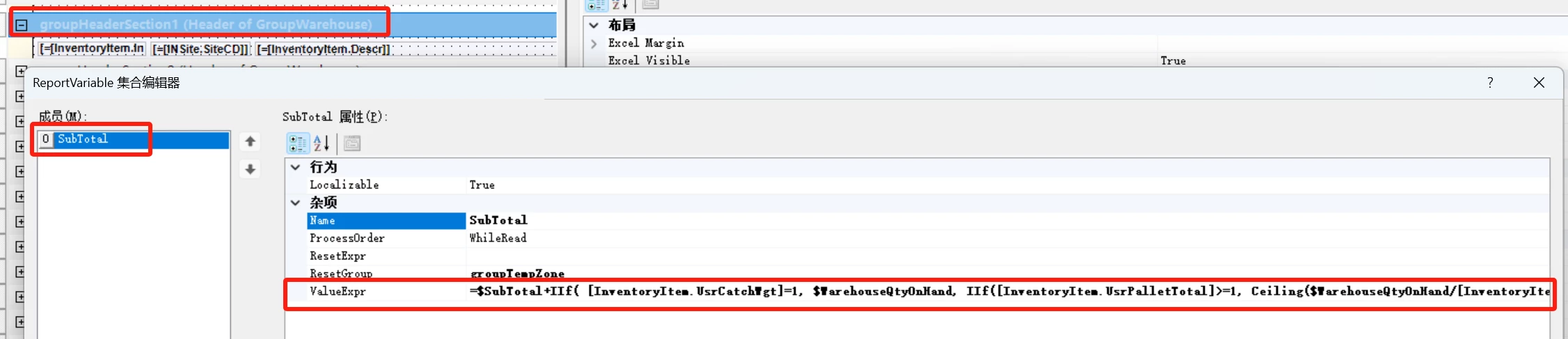
 

Strangely, only the value of the first group was correctly summed. The values of the next two groups were both 0.
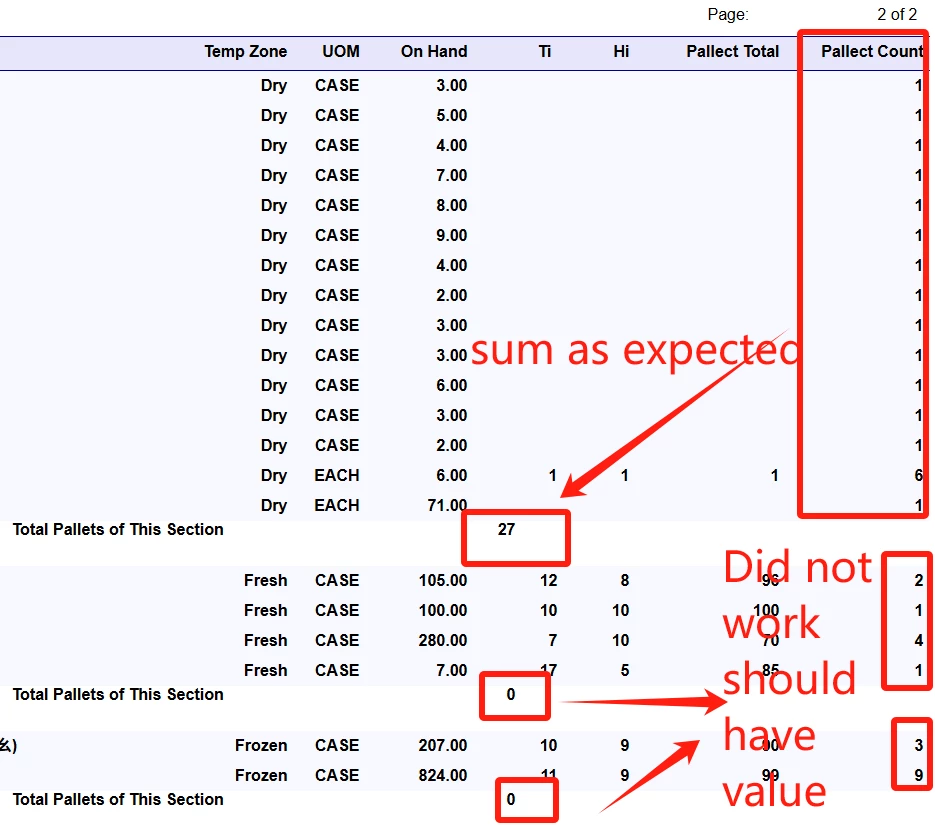
Can anyone give me some guidance?
The customized report is attached.

Best answer by ray20

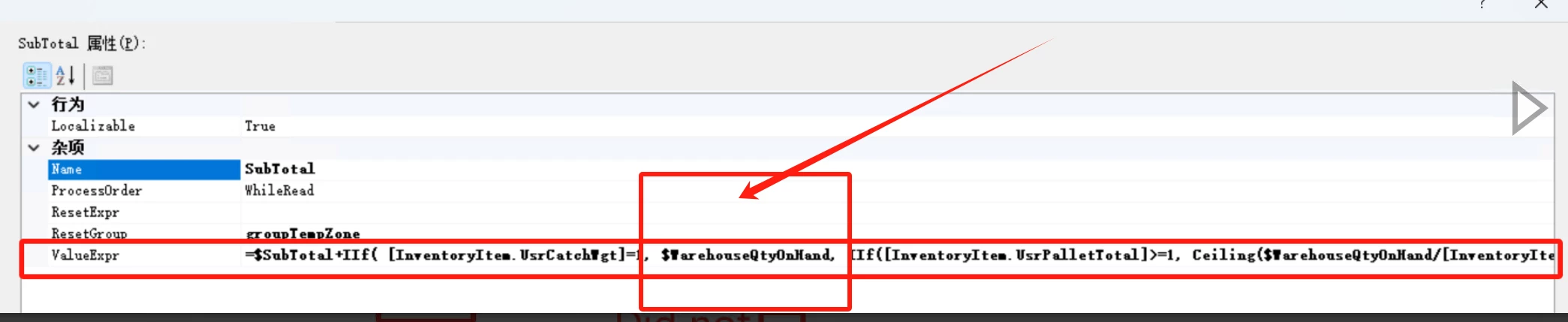
To those who might be interested, this issue is brought out by Acumatical’s original variable “$warehouseQtyOnHand”.  It worked OK, when you put it on document line level. But something is wrong when you put it in the formula.


so to solve this issue, I just use [INSitestatusByCostLayerType.QtyonHand] instead of  “$warehouseQtyOnHand”
 

hope it would help.

2 replies

Forum|alt.badge.img+6
  • Author
  • Captain II
  • Answer
  • May 29, 2025

To those who might be interested, this issue is brought out by Acumatical’s original variable “$warehouseQtyOnHand”.  It worked OK, when you put it on document line level. But something is wrong when you put it in the formula.


so to solve this issue, I just use [INSitestatusByCostLayerType.QtyonHand] instead of  “$warehouseQtyOnHand”
 

hope it would help.


Chris Hackett
Community Manager
Forum|alt.badge.img
  • Acumatica Community Manager
  • May 29, 2025

Thank you for sharing your solution with the community ​@ray20!
