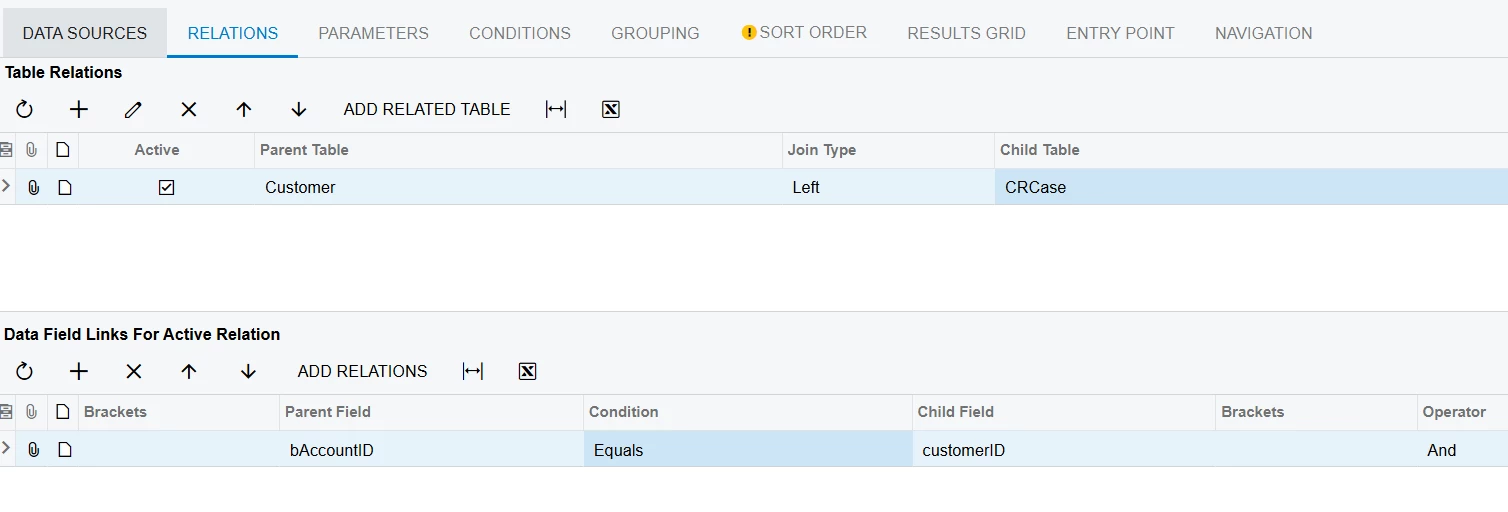
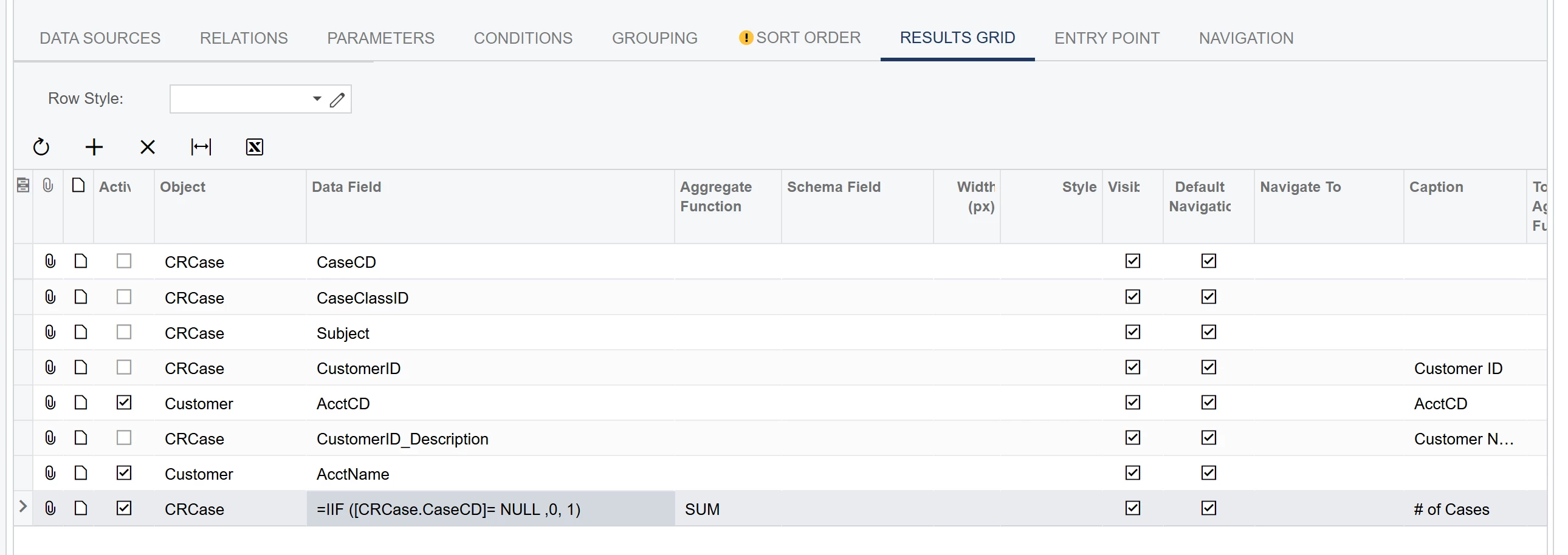
Hi all! We have a generic inquiry showing the sum of all cases per customer.
The GI shows zero if the customer has no cases and shows the sum of all their cases if the customer does have any. All if working well here.
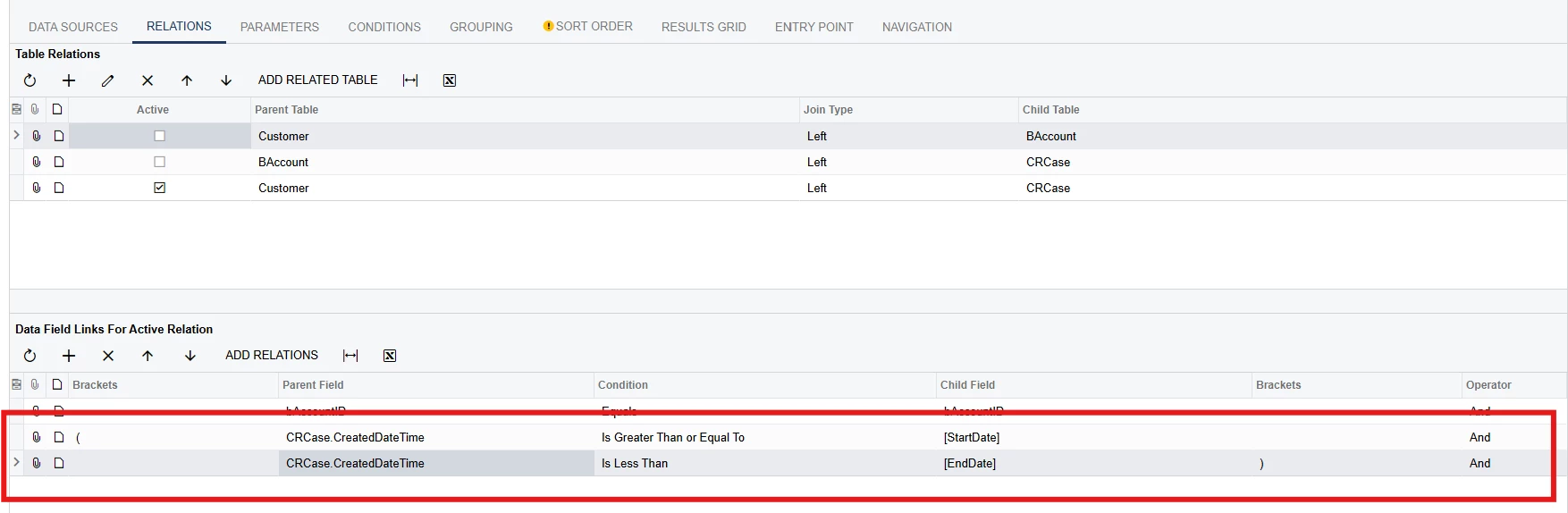
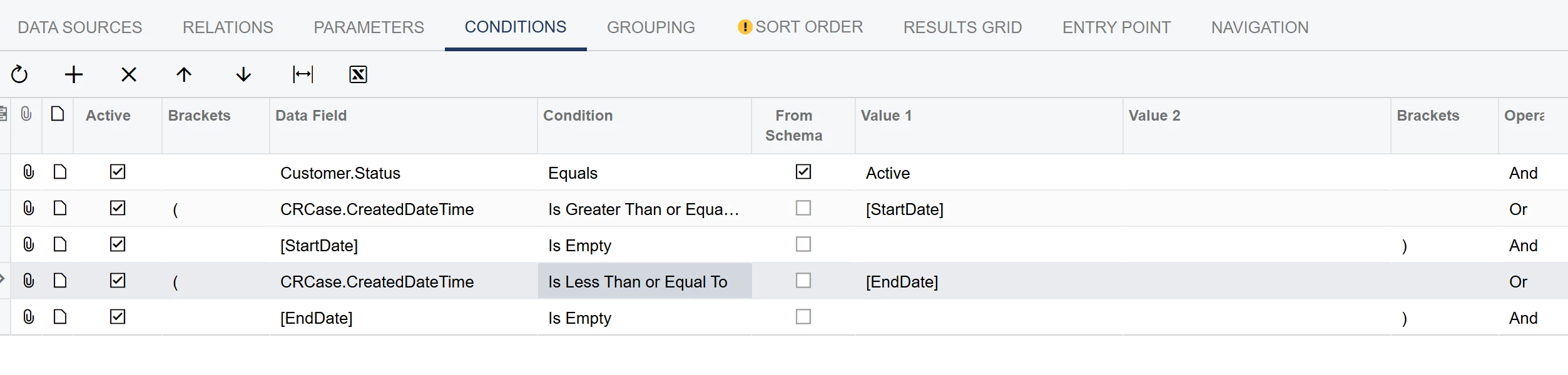
What we want is to have date parameters, where if the customer during the selected date range have cases, then show the sum of those cases during that period. If not, then show zero. So, regardless of the date range, all customers should always be listed in the GI, only the number of cases should change.
The problem right now is that if I select a date range, the GI only lists customers if they have cases created during that period. Customers with zero case created during that period will not show.
We want the GI to always list all customers and show zero if there are no cases during the selected period instead of not showing the customer at all.
Any thoughts on this?
Thanks!