Solved

Transfer Release Date

  • December 27, 2024
  • 7 replies
  • 155 views
  • Translate All

Forum|alt.badge.img

Hi,

I’m looking to create a GI that will list inventory transfers with their Release Dates. I don’t see a field in the INRegister table that stores the release date. What would be the way to get this date on a GI?


Thank you!

Best answer by darylbowman

INTran does have a ReleasedDateTime. But not INRegister.

I’m not sure why you couldn’t join INTran, group by INTran.DocType and INTran.RefNbr, and use =MAX([INTran.ReleasedDateTime]).

View original

7 replies

nhatnghetinh
Captain II
Forum|alt.badge.img+14

Hi ​@aaronsilber 

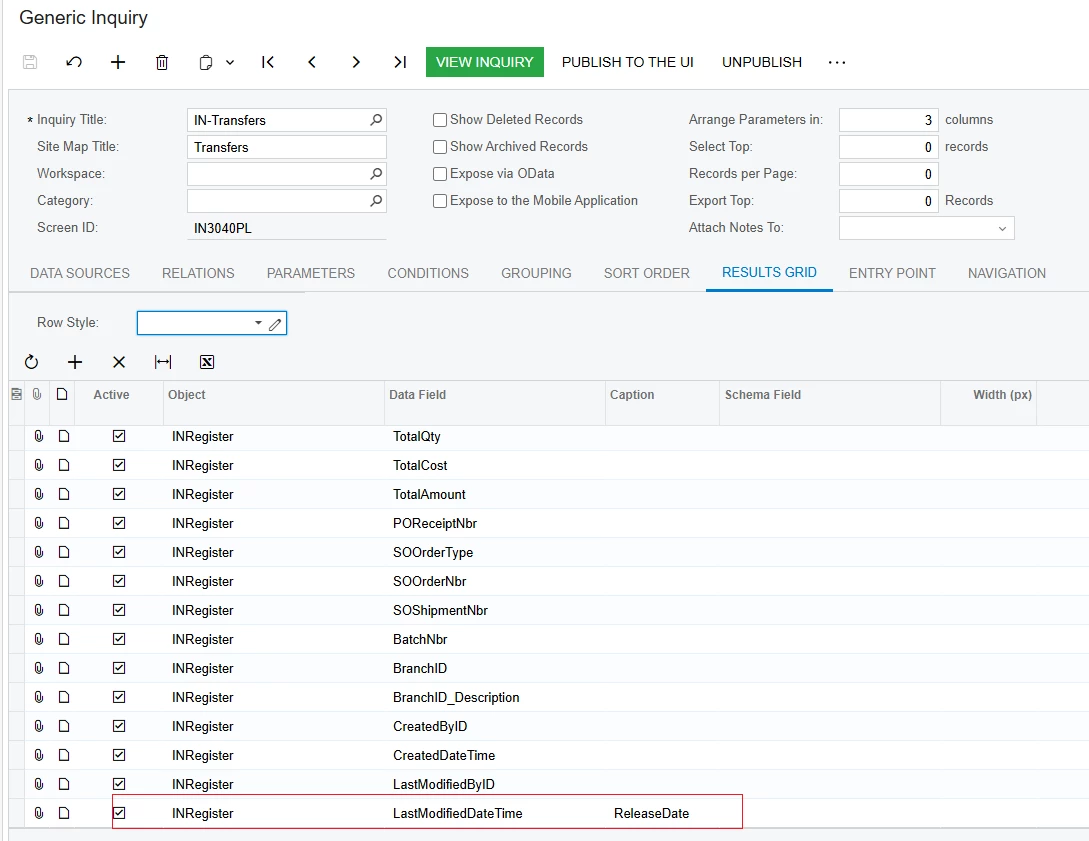
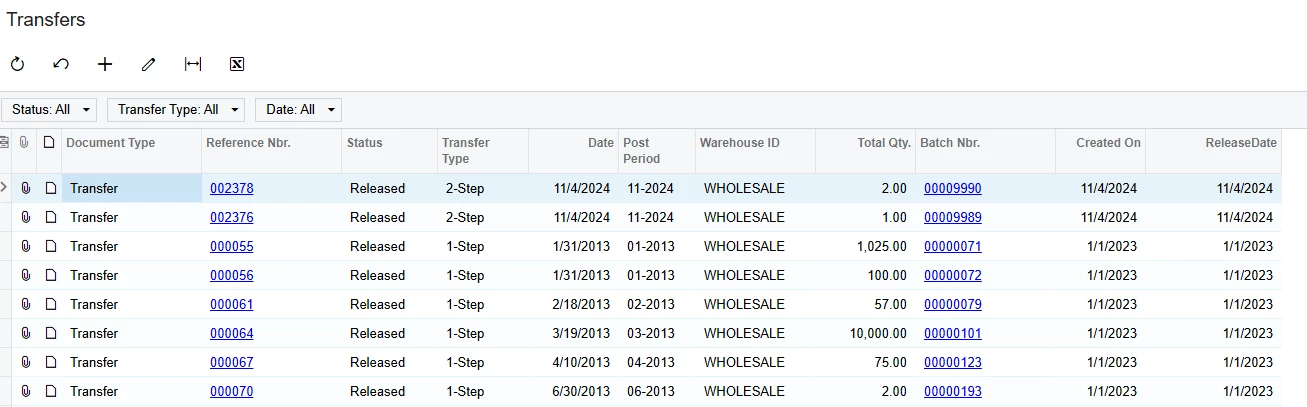
Please use the INRegister.LastModifiedDateTime field. Because if the Transfers have been released then the Release Date is the LastModifiedDateTime.


Best Regards,

NNT

Translate

Forum|alt.badge.img
  • Author
  • Freshman I
  • December 30, 2024

​@nhatnghetinh thanks for your reply. Would this work if we have UDFs on the transfer? I believe UDFs are editable after the transfer is released.

Translate

darylbowman
Captain II
Forum|alt.badge.img+17

A simple customization could add a custom field and write the current date and time into when a transfer is released.

Translate

rfairchild58
Varsity I
Forum|alt.badge.img+1

Add the GL batch table to the GI and add the GL Created on date from the GL Batch to the results grid..

Translate

Forum|alt.badge.img
  • Author
  • Freshman I
  • December 30, 2024

A simple customization could add a custom field and write the current date and time into when a transfer is released.

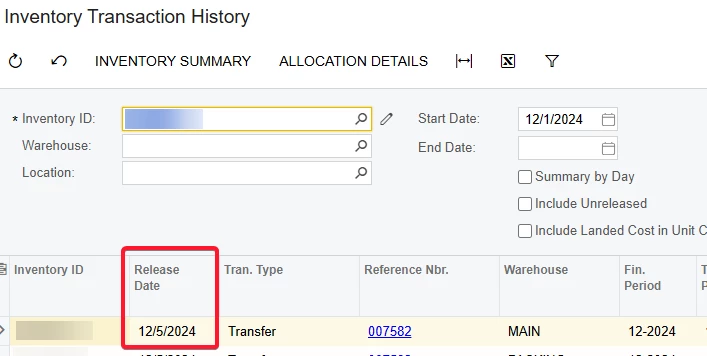
A customization could definitely accomplish this. The reason I’m looking for an existing field that has this information is because the Inventory Transaction History screen has a Release Date column for transactions.


Translate

Forum|alt.badge.img
  • Author
  • Freshman I
  • December 30, 2024

Add the GL batch table to the GI and add the GL Created on date from the GL Batch to the results grid..

That sounds like a good idea. How would I join it?

Translate

darylbowman
Captain II
Forum|alt.badge.img+17

INTran does have a ReleasedDateTime. But not INRegister.

I’m not sure why you couldn’t join INTran, group by INTran.DocType and INTran.RefNbr, and use =MAX([INTran.ReleasedDateTime]).

Translate