




Hey, gang - I’ve reviewed a number of posts related to this issue, but wanted to get the team’s thoughts on my specific case. I’ve got a client who wants to see total INTran Issue Quantities over the past 12 months, by month, as well as On Hand, Available, and a few other metrics related to the individual Stock Items, all in a single GI they can manipulate by date. We usually get the System was not able to get record count warning, and I’m wondering if the community has some insight that’s tailored to this GI. I’ve attached it for reference, too.
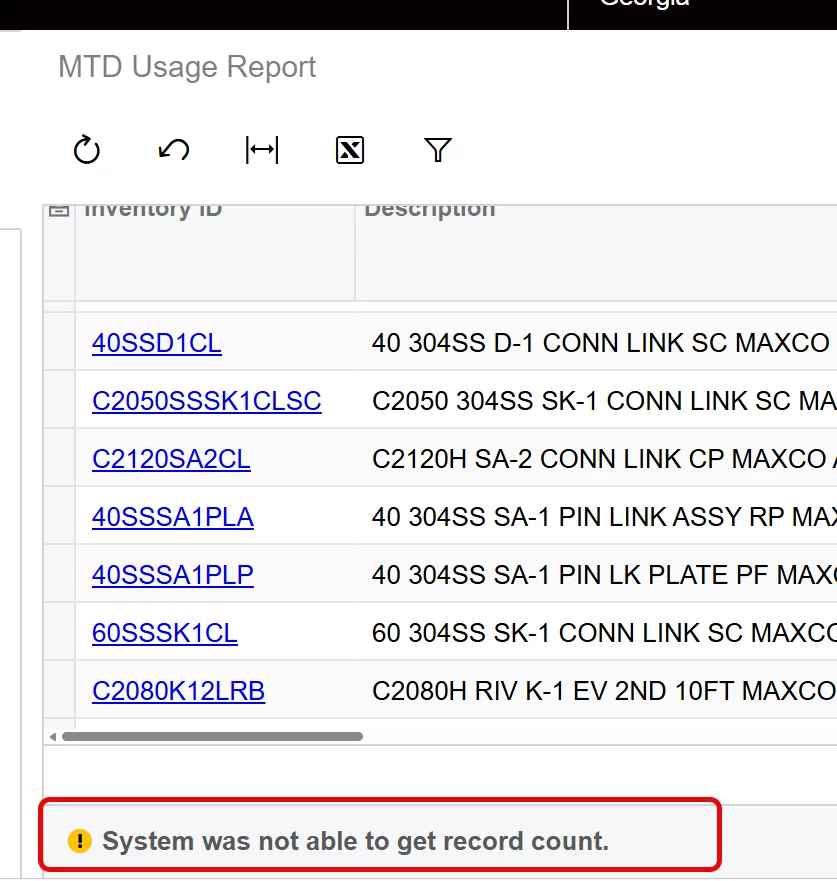
FWIW Somtimes, if I remove the grouping and re-add it, or if I change the date parameters, the warning goes away.
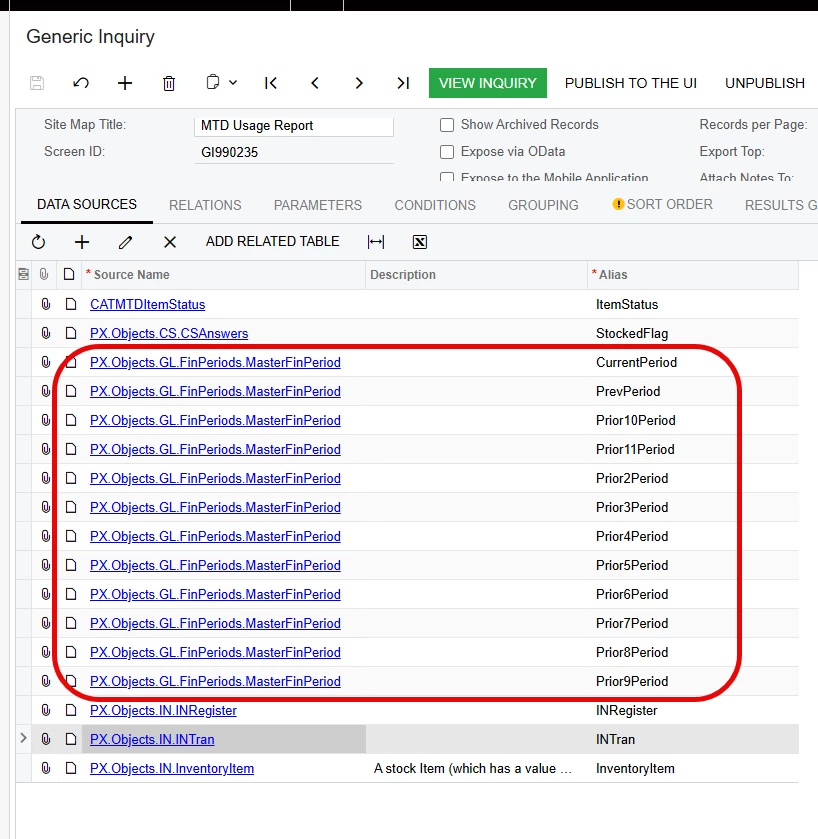
This GI is really two parts - the first is the month-to-month data from INTran, conditioned by financial period. Here, I aliased the MasterFinPeriod DAC 12 separate times using the DateAdd formula to reflect the month via the Joins. The DateAdd formula is using a parameter, so all the months can change based on the selected [EndDate].
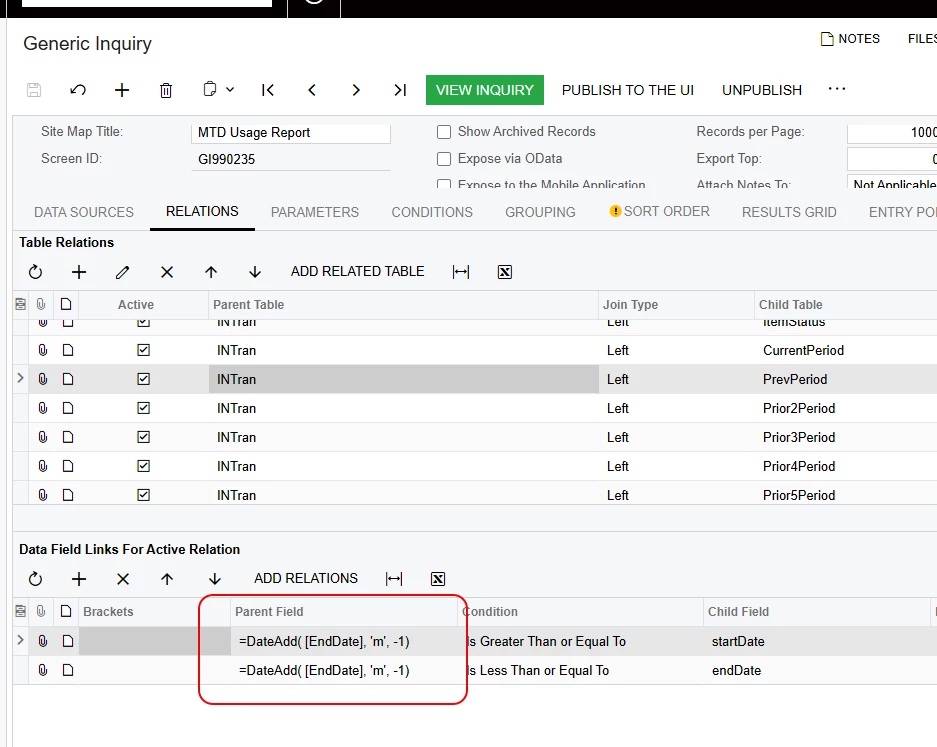
This allows me to create a less complex formula for each of the months. They are all in the following format.
=IIF([INTran.FinPeriodID]=[Prior Financial Period],iif([INTran.TranType]='RET' or [INTran.TranType]='CRM',-1,1)*[INTran.Qty],0)
Is this overkill? Maybe, but the other option would be to somehow account for the join within the Results Grid formulas, which would necessarily make those formulas more complex.
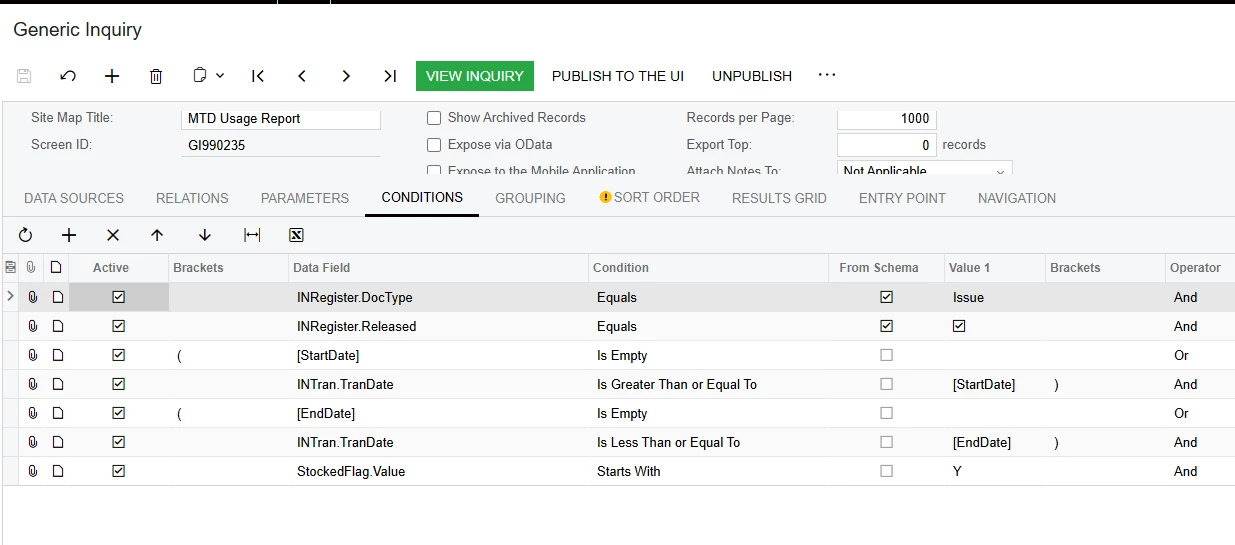
All of this is grouped by the InventoryID and the conditions are as follows.
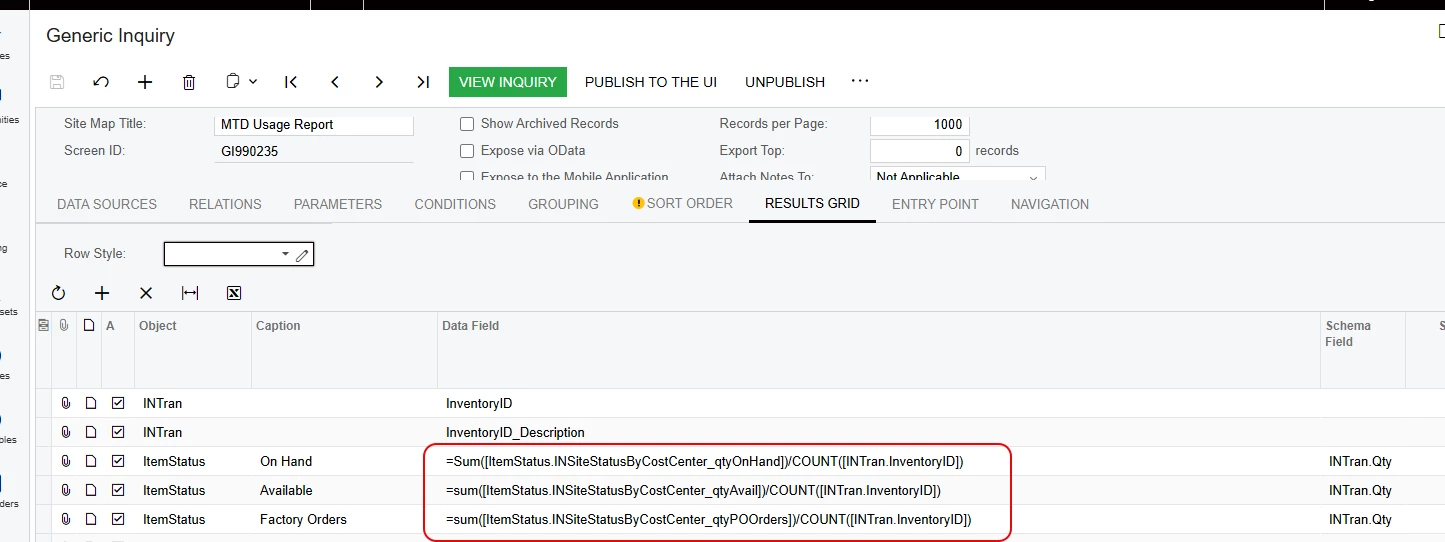
The second part is to pull in the On Hand, Available, etc. fields. I made a separate GI based on the INSiteStatusByCostCenter DAC and grouped that GI by InventoryID. Since the data in the parent GI is grouped and the quantities are aggregated, I need to avoid aggregating the On Hand, Available, etc. values from the second GI. I get around this by dividing the On Hand, Available, etc. values by the Count of the Inventory ID, and it looks like this. Regardless, deactivating this join doesn’t get rid of the System count error.
The suggestions from Acumatica are as follows:
- Delete any unused tables from the GI. (All are used)
- Use Left Joins under the relations tab. (Only left joins are used)
- Avoid using calculated/ string fields with heavy formulas; instead, use conditions. (This may be the cause, but using conditions alone would not support this GI, I need to use some level of complexity in the formulas)
- Avoid sorting calculated fields/Non-indexed fields. (No sorting used)
- Another suggestion would be to enter a value for the "export top" field if the client is not exporting all the values and the first few only. (I need the entire list to be available)
