Solved

Subreport working in groupFooterSection1 but Sales figures incomplete

  • December 3, 2024
  • 15 replies
  • 161 views
  • Translate All

Forum|alt.badge.img+1

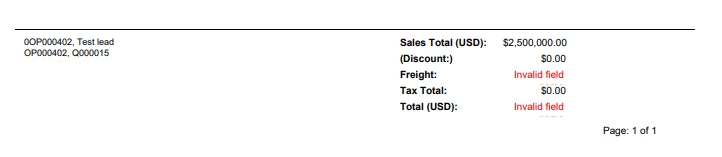
We have a subreport that has been developed, and is working using data from the CRRelation table, which was submitted last week with issues. The subreport is a part of the groupFooterSection1. The subreport is receiving the parameters without any issues, but the final Sales figures are not all showing up as expected. I attempted to adjust the size of the subreport in various ways, using Custom, A6, and other dimensions trying to get the size down. Everything in the groupFooterSection1 has been encapsulated on a panel, and I’ve attempted to use a separate panel, no dice, no panel, no dice, putting the Sales figures on it’s own panel, still no dice. The user is adamant about using the CRRelation table to prevent his users from having to keep typing the same data from one report to another. On another note, I again want to thank all of the people that helped me last week to use the CRRelation for the data.

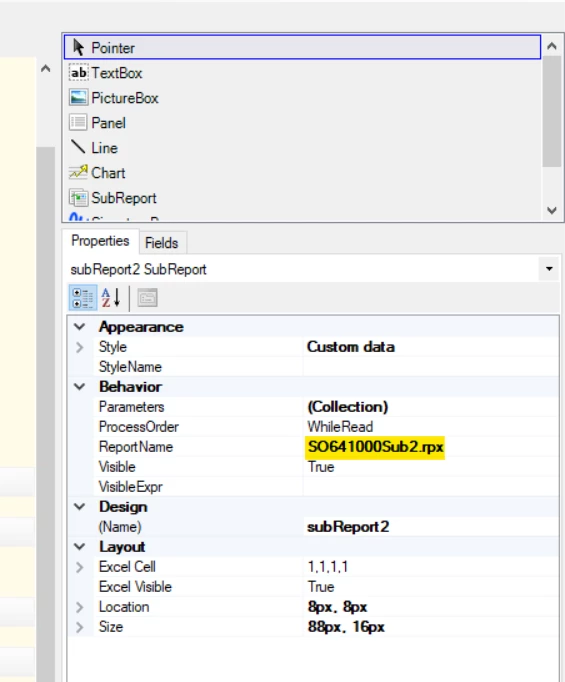
Word attachment has screen shots of the work done and I’ve included a zip file of the report and sub. There is another subreport, but the concern is of the SO641000Sub2.rpx

Best answer by arthia

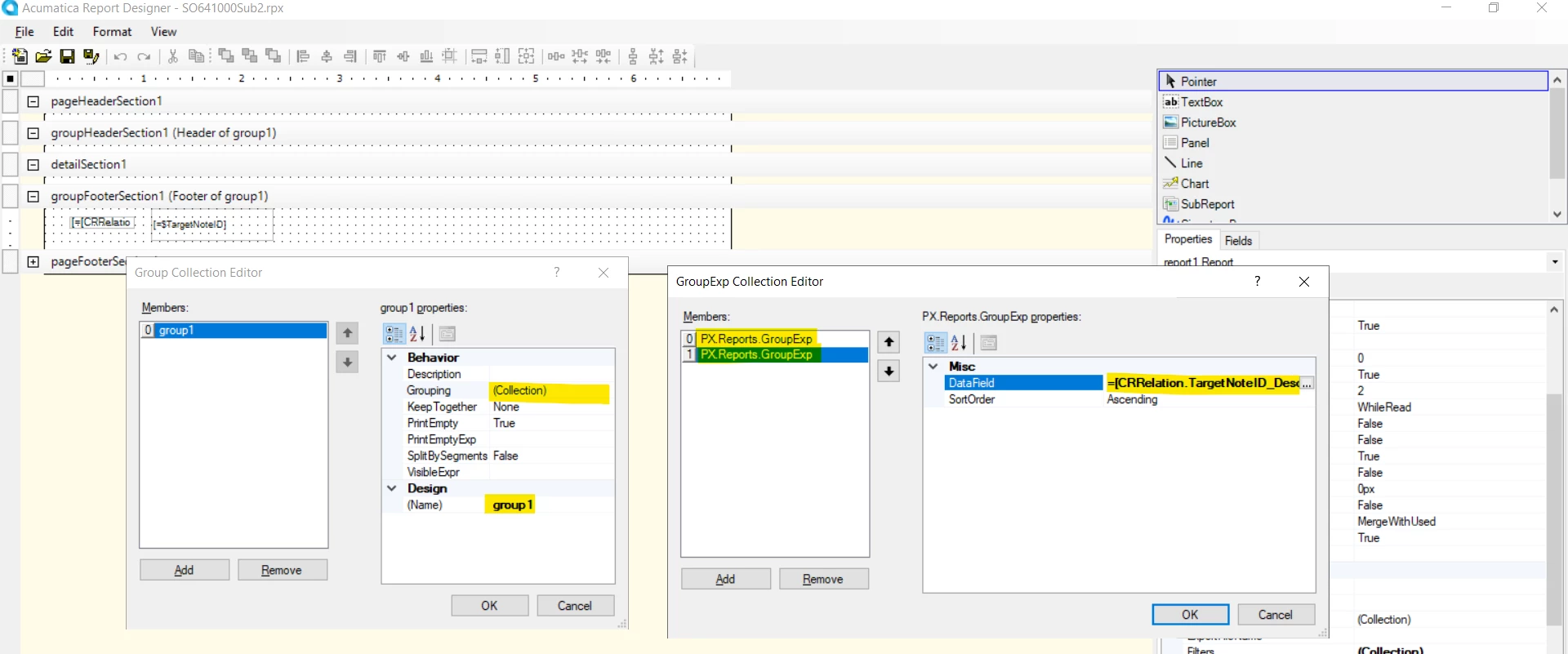
To add grouping, follow the below steps

group1:

Name - Set groupname, if you want to change instead of group1

Grouping - Collection (Right 3 dots)

In Pop - Add - DataField(Right 3 dots) - Select Field - [CRRelation.TargetNoteID]

Add - DataField(Right 3 dots) - Select Field - [CRRelation.TargetNoteID_Description]

OK


View original

15 replies

ejmillar
Semi-Pro II
Forum|alt.badge.img+1
  • Semi-Pro II
  • December 5, 2024

Hi William,

I’ve played around with the subreport and have got it printing the CR Relations.


I’ve amended the TargetNoteID variable to the following:

=Concat($TargetNoteID ,[CRRelation.TargetNoteID_Description], '{br}')


This removed the zero.


Hope this helps.

Translate

Forum|alt.badge.img+1

I’ve tried using your solution with just the values in the subreport that were in the original submission, but all that shows up is a blank page. I feel that we are close, but seem to be missing something. Thank you for sticking with me on this and I appreciate the extra help.


Translate

Forum|alt.badge.img+1

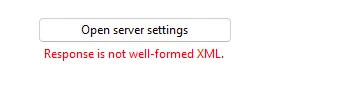
An interesting sidenote: When I add the subreport to the main report, I get an error: 

I do have the same settings in the main report and the subreport settings have been taken out. The subreport parameters from the main report are the SOOrder.OrderType (RQ) and the SOOrder.OrderNbr (RefNbr, RQ000864).


Translate

Forum|alt.badge.img+4
  • Varsity I
  • December 6, 2024

Hi ​@wmatthews1877 , To resolve “Response is not well-formed XML”, can you rename the subreportid with proper acumatica reportid format, instead of “SO641000Sub2.rpx” .


Translate

Forum|alt.badge.img+1

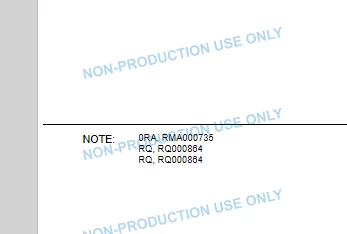
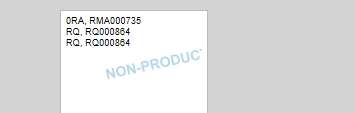
It worked perfectly except there is one extra line as shown below:

I am thinking that maybe the ‘{br}’ may be causing this? I am going to take that bit of code out to see what happens. Thank you.

Translate

Forum|alt.badge.img+4
  • Varsity I
  • December 6, 2024

Hi ​@wmatthews1877 , Still you have 0 in the first line before RA, RM000735. You can use VisibleExpr to hide 0 from the display

Translate

Forum|alt.badge.img+1

Nope, that last duplicated line still shows up. I’ve normaled it back up and I didn’t notice it before but the zero is still there at the beginning of the RA.


Translate

Forum|alt.badge.img+1

I’ll see what I can do for that. Any suggestions as how to get rid of that third line?

Translate

Forum|alt.badge.img+4
  • Varsity I
  • December 6, 2024

In subreport, check the grouping condition once. The group should created for TargetNoteID ,[CRRelation.TargetNoteID_Description]

Translate

Forum|alt.badge.img+1

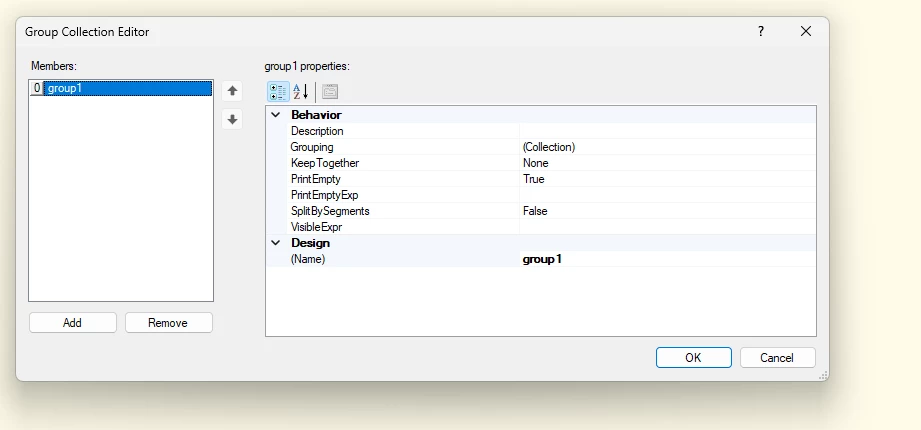
In the grouping section I only see one group:

Also on another note, I’ve tried using a =IF(LEFT(Concat($TargetNoteID ,[CRRelation.TargetNoteID_Description], 1 = 0, ''), Concat($TargetNoteID ,[CRRelation.TargetNoteID_Description], '{br}'))) but this just made a mess out of things.

Translate

Forum|alt.badge.img+4
  • Varsity I
  • Answer
  • December 6, 2024

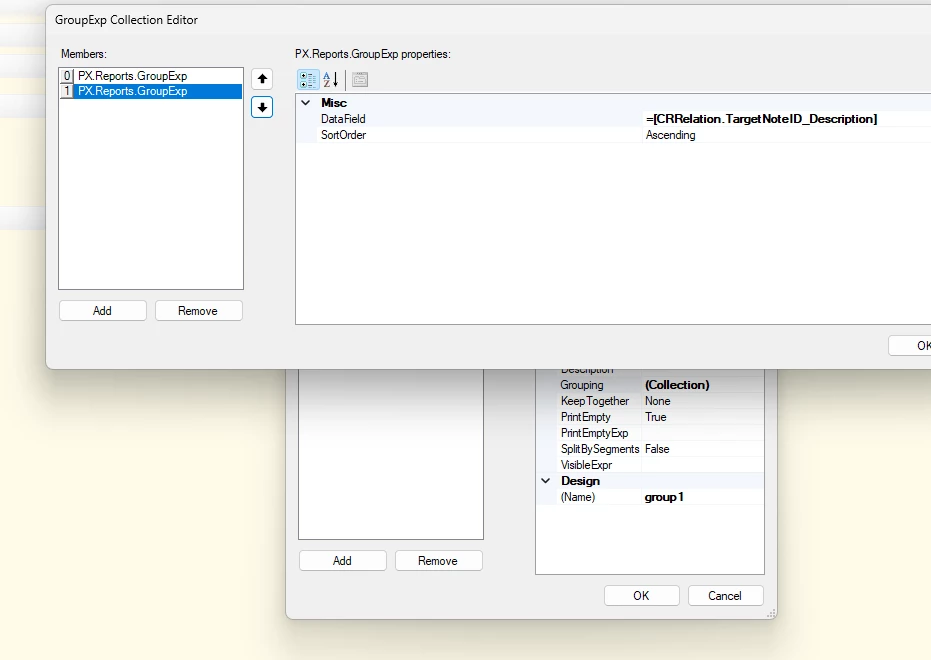
To add grouping, follow the below steps

group1:

Name - Set groupname, if you want to change instead of group1

Grouping - Collection (Right 3 dots)

In Pop - Add - DataField(Right 3 dots) - Select Field - [CRRelation.TargetNoteID]

Add - DataField(Right 3 dots) - Select Field - [CRRelation.TargetNoteID_Description]

OK


Translate

Forum|alt.badge.img+1

Sorry, getting an “Open server settings Response is not well formed” again in the subreport using the same parameters.


Translate

Forum|alt.badge.img+1

I added back the [CRRelation.TargetNoteID], it worked but the lines shows as the first line on top, then a bunch of CR-LF, and all three lines repeated. I then substituted the [CRRelation.TargetNoteID] with the CRRelation.TargetNoteID_Description] and received the “Open server settings Response is not well formed”.

Translate

Forum|alt.badge.img+4
  • Varsity I
  • December 6, 2024

Can you please share your subreport to review

Translate

Forum|alt.badge.img+1

My user says for now the 0 is okay, but I will need to continue working on the two issues:

  1. Take the 0 out of the line.
  2. Take out the third line since it’s a repeat.

I appreciate the help, as this solution should work with another report that I have. I will continue to work on resolving issue a & b. 

Translate