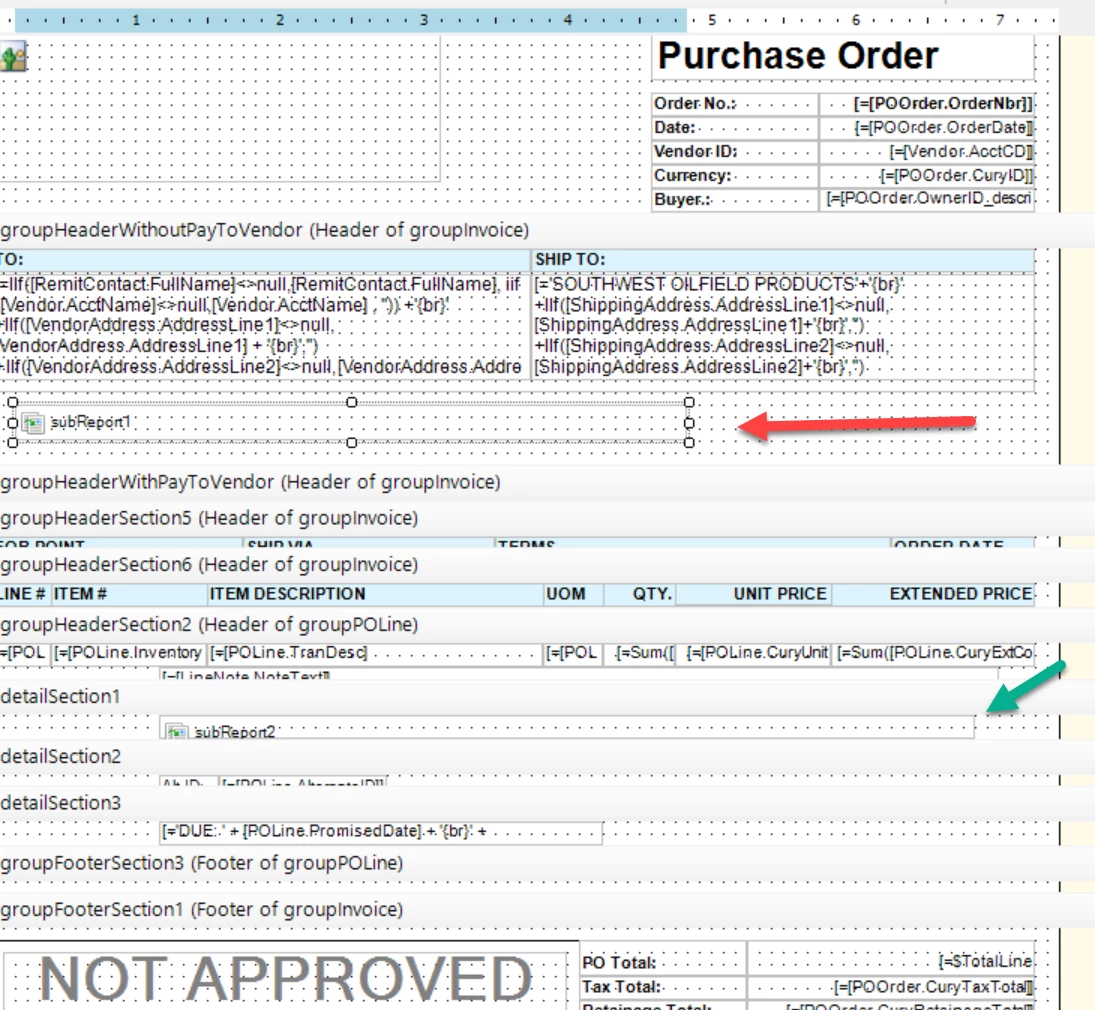
@jamest62 Valentyn's read fits what you're seeing. When a subreport's query comes back empty, its report header and footer still print, but no detail rows do.
Standalone, the subreport gets its parameters from the prompt. Embedded, it gets them from the SubReport's Parameters list. Your footer test checks the main report's side of that handoff, not the subreport's.
To see what actually arrives, open the subreport, add a text box to its report header with =[@YourParam] for each parameter, and run the main report. The report header prints even when the query finds nothing, so it'll show exactly what the subreport received.
- Blank, or the subreport's own defaults: the values never arrived. The subreport fills each of its parameters from the row in the SubReport's Behavior > Parameters list with the same Name. If a Name doesn't match, the report still runs with no error, and that parameter keeps its own Default Value. The match isn't case-sensitive, so look for spelling differences between each Name and the Parameters tab of the subreport's Schema Builder.
- A value, but not the one you'd enter in the prompt: the handoff works, so fix the ValueExpr. For an ID field, [Table.Field] hands over the CD you see on screen, not the internal ID. If the subreport parameter is an Integer that filters on the ID, pass =Report.ExtToInt('Table.Field', [Table.Field]) and set Type to Integer on that row.