


Hello,
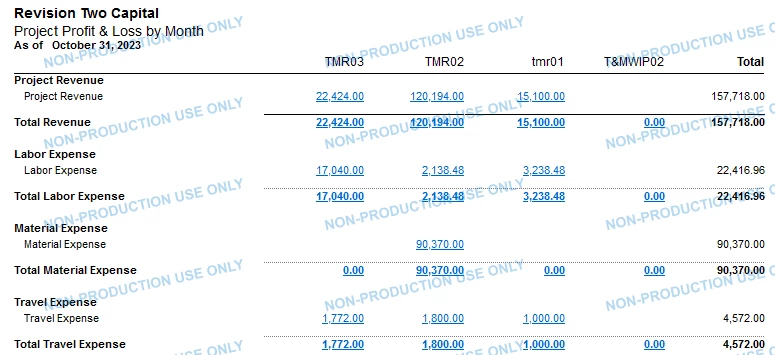
I’m trying to figure out a way to pull specific projects into a column set to build a report. Has anybody had any success, if so, would you be able to share how?
Thanks,
Brandon McIlhargey
Hello,
I’m trying to figure out a way to pull specific projects into a column set to build a report. Has anybody had any success, if so, would you be able to share how?
Thanks,
Brandon McIlhargey
Best answer by Laura03
Hello
I’ve uploaded a sample report that has individual projects in each column. The key with Project ARM reports is to set the Type = PM on the Row Set, Column Set, Unit Set, and Report Definition.

No account yet? Create an account
Enter your E-mail address. We'll send you an e-mail with instructions to reset your password.


