Question

Scheduled business event to members of workgroup

  • October 8, 2026
  • 1 reply
  • 22 views

Forum|alt.badge.img

Hi, I've setup a GI and a business event to send an email notification to all members of workgroup that there are POs waiting for their approval. It works fine but it sends an email notification for every PO made and approvers find it confusing. To avoid confusion, the new requirement is to send a daily blanket email instead of an email for each single order. To do that, I need to create a report and a business event to send it on schedule, but how do I set it up so that it sends the report separately per workgroup?

For example, one email notification only to members of workgroup 1 and if the PO requires approval from workgroup 2, it only sends it to members of workgroup 2 and so on..

1 reply

lauraj46
Captain II
Forum|alt.badge.img+9
  • Captain II
  • October 8, 2026

Hi ​@MarkD ,

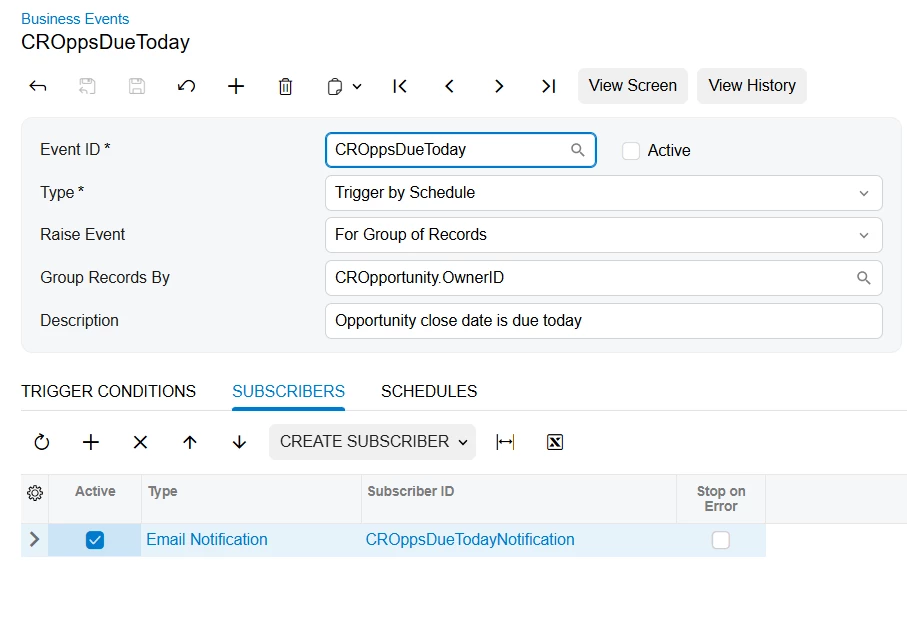
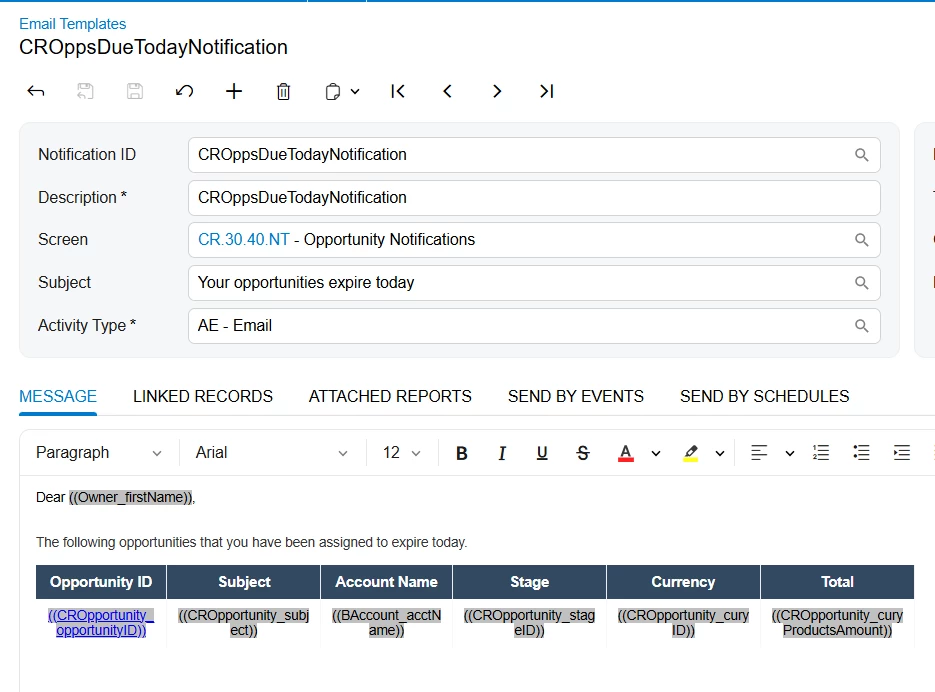
To send a single email per workgroup you can group a field in your GI.  I recommend taking a look at the standard business event CROppsDueToday as a model.  This business event sends each employee an email with a list of their opportunities.  

In your business event you could Group Records By the field EPApproval.WorkgroupID.

In the email template, insert a table to list all of the approval records.  Sometimes it’s helpful to switch to HTML mode in the email template and edit the format of the table directly.  The html to create a list of results looks something like this:


<tr data-foreach-view="" >
            <td ((CROpportunity_opportunityID))</td>
            <td ((CROpportunity_subject))</td>
  </tr>


Hope this helps!

Laura