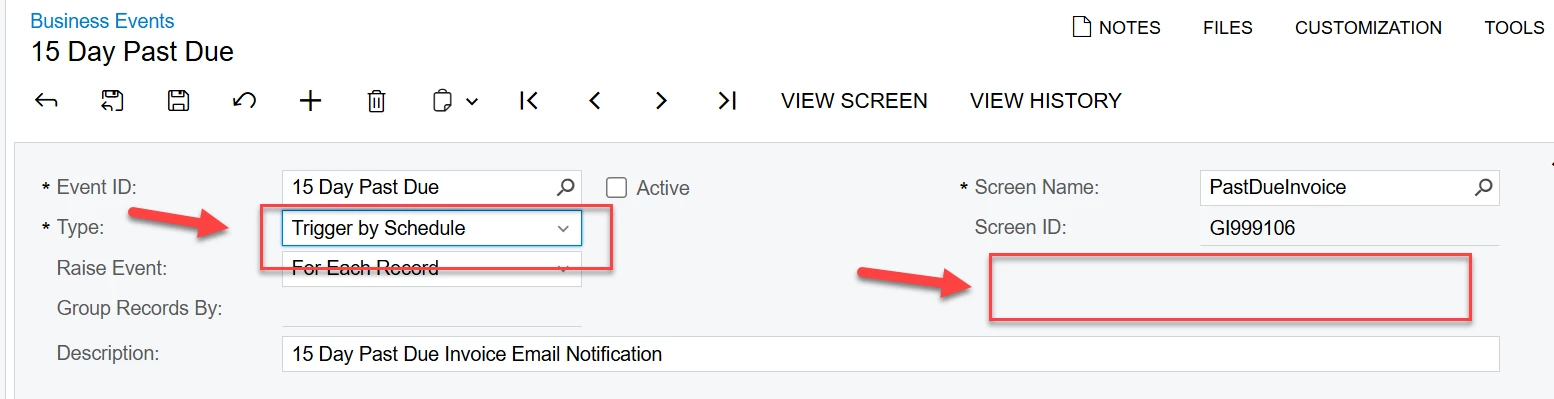
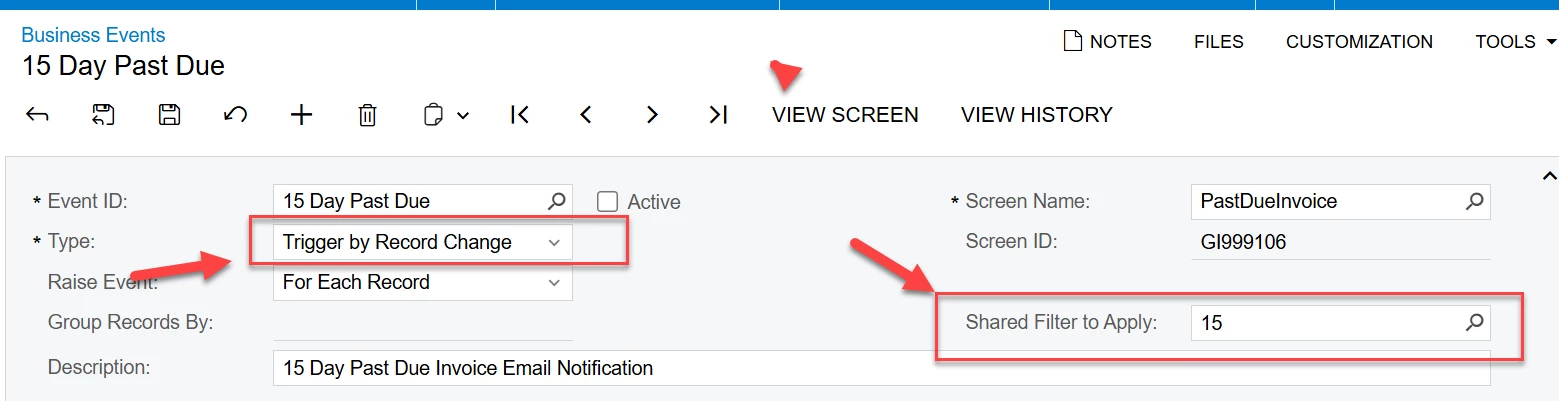
Please confirm - when using a Trigger by Schedule you can NOT select screen by shared filter as you can By Record Change ???
Best answer by Rakshanda
Hi @dales60 ,
Trigger by Record Change supports the Shared Filter to Apply field because the event is fired when a record changes. The shared filter determines which records qualify for the event.
Trigger by Schedule does not support Shared Filter to Apply. Scheduled Business Events execute based on the underlying Generic Inquiry (GI) or BQL query at the scheduled time, so there is no option to select a shared filter.
How to achieve the same result with Trigger by Schedule:
Add the required filtering logic directly in the Generic Inquiry used by the Business Event.
Alternatively, create a separate GI with the required conditions instead of relying on a Shared Filter.
Schedule the Business Event to run against that filtered GI.
Trigger by Record Change supports the Shared Filter to Apply field because the event is fired when a record changes. The shared filter determines which records qualify for the event.
Trigger by Schedule does not support Shared Filter to Apply. Scheduled Business Events execute based on the underlying Generic Inquiry (GI) or BQL query at the scheduled time, so there is no option to select a shared filter.
How to achieve the same result with Trigger by Schedule:
Add the required filtering logic directly in the Generic Inquiry used by the Business Event.
Alternatively, create a separate GI with the required conditions instead of relying on a Shared Filter.
Schedule the Business Event to run against that filtered GI.