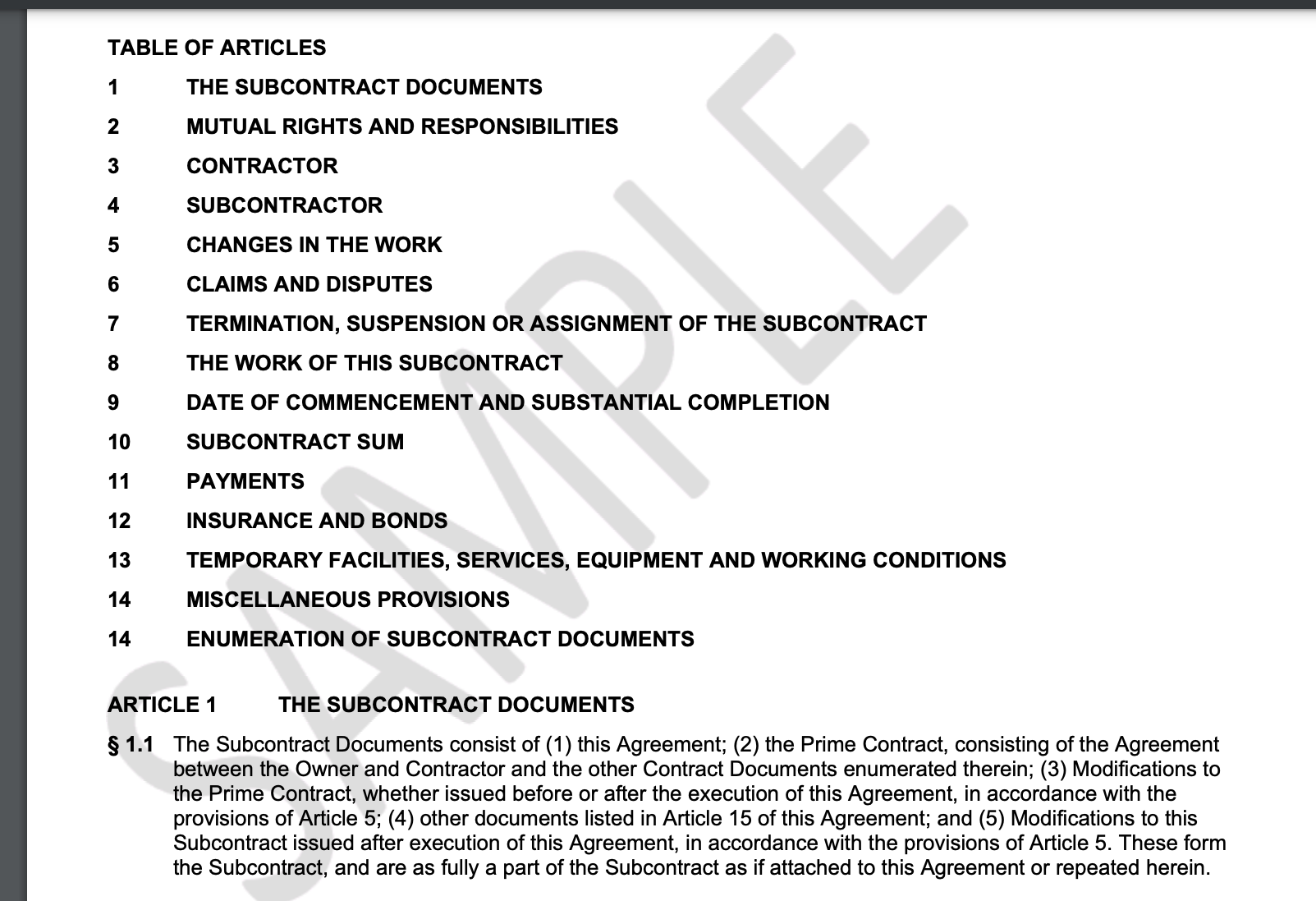
Hello All, One of the production instances is currently displaying the “SAMPLE” watermark in the background of the report. What i did is I modified the complete report in the Sandbox and once the report had been functioning well I then saved it directly to the live environment. But now the system displays the following SAMPLE watermark. How can I get rid of this?
Best answer by Harshita
HI @Harshita
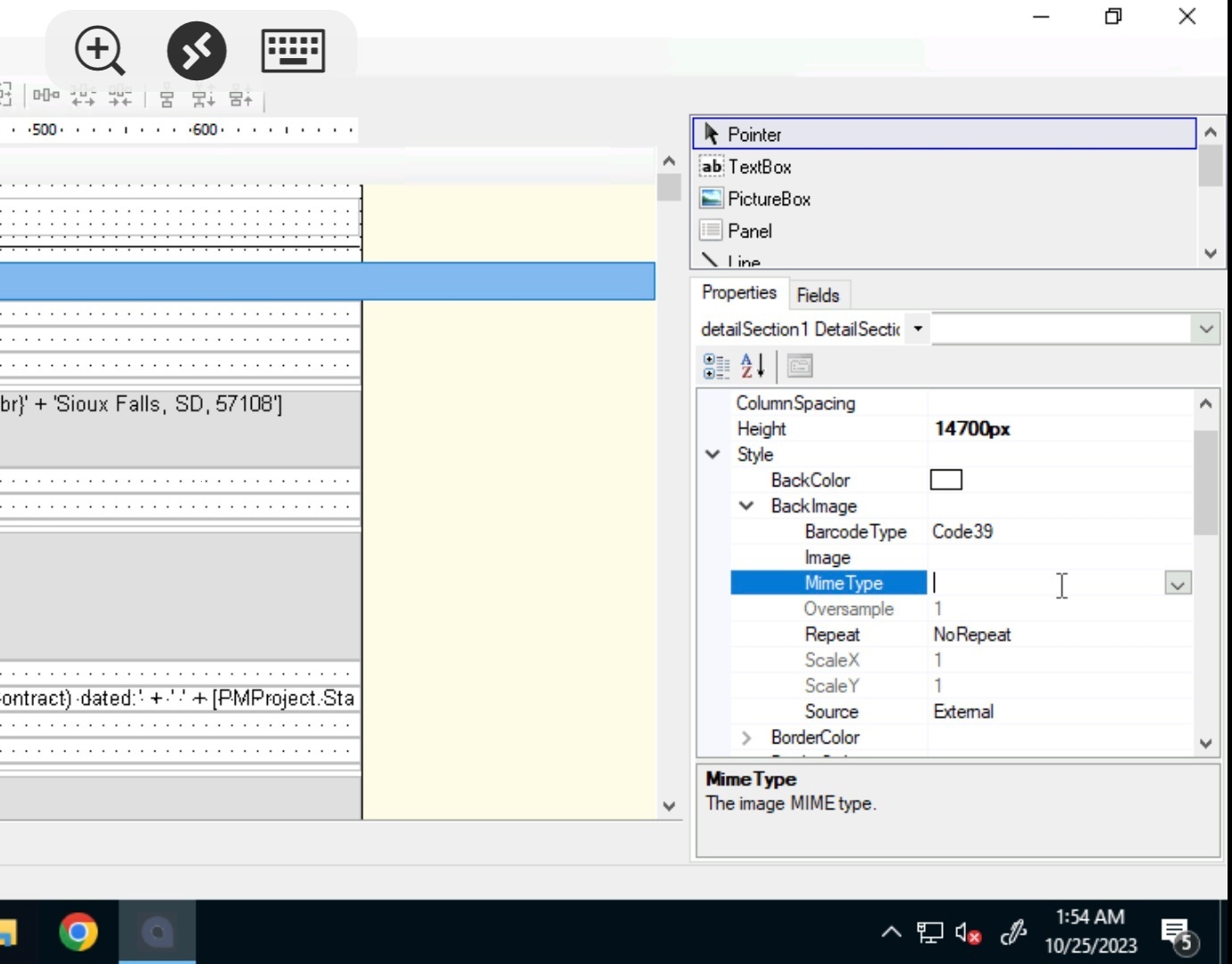
Verify whether the "BackImage" setting is active in the report's primary "report1" section.That's usually where the background picture with the watermark has been kept.
Hello @kandybeatty49 ,
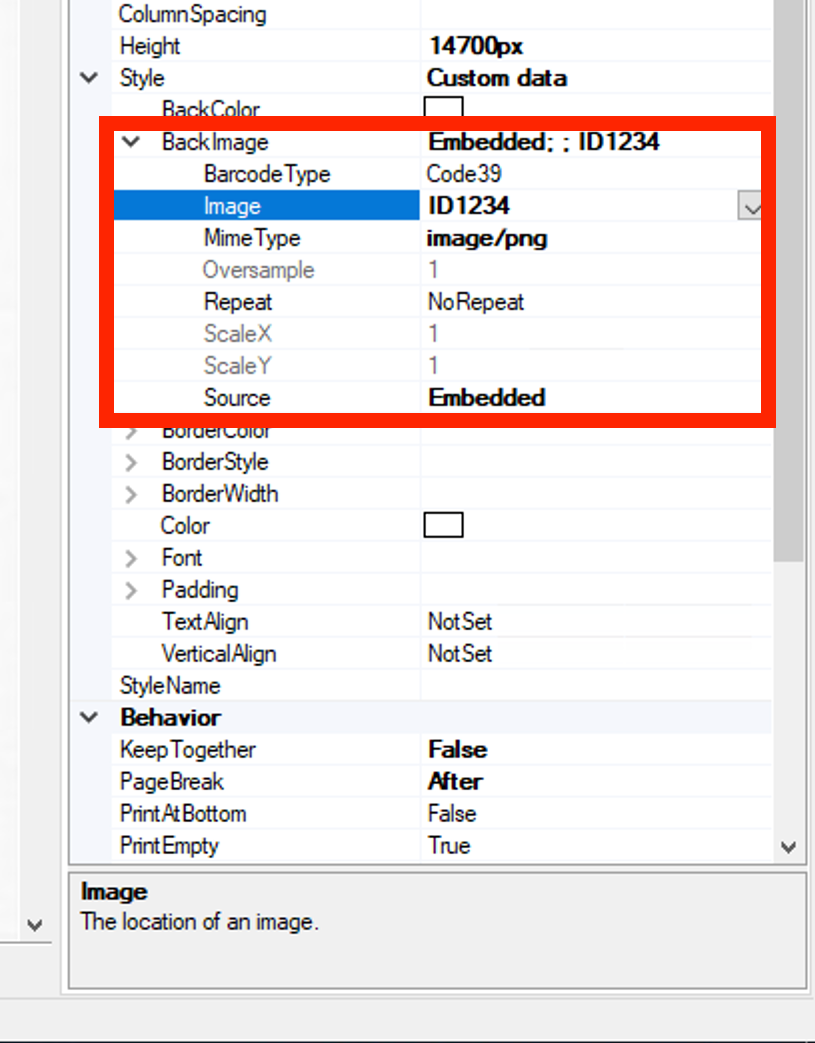
I think I have resolved this now. I embedded a white background image & set that up and now the SAMPLE text has been replaced with a plain white background image.
Verify whether the "BackImage" setting is active in the report's primary "report1" section.That's usually where the background picture with the watermark has been kept.
Verify whether the "BackImage" setting is active in the report's primary "report1" section.That's usually where the background picture with the watermark has been kept.
Verify whether the "BackImage" setting is active in the report's primary "report1" section.That's usually where the background picture with the watermark has been kept.
Hello @kandybeatty49 ,
I think I have resolved this now. I embedded a white background image & set that up and now the SAMPLE text has been replaced with a plain white background image.