Solved

Sales Invoice Report Issue (Sub report)-Overlapping Total.

  • September 29, 2025
  • 4 replies
  • 49 views

Forum|alt.badge.img

Hi Team,

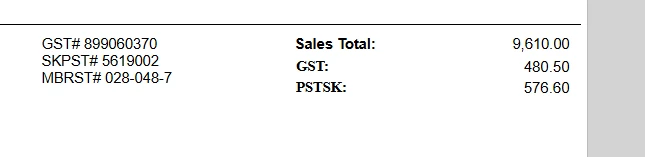
We are experiencing an issue with the AR (Sales) Invoice Report. Whenever there is more than one tax, the total is not displayed.
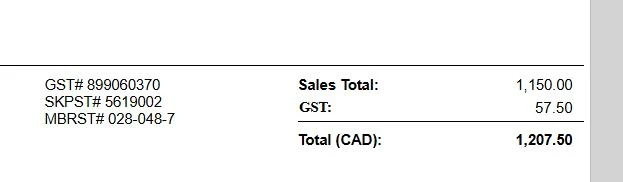
 

Please see the screenshots below
As shown in the image below, when only GST is applied, the total is displayed correctly. However, if another tax is added, the total is not shown.
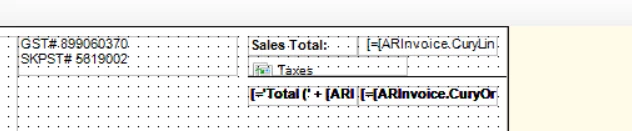
Note: The taxes are coming from a sub-report.

Could anyone please assist with this?

Best answer by lauraj46

Hi ​@gowrishankarsk32 ,

Your topic name describes the issue exactly - the growing subreport is overlapping with the field below.  You could resolve this issue by placing the grand total in a new section.  Alternatively, if you embed the subreport within a panel then I think it will expand and push the controls below it down.

Hope this helps!

Laura

4 replies

lauraj46
Captain II
Forum|alt.badge.img+9
  • Captain II
  • Answer
  • September 29, 2025

Hi ​@gowrishankarsk32 ,

Your topic name describes the issue exactly - the growing subreport is overlapping with the field below.  You could resolve this issue by placing the grand total in a new section.  Alternatively, if you embed the subreport within a panel then I think it will expand and push the controls below it down.

Hope this helps!

Laura


Forum|alt.badge.img
  • Freshman II
  • February 24, 2026

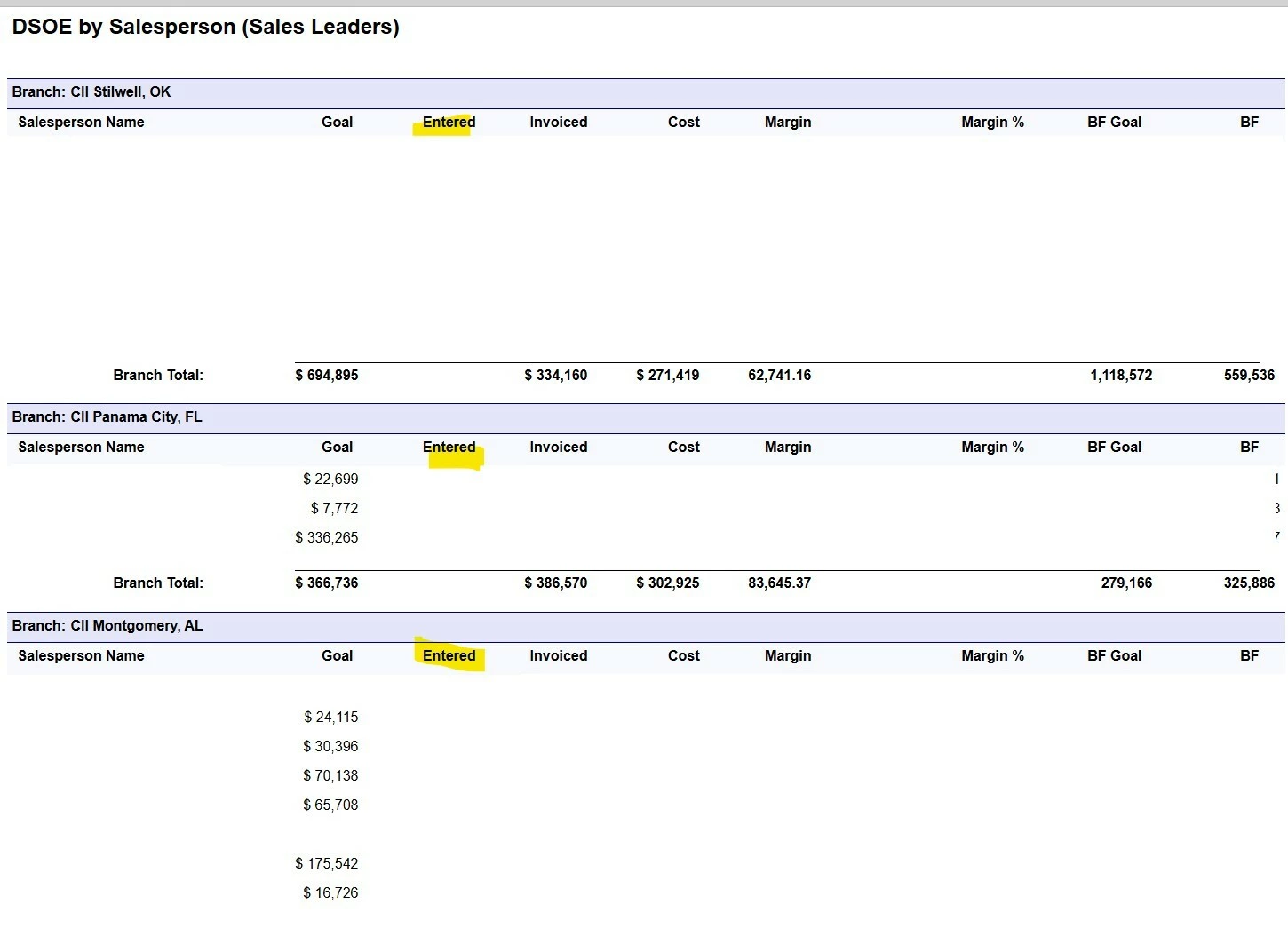
@lauraj46 i know you have been working with acu for some time and in your expert opinion, is something like the attached achievable using a sub report? Trying to capture entered orders and invoiced order in one report. The entered column would come from a sub report and data redacted.


lauraj46
Captain II
Forum|alt.badge.img+9
  • Captain II
  • February 24, 2026

Hi ​@bwaldie ,

Yes, absolutely.  With a subreport you can pull information onto a main report without having to join those tables in the schema of your main report.  You typically will pass values from the main report to the parameters of the subreport to select the relevant data.  

There is also a syntax to reference variables that are calculated in the subreport on the main report, which is useful if you need to do some math.  The syntax is $subreportcontrolname_subreportvariablename

As mentioned in the thread above, it’s important to make sure that your subreport doesn’t expand because if it overlaps with other controls on the main report the other controls will disappear :).

Hope this helps!

Laura


Forum|alt.badge.img
  • Freshman II
  • February 24, 2026

@lauraj46 thank you for the quick response!...i just wanted to make sure i didn’t dig too deep down a rabbit hole that leads me to nowhere.