Answer

Report Designer POLine.Transactions

  • March 5, 2024
  • 12 replies
  • 171 views

Forum|alt.badge.img+1

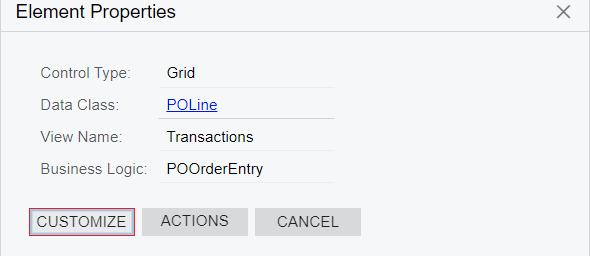
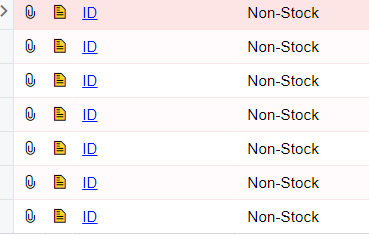
Our Purchasing Department has put notes in each line of a test Purchase Order. When using CTRL+Alt the Inspect Element shows that the field is POLine.Transactions, but, in the Report Designer POLine.Transactions does not appear and there are not child alias’ by the same name. I have been through every Note field that the Report Designer has in the tables that come with PO641000 and none of them has the data that was put into the Note fields.
Best answer by Laura03

Hello,

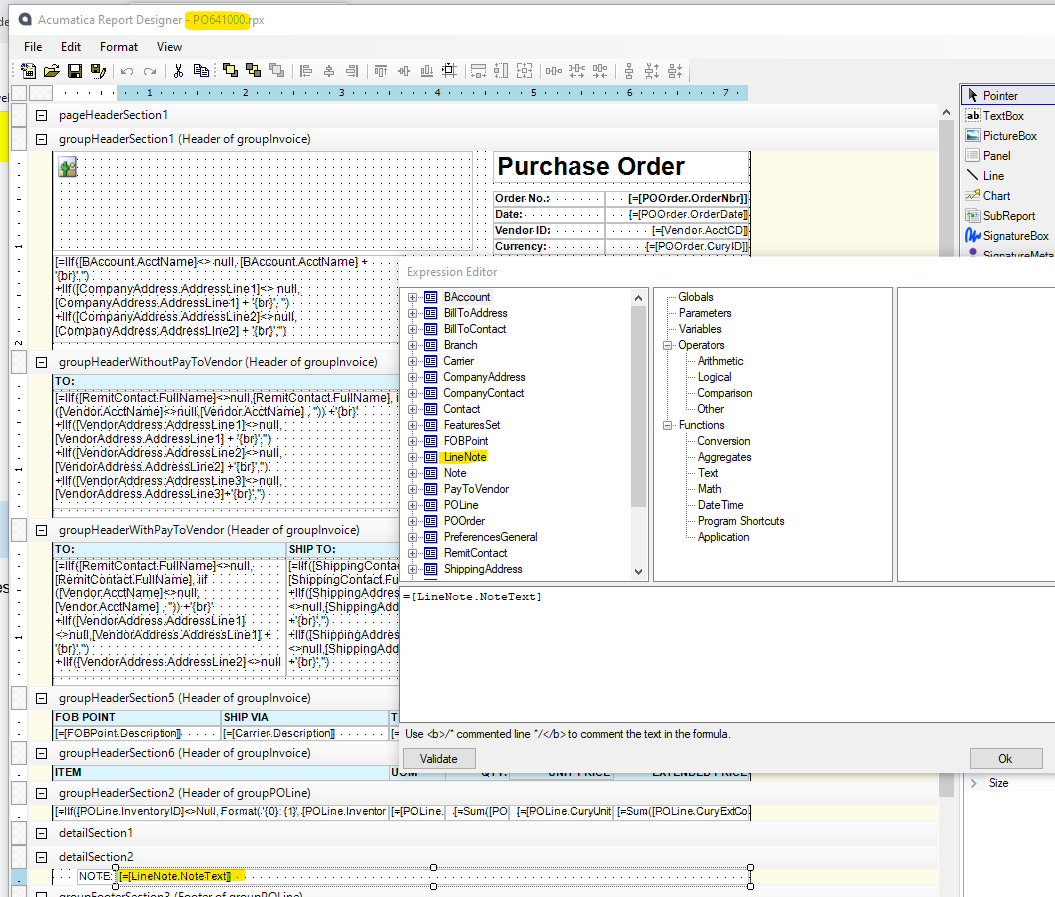
Are you asking which field contains line notes, because you want to add Line Notes to Purchase Order report PO641000.rpx?

Shown above is the Standard Purchase Order report that comes with Acumatica.  The standard report does print notes below each item on this PO. I highlighted the Line Notes field and showed the table above.

If I have not guessed your question correctly, then please restate your question.  Thank you!


Laura

12 replies

Laura03
Captain II
Forum|alt.badge.img+19
  • Captain II
  • Answer
  • March 5, 2024

Hello,

Are you asking which field contains line notes, because you want to add Line Notes to Purchase Order report PO641000.rpx?

Shown above is the Standard Purchase Order report that comes with Acumatica.  The standard report does print notes below each item on this PO. I highlighted the Line Notes field and showed the table above.

If I have not guessed your question correctly, then please restate your question.  Thank you!


Laura


Forum|alt.badge.img+1
  • Author
  • Semi-Pro I
  • March 6, 2024

Perfect and thank you!


  • September 26, 2025

@Laura02 you know how to fix a line note from appear 3 times for one note? 


Forum|alt.badge.img
  • Jr Varsity I
  • September 29, 2025

Good morning, ​@SunnyM ,

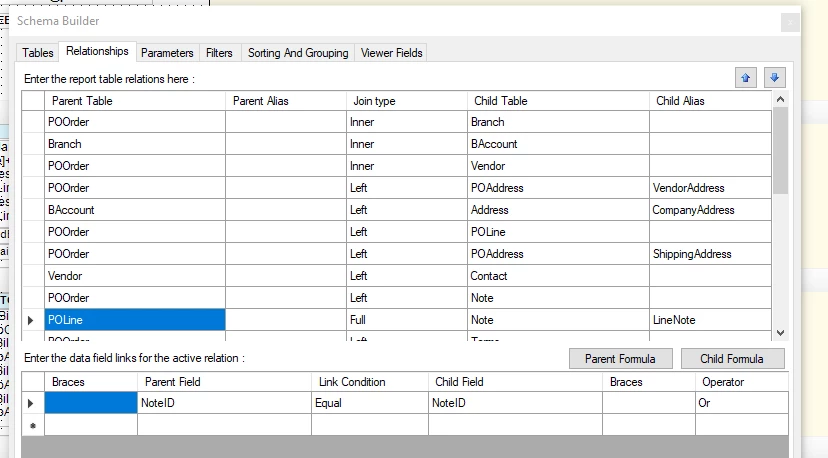
When any record is repeated on a report, the first thing I look at is Relationships (In ACM report designer, File → Build Schema → Relationships tab).

Compare the Relationships in your custom report to the Relationships in Acumatica’s standard report, specifically the Parent - Child Join type in the upper table and the Parent/Child key fields in the bottom table of the Relationships tab.

Good luck!

Laura


  • September 29, 2025

@LauraBarber24 would you know what the relationship should to prevent this issue? 


Forum|alt.badge.img
  • Jr Varsity I
  • September 29, 2025

@LauraBarber24 would you know what the relationship should to prevent this issue? 

Hello,

If you can show a screenshot of your relationships, I can try to help you. Thank you.

Laura


  • September 29, 2025


  • September 29, 2025

@LauraBarber24 would the screen shot above be enough? 


Forum|alt.badge.img
  • Jr Varsity I
  • September 29, 2025

Hi, 

Compare your report’s Relationships to the Standard Report’s (Acumatica’s) Relationships tab. 

Any relationships that are in your report and not in Acumatica’s, and your relationships that are different from Acumatica’s are suspects - all new or modified relationships in your custom report are the ones to show the community.


Thank you!


Laura


  • September 29, 2025

@LauraBarber24 just did and no difference. 


Forum|alt.badge.img
  • Jr Varsity I
  • September 30, 2025

Hello ​@SunnyM ,

I recommend that you start a new post and include screenshots of your joins, with difference between standard report and yours highlighted. Include an example of your duplicated records.

When you add to a post that has been solved, only the original poster and others who contributed will be notified of your question.  When you start a new post, everyone on Acumatica Community will be notified.

Good luck!


craig2
Pro I
Forum|alt.badge.img+3
  • Pro I
  • September 30, 2025

Just one thing I noticed ​@SunnyM , possibly try changing your Join on POLine and LineNote to a Left, rather than a Full.  Those NoteIDs are unique identifiers so it seems unlikely, but I only use a Full Join in very specific circumstances.