Solved

Report Designer Parameters - Using non-existent Accounts in High/Low Range

  • January 22, 2026
  • 4 replies
  • 23 views

nickcerri32
Semi-Pro II
Forum|alt.badge.img+6

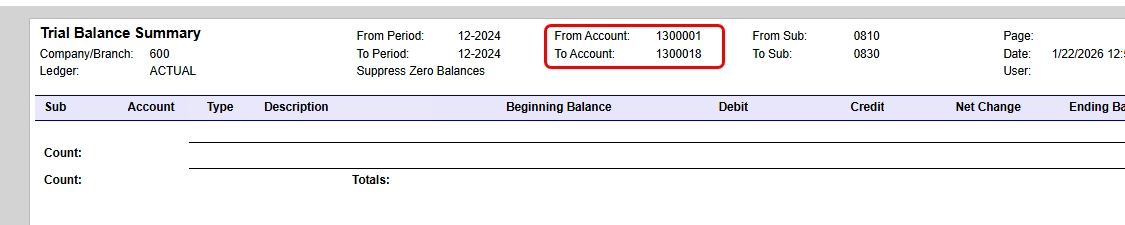
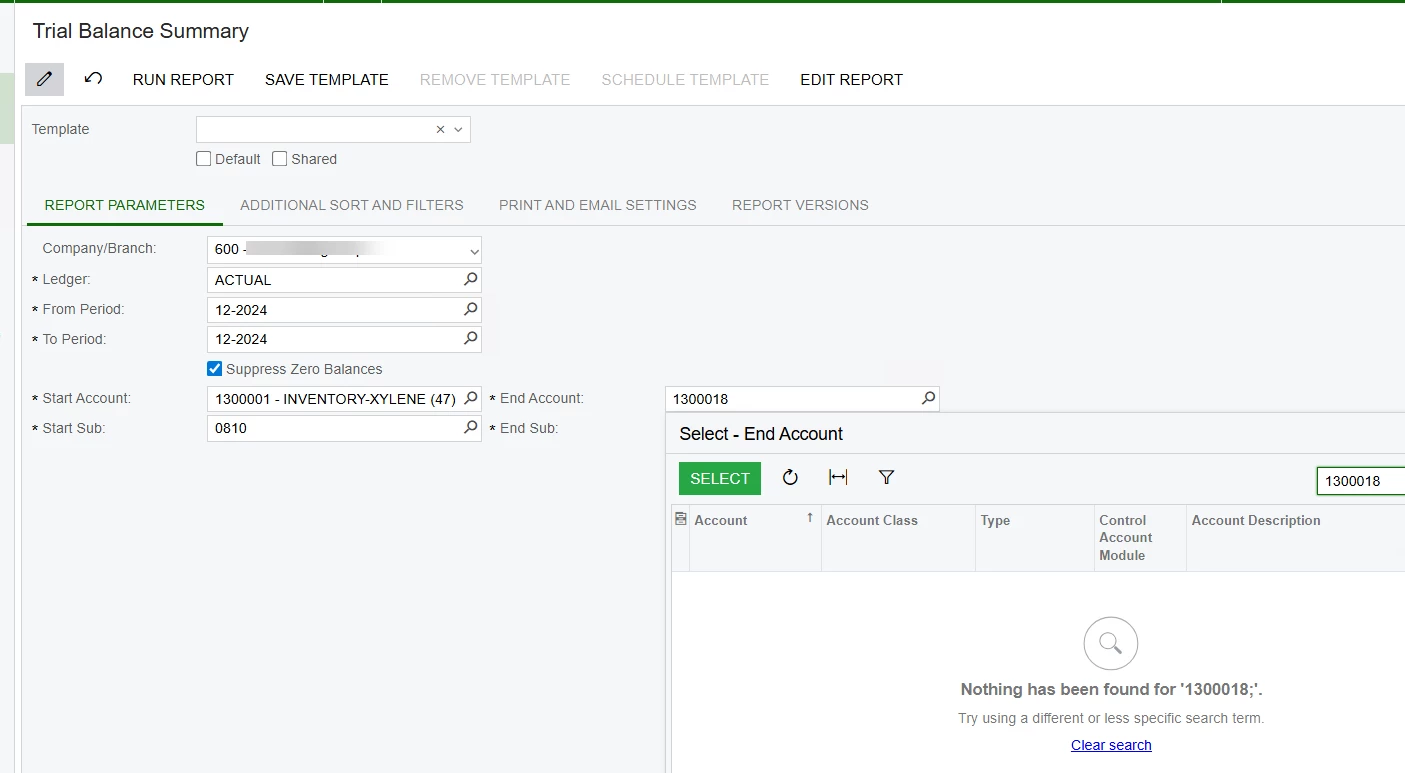
Hey, team - I’ve made some mods to the Trial Balance Summary report and have added parameters for a range of Accounts and Subaccounts.  The user will generally put in large ranges of accounts (i.e., 1000000 to 1999999) without selecting actual accounts - in other words, account 1000000 may not actually exist. See below - I can have the user simply select actual accounts, but I’m wondering if there is a way to get this to work, even if they select non-existent accounts in the ranges.


When one or both of the high and low values do NOT exist, the report does not yield any output. 


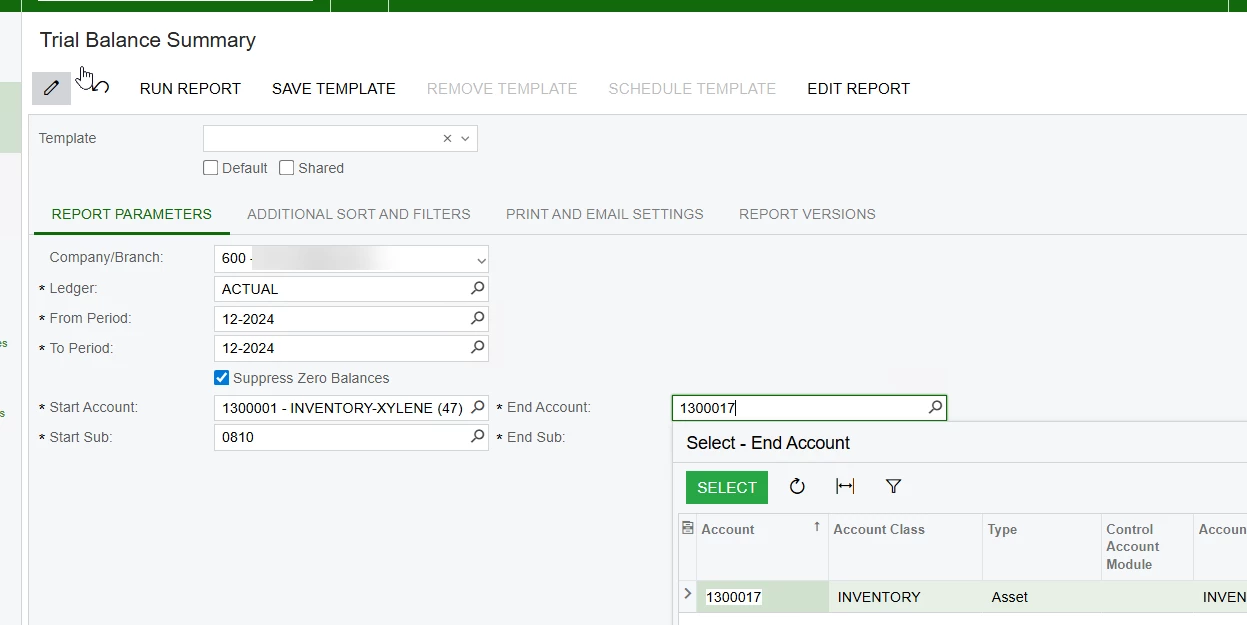
By contrast, ensuring that both accounts DO exist, the report does yield an output


I’ve played around with the parameters tab of the Schema builder (removing the view name, changing the Data type, etc.) ...
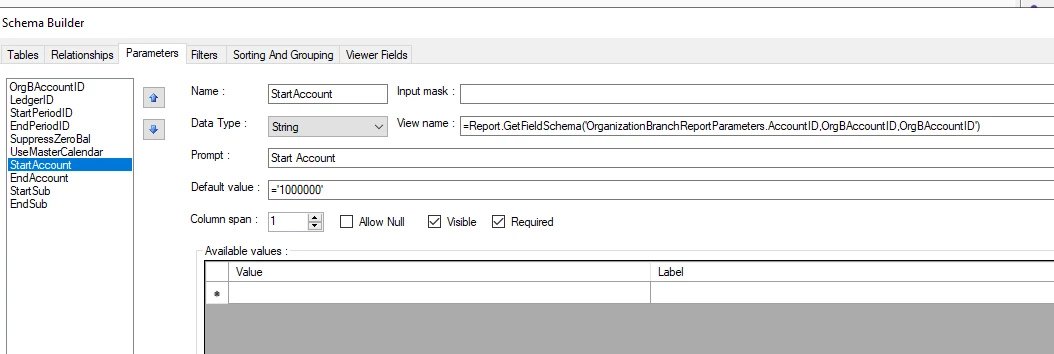
 

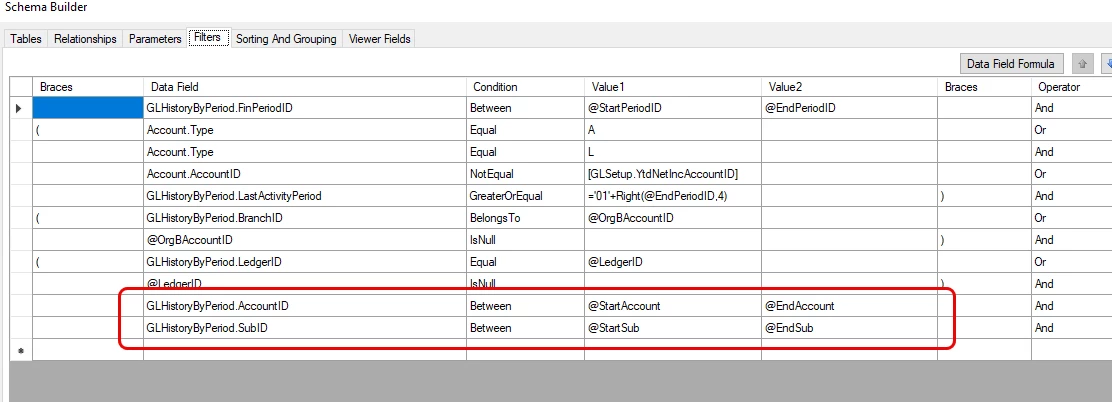
Along with playing around with the Filters tab, as well, to no avail.
 

Best answer by npetrosov31

@nickcerri32,

Then try to change the filters to the CD fields, that should work as you want


4 replies

npetrosov31
Jr Varsity I
Forum|alt.badge.img+1
  • Jr Varsity I
  • January 22, 2026

hello ​@nickcerri32,


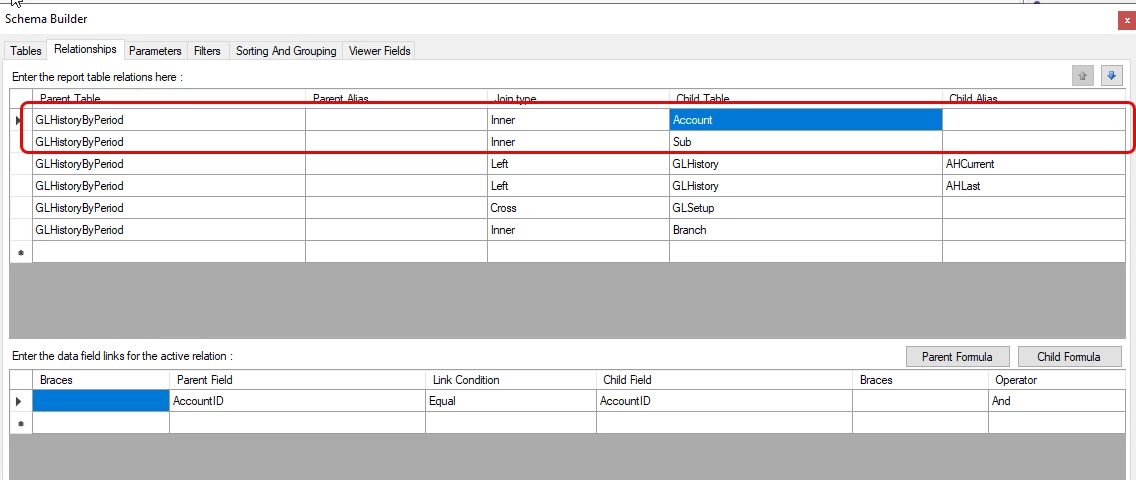
This AccountID and SubID are selector fields with substitute values. If you want to filter them by the UI values you need to add joins to Account and Sub tables and use AccountCD and SubCD fields


nickcerri32
Semi-Pro II
Forum|alt.badge.img+6
  • Author
  • Semi-Pro II
  • January 22, 2026

@npetrosov31 - I didn’t include the joins since I hadn’t made any changes to them.  The Account and Sub tables are already linked to the out-of-the-box report.


npetrosov31
Jr Varsity I
Forum|alt.badge.img+1
  • Jr Varsity I
  • Answer
  • January 22, 2026

@nickcerri32,

Then try to change the filters to the CD fields, that should work as you want


nickcerri32
Semi-Pro II
Forum|alt.badge.img+6
  • Author
  • Semi-Pro II
  • January 22, 2026

@npetrosov31 - That worked like a charm, thanks!