Solved

Report designer; parameters dont sem to be triggering

  • December 10, 2025
  • 6 replies
  • 29 views

Forum|alt.badge.img

Hello,

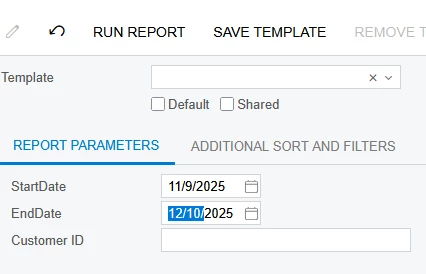
trying to copy an existing report by rebuilding it so i understand. My parameters do not seem to be working. I can fill the data fields out with variables, but it seems to just default to how the GI is configured.


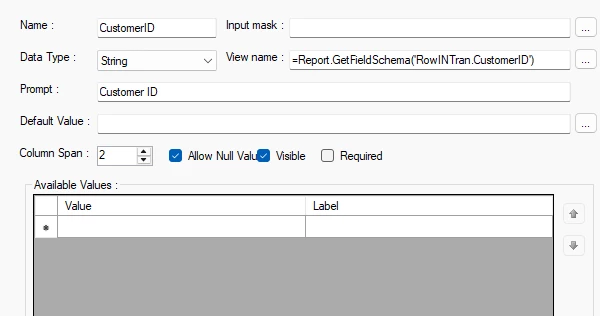
For CustomerID i’ve tried to use ARInvoice.CustomerID which is what i have declared; but doesn't work. the string in the screen grab works on the reference form even though INTran was not declared anywhere. 


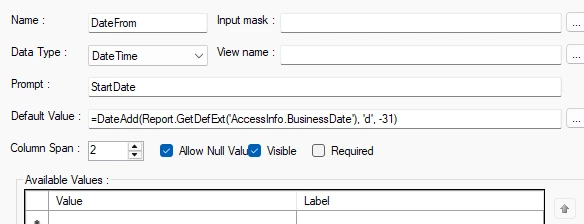
For date; that’s a pure copy pasta. It works on the reference report and google fu told me this would be one way to go about doing it, but it doesn’t seem to work. 

i guess i dont understand, I was thinking report designer would use my reference GI and need data sets that that GI uses. 
Best answer by lauraj46

Hi ​@kdolgner ,

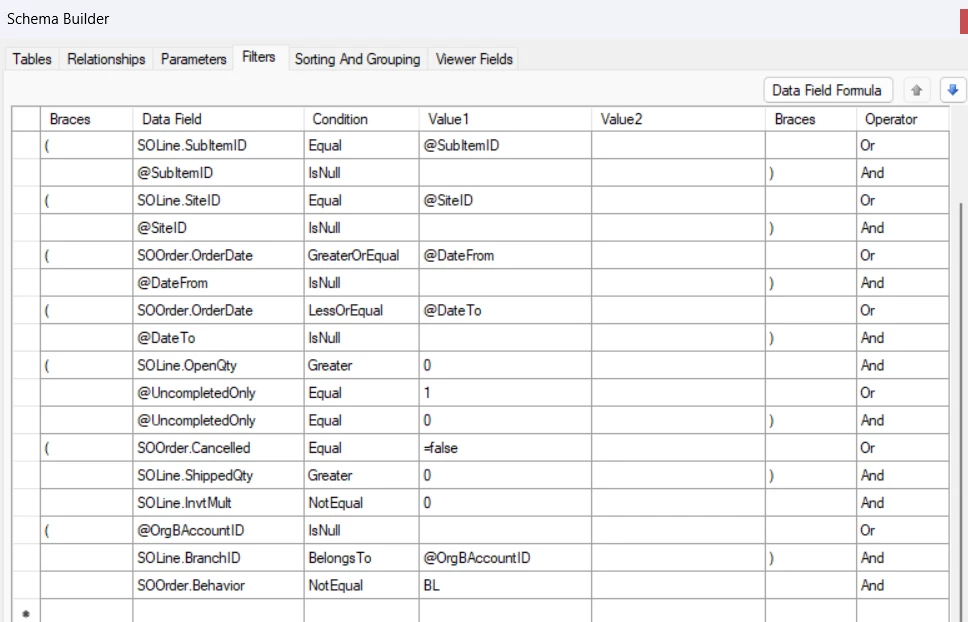
That’s correct.  The filters are similar to the Conditions tab on a GI.  The @ sign in the Value1 column refers to a parameter which must be defined on the Parameters tab of the report schema.  

Hope this helps!

Laura

6 replies

lauraj46
Captain II
Forum|alt.badge.img+8
  • Captain II
  • December 10, 2025

Hi ​@kdolgner ,

When you say that the parameters aren't triggering, do you mean that the default values aren't populating or that the search conditions aren't working?  Please post one or more screenshots to clarify what you are seeing.


Forum|alt.badge.img
  • Author
  • Freshman II
  • December 10, 2025

Hi ​@kdolgner ,

When you say that the parameters aren't triggering, do you mean that the default values aren't populating or that the search conditions aren't working?  Please post one or more screenshots to clarify what you are seeing.

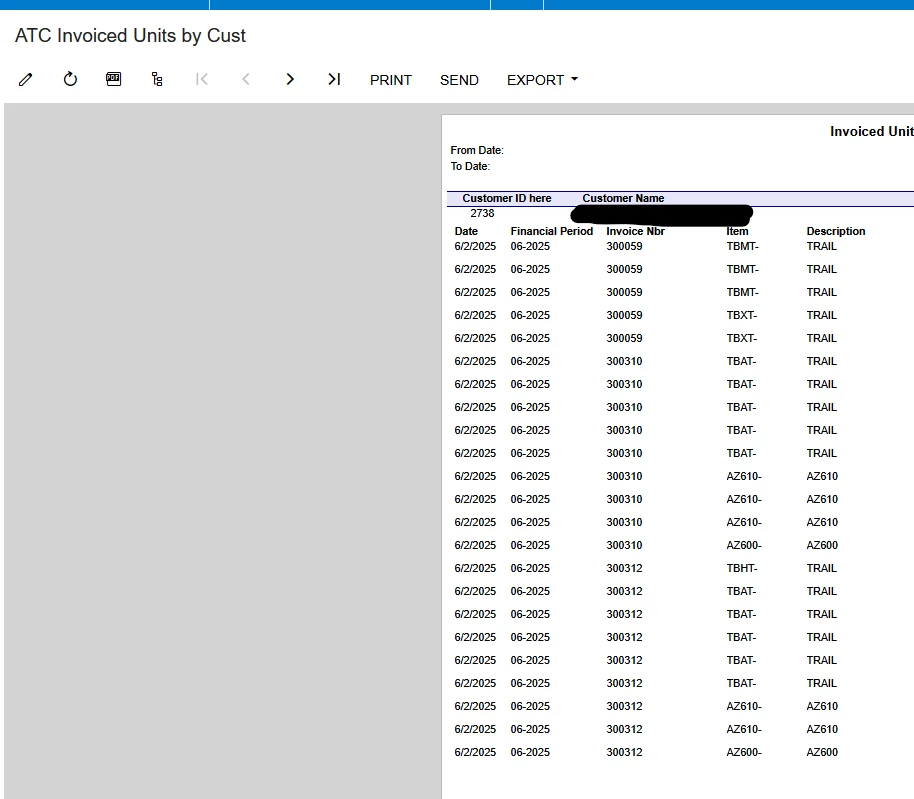
welp i was breaking the CustomerID futher and i can’t replicate what i was seeing but the date still is not working. I have it set for the last 31 days

but i see everything that the GI sees, which is everything in acu back to June

I’m just assuming i did not set up the parameters right somewhere. Do they also need to be established in the GI?


lauraj46
Captain II
Forum|alt.badge.img+8
  • Captain II
  • December 10, 2025

Hi ​@kdolgner ,

Once you export a GI to create a new report, the report is disconnected from the GI.  In the Report Designer you use the Filters tab to define the data conditions based on the parameters.  You should be able to see an example on the existing report that you copied, something like this:

Hope this helps!

Laura


Forum|alt.badge.img
  • Author
  • Freshman II
  • December 10, 2025

Hi ​@kdolgner ,

Once you export a GI to create a new report, the report is disconnected from the GI.  In the Report Designer you use the Filters tab to define the data conditions based on the parameters.  You should be able to see an example on the existing report that you copied, something like this:

Hope this helps!

Laura

alright. i totally have seen this and thought it was to break the GI down further. okay. I will start on this project tomorrow lol.

Do the Filters tell the parameters how to work based on the info i assign in it?


lauraj46
Captain II
Forum|alt.badge.img+8
  • Captain II
  • Answer
  • December 10, 2025

Hi ​@kdolgner ,

That’s correct.  The filters are similar to the Conditions tab on a GI.  The @ sign in the Value1 column refers to a parameter which must be defined on the Parameters tab of the report schema.  

Hope this helps!

Laura


Forum|alt.badge.img
  • Author
  • Freshman II
  • December 10, 2025

marking this as best answer.


Thank you so much. I appreciate your help!