Answer

Report Designer: Parameter/Filter: Customer Location

  • January 14, 2025
  • 2 replies
  • 179 views

Forum|alt.badge.img

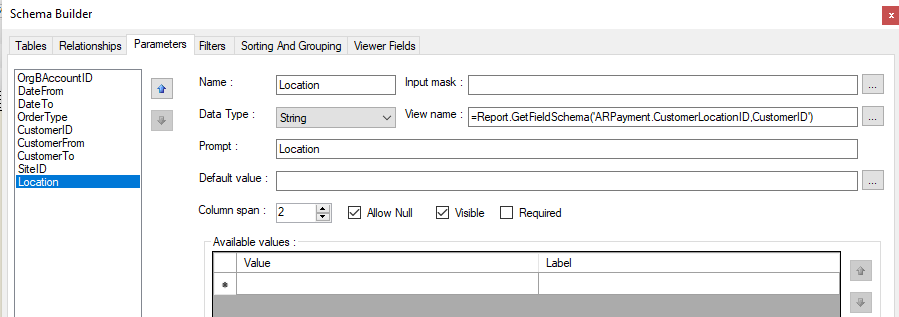
Hi everyone, I was following the suggested solution in the Report Designer Parameter relation customer id and customer location id | Community to create the parameter. I was able to output the Location parameter which is dependent to the Customer. However, it seems that the filter is not working. Output in report is still printing everything. 
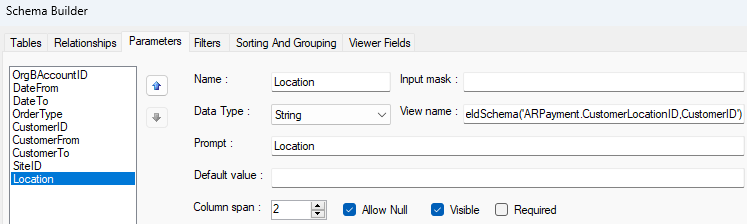
 

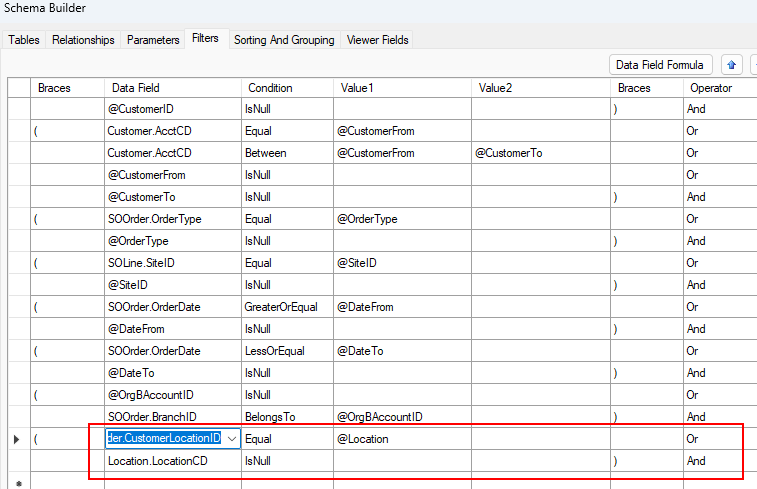
I tried adding the filter to the table that’s created relationship with. (Note: I cannot output this in the paramater as location the field is SOOrder.CustomerLocationID,CustomerID ) Do I need to create relationship now for the ARPayment? I have attached the report in question. Thanks a lot in advance.
 

Best answer by nhatnghetinh

Hi ​@Crisel 

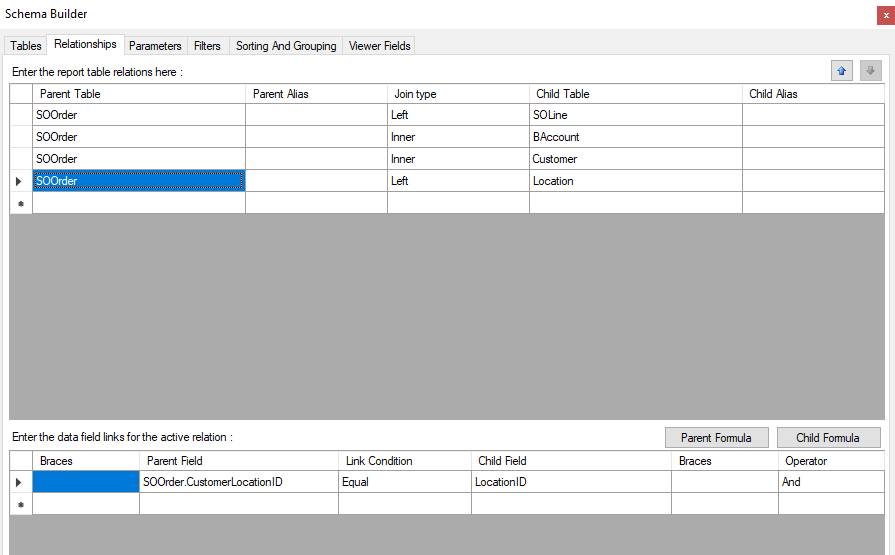
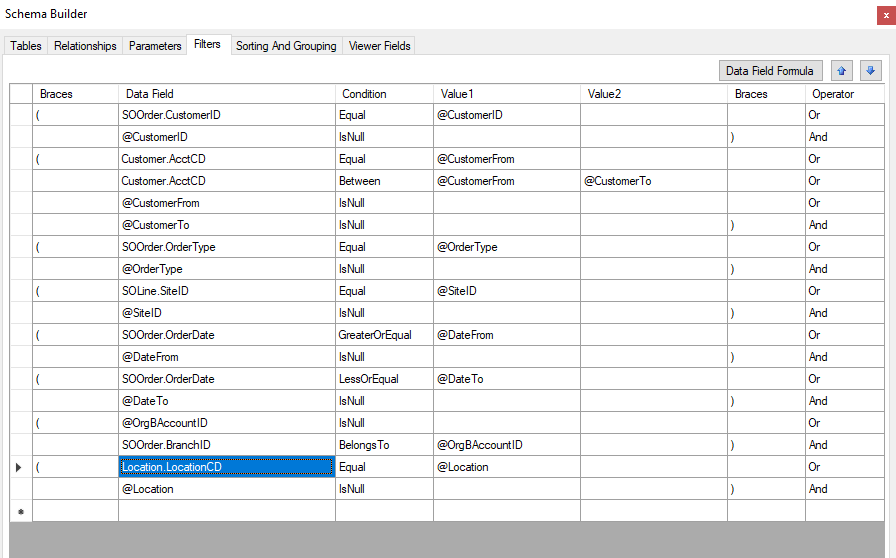
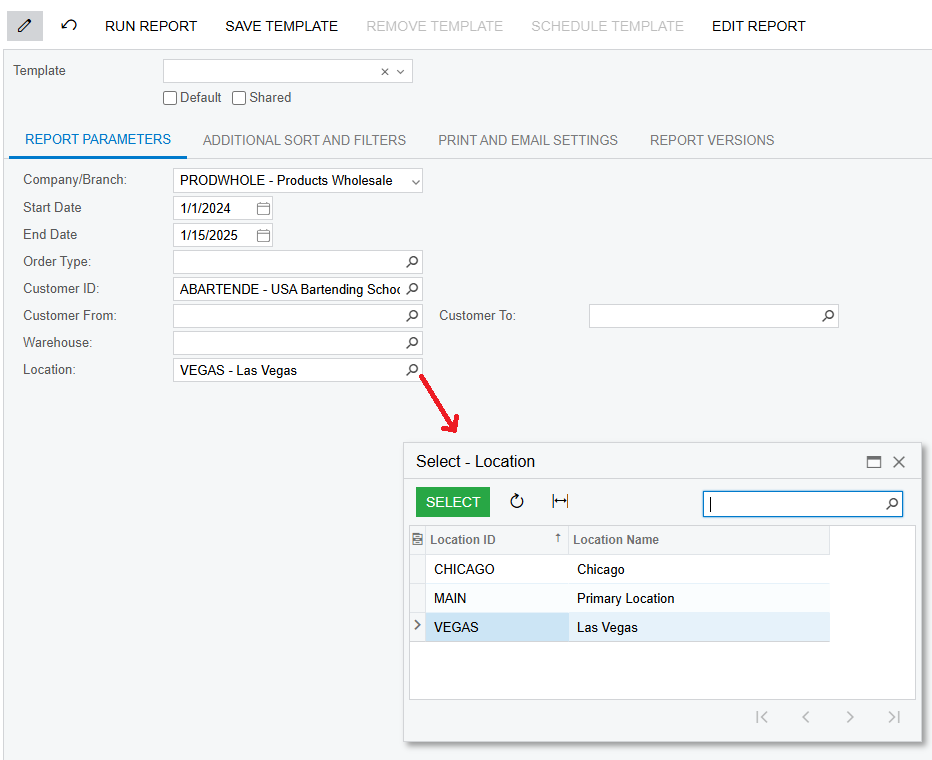
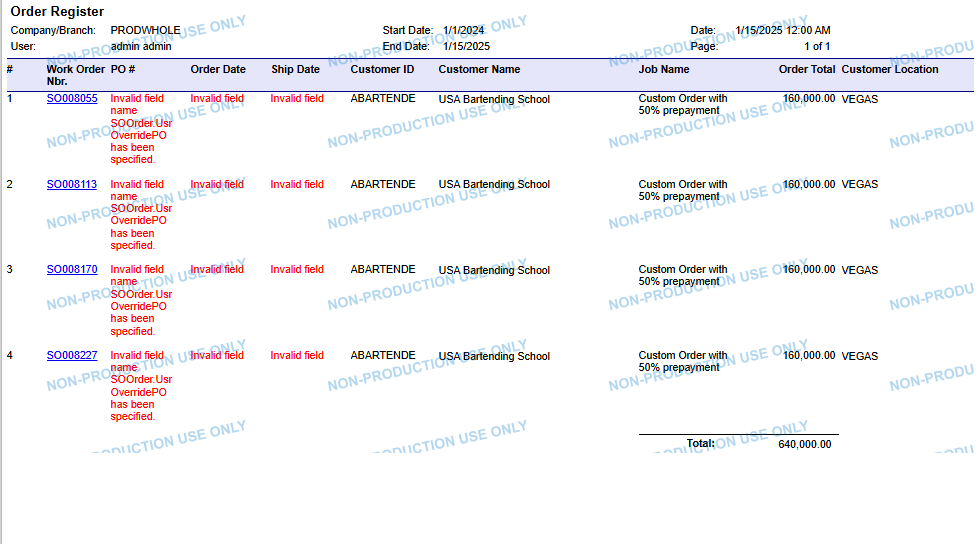
I have updated your report. Currently the Location selector is working fine.


Best Regards,

NNT

2 replies

nhatnghetinh
Captain II
Forum|alt.badge.img+11
  • Captain II
  • Answer
  • January 15, 2025

Hi ​@Crisel 

I have updated your report. Currently the Location selector is working fine.


Best Regards,

NNT


Forum|alt.badge.img
  • Author
  • Jr Varsity III
  • January 15, 2025

Thank you so much! I tried following the setup you shared in your screenshots and it solved my concern. 

In my understanding, the correction was the filter should be Location.LocationID to compare to @Location, instead of the SOOrder.CustomerLocationID or other fields I was trying. 

Thanks a lot for your help. Highly appreciate it! 👍👏🙌🙏🤝