Answer

Report Designer - Group footer is automatically adding a page break

  • April 16, 2025
  • 3 replies
  • 118 views

Forum|alt.badge.img

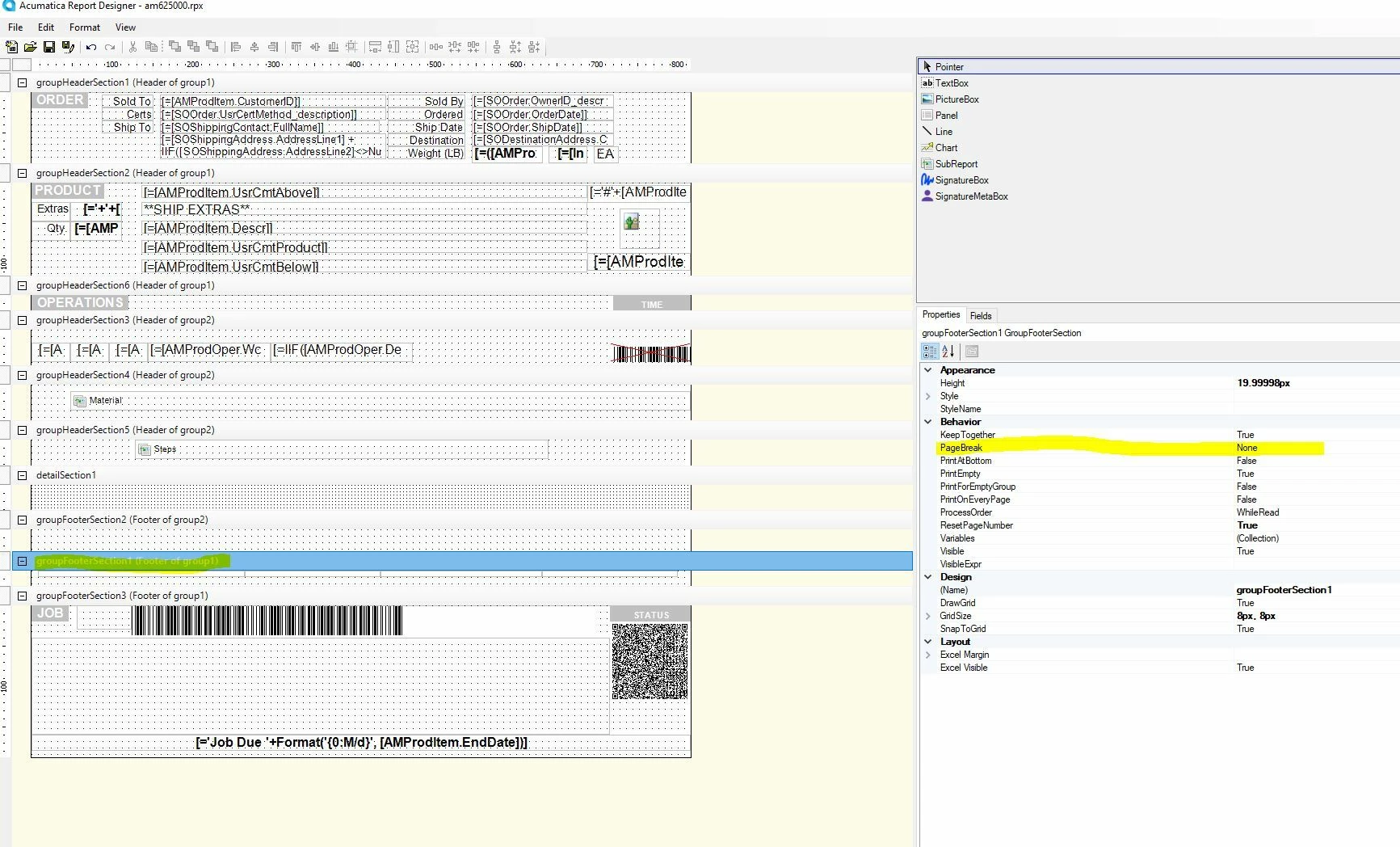
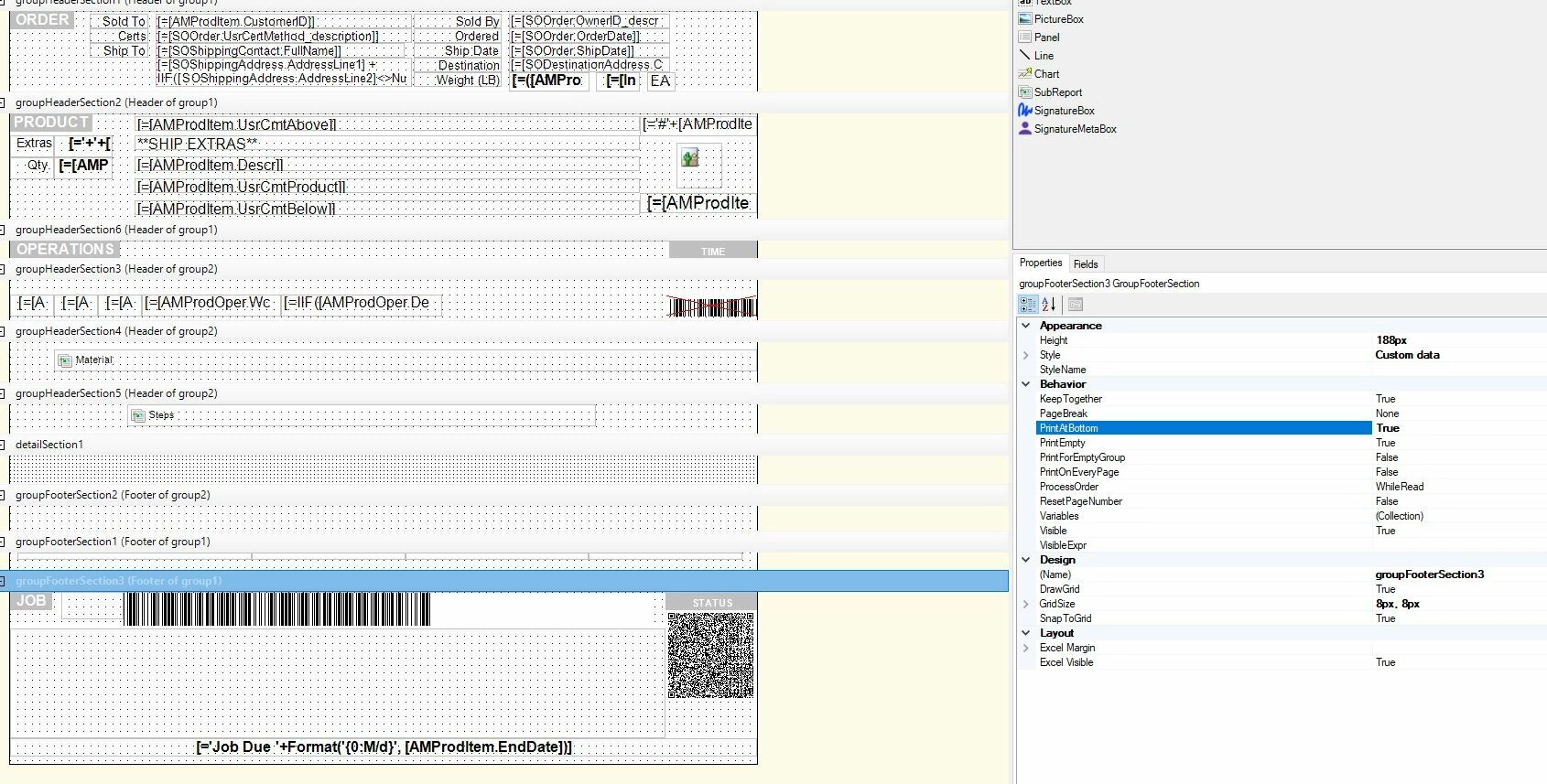
While trying to edit the production ticket, I created two footers for group1. My goal is to put groupFooterSection3 at the bottom of the page, but the report designer automatically creates a page break between groupFooterSection1 and groupFooterSection3. 

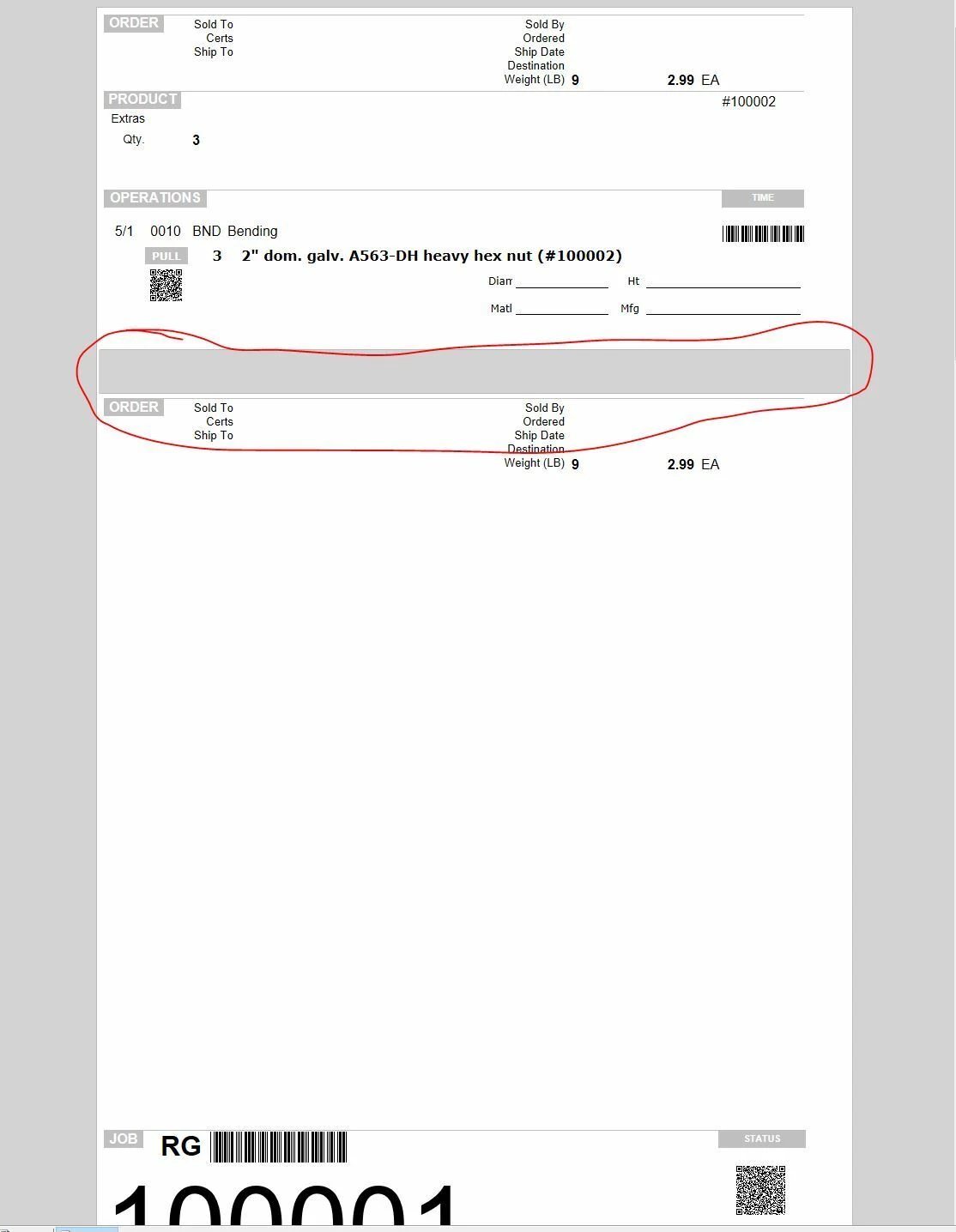
Does anyone know why this behavior is happening, or how to fix it? I attached some screenshots of the two sections and the preview. From the preview, we can see that there is plenty of room to add the groupFooterSection3 to the bottom of the page, but it instead adds a page and places that section at the bottom of the new page.
 

Best answer by lauraj46

Hi ​@PBSA ,

This might be caused the the Reset Page Number property on groupFooterSection1.   Try putting that to False and setting to True in groupFooterSection3.  

Let us know if that helps!

Laura

3 replies

valentynbeznosiuk
Jr Varsity I
Forum|alt.badge.img+3

@PBSA Hello,

Could you please share an .rpx file with this report, so I can review it closely?


lauraj46
Captain II
Forum|alt.badge.img+8
  • Captain II
  • Answer
  • April 17, 2025

Hi ​@PBSA ,

This might be caused the the Reset Page Number property on groupFooterSection1.   Try putting that to False and setting to True in groupFooterSection3.  

Let us know if that helps!

Laura


Forum|alt.badge.img
  • Author
  • Jr Varsity II
  • April 18, 2025

Hi ​@PBSA ,

This might be caused the the Reset Page Number property on groupFooterSection1.   Try putting that to False and setting to True in groupFooterSection3.  

Let us know if that helps!

Laura

This is what was causing the issue. Thank you