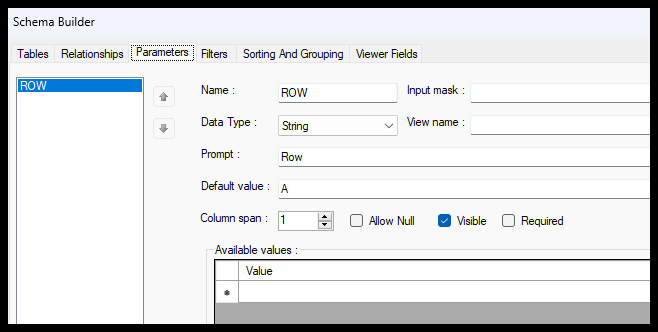
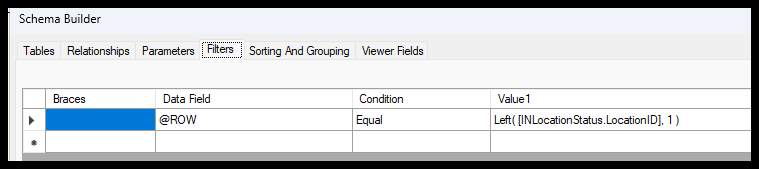
I want to select location records when the 1st character of the location is equal to the parameter value.
I don’t get any errors, but I do not select any records when I know I should.
Any thoughts?
Default value of ROW below is “A”.
I know I have locations that start with “A” and I report these when the filter is off.
Best answer by ltussing03
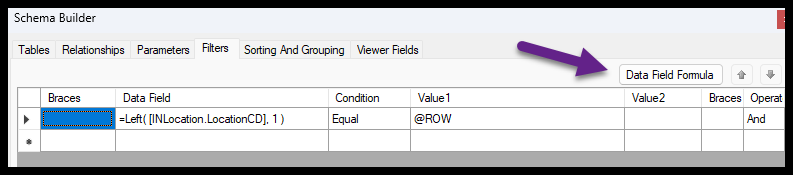
Laura thanks for your help with this. It is working now. I needed the formula on the left side, under Data Field. When I had tried to put it there directly it wouldn’t stick. However, when I clicked the “Data Field Formula” button, it allowed me to enter the formula and it stayed.
Thanks again for taking the time to help with this!
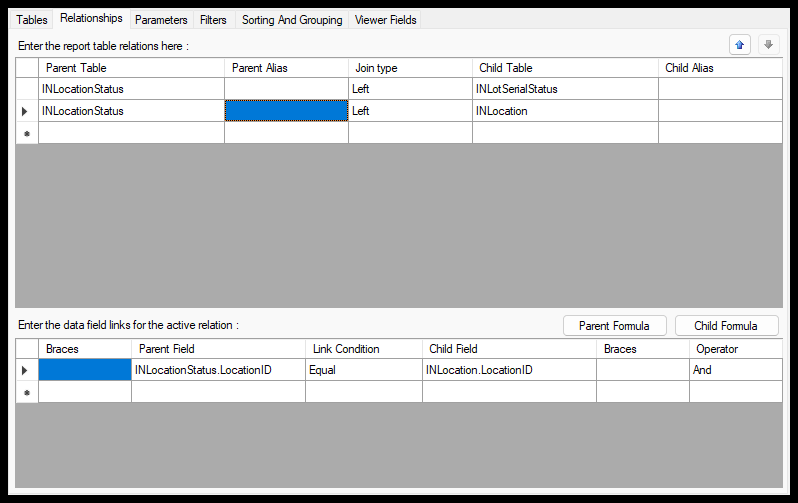
Thank you so much for replying! You are absolutely right about using the “CD” inventory ID!
Unfortunately, I am still not getting any results when the filter is enabled.
I printed my “Left” formula on the report, and dropped the filter, and it is printing the expected value of “A”. But I still get no results with the filter enabled.
Laura thanks for your help with this. It is working now. I needed the formula on the left side, under Data Field. When I had tried to put it there directly it wouldn’t stick. However, when I clicked the “Data Field Formula” button, it allowed me to enter the formula and it stayed.
Thanks again for taking the time to help with this!