Answer

Report Designer- Date Filter

  • November 24, 2025
  • 5 replies
  • 45 views

Hello!

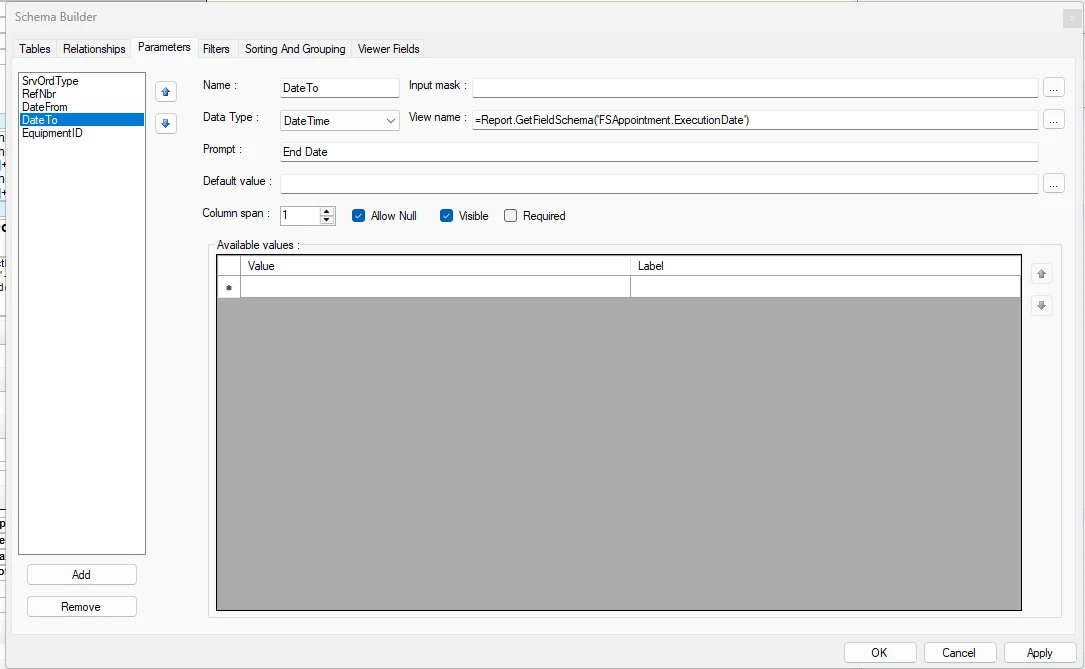
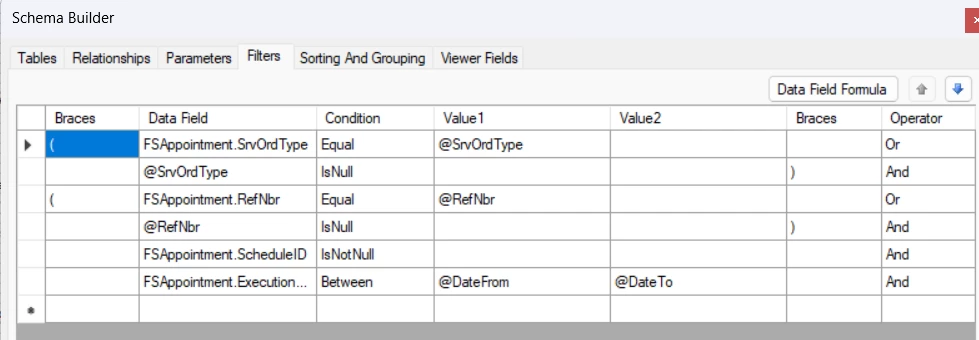
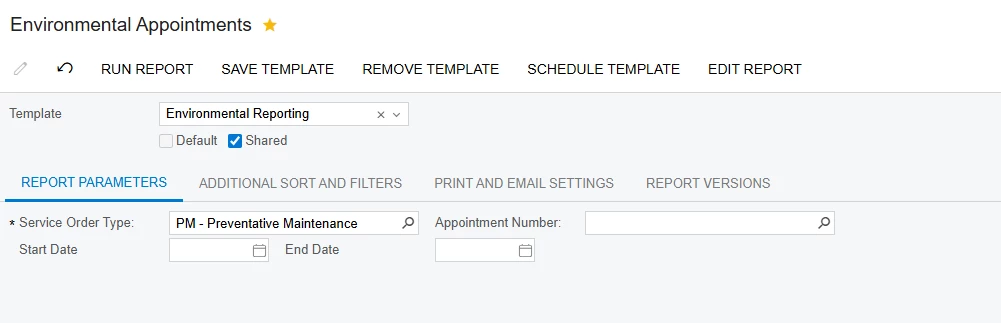
I need to filter my report by a date range. I have the Parameter and Filter setup within the build schema, screenshots below. However, when entering a start and end date then running the report, it is not filtering the report down to those dates. Thank you for the help!


Parameter:
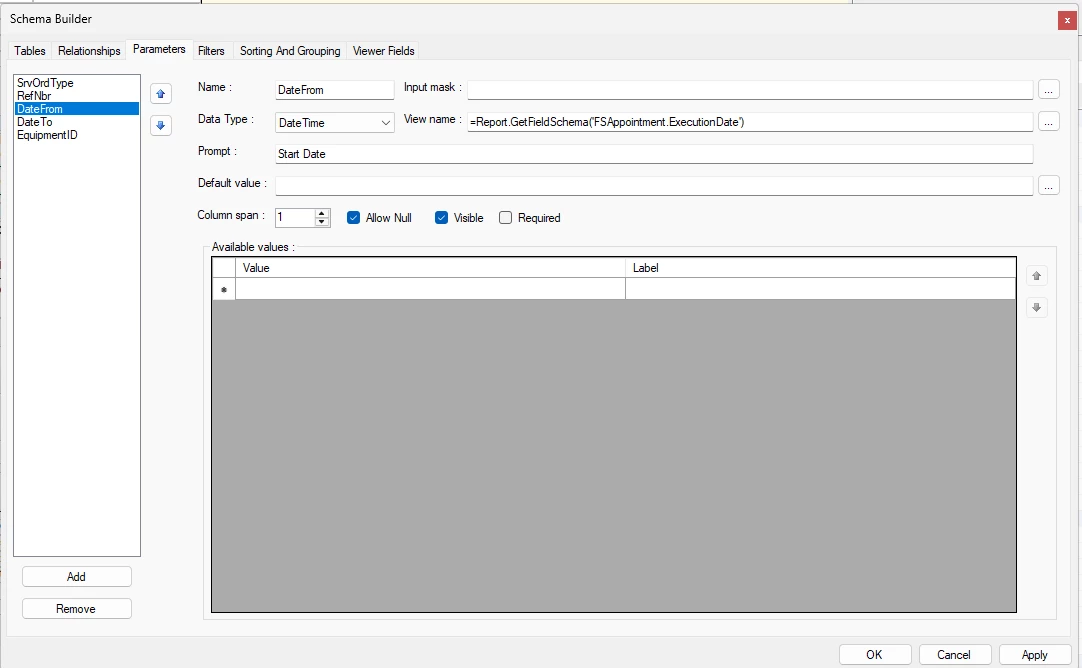
 

Filters:

 

Report Parameters:
 

Best answer by lauraj46

Hi ​@krodman ,

The filter is probably not functioning as expected because of the “Or” operator on row 2 of the schema.  Generally the OR operations should be inside of parenthesis, following a pattern similar to the screenshot below.  Otherwise the default order of operations may return unexpecte results.


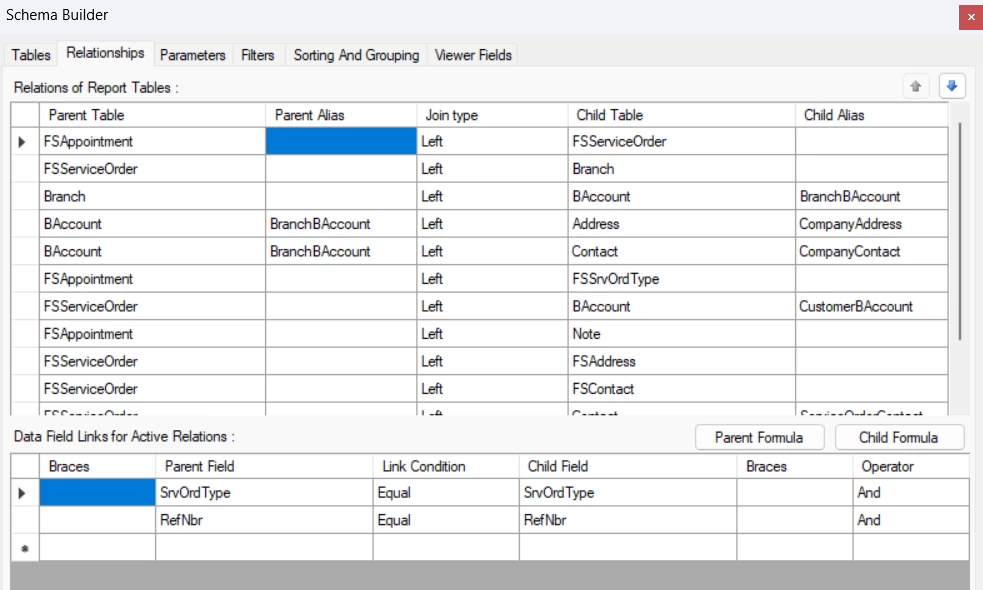
Also, I believe that the join between FSAppointment and FSServiceOrder should be on the SrvOrdType and the RefNbr.

Hope this helps!

Laura

5 replies

lauraj46
Captain II
Forum|alt.badge.img+8
  • Captain II
  • November 24, 2025

Hi ​@krodman ,

Looks correct based on your screenshots.  To debug, I would recommend printing the parameter values and the value of the FSAppointment.Execution date on the report.  If you are still having issues, please post the rpx file on this thread and I will take a look.

Laura


Forum|alt.badge.img+8
  • Semi-Pro I
  • November 24, 2025

Hi ​@krodman  Try using the operation “Between” and provide the Parameters in Value1 and Value 2.


  • Author
  • Freshman I
  • November 24, 2025

@ChandraM - Thank you- I tried making my dates required and utilizing ‘between’ however, it is still not narrowing it down to the dates provided. 


@lauraj46 - Thank you- I added the execution date to the report. Prior to trying the ‘between’ suggestion, no luck. I attached the rpx.


Appreciate the help! 


lauraj46
Captain II
Forum|alt.badge.img+8
  • Captain II
  • Answer
  • November 24, 2025

Hi ​@krodman ,

The filter is probably not functioning as expected because of the “Or” operator on row 2 of the schema.  Generally the OR operations should be inside of parenthesis, following a pattern similar to the screenshot below.  Otherwise the default order of operations may return unexpecte results.


Also, I believe that the join between FSAppointment and FSServiceOrder should be on the SrvOrdType and the RefNbr.

Hope this helps!

Laura


  • Author
  • Freshman I
  • November 25, 2025

@lauraj46 These updates worked! Thank you!