Answer

Report Definitions. How can the account description only display 1 line?

  • June 25, 2024
  • 9 replies
  • 89 views

nhatnghetinh
Captain II
Forum|alt.badge.img+11

Hi ALL,

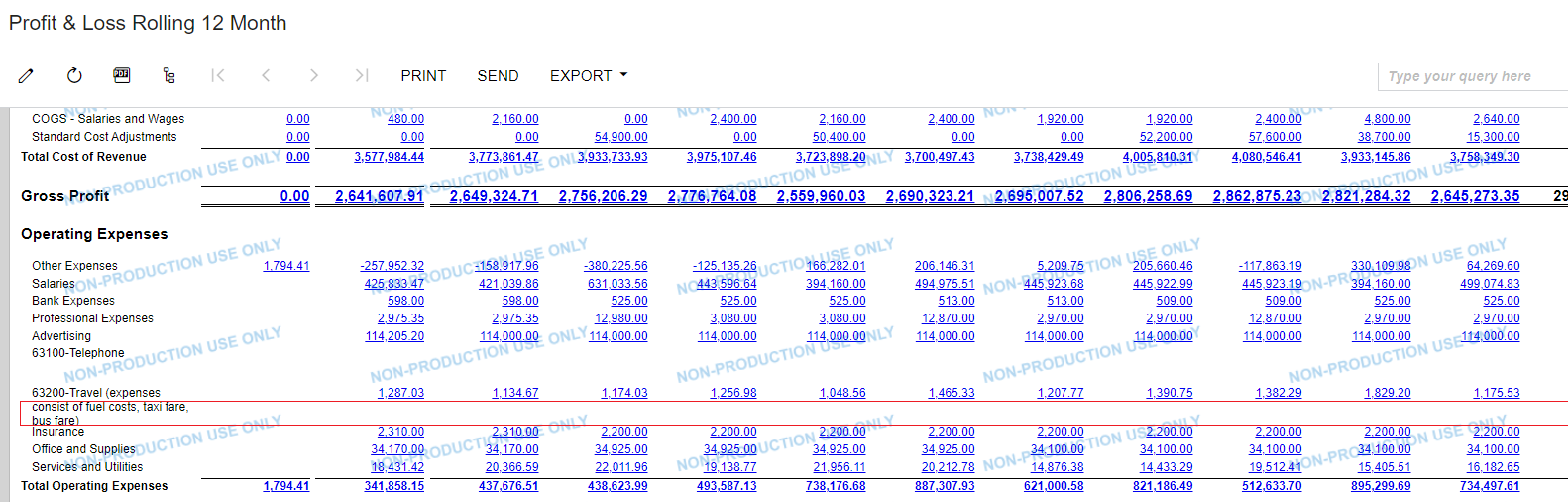
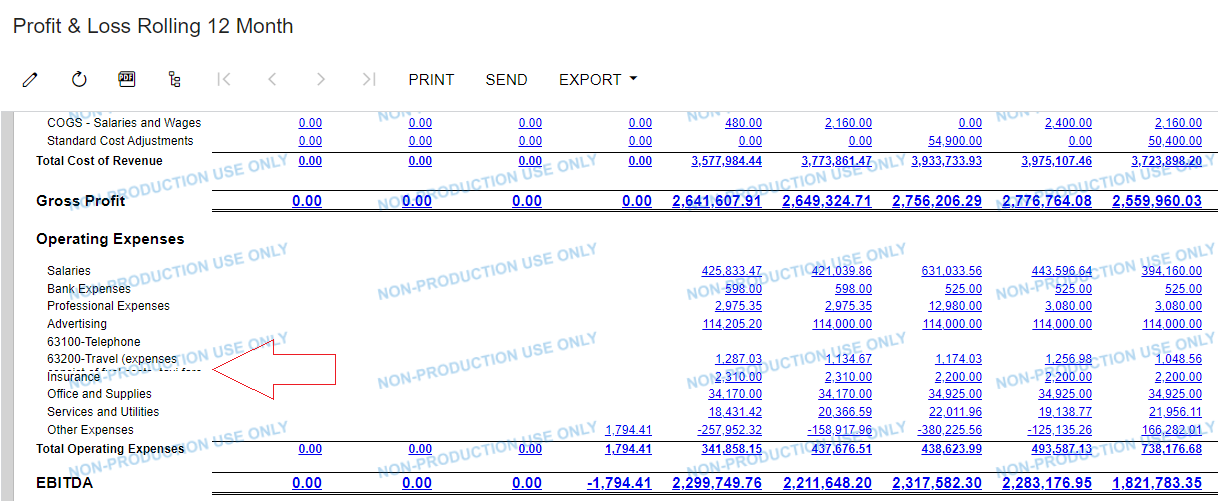
With Report Definitions.  How can the account description only display 1 line?
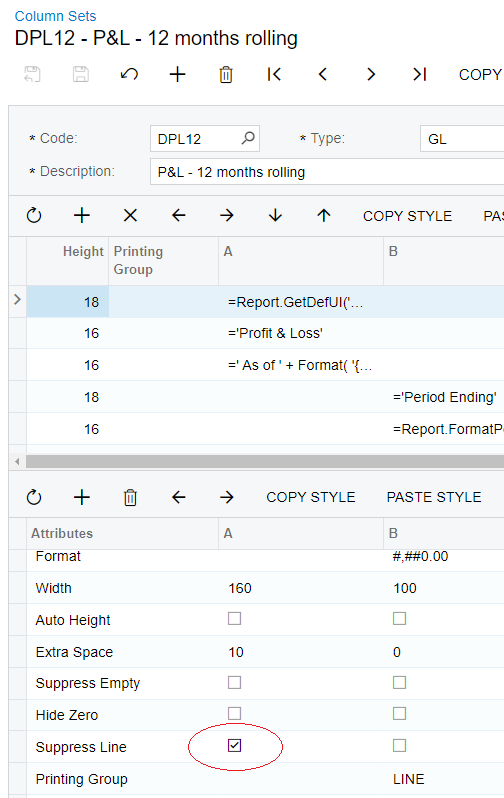
Even though I checked the "Suppress Line" in Column Sets, Accounts with descriptions that are too long still have their lines dropped.


Best Regards,

NNT

Best answer by nhatnghetinh

Hi @Chris Hackett 

I used a temporary solution of shortening the text of the account description so that it doesn't have a line break
I will close this question.


Best Regards,

NNT

9 replies

Laura03
Captain II
Forum|alt.badge.img+19
  • Captain II
  • June 25, 2024

Hello, NNT,

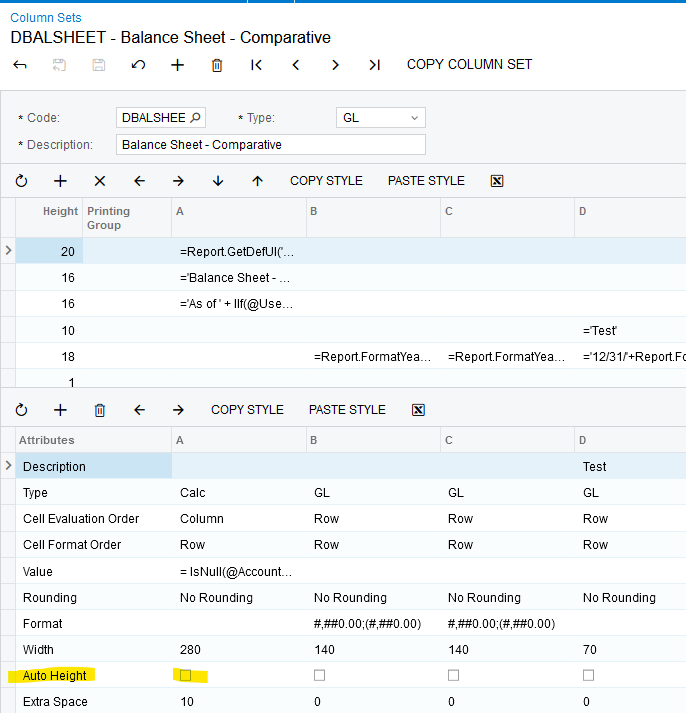
Un-check Auto-Height setting in the Column Sets, and Acumatica will stop wrapping the Account Description column.  Longer names will be “chopped” instead, if the column isn’t wide enough to accommodate longer descriptions.

Laura


nhatnghetinh
Captain II
Forum|alt.badge.img+11
  • Author
  • Captain II
  • June 25, 2024

Hi @Laura02 

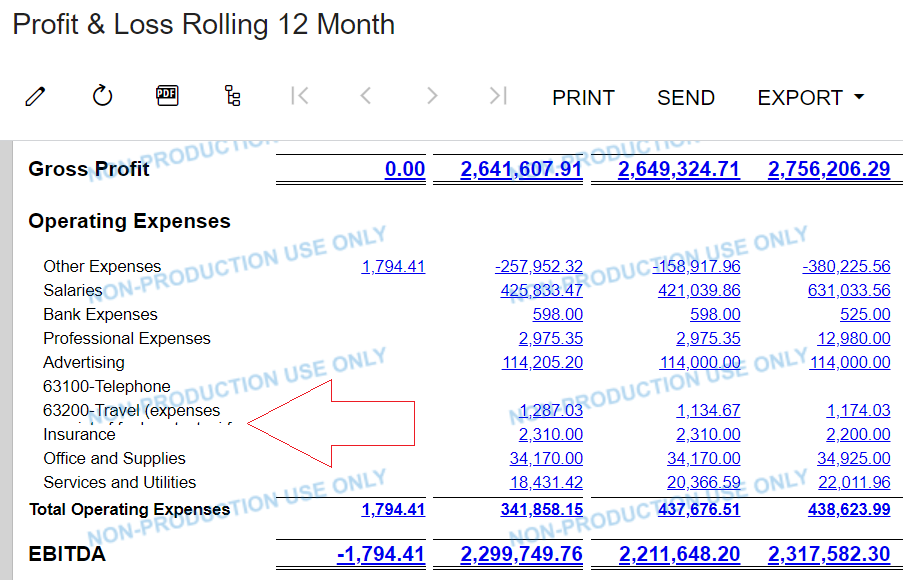
As shown in the screenshot above. I unchecked Auto-Height setting in the Column Sets. The account description doesn't break the line, but small dots still appear under the account description line and I don't want to display these small dots.


Best Regards,

NNT


Laura03
Captain II
Forum|alt.badge.img+19
  • Captain II
  • June 25, 2024

Hello,

The small dots means the description is still wrapping and we are seeing the tops of the letters. I don’t yet know why because I have been successful before by un-selecting auto-height.

Does reducing the width of your column from 280 to something shorter help?

Thanks,

Laura


nhatnghetinh
Captain II
Forum|alt.badge.img+11
  • Author
  • Captain II
  • June 25, 2024

Hi @Laura02 

Does reducing the width of your column from 280 to something shorter help? => It still has small dots.


Best Regards,

NNT


Sagar Greytrix
Captain II
Forum|alt.badge.img+3

Hi @nhatnghetinh ,

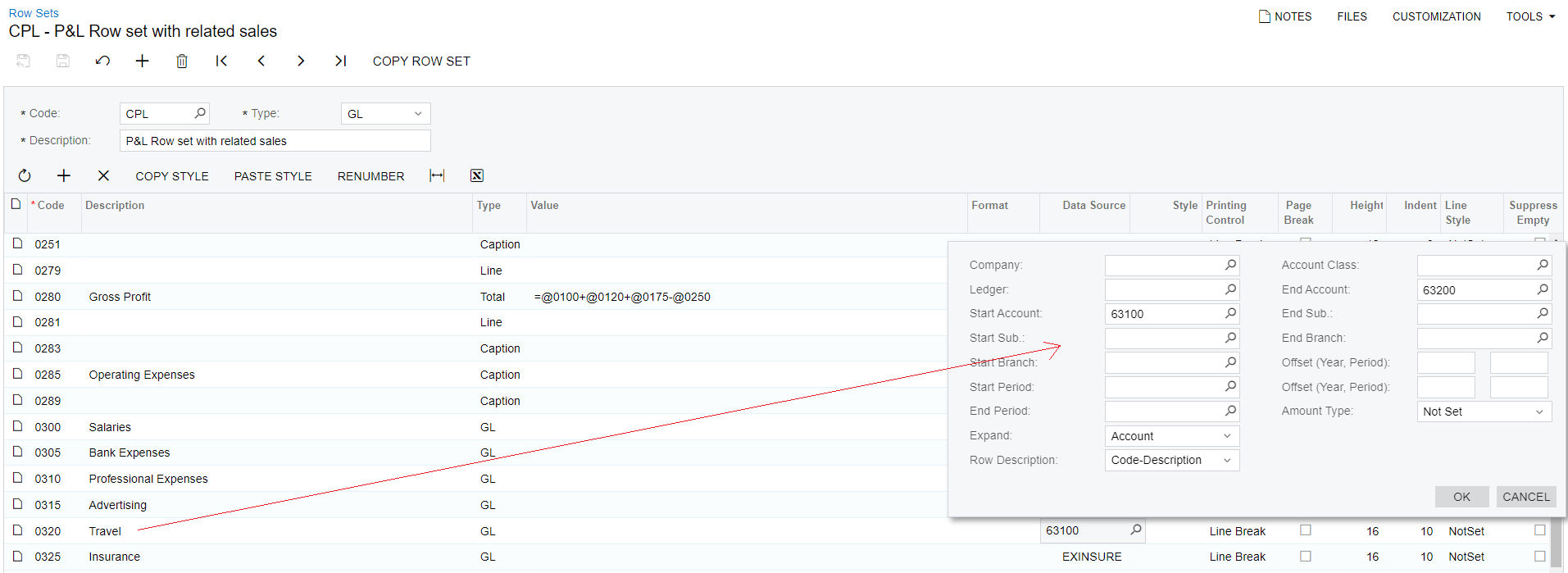
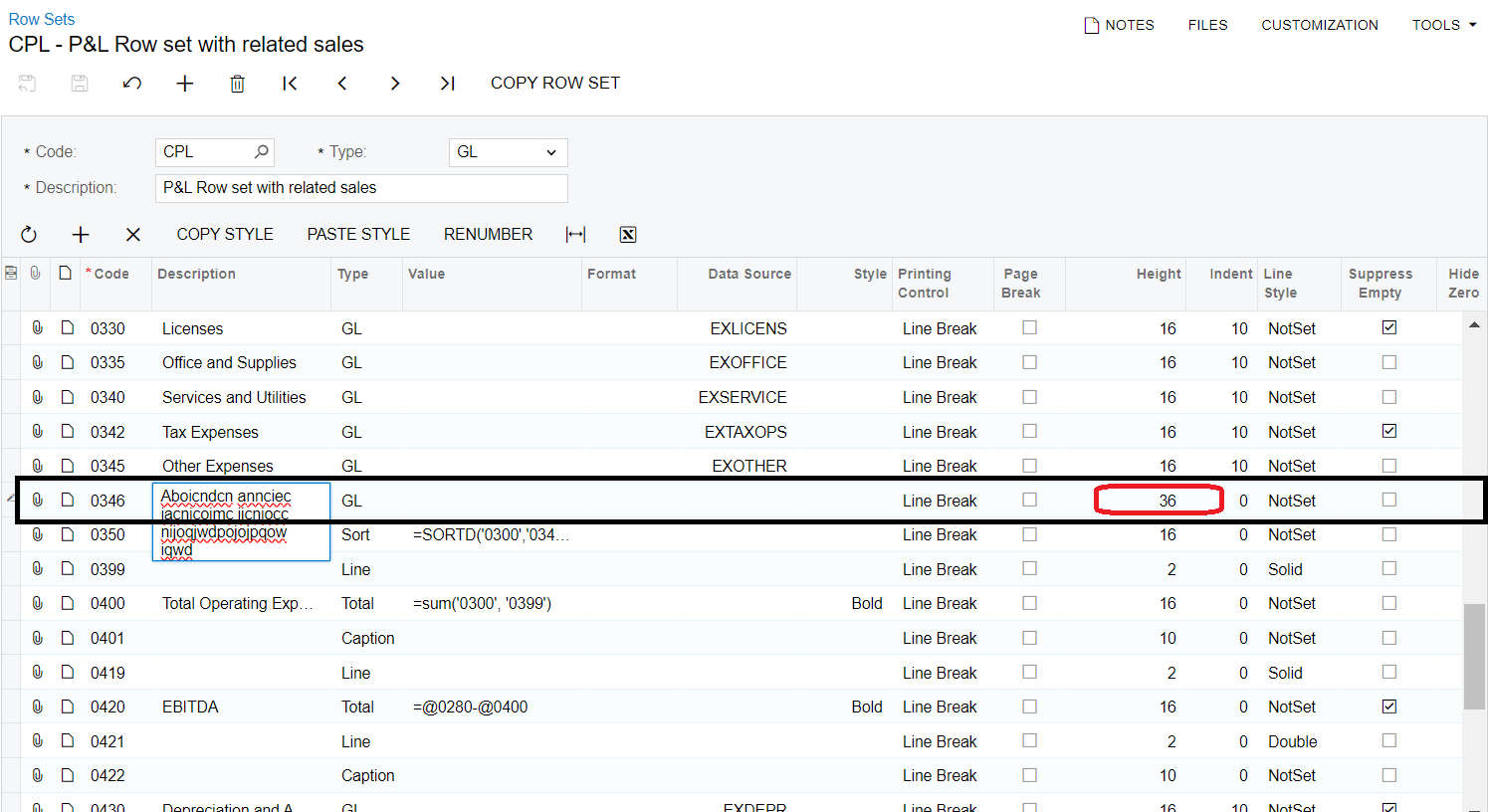
Increase the height of a specific row in the row sets screen (CS2060P1).

Find the attached screenshot.

Hope this helps for you!


Laura03
Captain II
Forum|alt.badge.img+19
  • Captain II
  • June 25, 2024

Hello,

What do you have set for Cell Format Order setting in the Column Set?  Please try setting Cell Format Order to Column and then your report will use, not ignore the Auto-Height setting from the column.

Laura


nhatnghetinh
Captain II
Forum|alt.badge.img+11
  • Author
  • Captain II
  • June 26, 2024

Hi @Sagar Greytrix 

Increasing the Height in Row Sets will create multiple lines. I wish to display only the first 1 line.


Best Regards,

NNT


Chris Hackett
Community Manager
Forum|alt.badge.img
  • Acumatica Community Manager
  • July 31, 2024

Hi @nhatnghetinh were you able to find a solution? Thank you!


nhatnghetinh
Captain II
Forum|alt.badge.img+11
  • Author
  • Captain II
  • Answer
  • August 2, 2024

Hi @Chris Hackett 

I used a temporary solution of shortening the text of the account description so that it doesn't have a line break
I will close this question.


Best Regards,

NNT