Solved

Problems using DateTime Attributes as conditions in GIs for date filtering

  • April 14, 2026
  • 3 replies
  • 41 views

Forum|alt.badge.img+1

We just converted to Acumatica 25R2 and some of our Generic Inquiries are failing with error: 

Conversion failed when converting date and/or time from character string

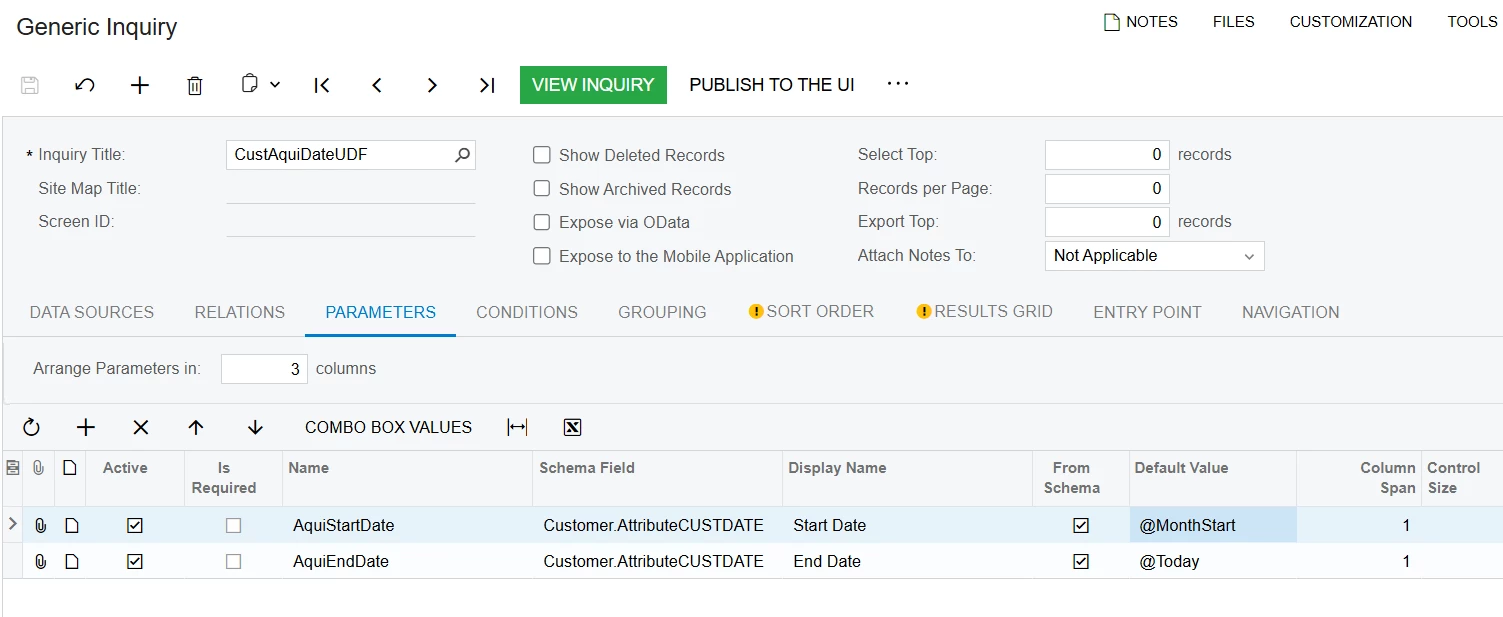
An example GI is set to use the following parameters and condition based on those :

 

Parameters
Conditions

EV1STINVDT is defined as a DateTime in the Attributes:
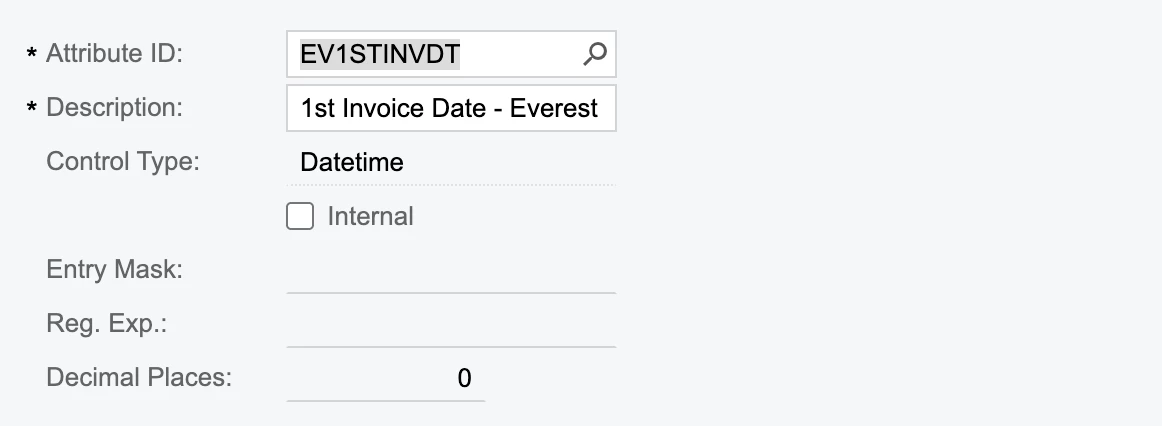
Attribute Definition

If I click From Schema I can choose dates as usual and it filters by them.  If I add the field itself to the Results when I click on the heading to filter there it gives me the expected Date range selections.

It seems for some reason it is not being recognised as a date for only the conditions section when using parameters based on the attribute field. 

This worked fine before the upgrade.  Is there any way to get these working again? I have tried all I can think of but there seems no way for me to resolve this.


Thanks for any advice/help,


Phil
Best answer by KrunalDoshi

Hi ​@ppowell,

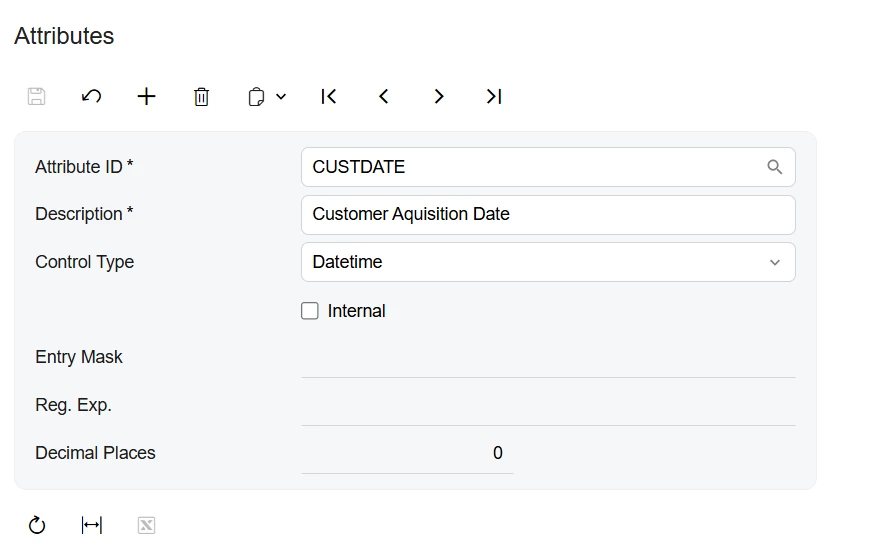
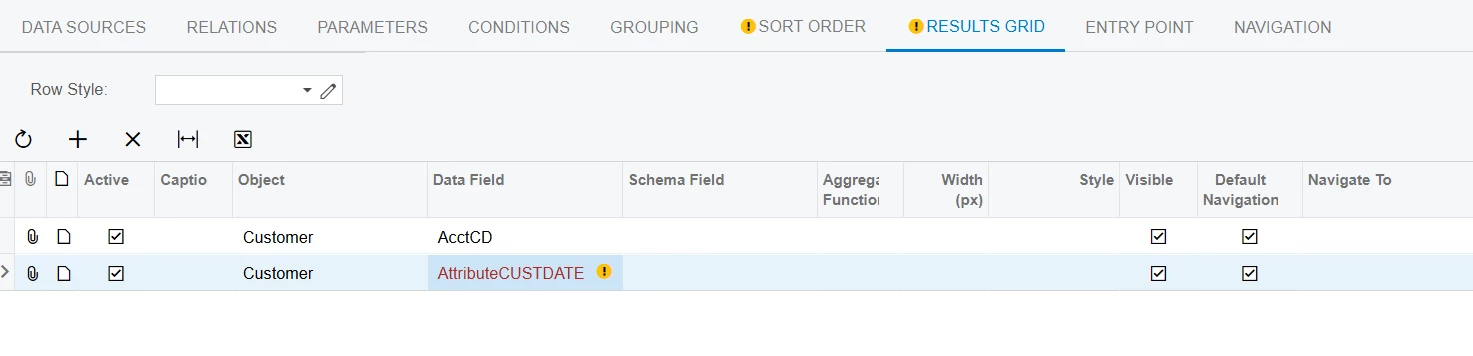
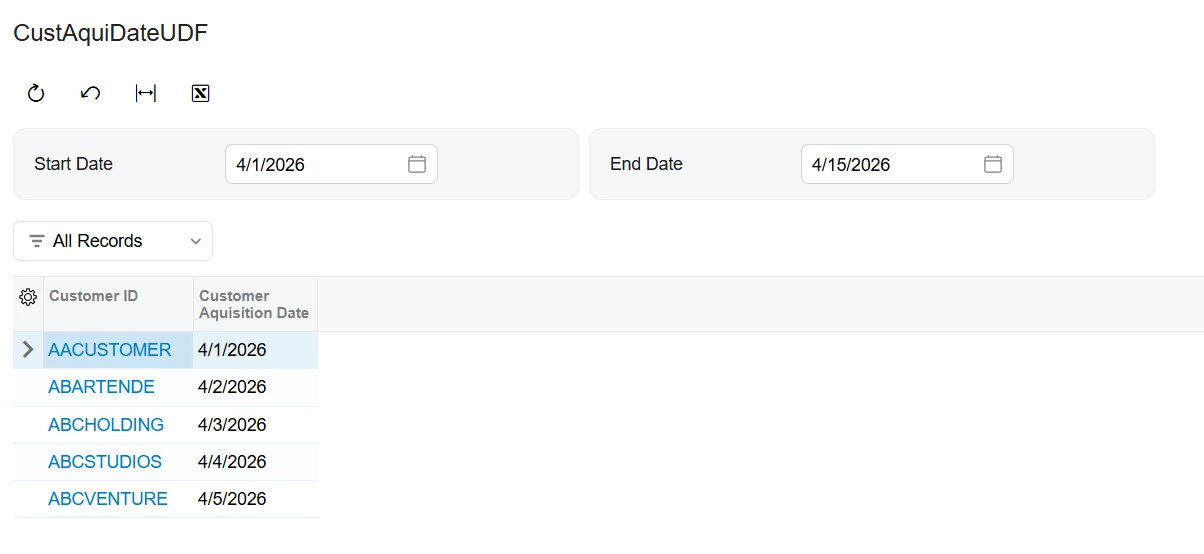
I have tried above scenario in my local 25R2 demo instance, and it is working as expected, unless I am missing anything. I have included below screenshots for your reference. Hope that helps!


3 replies

KrunalDoshi
Varsity III
Forum|alt.badge.img+1
  • Varsity III
  • Answer
  • April 15, 2026

Hi ​@ppowell,

I have tried above scenario in my local 25R2 demo instance, and it is working as expected, unless I am missing anything. I have included below screenshots for your reference. Hope that helps!


Forum|alt.badge.img+1
  • Author
  • Semi-Pro I
  • April 15, 2026

Hi ​@KrunalDoshi,

Thanks for checking. This was really helpful as it showed me the actual problem instead of the assumptions I was making.  One of the customer records had an incorrect value somehow in that field. This must have been from an import a few years ago when it was initially set up. I was able to replace it and all running fine again.

I guess Acumatica 24R2 and earlier were more forgiving about this and just ignored it.


Really appreciate your help,


Phil


KrunalDoshi
Varsity III
Forum|alt.badge.img+1
  • Varsity III
  • April 16, 2026

Hi ​@KrunalDoshi,

Thanks for checking. This was really helpful as it showed me the actual problem instead of the assumptions I was making.  One of the customer records had an incorrect value somehow in that field. This must have been from an import a few years ago when it was initially set up. I was able to replace it and all running fine again.

I guess Acumatica 24R2 and earlier were more forgiving about this and just ignored it.


Really appreciate your help,


Phil


Thanks ​@ppowell for the update. Glad it worked for you.