

Question

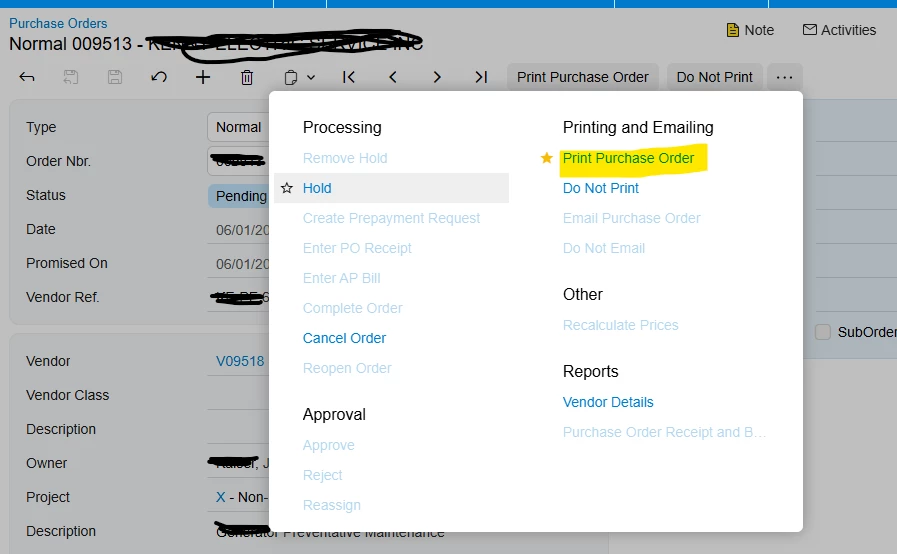
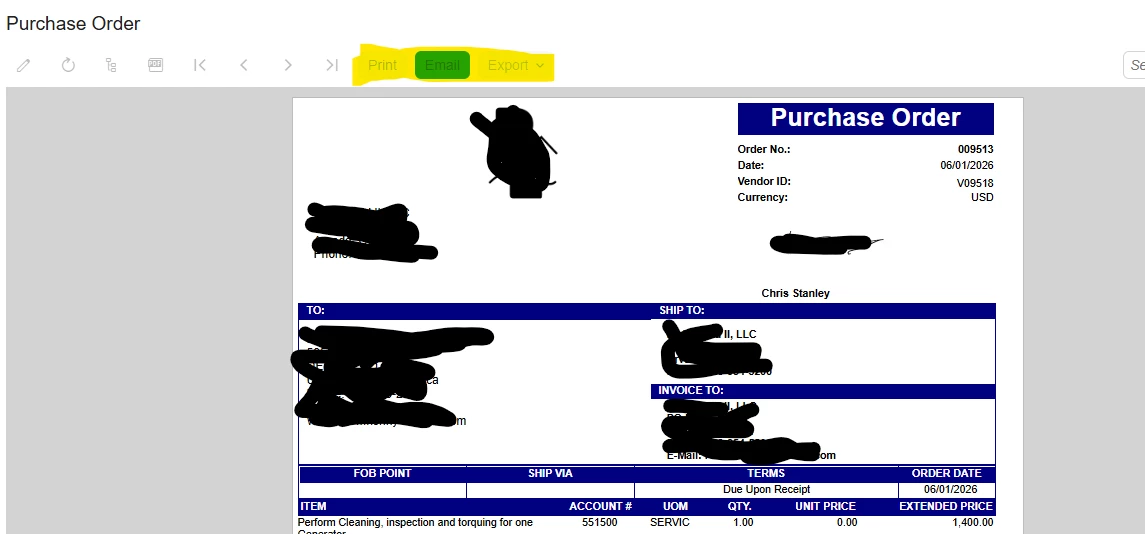
one of our customer Plant manager role cannot export a purchase order print form .I logged in as user and verified that it is grayed out. I tried fixing the access rights but was unsuccessful.

  • June 2, 2026
  • 2 replies
  • 22 views

Forum|alt.badge.img

I am unable to export the Purchase Order Print Form. I logged in as the affected user and verified that the option is grayed out. I attempted to update the access rights, but the issue still persists.

Could anyone please provide the steps required to enable the highlighted options shown in the second screenshot?
 

2 replies

Dipak Nilkanth
Pro III
Forum|alt.badge.img+14

Hi ​@smuddurthi81<

Could you please confirm a few points so we can narrow down the issue?

  1. Have you tested with another user or an Admin account? Are they able to print/export the Purchase Order successfully?

  2. In the screenshot, the Purchase Order status is not visible. The availability of Print/Export actions is controlled by the workflow and can vary based on the current PO status. Please confirm the status of the affected Purchase Order.

  3. Using the same affected user, are you able to print/export other Purchase Orders, or is the issue occurring only for this specific PO?

  4. If the issue occurs for all Purchase Orders with this user, please verify that the user has the appropriate access rights to the Purchase Order report and related actions.

Once we have this information, we can determine whether the issue is related to workflow conditions, document status, or user permissions.


Forum|alt.badge.img
  • Author
  • Semi-Pro I
  • June 2, 2026


@Dipak Nilkanth Yes, we have tested with another user who has the Administrator role, as well as with an Admin account, and they are able to print/export the Purchase Order successfully.

The Purchase Order can be in any status, but the buttons are not enabled for this user. We also tried granting access rights; however, we could not find any access right that would enable these buttons.


