Answer

Modifying GI to ungroup entities for attributes

  • November 19, 2025
  • 2 replies
  • 17 views

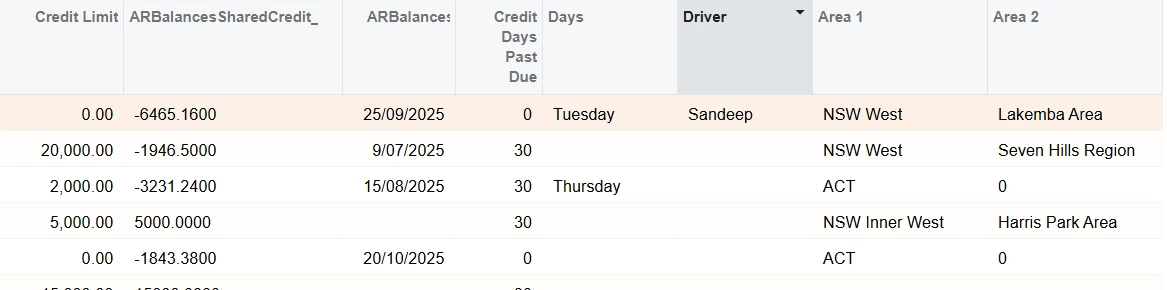
I have a business requirement where I want to add Days, Driver, Area 1 and Area 2 in an AR Aging GI mentioned in Figure 1 in 4 different columns not in rows. For one row, I want it grouped by one customer and then the 4 attributes in four different columns. For this, I have created two new Attributes - DAYS and DRIVER. Figure 2 illustrates the DAYS attribute, the DRIVER attribute is similar to the DAYS one. I’ve also attached the GI. What are the possible solutions for this problem and how can I acheive something like this?
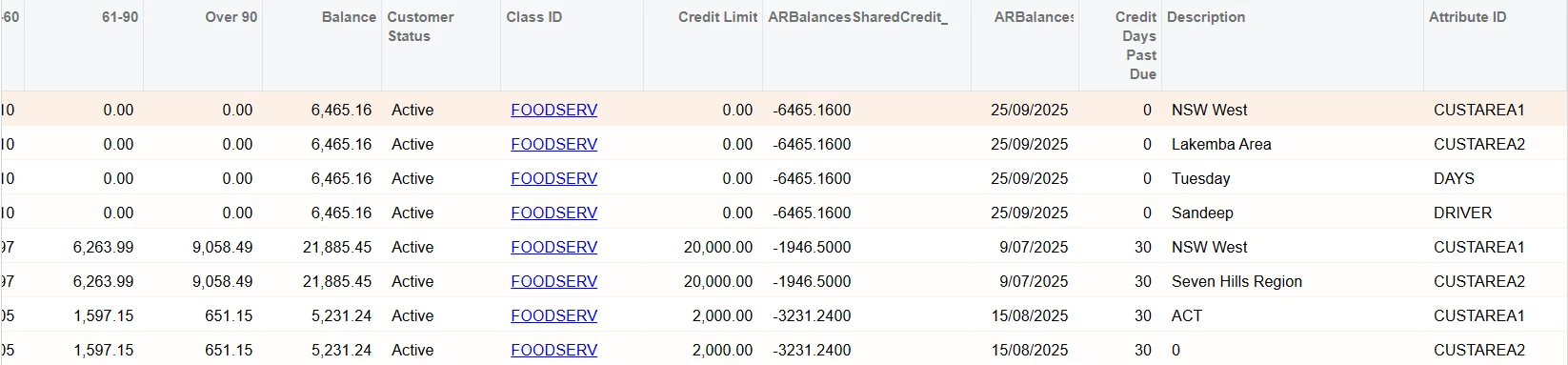

Fig-1 GI Sample
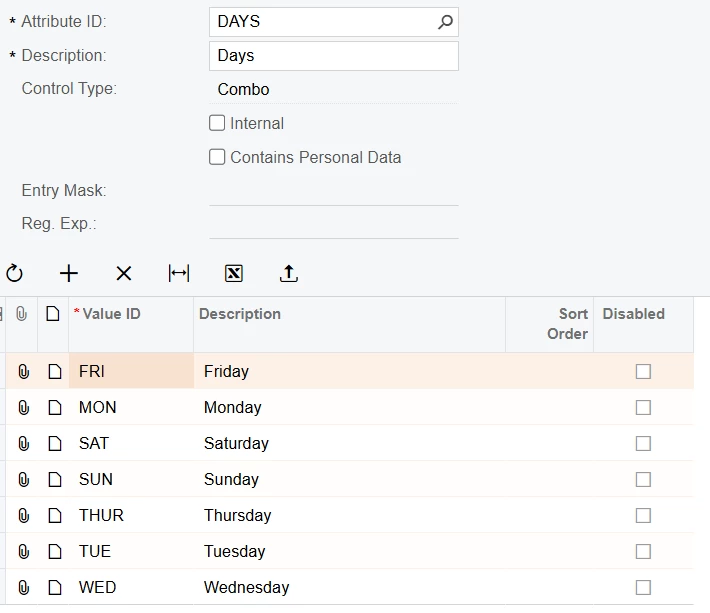
Fig-2 Days Attributes


Best answer by meet1504

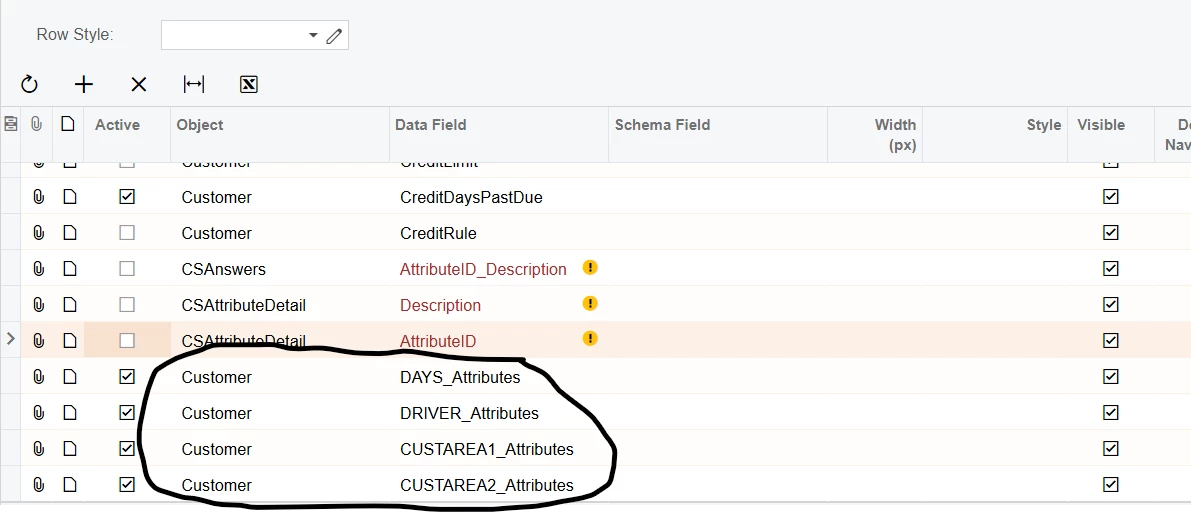
After some digging, I realised the solution was there right in front of me. I selected the attributes directly from the customers and made the other tables inactive. Keeping the solution here for other to see.


2 replies

  • Author
  • Freshman II
  • Answer
  • November 19, 2025

After some digging, I realised the solution was there right in front of me. I selected the attributes directly from the customers and made the other tables inactive. Keeping the solution here for other to see.


Chris Hackett
Community Manager
Forum|alt.badge.img
  • Acumatica Community Manager
  • November 19, 2025

Thank you for sharing your solution with the community ​@meet1504!