Answer

Material Numbers not populating in the report parameter

  • September 15, 2023
  • 4 replies
  • 91 views

param2022
Jr Varsity II
Forum|alt.badge.img

I want to populate  [AMBatch.BatNbr] as the report parameter. I have added the parameter in the schema but nothing is showing up on the report screen.
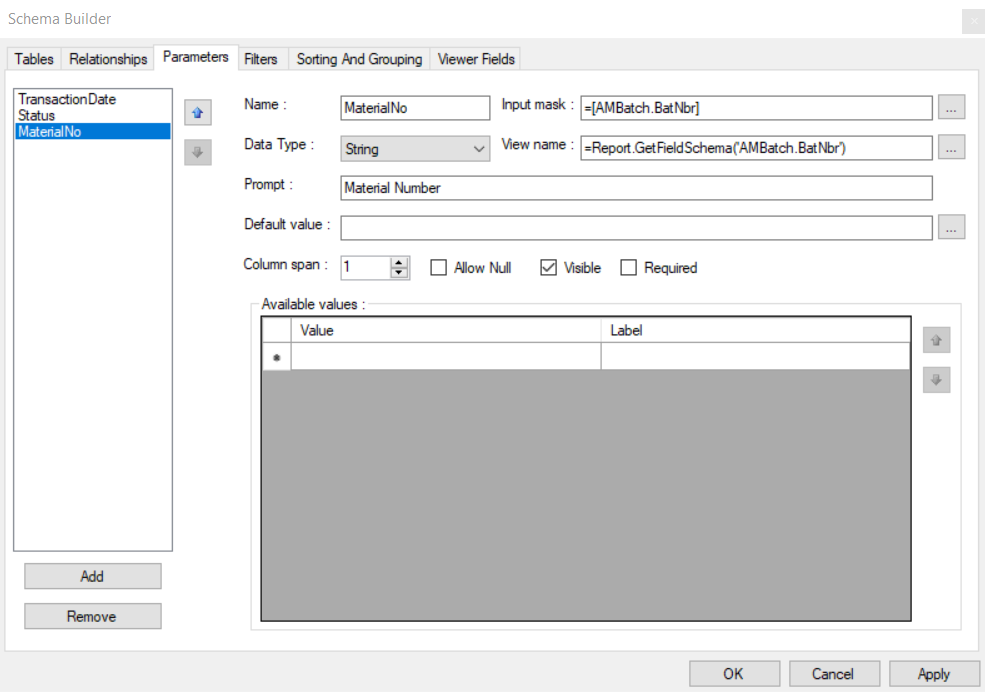
 

Report Designer Setup for the Parameter

This is how I see this empty selector. 
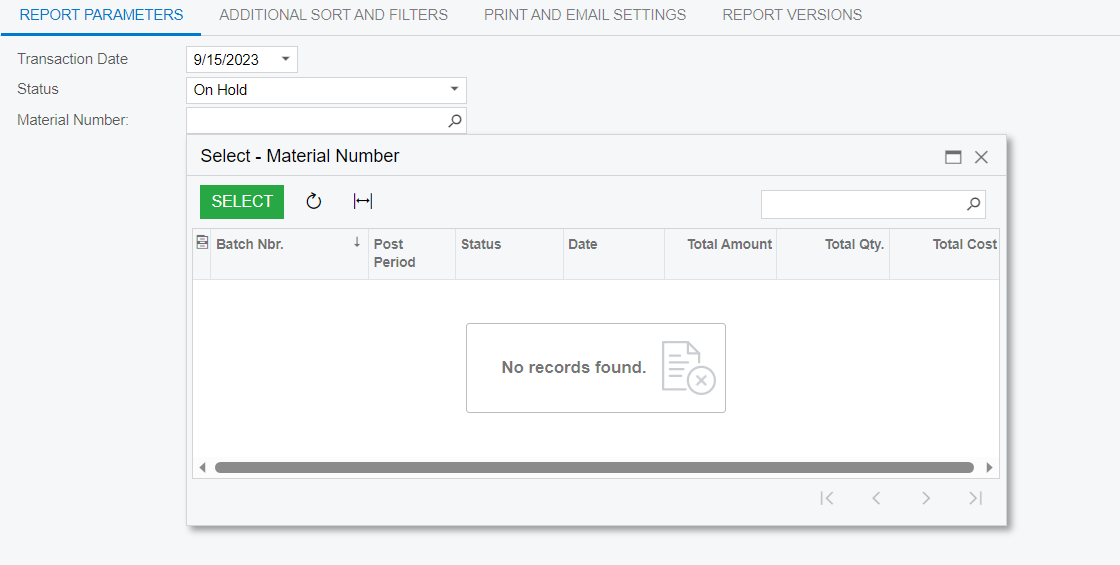
 

Report screen


Any leads will appriciated.

Thanks​​​​​​​

Best answer by BenjaminCrisman

Hi @param2022! The issue I believe you are having is that the BatNbr is a dependent field, relying on the type, so because no type is defined, there are no batches to show.

Try using:

=Report.GetFieldSchema('AMBatch.BatNbr,BatchType')

This should work better and can be see in action on the Production Batch Register report AM622000

4 replies

BenjaminCrisman
Acumatica Employee
Forum|alt.badge.img+4
  • Acumatica Support Team
  • Answer
  • September 15, 2023

Hi @param2022! The issue I believe you are having is that the BatNbr is a dependent field, relying on the type, so because no type is defined, there are no batches to show.

Try using:

=Report.GetFieldSchema('AMBatch.BatNbr,BatchType')

This should work better and can be see in action on the Production Batch Register report AM622000


isharamadhushan
Freshman I

HI @param2022 did it work for you? 


@BenjaminCrisman i tried it and ended up with below error, 


BenjaminCrisman
Acumatica Employee
Forum|alt.badge.img+4

@isharamadhushan You probably need to have the Batch Type displayed as a parameter as well above it. Do you also have the type as a parameter?


isharamadhushan
Freshman I

@BenjaminCrisman I think i figured out,

it was Doc Type that i needed to add and i added it as parameter. all good now!

thank you!