Question

Lot Code Enabled Historical Inventory Balance

  • December 4, 2024
  • 12 replies
  • 112 views

Forum|alt.badge.img

I would like to create a report that includes Inventory ID, Description, Lot Number, Warehouse, Location and Ending Balance ONLY.


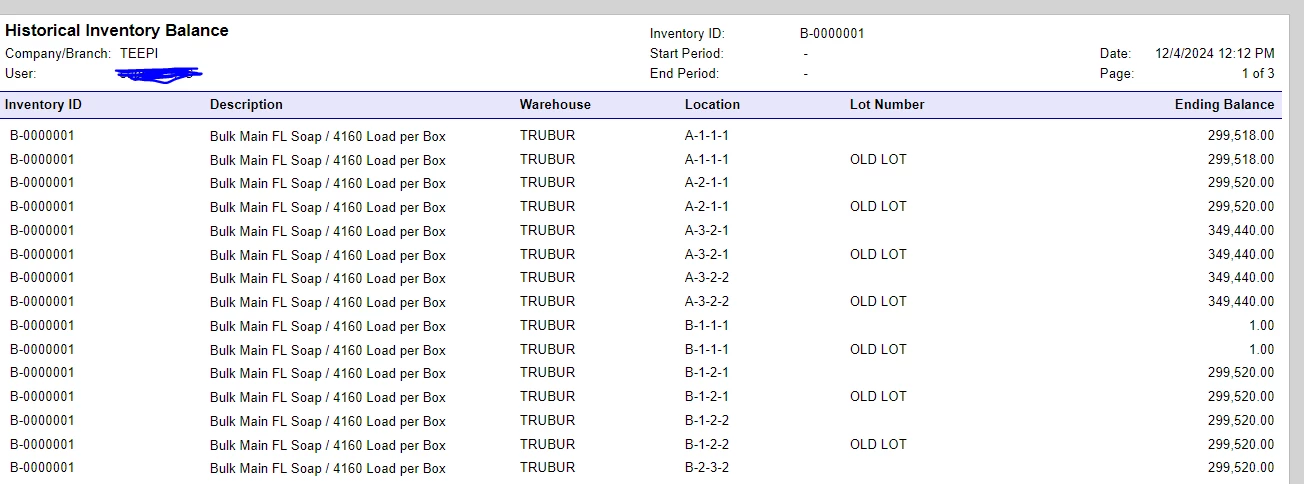
The system seems to be only pulling transactions which ends up looking like duplicates on the report itself OR the lot number is completely empty. Is this a limitation?

I found this previously posted: 

 

12 replies

Laura03
Captain II
Forum|alt.badge.img+19
  • Captain II
  • December 4, 2024

Hello ​@nugan96 ,

Welcome to Acumatica Community!  I see this is your first post.  😀

The previous post is related to the Historical Inventory Valuation Report displaying Lot numbers, and the Answer from support is: Historical Inventory Valuation Report will only show Lot Numbers for items whose  valuation method = SPECIFIC.  Therefore, we know the limitations of Historical Inventory Valuation Report (only).

Have you created your own report?  If you have created your own report, we cannot answer limitations of your new report without seeing it.

Would you like to show us, at a minimum:  Relations tab and Sorting/Grouping Tab?  Or would you like to export, zip, and post your report here so that we may help you?

Best regards,

Laura


Forum|alt.badge.img
  • Author
  • Jr Varsity II
  • December 4, 2024

Thanks for getting back to me ​@Laura02 !!

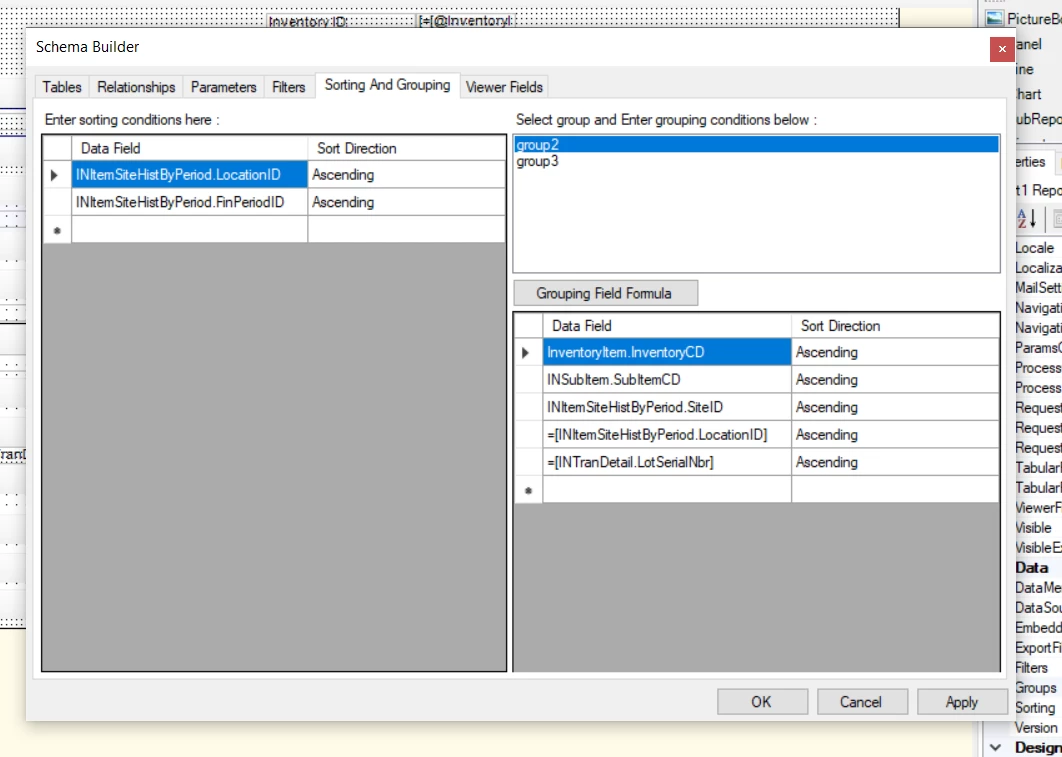
Sorting and grouping tab
 
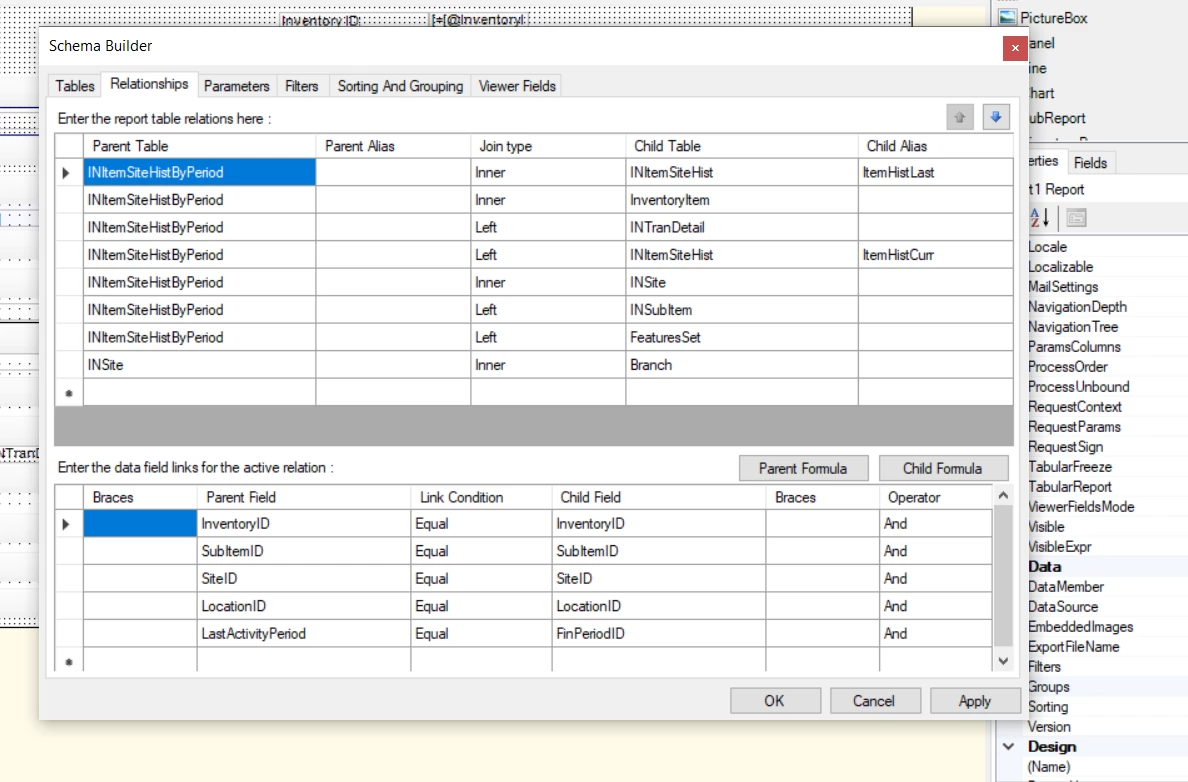
Relationships Tab


Forum|alt.badge.img
  • Author
  • Jr Varsity II
  • December 4, 2024

Any report that is good enough to pull in the Inventory ID, Description, Lot Number, Warehouse, Location and End Balance is good enough for us. The client wants to use it for their year end report without having to see the beginning balance, or every since transaction. On my report, I had also added a filter to filter out any balance that is equal to 0. 


They said they can do it on excel, but this takes time and they’d like to have it handy on Acumatica. 


Thank you once again!


Forum|alt.badge.img
  • Author
  • Jr Varsity II
  • December 4, 2024

Hello ​@nugan96 ,

Welcome to Acumatica Community!  I see this is your first post.  😀

The previous post is related to the Historical Inventory Valuation Report displaying Lot numbers, and the Answer from support is: Historical Inventory Valuation Report will only show Lot Numbers for items whose  valuation method = SPECIFIC.  Therefore, we know the limitations of Historical Inventory Valuation Report (only).

Have you created your own report?  If you have created your own report, we cannot answer limitations of your new report without seeing it.

Would you like to show us, at a minimum:  Relations tab and Sorting/Grouping Tab?  Or would you like to export, zip, and post your report here so that we may help you?

Best regards,

Laura

Here is my report for reference! 


Forum|alt.badge.img
  • Author
  • Jr Varsity II
  • December 4, 2024

Hello ​@nugan96 ,

Welcome to Acumatica Community!  I see this is your first post.  😀

The previous post is related to the Historical Inventory Valuation Report displaying Lot numbers, and the Answer from support is: Historical Inventory Valuation Report will only show Lot Numbers for items whose  valuation method = SPECIFIC.  Therefore, we know the limitations of Historical Inventory Valuation Report (only).

Have you created your own report?  If you have created your own report, we cannot answer limitations of your new report without seeing it.

Would you like to show us, at a minimum:  Relations tab and Sorting/Grouping Tab?  Or would you like to export, zip, and post your report here so that we may help you?

Best regards,

Laura

Here is my report for reference! 

The one posted was the original version, here is the updated one which I cannot seem to get. The report is pulling before release (no lot number allocated) and after release (with lot number)

results of report 

Updated report with desired columns : (TC616000(19).ZIP)


Laura03
Captain II
Forum|alt.badge.img+19
  • Captain II
  • December 4, 2024

Hi,

Did you try Lot/Serial Numbers report? It seems close to the report description you gave above. Lot/Serial Numbers report contains Inventory ID, Description, Lot Number, Warehouse, and Location.  Ending Balance could be added by you, to multiply Qty on Hand in each Location X Unit Cost.

It looks like Lot/Serial Numbers report is a snapshot of Lot Number status on the day it was printed - I don’t think we can “go back in time” to print as of a prior period or prior month end. Could the report be printed on a schedule, to save monthly, weekly, or daily copies?

If the report you’ve shown above is a copy of the Historical Inventory Valuation, where you’ve added a filter,  then I think your revised Historical Inventory Valuation report will contain the same Lot Number limitation related to Valuation Method as was discussed on the thread you found.  Your new report will need to be designed in a different way, using different tables, to work-around that limitation.

Laura


Forum|alt.badge.img+3
  • Varsity I
  • December 5, 2024

Hi ​@nugan96 , Can you please share your report in .rpx format instead of rps


Forum|alt.badge.img
  • Author
  • Jr Varsity II
  • December 5, 2024

Hello ​@arthia98 , can you please verify?


Thank you!


Forum|alt.badge.img+3
  • Varsity I
  • December 6, 2024

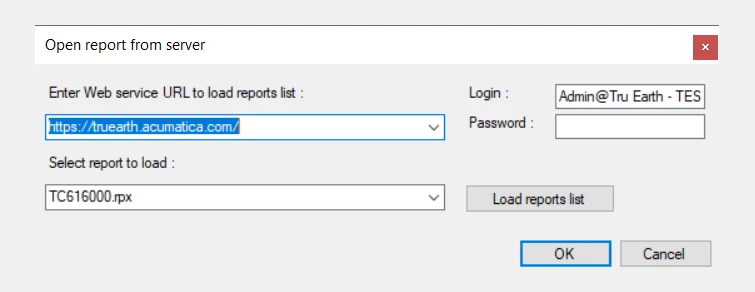
Hi ​@nugan96 , The format is .rps, if we open the report, it ask for credentials. So can you please send it in .rpx format.

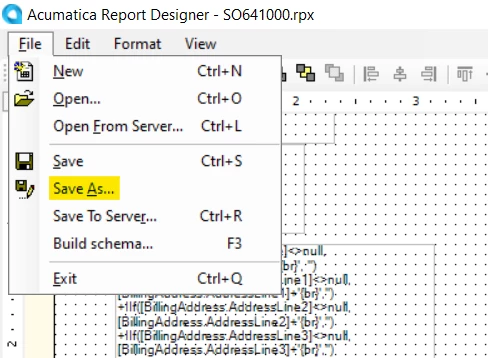
To share in .rpx format, save the report in your local

File → Save As, share the file from the saved location


Forum|alt.badge.img
  • Author
  • Jr Varsity II
  • December 9, 2024

Hey ​@arthia98 ! I hope this works! Thanks for the guidance!


Chris Hackett
Community Manager
Forum|alt.badge.img
  • Acumatica Community Manager
  • January 24, 2025

Hi ​@nugan96 were you able to find a solution? Thank you!


Forum|alt.badge.img
  • Author
  • Jr Varsity II
  • April 8, 2025

Hello ​@Chris Hackett , unfortunately I haven’t! Maybe 25R1 will be able to support this?