



Answer

Location of Date on Check Layout issue

  • January 13, 2025
  • 4 replies
  • 66 views

Forum|alt.badge.img

Hello,

I am creating a check layout, and I am running into an issue with the location of the Date field. I need to move the Date field up slightly to be above this line:
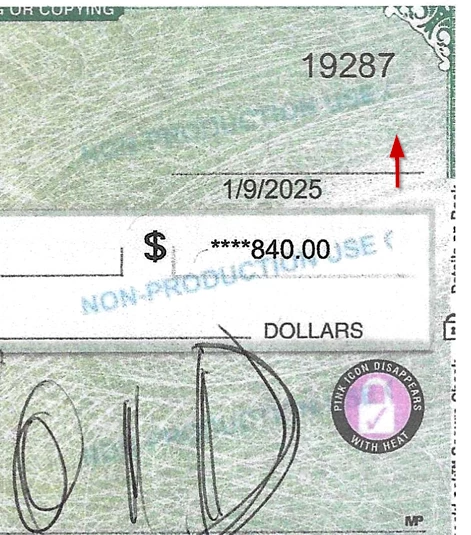
but in Report Designer, it is already at the top of the layout and I cannot move it further up. 
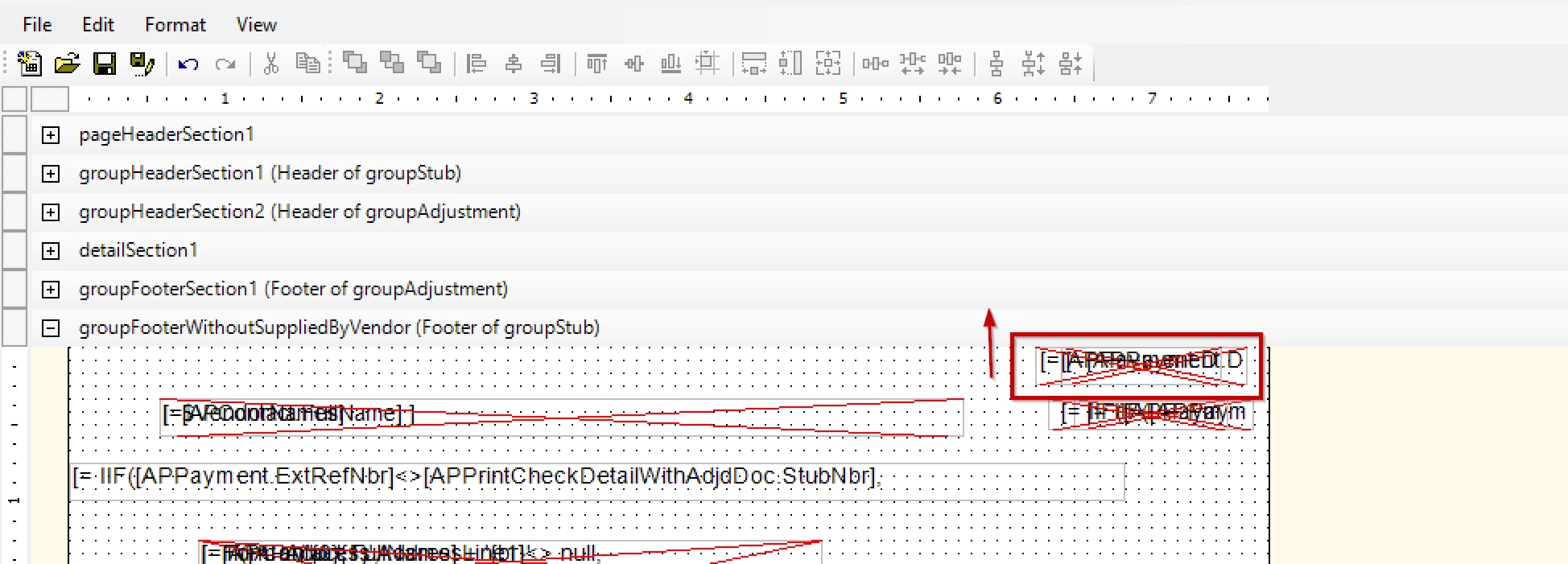


Any suggestions on how to get this field moved further up?

Thanks!
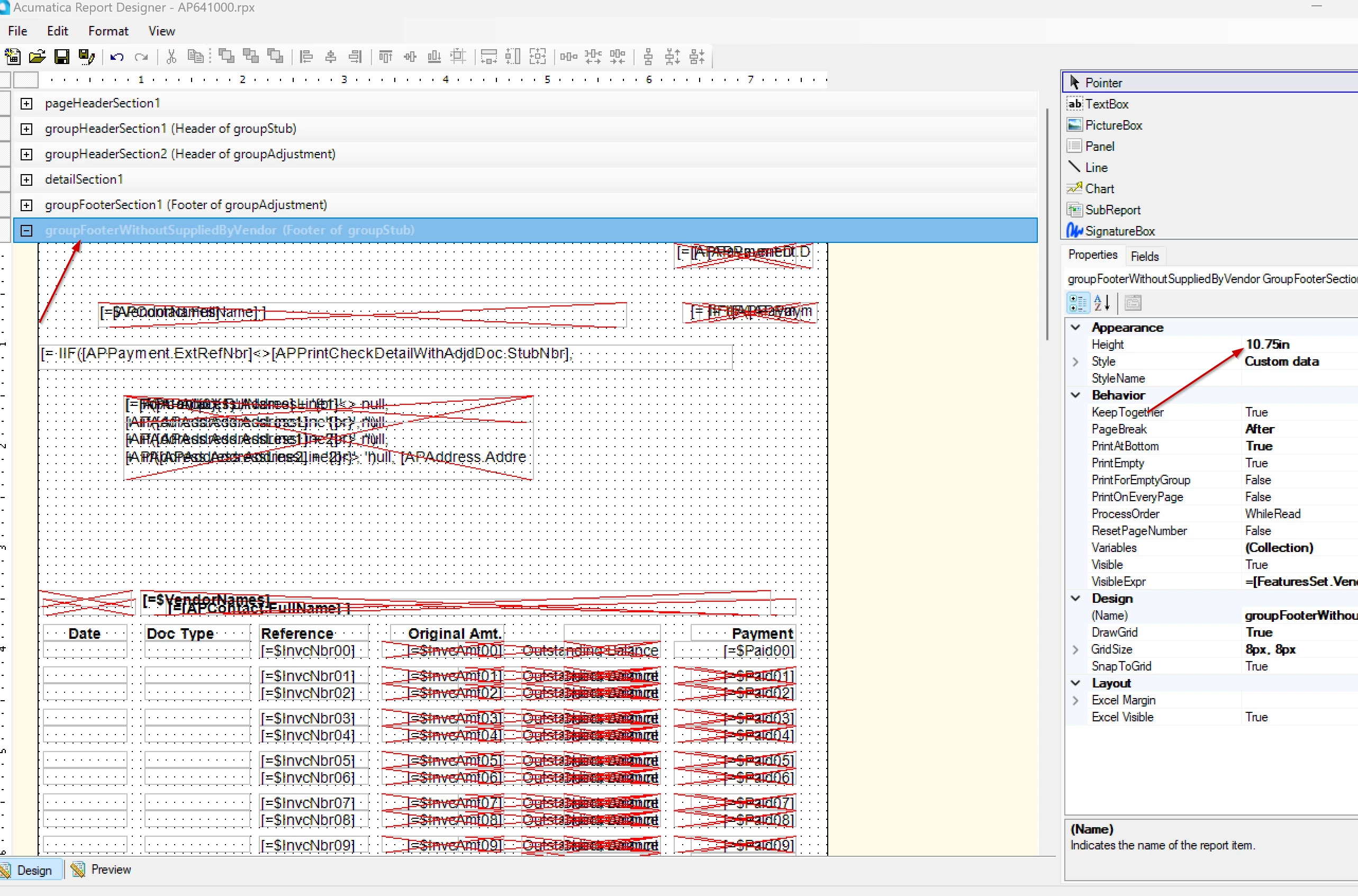
Best answer by rkenna

I have resolved this issue. I did this by increasing the group/header section from 10.5 to 10.75. This gave me room to shift everything down and keep the date higher on the page. 


4 replies

BenjaminCrisman
Acumatica Employee
Forum|alt.badge.img+4
  • Acumatica Support Team
  • January 13, 2025

@rkenna You can use the arrow keys to bump it up a little. I think if you move it up too far it won’t print at all, but you should be able to get it up a little more so it looks like it’s disappearing into the section above it.

Also, the check form has two sections depending on the SuppliedByVendor setting, so make sure you’re making the edits in the correct section


Forum|alt.badge.img
  • Author
  • Captain I
  • January 13, 2025

@BenjaminCrisman, I did try moving it up with the arrow keys, but you are correct it got cut off and did not print at all. I edited both the top and bottom sections of the Check, and I also adjusted the margins. Do you have any other suggestions I could try? I would think this has to be possible for Acumatica.


Forum|alt.badge.img
  • Author
  • Captain I
  • Answer
  • January 14, 2025

I have resolved this issue. I did this by increasing the group/header section from 10.5 to 10.75. This gave me room to shift everything down and keep the date higher on the page. 


Chris Hackett
Community Manager
Forum|alt.badge.img
  • Acumatica Community Manager
  • January 14, 2025

Thank you for sharing your solution with the community ​@rkenna!


