Solved

Join PMSiteAddress to PMProject in the report writer

  • January 10, 2022
  • 12 replies
  • 263 views
  • Translate All

Forum|alt.badge.img

We are trying to join project addresses to each project in a report.  We have done it GI without a problem using the PMProject.projectid and PmSiteAddress.contractid fields in each table.

But when we go to report writer we are not able to see the same fields.

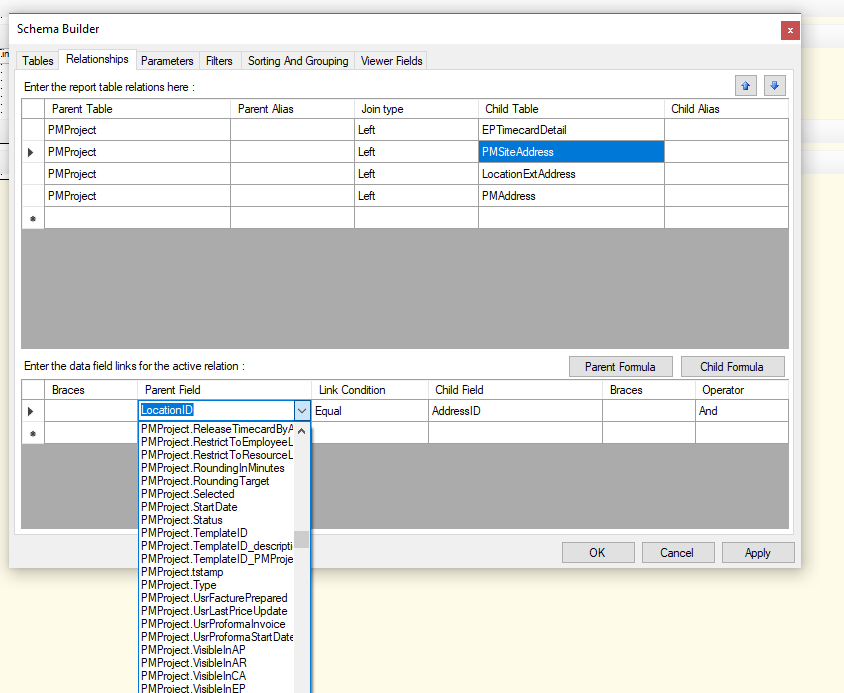
We tried PMProject.Locationid = PmsiteAddress.addressid without success.  Has anyone done this in report writer successfully?

Thanks
Best answer by mcoman

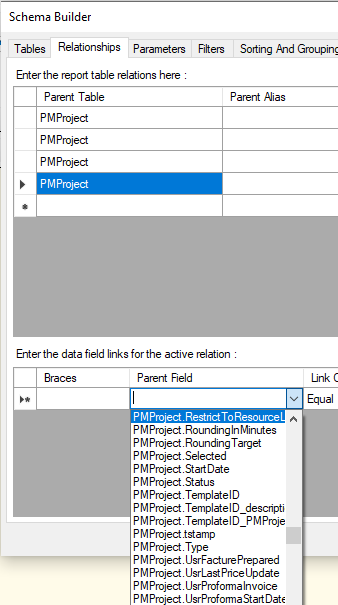
Yes, I see it there myself.  Its on the schema page but its not on the relationship page.  Why would that be?


View original

12 replies

Forum|alt.badge.img+8
  • Semi-Pro I
  • January 10, 2022

Hi @mcoman Would you please share the report to take look and suggest the joins.

Thanks

Translate

Naveen Boga
Captain II
Forum|alt.badge.img+20

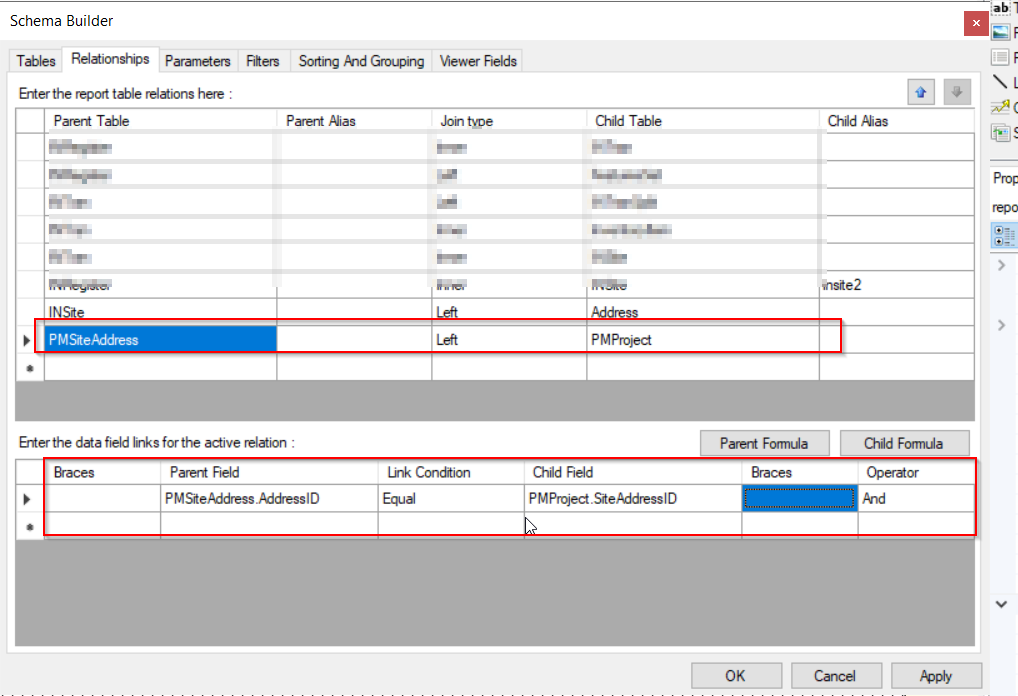
Hi @mcoman  Have you checked below condition and verified?

PMSiteAddress.addressID = PMProject.siteAddressID

Translate

Forum|alt.badge.img
  • Author
  • Jr Varsity III
  • January 10, 2022

I guess that is what I am having a problem doing.  I cannot see the pmproject.siteaddressid in the report writer.

Translate

Naveen Boga
Captain II
Forum|alt.badge.img+20

Hi @mcoman I see that those fields are available. Please find the screenshot for reference.

Can you please let me know, which version you working on?


Translate

Forum|alt.badge.img
  • Author
  • Jr Varsity III
  • January 11, 2022

Interestingly enough I dont see that


Translate

Naveen Boga
Captain II
Forum|alt.badge.img+20

@mcoman Can you please let me know which version you are working on ?

Translate

Forum|alt.badge.img
  • Author
  • Jr Varsity III
  • January 11, 2022

20.210.0044 is the version.

Translate

Naveen Boga
Captain II
Forum|alt.badge.img+20

Hi @mcoman Sure, let me check on the 20 R2 version and let you know.

Translate

Forum|alt.badge.img
  • Author
  • Jr Varsity III
  • January 18, 2022

Still having no luck finding out how to get this link in the report designer.  Any suggestions would be helpful.  Version is 2020r2

Translate

Naveen Boga
Captain II
Forum|alt.badge.img+20

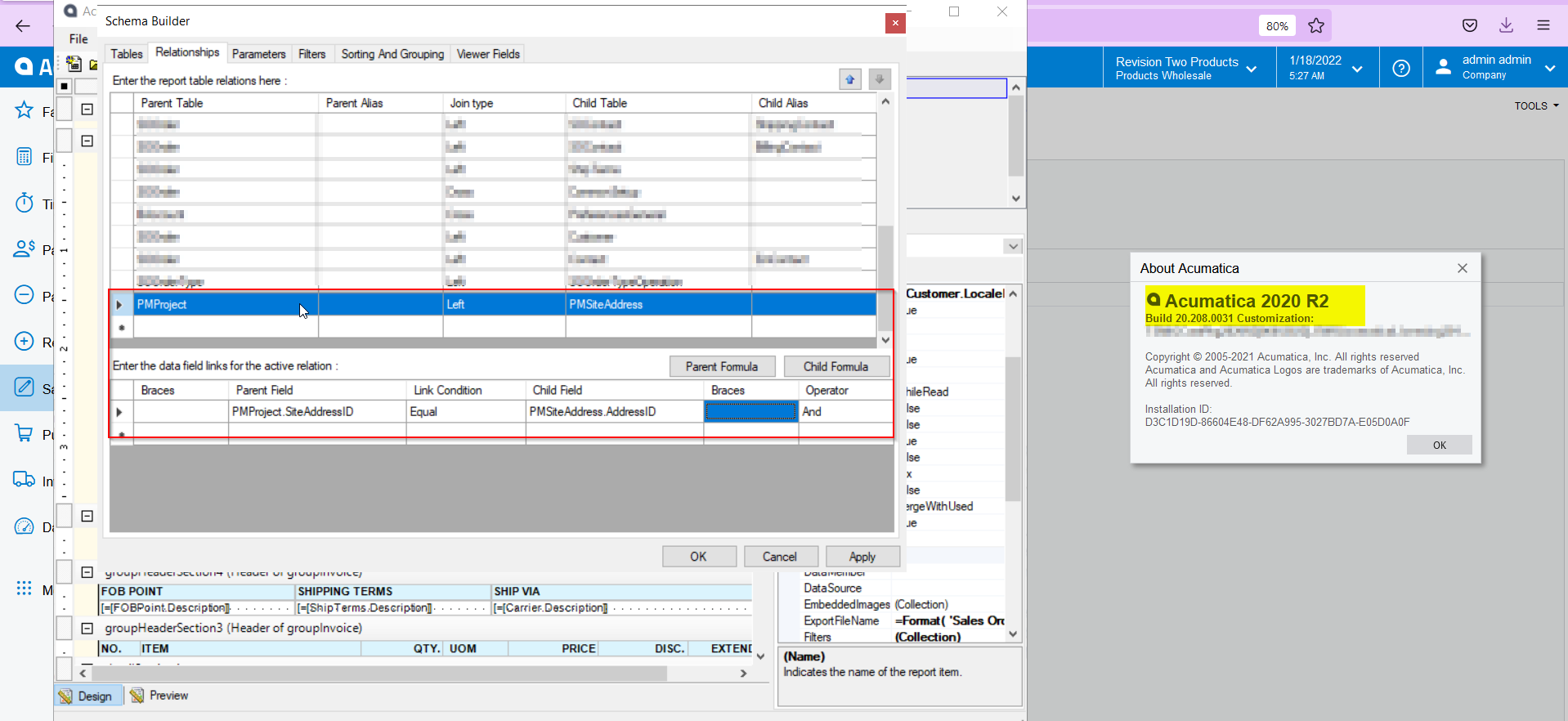
Hi @mcoman  I have checked this in the 2020 R2 version and I can able to see the  PMSiteAddress.addressID = PMProject.siteAddressID. 

Please find the screenshot for your reference.


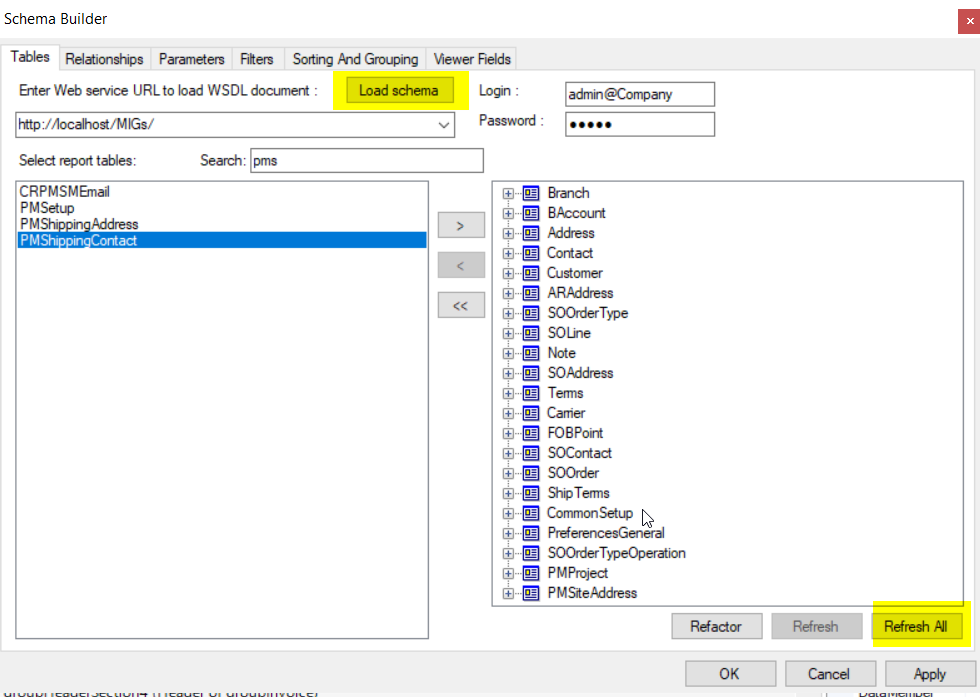
In your report, can you please click on the Load Schema button and Refresh ALL and verify once from your end.


Translate

Forum|alt.badge.img
  • Author
  • Jr Varsity III
  • Answer
  • January 18, 2022

Yes, I see it there myself.  Its on the schema page but its not on the relationship page.  Why would that be?


Translate

Forum|alt.badge.img
  • Author
  • Jr Varsity III
  • January 18, 2022

Naveen,

Thank you!!  I appreciate your patience.  I kept having to load schema and refresh.  But eventually it worked.  

Translate