Solved

Item Class Attributes - generic inquiry

  • July 7, 2023
  • 11 replies
  • 535 views

Forum|alt.badge.img+1

Hi All,

I have been struggling to find the table link that will let me list all of the attributes that are listed on an Item Class.

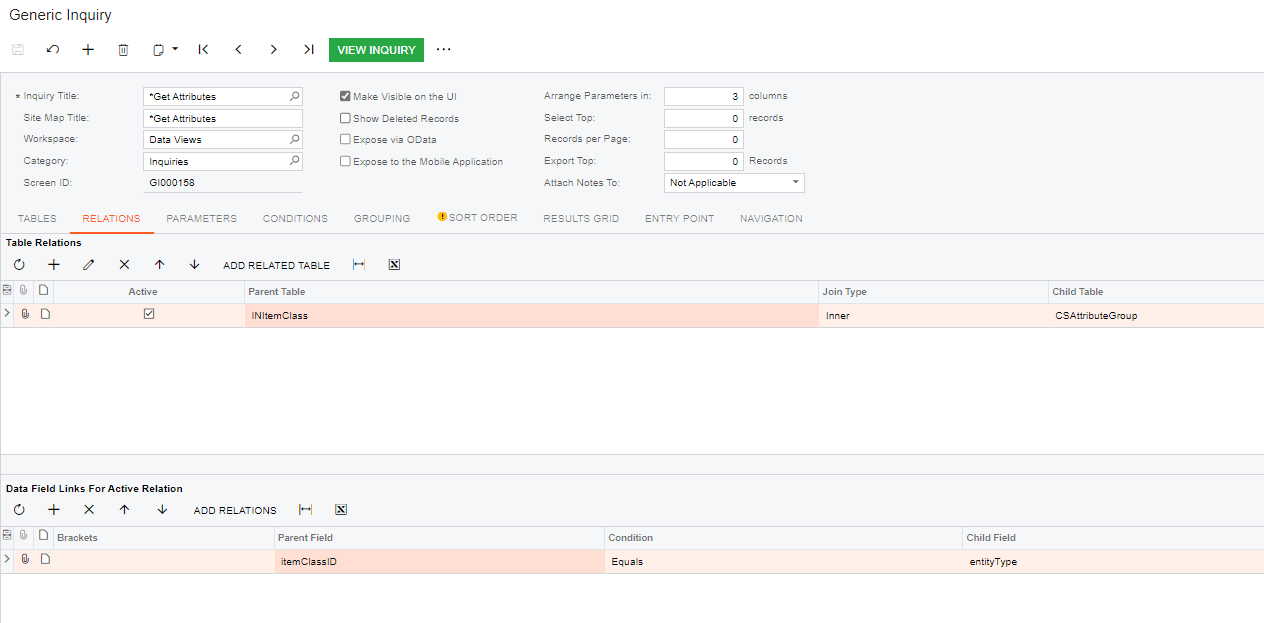
The INItemClass table has this beautiful field called ItemClassStrID which is a direct match to the EntityClassID on the CSAttributeGroup table.

Using this relation would solve all my problem, but the ItemClassStrID field isn’t available to use as a relation data field.

Does anyone have a GI that lists the Attributes on an Item Class?

Thank You!

Best answer by Manikanta Dhulipudi

Hi @donnadeskins55 

Please see attached

11 replies

Manikanta Dhulipudi
Captain II
Forum|alt.badge.img+16

Hi @donnadeskins55 

Please see attached


Forum|alt.badge.img+1

AMAZING!!

Thank you @manikantad18 !


Forum|alt.badge.img+1

@manikantad18 , I have a followup question for you (I see that you have provided a lot of helpful information around attributes and imports :) ).

My ultimate goal with this inquiry is to make changes or delete the Attributes on the Item Classes with an import scenario.

I have a customer with 630 item classes and each one has up to 10 attributes on it.

I have been successful adding the attributes with an import scenario, but have not been successful with updating or deleting the Attributes from the Item class with an import scenario.

Do you have any suggestions or examples for updating and deleting?

Thank you!


Manikanta Dhulipudi
Captain II
Forum|alt.badge.img+16

Hi @donnadeskins55 I have sample Import scenario to Update the attribute in Items class. Please modify as needed


Forum|alt.badge.img+1

Thank you @manikantad18 !

I think I saw this example on another post and when I tried it, it behaves like it want’s to add a new ItemClass/Attribute rather than update it.

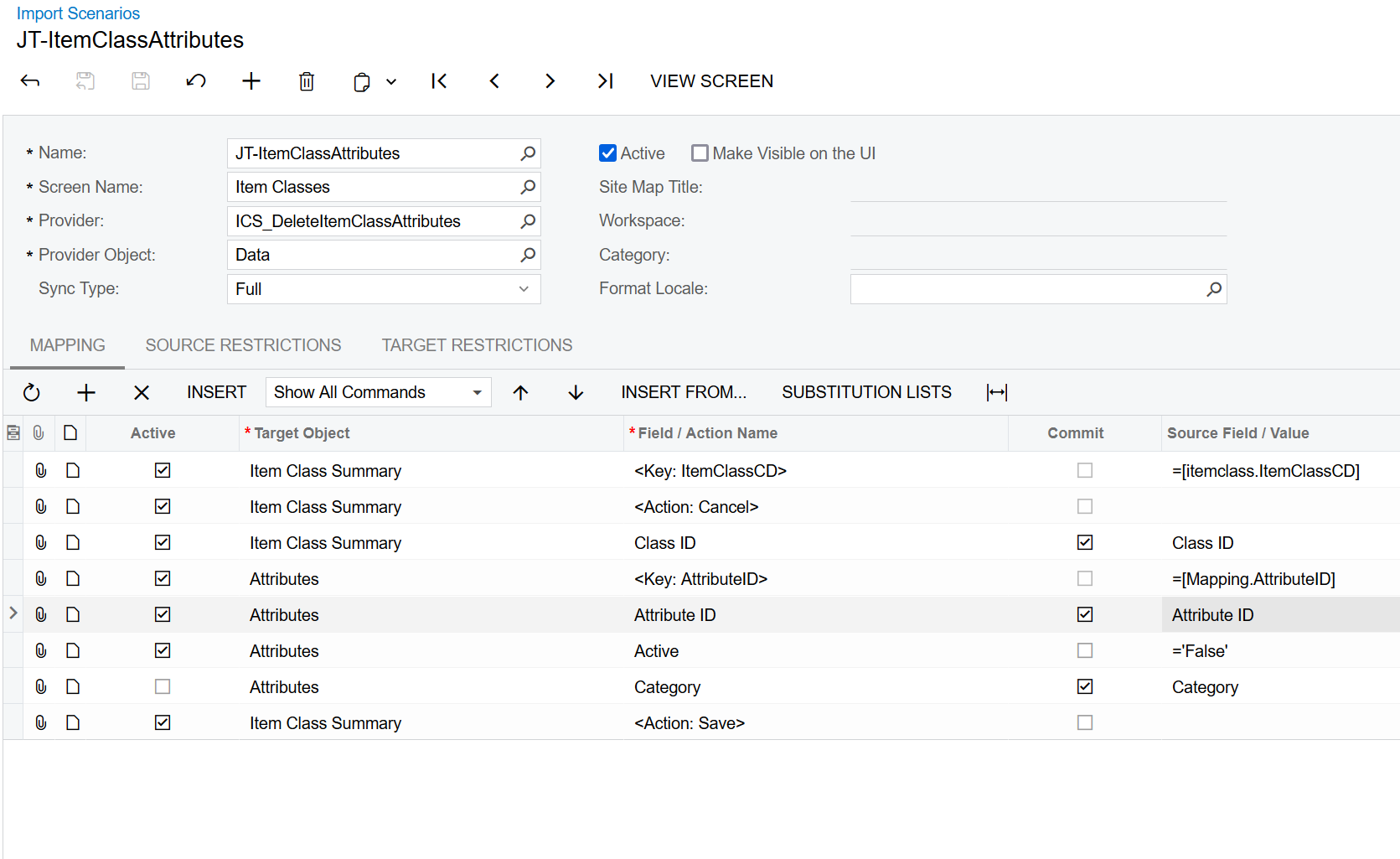
Here is what the Import looks like (I’m attempting to set the status to inactive so that I can delete a particular attribute):

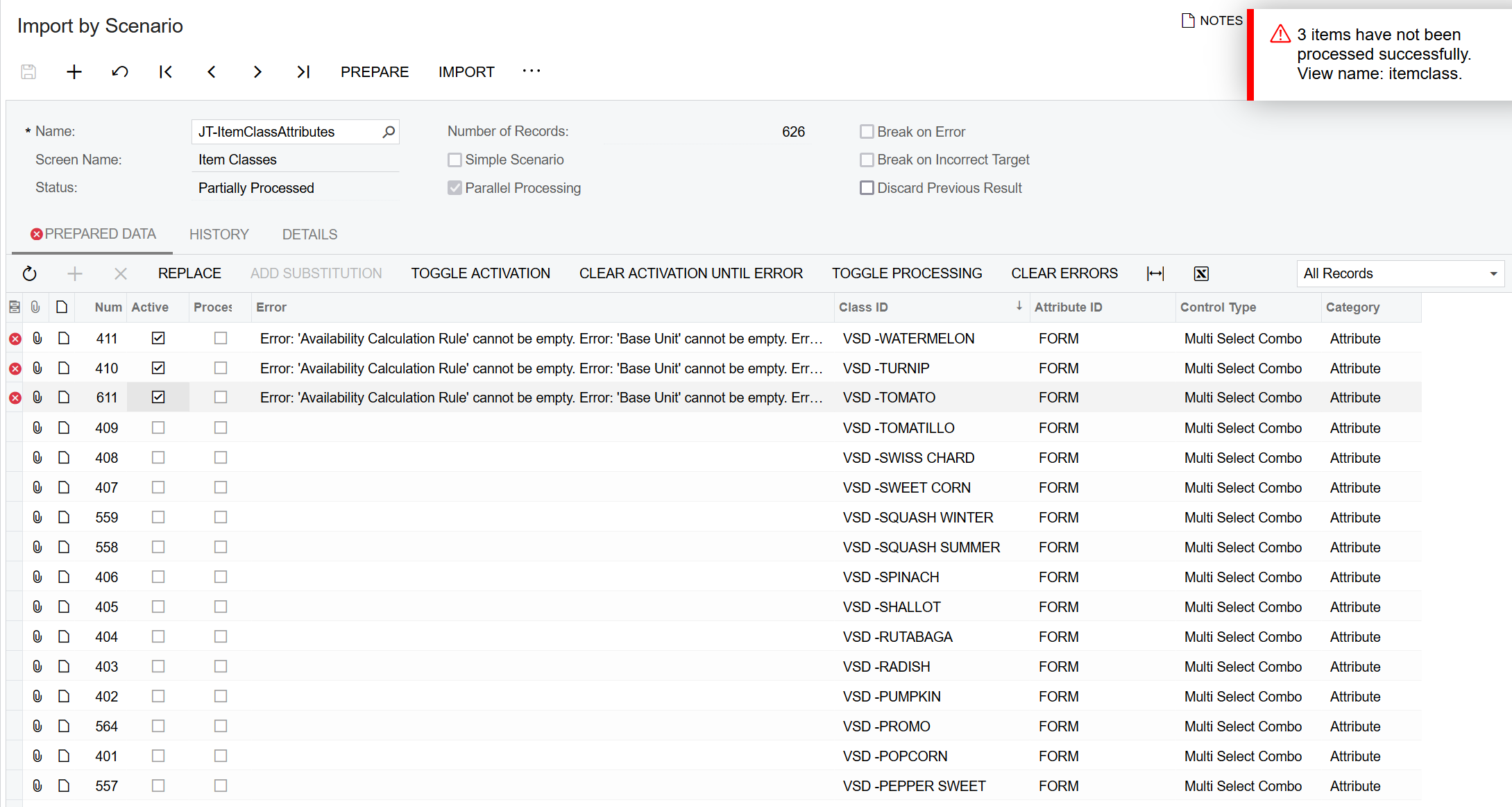
 and this is the error I get when trying to run it:


  • Freshman I
  • July 14, 2023

@donnadeskins55 Hello, these errors may be linked to the fields in the data provider. I suggest checking the source fields for the data provider to see if the fields mentioned in the error message are marked as active. If they are, include the missing fields in the import scenario, or mark them as inactive if you decide you do not need them in the import scenario. I hope this helps with troubleshooting the error.


Forum|alt.badge.img
  • Freshman I
  • August 7, 2023

Hi @manikantad18 .

I have tried to follow the Get Item Class html file but am missing something.  Your guidance would be greatly appreciated.

I must be missing a table or a relations between tables or both.


Forum|alt.badge.img
  • Jr Varsity I
  • October 17, 2024

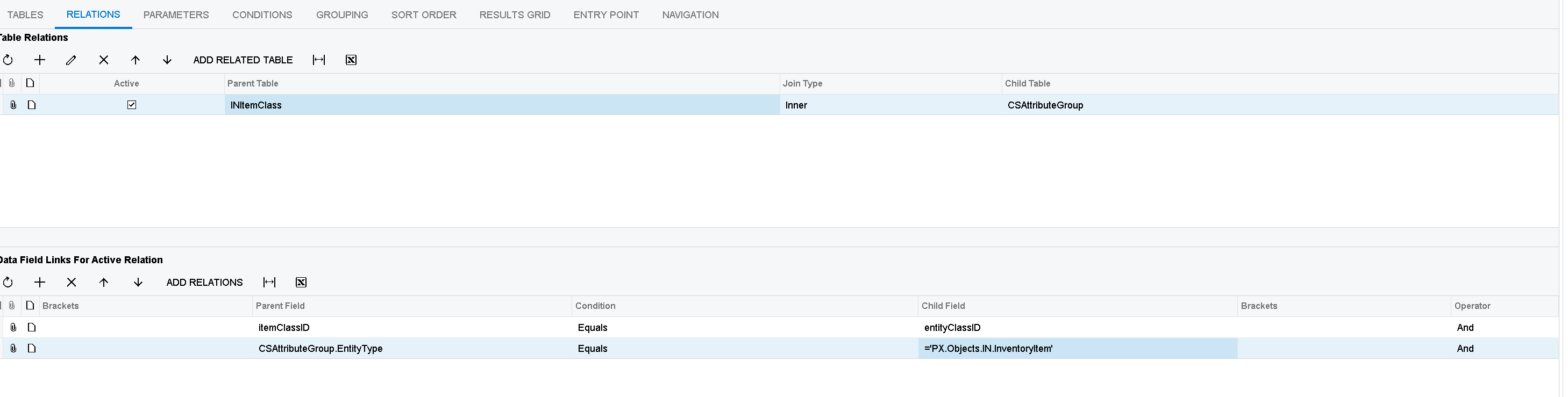
@RoslynRule you probably don’t need this anymore, but since I just landed here looking for an answer, it is


itemClassID Equals entityClassID

CSAttributeGroup.EntityType  Equals ='PX.Objects.IN.InventoryItem'


Forum|alt.badge.img
  • Freshman I
  • October 22, 2024

@bmonaghan thank you that fixed my problem.


Forum|alt.badge.img+1

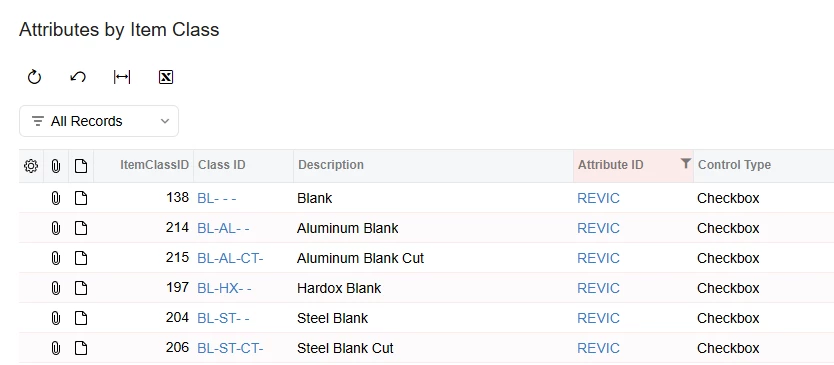
I am attempting to query a list of Stock Items that have a particular Attribute available to populate.  For example, I want to query all Stock Items that have the REVIC attribute available to them by virtue of the REVIC attribute being attached to certain Item Classes.  Below is ​@Manikanta Dhulipudi ‘s ‘Get Item Class’ GI which works wonderfully to see which Item Classes a particular Attribute is tied to.

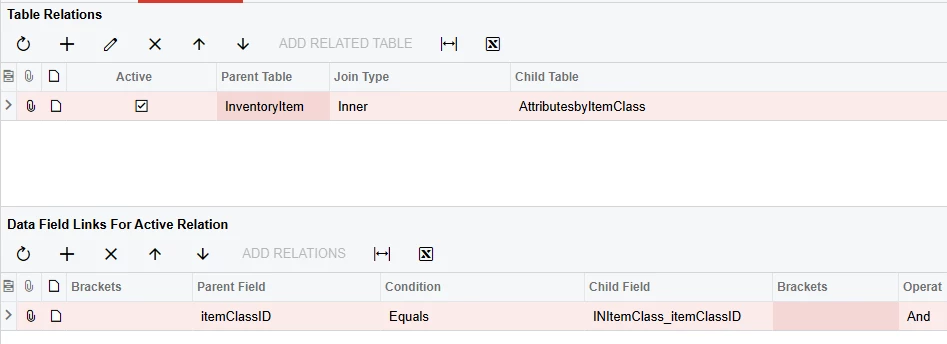
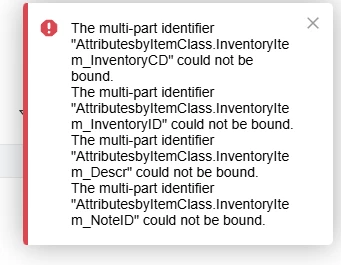
However, I cannot figure out how to make the links work.  I cannot figure out how to use the ‘Get Item Class’ GI as a source in another GI.  When I attempt linking on ItemClassID, I get a ‘multi-part identifier could not be bound’ error message.

Any suggestions?

FYI, I renamed ‘Get Item Class’ GI to ‘Attributes by Item Class’, as shown in the screenshot below.


Forum|alt.badge.img
  • Jr Varsity I
  • May 8, 2026

Item Class’ GI as a source in another GI.  When I attempt linking on ItemClassID, I get a ‘multi-part identifier could not be bound’ error message.

Any suggestions?

FYI, I renamed ‘Get Item Class’ GI to ‘Attributes by Item Class’, as shown in the screenshot below.


@danielklumpp 

When I attempt the same thing, I get a slightly different capitalization on the Child Field.


GI attached, but you’ll need to change the Conditions tab to an attribute that exists for you.