Solved

Invoice lines print before SO lines

  • August 3, 2024
  • 8 replies
  • 183 views
  • Translate All

jamest
Varsity I
Forum|alt.badge.img

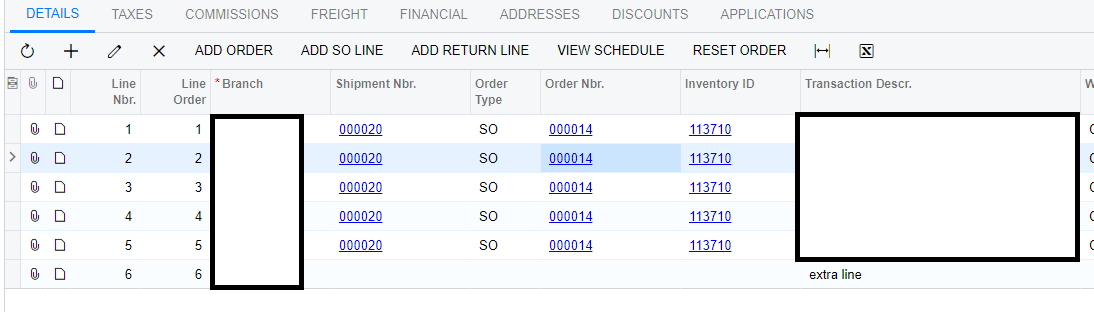
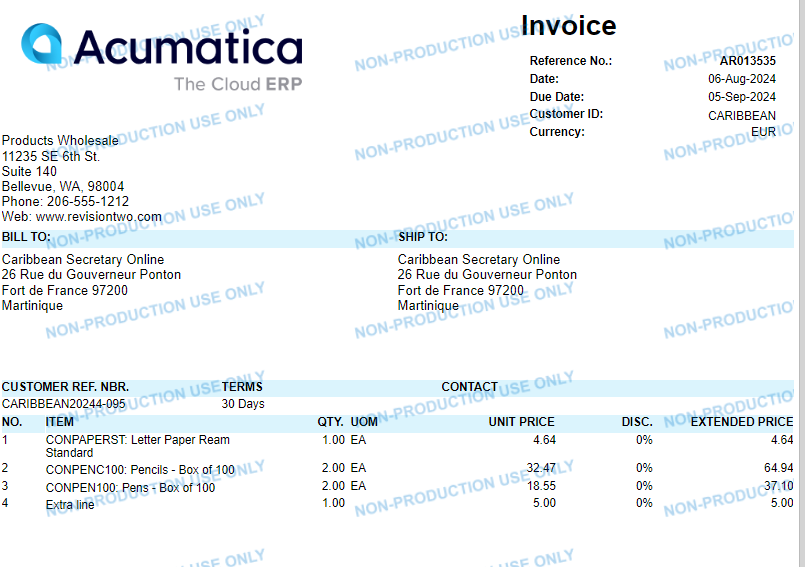
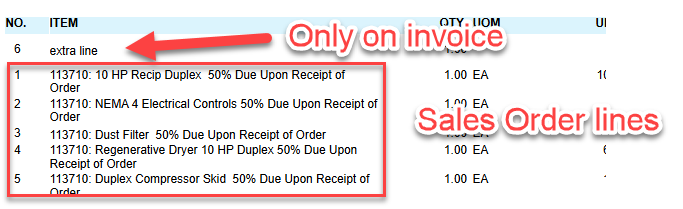
I’m currently testing some minor changes to our Invoice form. We have some cases where there is a line on the Invoice form that is not on the Sales Order form, which is fine. However, I can’t seem to get the Invoice line to print after the SO lines.

I’ve messed with the group, sorting, etc. and it still didn’t adjust. Even in the ARTran table the line on the invoice is the last record entry. 

How can I get the report to sort in the “proper” order. Thanks!
 

Best answer by jamest

Hi @nhatnghetinh 

No, its SO643000. 

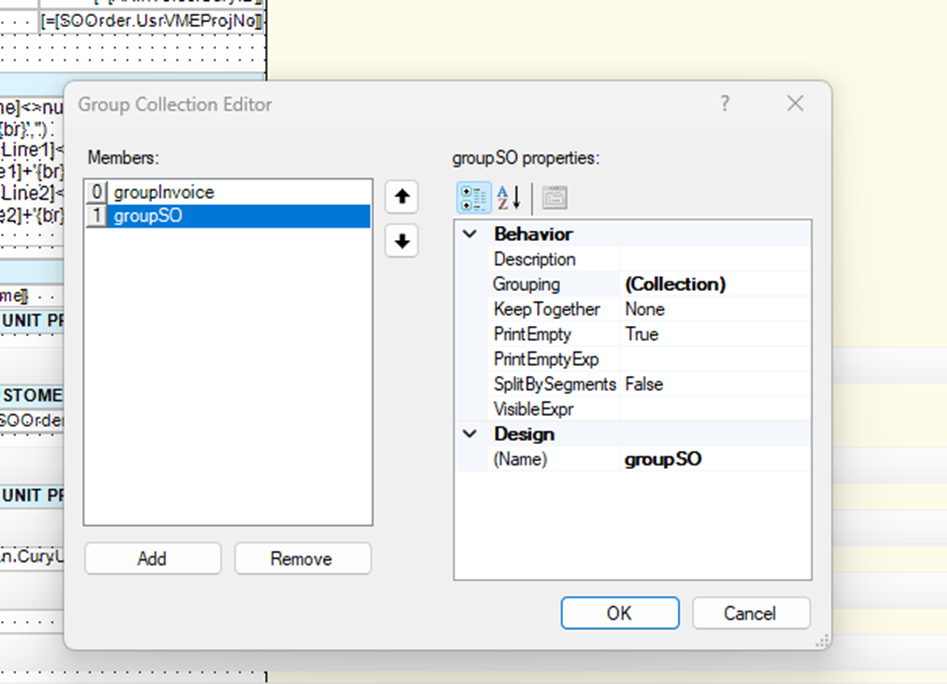
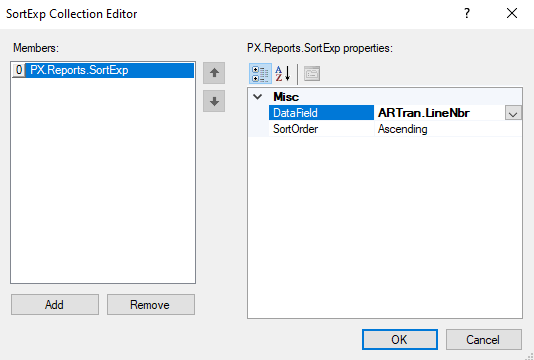
I was able to make progress yesterday, by removing the “groupSO” group and leaving only the “groupInvoice”. Once I removed that group and sorted by the ARTran.LineNbr field, it started working.

Since there are two groups and headers related to both, I think the Details section was following that sequence. 

I removed this one:


View original

8 replies

dcomerford
Captain II
Forum|alt.badge.img+16

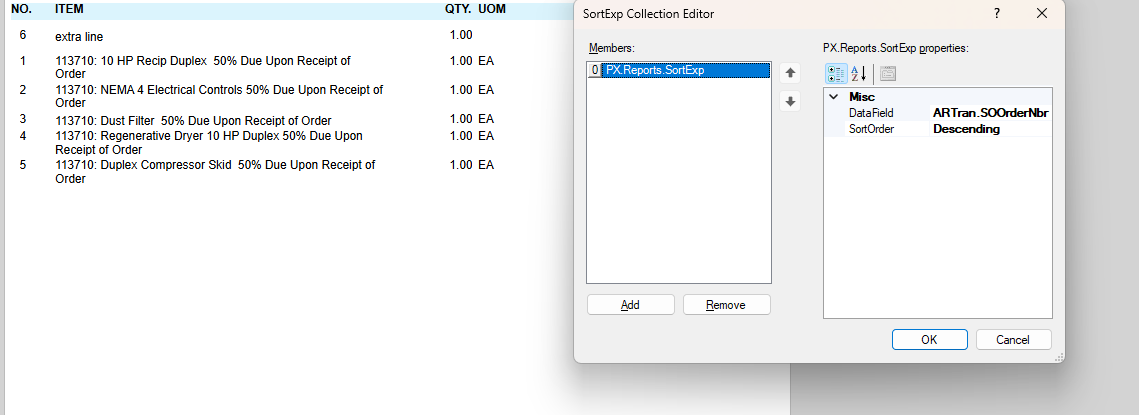
Not tried this but if you add in to the Sort the ARTRan.SOOrderNbr and then sort Descending the lines that were added to the invoice should print last as they wont have an SONumber.

Translate

jamest
Varsity I
Forum|alt.badge.img
  • Author
  • Varsity I
  • August 4, 2024

Not tried this but if you add in to the Sort the ARTRan.SOOrderNbr and then sort Descending the lines that were added to the invoice should print last as they wont have an SONumber.

Thanks for the reply @dcomerford 

I tried your suggestion and it didn’t work. I even tried to rearrange the grouping order and it paginated the invoice line and so lines on separate pages. 


Translate

nhatnghetinh
Captain II
Forum|alt.badge.img+14

Hi @jamest 

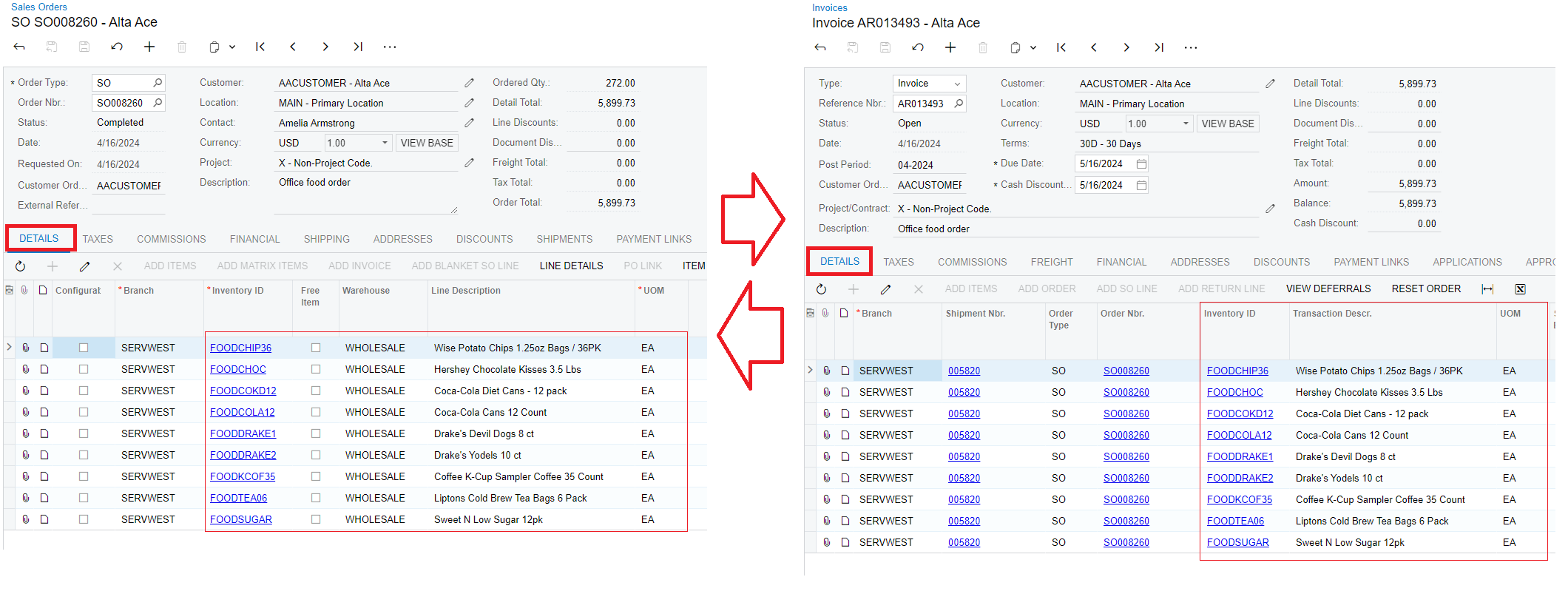
Please compare the details of each line of the Detail Tab in the Sales Order screen with the details of each line of the Detail Tab in the Invoices screen. If they are the same, the error is because the Report of the Invoice Form may have been edited incorrectly.


Best Regards,

NNT

Translate

jamest
Varsity I
Forum|alt.badge.img
  • Author
  • Varsity I
  • August 5, 2024

Hi @jamest 

Please compare the details of each line of the Detail Tab in the Sales Order screen with the details of each line of the Detail Tab in the Invoices screen. If they are the same, the error is because the Report of the Invoice Form may have been edited incorrectly.


Best Regards,

NNT

Thanks for the response. 

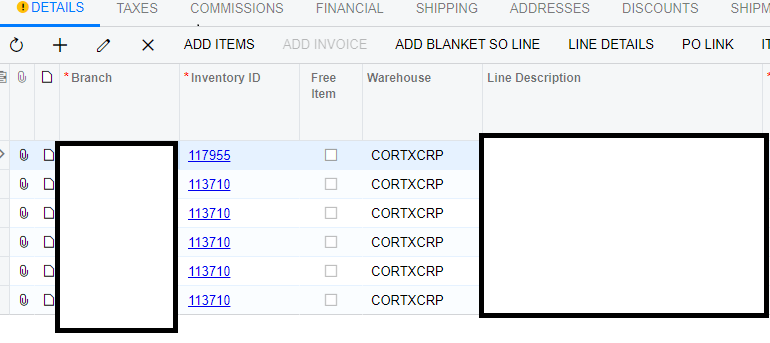
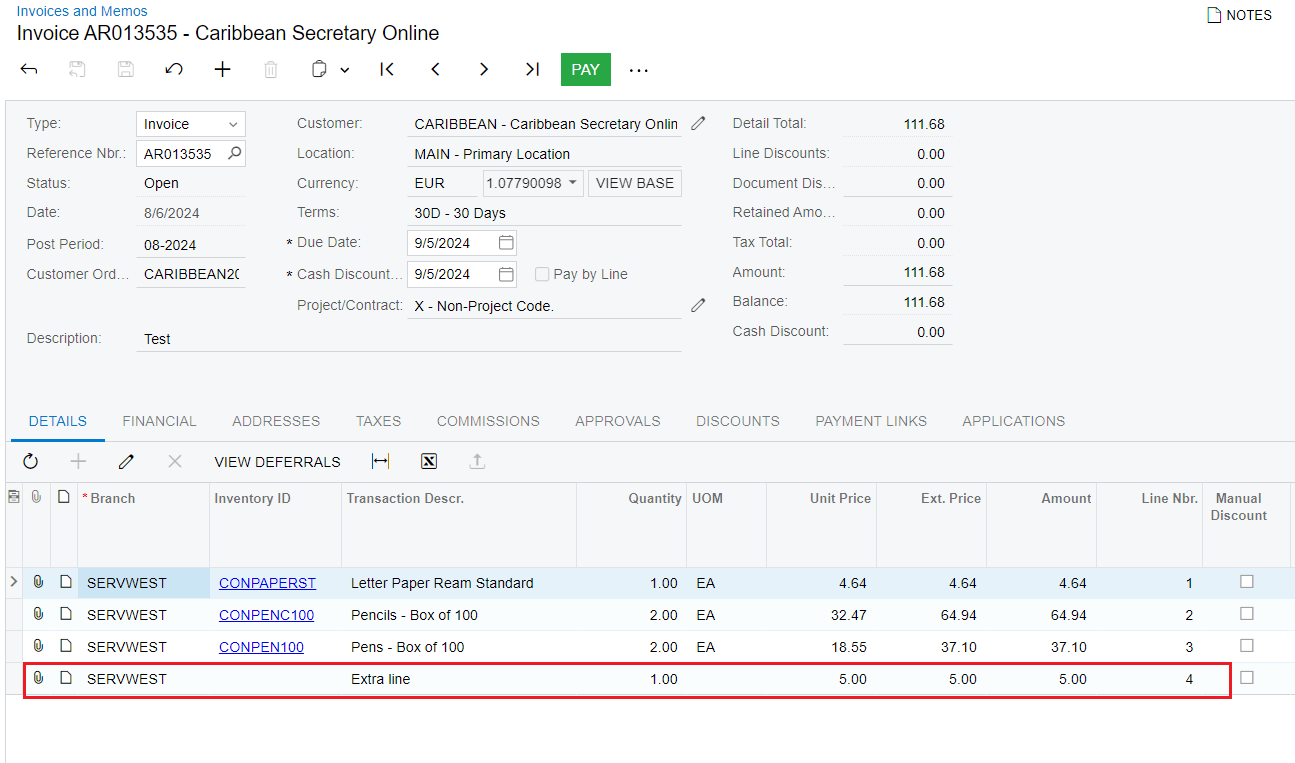
They are different. We’re testing adding a line on the invoice that isn’t on the sales order. 


Invoice:

Sales Order:


Translate

nhatnghetinh
Captain II
Forum|alt.badge.img+14

Hi @jamest 

Are you testing on Invoice Form (AR641000)?

I tested on Invoice Form (AR641000) of Acumatica Version 2024R1 and found that the lines are sorted by ARTran.LineNbr


Best Regards,

NNT

Translate

jamest
Varsity I
Forum|alt.badge.img
  • Author
  • Varsity I
  • Answer
  • August 7, 2024

Hi @nhatnghetinh 

No, its SO643000. 

I was able to make progress yesterday, by removing the “groupSO” group and leaving only the “groupInvoice”. Once I removed that group and sorted by the ARTran.LineNbr field, it started working.

Since there are two groups and headers related to both, I think the Details section was following that sequence. 

I removed this one:


Translate

nhatnghetinh
Captain II
Forum|alt.badge.img+14

Hi @jamest 

It’s great that you have a solution. I was going to tell you about the problem encountered when sorting with SO643000 but you have already noticed this problem and have a solution.


Best Regards,

NNT

Translate

jamest
Varsity I
Forum|alt.badge.img
  • Author
  • Varsity I
  • August 8, 2024

Hi @jamest 

It’s great that you have a solution. I was going to tell you about the problem encountered when sorting with SO643000 but you have already noticed this problem and have a solution.


Best Regards,

NNT

Thanks for your help!

Translate