Solved

Inventory Summary: In Transit - Destination Supply

  • February 6, 2026
  • 5 replies
  • 89 views

Forum|alt.badge.img

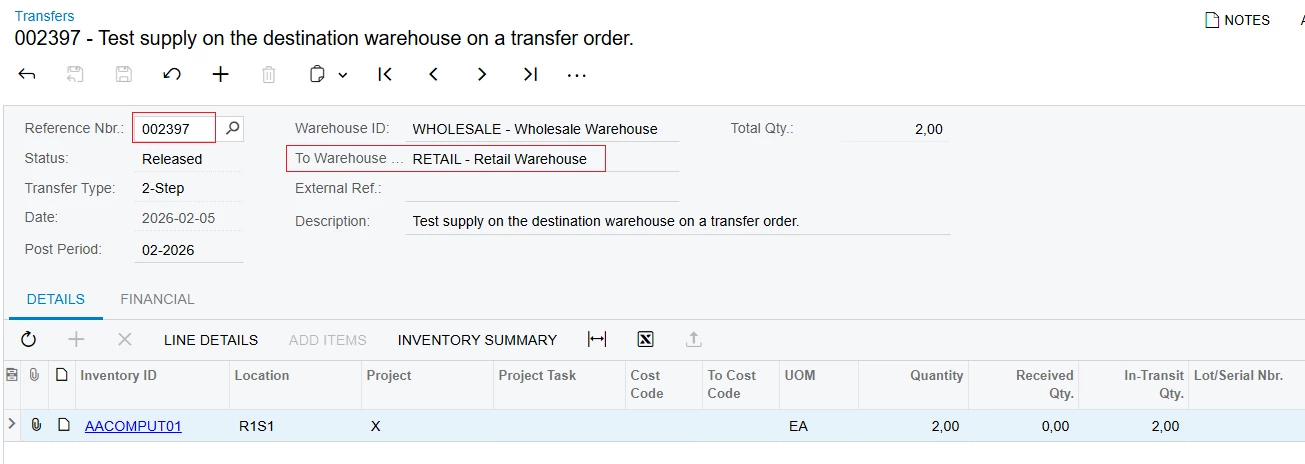
Is there a way to see the quantity as a supply on the destination warehouse on a transfer order.

You can see the deduction on the source warehouse from the TR, but the destination warehouse doesn’t seem to account for the quantity coming in from the the TR order. 

For example, if one warehouse is sending 2 to another warehouse, you can see the 2 being deducted. However, I don’t see a column for the destination warehouse for 2 as a supply quantity. 

Best answer by jamest62

Hi ​@jamest62 were you able to find a solution? Thank you!

Hi ​@Chris Hackett We ended up going with a customization that hits the Inventory Summary and Allocation screens. So far, it is working well. Thanks!

5 replies

nhatnghetinh
Captain II
Forum|alt.badge.img+13
  • Captain II
  • February 7, 2026

Hi ​@jamest62 

You can view the "Goods in Transit" report to check the supply at the destination warehouse on a transfer order.


Best Regards,

NNT


arpine08
Jr Varsity I
Forum|alt.badge.img+1
  • Jr Varsity I
  • February 7, 2026

Hi jamest62,

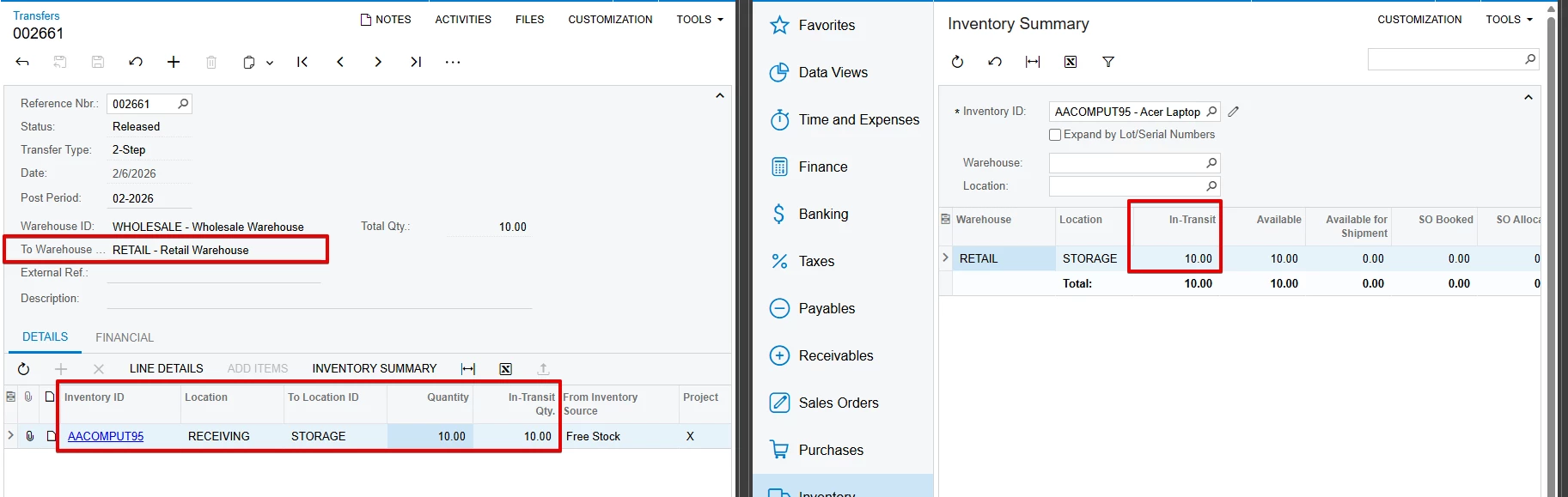
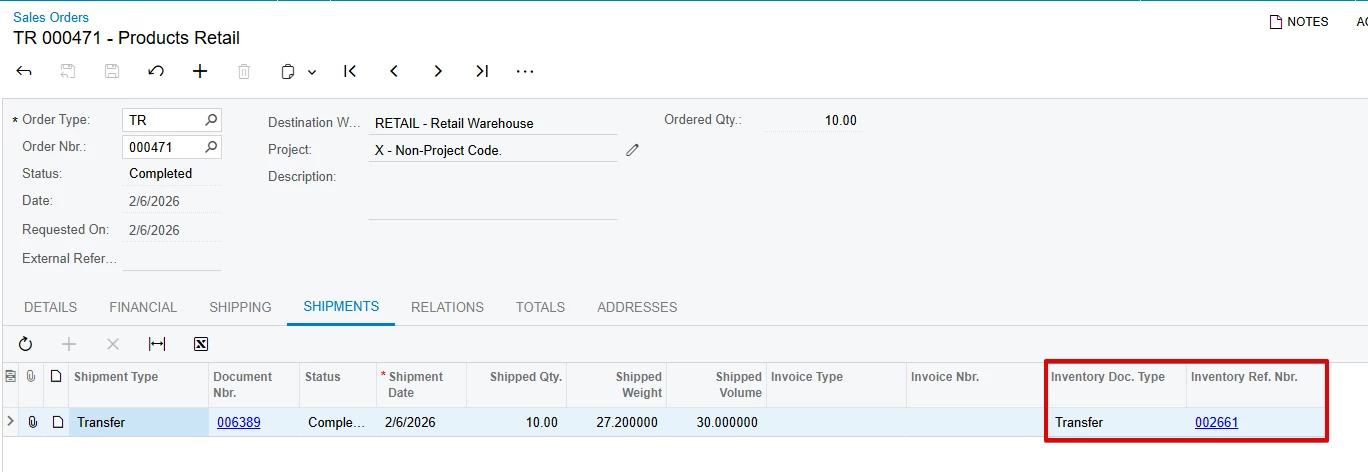
You can view the quantity for the destination warehouse (for TR Order) in the Inventory Summary -> In-Transit column (Grid Column Configuration: The 'In-Transit' column is hidden by default):


Forum|alt.badge.img
  • Author
  • Jr Varsity III
  • February 7, 2026

Hi jamest62,

You can view the quantity for the destination warehouse (for TR Order) in the Inventory Summary -> In-Transit column (Grid Column Configuration: The 'In-Transit' column is hidden by default):


Thanks ​@arpine08 . We see that and that works properly. However, that only populates when the TR has been Shipped. When it is on hold or open, the qty looks to only a deduction on the source warehouse. We don’t see a Supply column, like a PO or Production Order supply would show. 


Chris Hackett
Community Manager
Forum|alt.badge.img
  • Acumatica Community Manager
  • July 1, 2026

Hi ​@jamest62 were you able to find a solution? Thank you!


Forum|alt.badge.img
  • Author
  • Jr Varsity III
  • Answer
  • July 2, 2026

Hi ​@jamest62 were you able to find a solution? Thank you!

Hi ​@Chris Hackett We ended up going with a customization that hits the Inventory Summary and Allocation screens. So far, it is working well. Thanks!