

Question

Inquiry INLocationStatus with Formula INLocationStatus.QtyAvail - INItemPlan.PlanQty

  • March 5, 2026
  • 3 replies
  • 25 views

Hi, I found the error

"Column 'INLocationStatusByCostCenter.InventoryID' is invalid in the select list because it is not contained in either an aggregate function or the GROUP BY clause."

when creating an inquiry INLocationStatus when adding the formula

=IIf( [INLocationStatus.LocationID] = [INItemSite.DfltShipLocationID], Max( [INLocationStatus.QtyAvail]) - IIf( [INItemPlan.PlanQty] = Null, 0, [INItemPlan.PlanQty]), 0)

The following is the result grid that I made
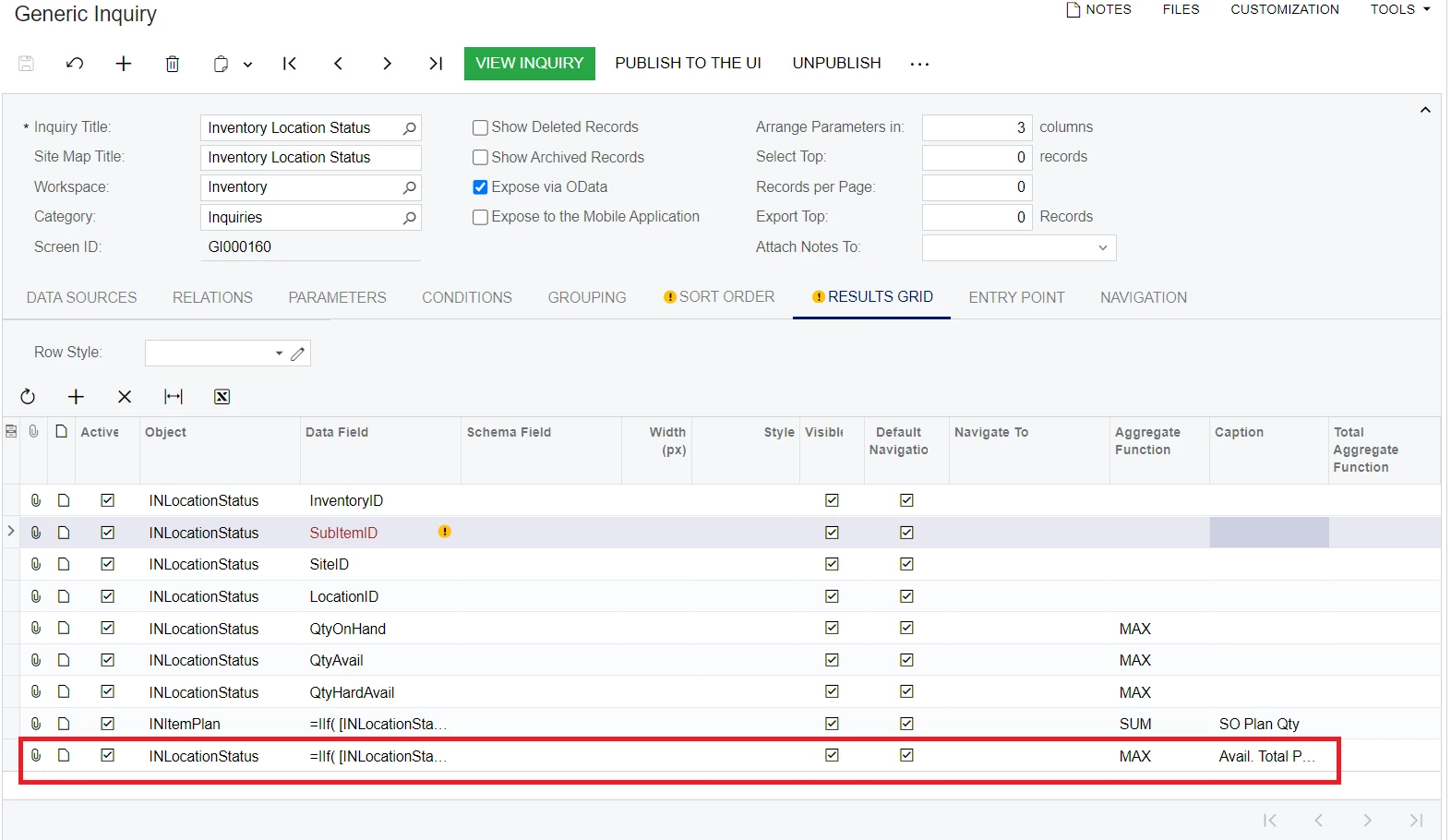
with the following additional conditions

 

3 replies

Forum|alt.badge.img+3
  • Jr Varsity II
  • March 5, 2026

Hi ​@mujib ,

Add Group By in Generic Inquiry to the required fields in the Results Grid.

  • INLocationStatus.InventoryID

  • INLocationStatus.SiteID

  • INLocationStatus.LocationID

  • INItemSite.DfltShipLocationID

  • INItemPlan.PlanQty

Then your formula can work with Max().

Hope above works!!


KrunalDoshi
Jr Varsity II
Forum|alt.badge.img
  • Jr Varsity II
  • March 5, 2026

Hi ​@mujib,

Can you upload your GI XML? That will help better understand the issue where it is happening so I can provide solution. In ideal scenario, you need Group By when you use any Aggregate function.


BenjaminCrisman
Acumatica Employee
Forum|alt.badge.img+4
  • Acumatica Support Team
  • March 5, 2026

@mujib In order to use Aggregate Functions you need to have a grouping applied on the Grouping Tab. Typically it will be a grouping on the table you are applying the Aggregate Functions to on the Results tab, but if you need more assistance with the GI I would recommend to upload the GI as Krunal mentioned.



