Question

I want my GI to show me all shipments that were confirmed yesterday

  • March 27, 2026
  • 13 replies
  • 55 views

Forum|alt.badge.img

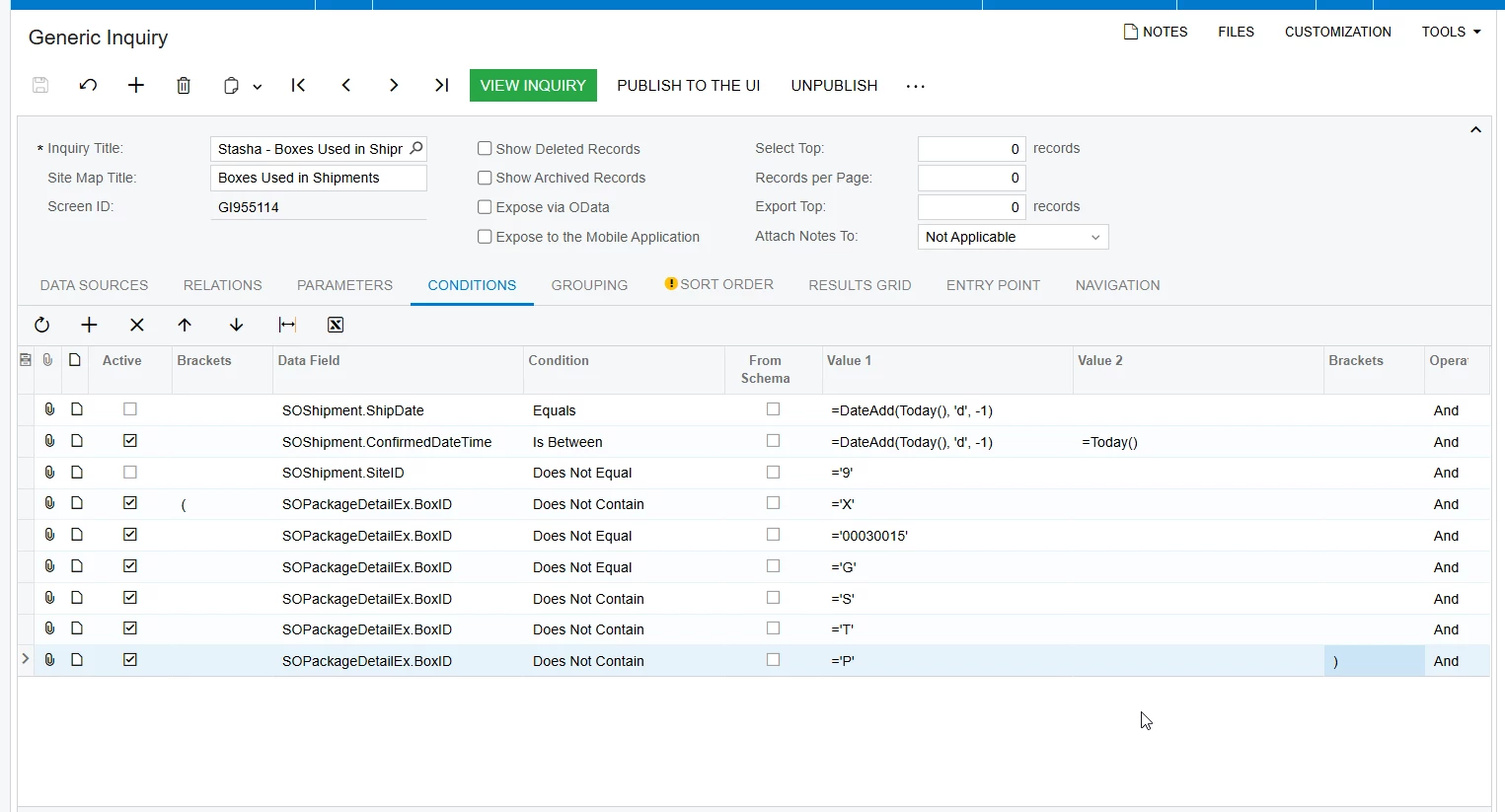
I’m trying to condition a GI to only show shipments that were confirmed yesterday.

Originally I was using ShipDate and was able to achieve this by using the following formula:

SOShipment.ShipDate Equals =DateAdd(Today(), 'd', -1)

But using the SOShipment.ConfirmedDateTime does not give me the same results (it actually gives me no results). 

13 replies

Forum|alt.badge.img
  • Jr Varsity III
  • March 27, 2026

Without going in and testing it, I wonder if doing a Greater Than or Equal To would work?


SOShipment.ShipDate Equals >=DateAdd(Today(), 'd', -1)


lauraj46
Captain II
Forum|alt.badge.img+9
  • Captain II
  • March 27, 2026

Hi ​@SBaldwin ,

Since ConfirmedDateTime includes the date time, you will need to use the Between operator

SOShipment.ConfirmedDateTime Between Value1: =DateAdd(Today(), 'd', -1)  Value2: Today()

Hope this helps!

Laura


Forum|alt.badge.img
  • Author
  • Varsity II
  • March 27, 2026

Hi ​@SBaldwin ,

Since ConfirmedDateTime includes the date time, you will need to use the Between operator

SOShipment.ConfirmedDateTime Between Value1: =DateAdd(Today(), 'd', -1)  Value2: Today()

Hope this helps!

Laura

That yielded no results as well. 


KrunalDoshi
Varsity III
Forum|alt.badge.img
  • Varsity III
  • March 27, 2026

Hi ​@SBaldwin,

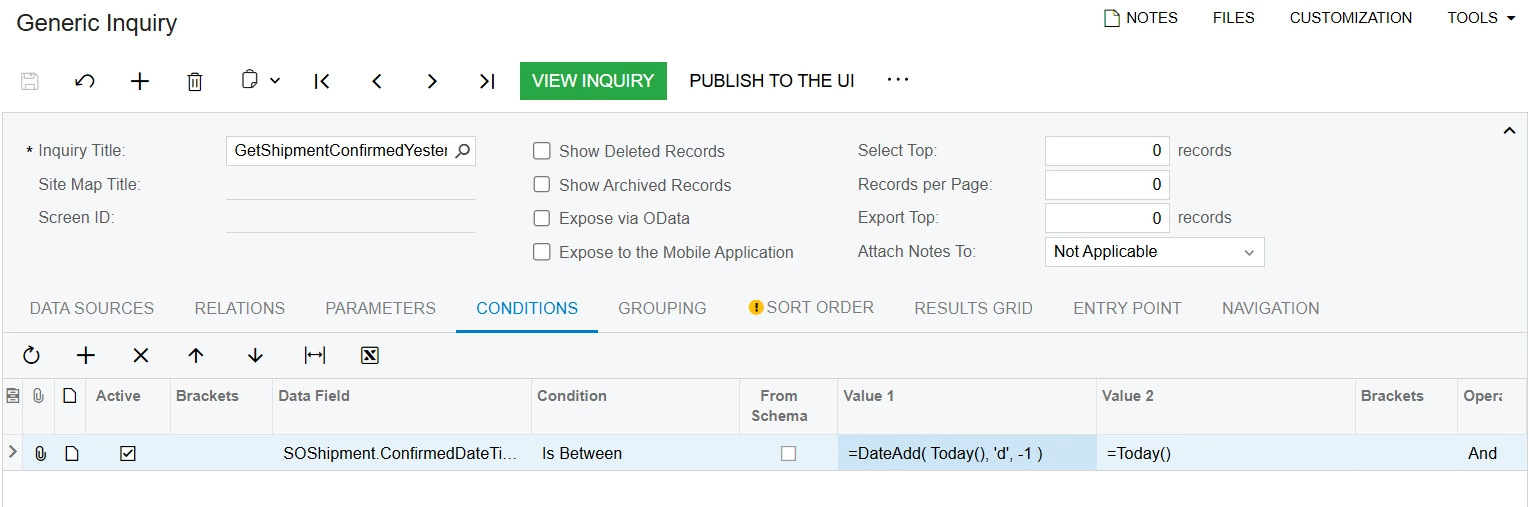
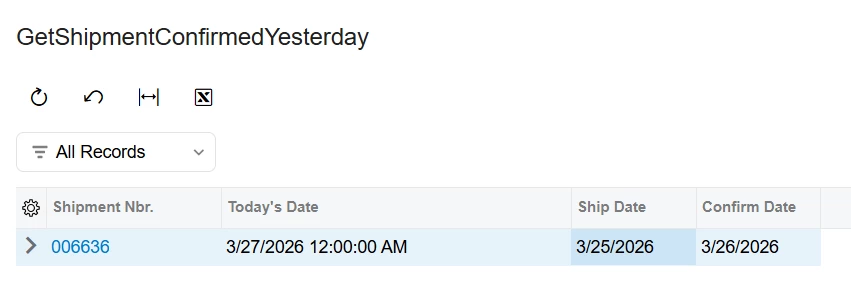
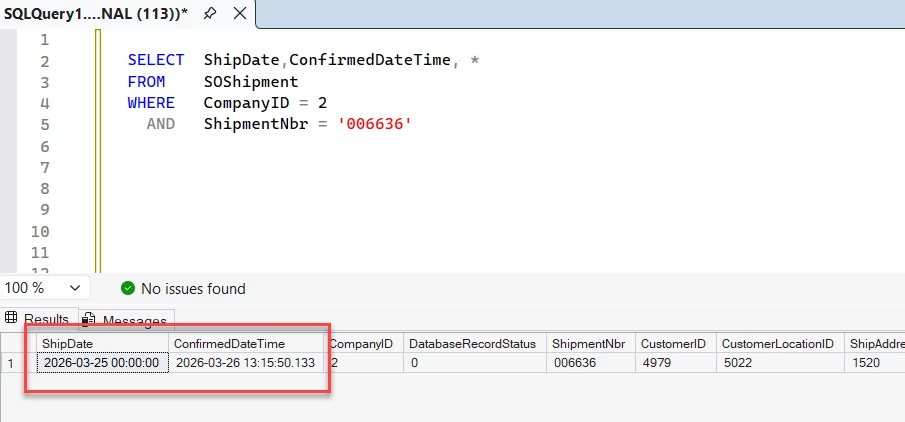
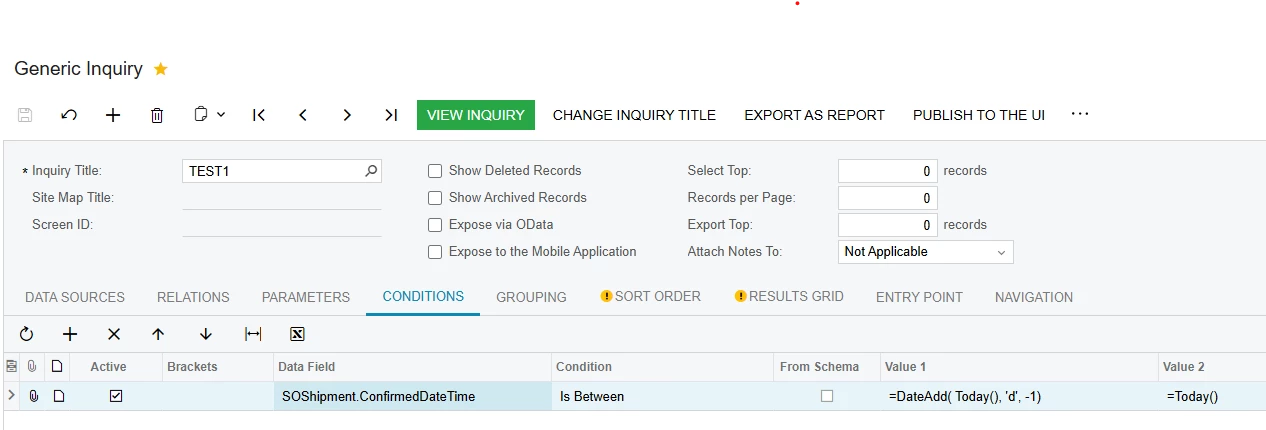
You need to use =Today(), which is from Date/Time formula. Notice you need to add (=) equal sign in your Value 2 expression. As you may be aware the ConfirmedDateTime is DateTime field. When you compare it with =DateAdd( Today(), 'd', -1 ), which results into “3/26/2026 12:00:00 AM”, it will not bring anything, because it is stored as an actual date and time. Hence you need to use the Between operator where you can pass the above formula with DateAdd function and Today() in your Value 2 expression. See below screenshot for your reference.

Hope this helps.


GI Design > Conditions
GI Result
SQL Query showing how ConfirmedDateTime is stored in database


lauraj46
Captain II
Forum|alt.badge.img+9
  • Captain II
  • March 27, 2026

Hi ​@SBaldwin ,

Since ConfirmedDateTime includes the date time, you will need to use the Between operator

SOShipment.ConfirmedDateTime Between Value1: =DateAdd(Today(), 'd', -1)  Value2: Today()

Hope this helps!

Laura

That yielded no results as well. 


Hi ​@SBaldwin , as ​@kmuczynski54 mentioned, you should begin with an equals sign on the formula for Value2.  Sorry, I left that off in my response :)


Forum|alt.badge.img
  • Author
  • Varsity II
  • March 27, 2026

Hey there! That makes sense I just added the ‘=’ but still not records are found. I’m usually much more savvy than this!


If I go to my GI and try to utilize the same approach I get a “Conversion failed when converting date and/or time from character string.” error


lauraj46
Captain II
Forum|alt.badge.img+9
  • Captain II
  • March 27, 2026

Hi ​@SBaldwin ,

I just tested and it’s working for me.  Maybe try widening the date range for troubleshooting purposes?


Forum|alt.badge.img
  • Jr Varsity III
  • March 27, 2026

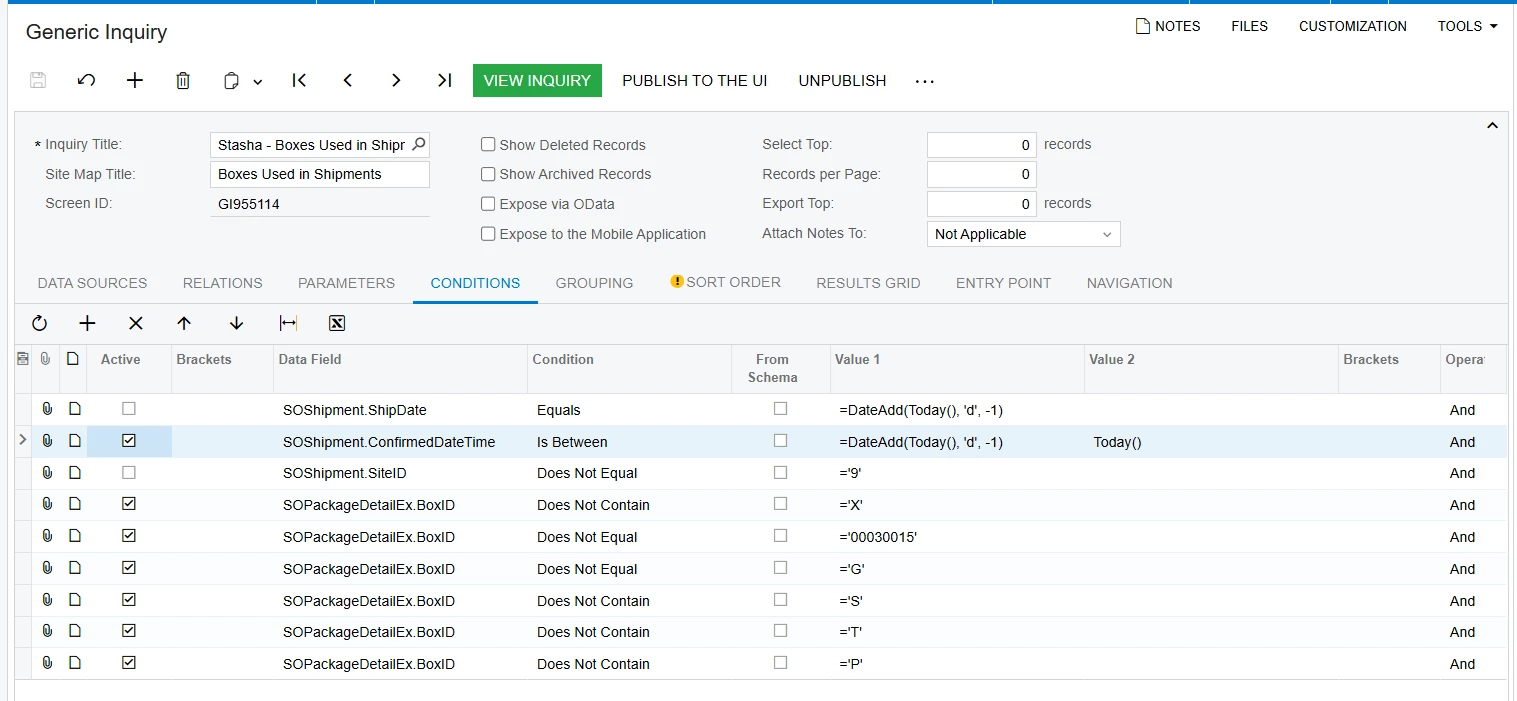
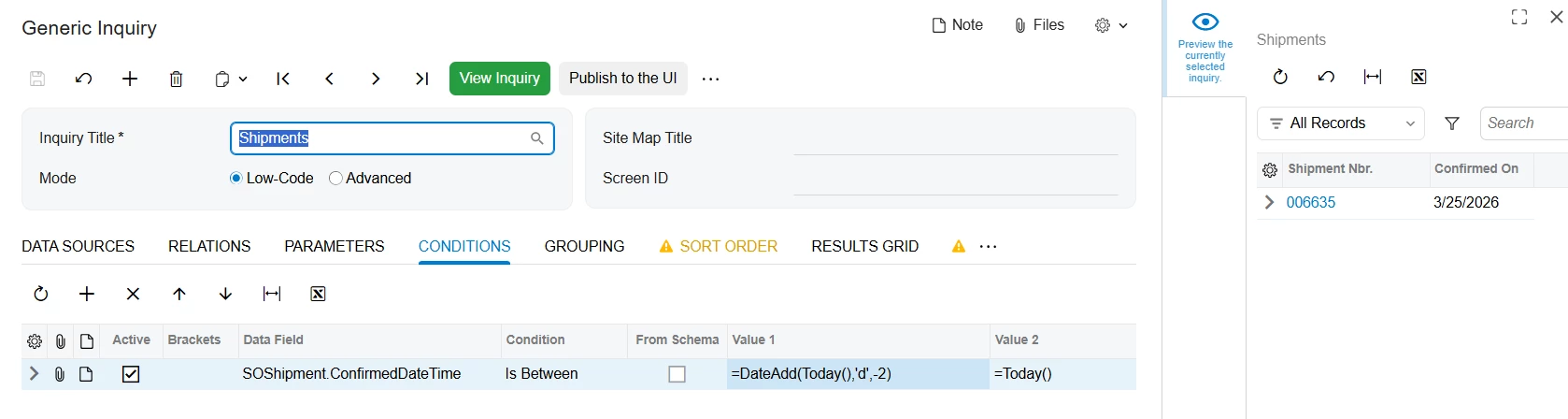
There may be something else with the rest of the conditions?  This below worked for me and provided results of yesterday’s shipments.  Suggestion:  Try unchecking the rest of your conditions and see if it works, then add one condition at a time to see if results show as expected.


Forum|alt.badge.img
  • Author
  • Varsity II
  • March 27, 2026

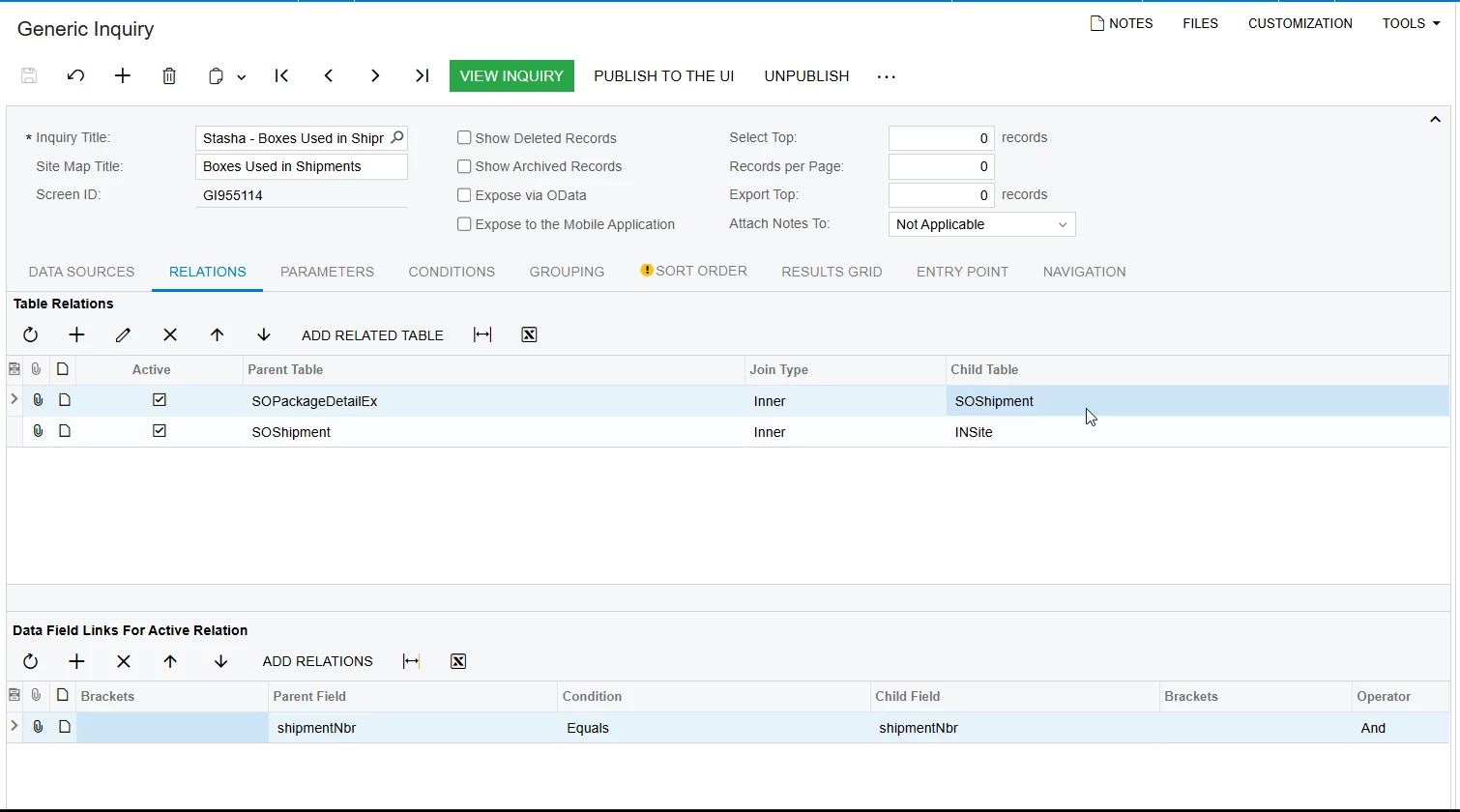
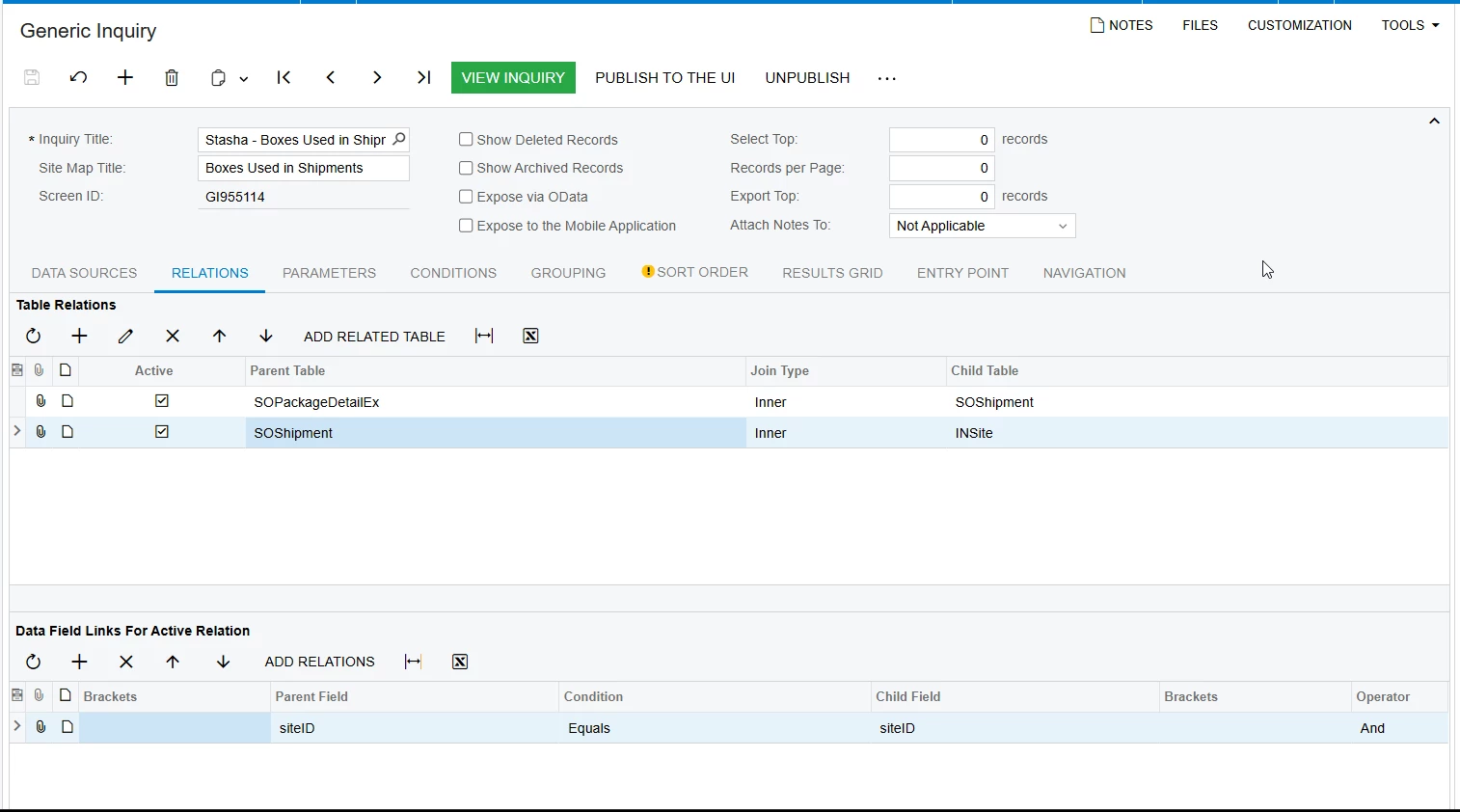
How bizzare! I unconditioned the rest and increased the interval to -7 with still no results. Below is my relations tables. Maybe something is hiding in there?


KrunalDoshi
Varsity III
Forum|alt.badge.img
  • Varsity III
  • March 27, 2026

Hi ​@SBaldwin,

You need to use =Today(), which is from Date/Time formula. Notice you need to add (=) equal sign in your Value 2 expression. As you may be aware the ConfirmedDateTime is DateTime field. When you compare it with =DateAdd( Today(), 'd', -1 ), which results into “3/26/2026 12:00:00 AM”, it will not bring anything, because it is stored as an actual date and time. Hence you need to use the Between operator where you can pass the above formula with DateAdd function and Today() in your Value 2 expression. See below screenshot for your reference.

Hope this helps.


GI Design > Conditions
GI Result
SQL Query showing how ConfirmedDateTime is stored in database


Hi ​@SBaldwin,
This is absolutely working for me. I have tested it on my local instance. Try disabling other conditions and keep the GI simple to check where the other issue is. As far as Date range is concerned, above solution should work. Thanks.


Forum|alt.badge.img
  • Jr Varsity III
  • March 27, 2026

I duplicated your relations and still got results.  I’ll attach my XML and you can give that a try?  My results have a bunch of user fields, so you will need to change that.


Forum|alt.badge.img
  • Author
  • Varsity II
  • March 27, 2026

I duplicated your relations and still got results.  I’ll attach my XML and you can give that a try?  My results have a bunch of user fields, so you will need to change that.

Your XML file worked. I have absolutely no idea what is holding the original GI up but i will adjust the XML given haha I appreciate you all!


lauraj46
Captain II
Forum|alt.badge.img+9
  • Captain II
  • March 27, 2026

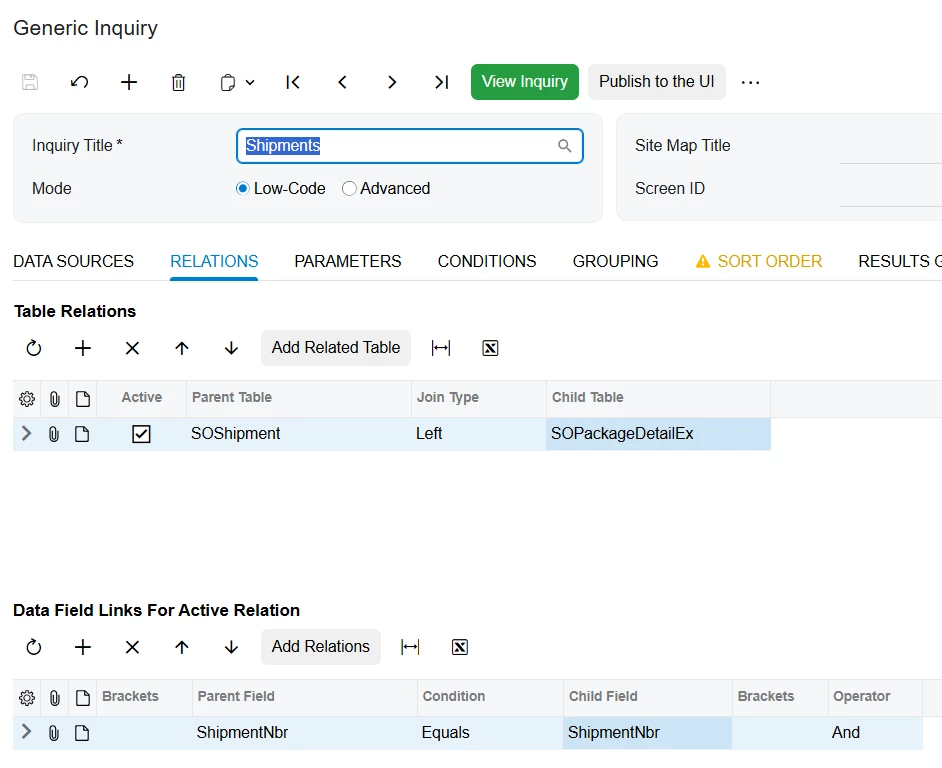
Hi ​@SBaldwin ,

Because you are using an inner join, the GI will only return records that have a record in SOPackageDetailEx.  If you want to include shipments whether or not they have a package, you can use a left join like this: