

Hi,
A client is looking to have a side panel on the inventory screen that shows the customers who purchased the item
They do not want to see every invoice but a total quantity.
That is very doable with a grouping by Item & Customer.
They also want to see last purchase information, the Quantity & the Unit Price & Date of Sale.
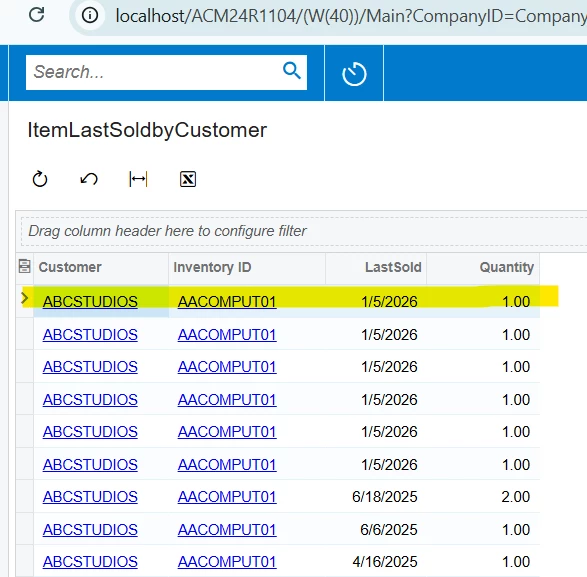
When I do the grouping the Quantity & Unit Price total. The Date Of the last sale is correct but I can’t get the quantity & unit price to show for the associated last purchase.
Any help is appreciated.
Bill
Solved
How to return last line data in a GI with grouping


 +3
+3Best answer by lauraj46
Hi
The easiest way to accomplish this is to create and display a report built with the Report Designer on the side panel. The report would have the InventoryID as a parameter. On the report you can sort and group by customer. To print the total quantity you can use the sum in a formula in the customer group footer. If you sort by customer and then by sale date in ascending order then in that same customer footer section you can also print the details of the last detail record for that customer.
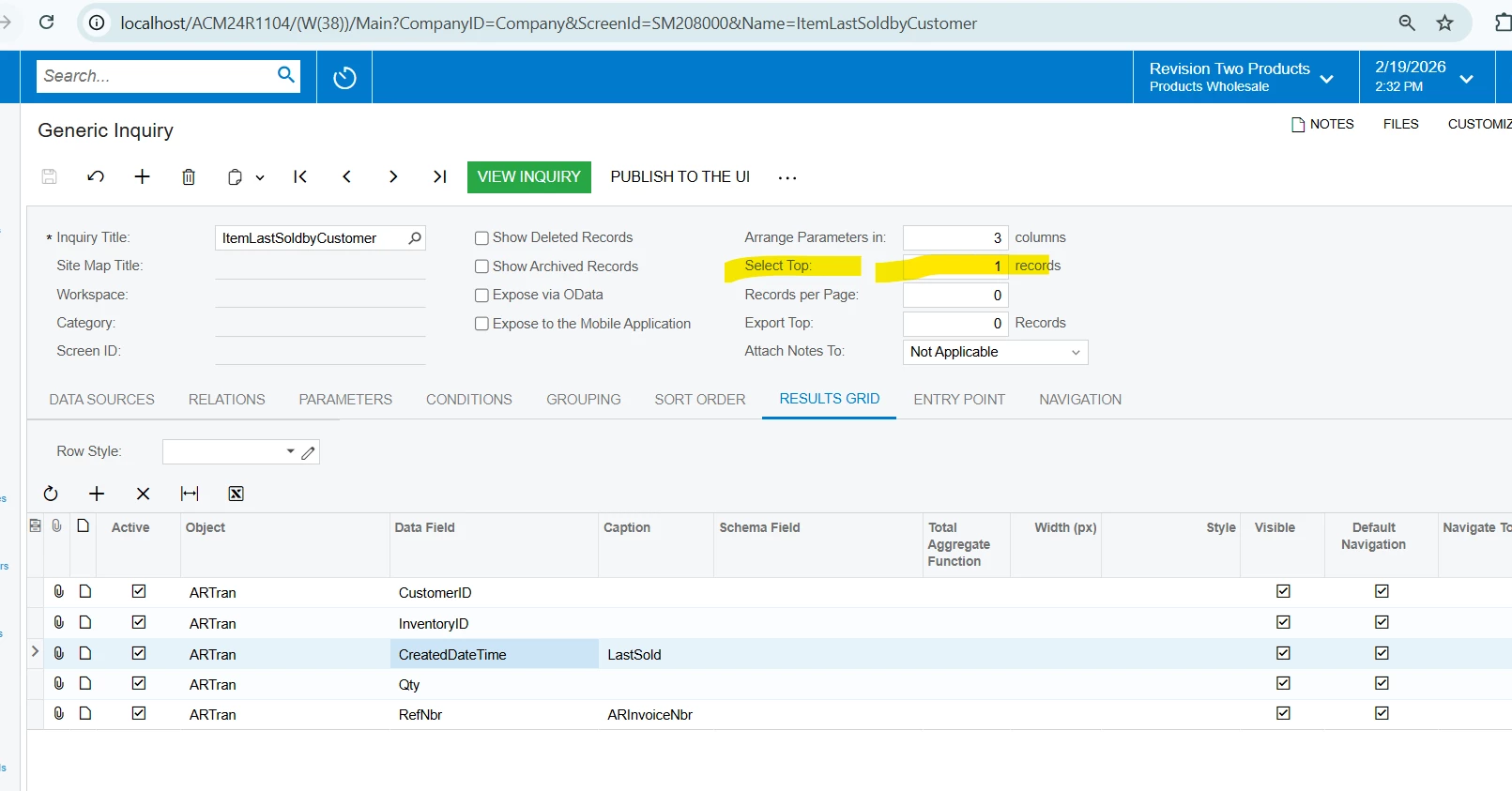
Alternatively, it may be possible to construct a generic inquiry that pulls the detail of the latest record by left joining the SOLine or other tables multiple times and comparing the dates, and/or by using subqueries. I recommend the Report Designer method if that works for you.
Hope this helps!
Laura







Enter your E-mail address. We'll send you an e-mail with instructions to reset your password.