Solved

How to remove extra blank page from Report Designer

  • Feb 13, 2024 4:36 PM UTC
  • 11 replies
  • 1189 views
  • Translate All

Forum|alt.badge.img

I am currently doing a number of changes on a report in report designer.

One of those changes was to remove a subreport that was two pages long. First I tried simply hiding it, setting visible to false. But that did not work.

Next I tried deleting it completely.

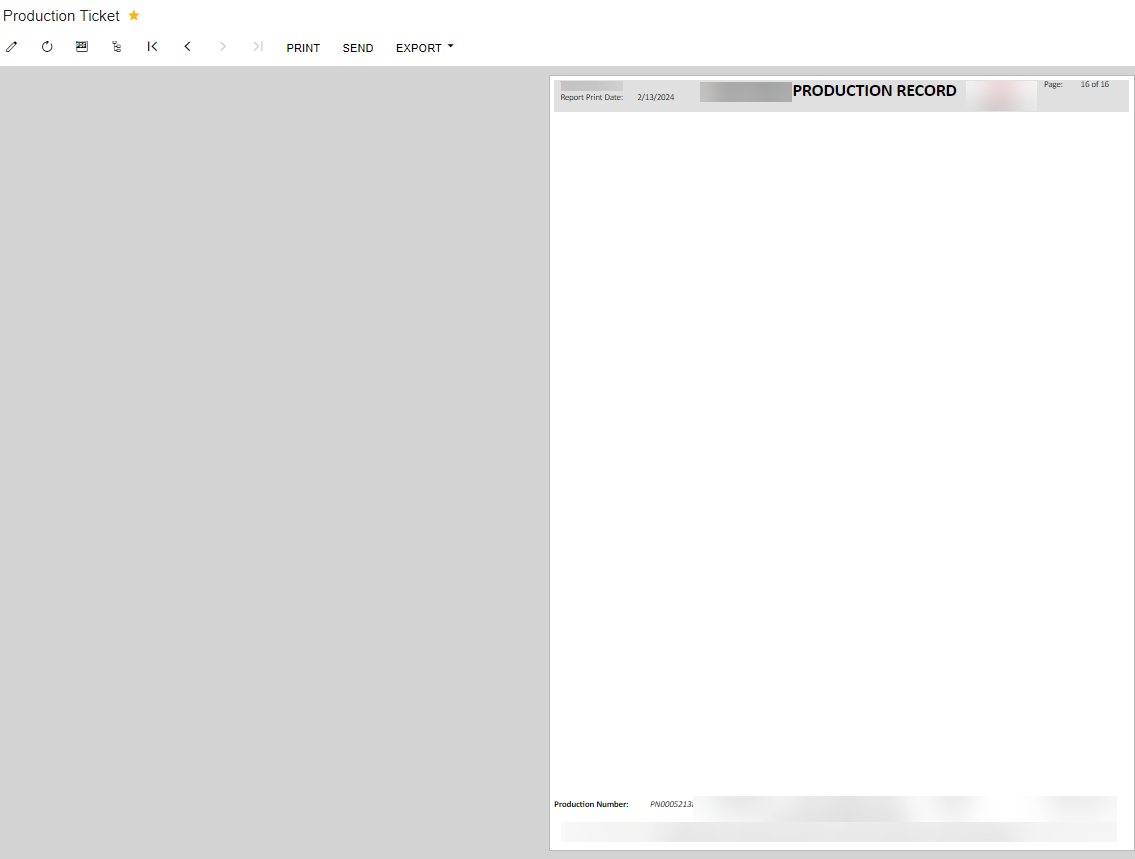
Once deleted, the report is no longer showing the 2 pages, but I now have 1 blank page at the end with only header/footer displayed - how do I get rid of this?

 

Best answer by darylbowman

I had a similar situation with the Purchase Order report. The only remedy I could find was to delete the last two sections. One was an unused sub-report and one was blank.

View original

11 replies

bcameron
Jr Varsity III
Forum|alt.badge.img
  • Jr Varsity III
  • Feb 13, 2024 5:43 PM UTC

Hey @dylantheriault - is the extra page showing only when printed, or even when you’re previewing the report within Acumatica?

Can you share a screenshot of the report and settings?

Translate

Forum|alt.badge.img

Hi @bcameron the extra page is showing when viewing the production ticket report in acumatica, printing, or saving as pdf. 

The report has page numbers and it’s including the extra page as well. 


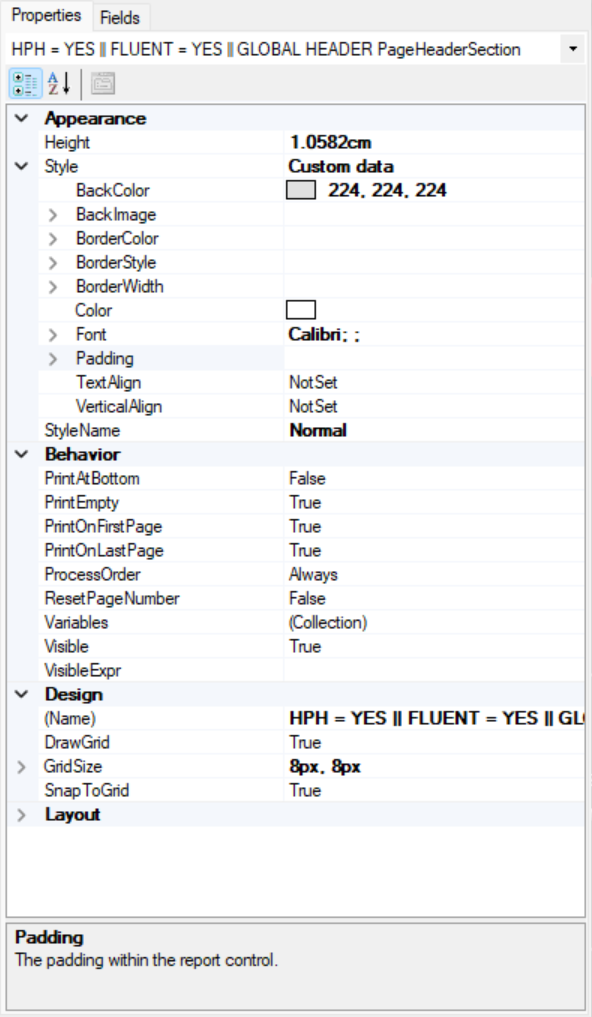
Header:


Translate

Forum|alt.badge.img

@bcameron


Translate

bcameron
Jr Varsity III
Forum|alt.badge.img
  • Jr Varsity III
  • Feb 13, 2024 6:59 PM UTC

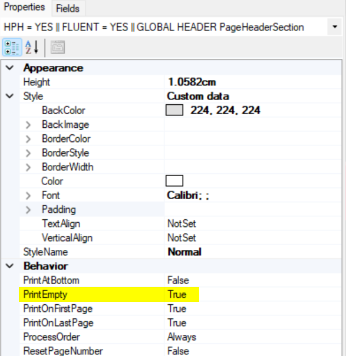
Can you try changing the “PrintEmpty” parameter to False?


Someone had a similar issue on their check layout, and this solved it! Blank Page Printing Before Report Page | Community (acumatica.com)

Translate

Forum|alt.badge.img+8
  • Semi-Pro I
  • Feb 13, 2024 7:07 PM UTC

Hi @dylantheriault 

Under the properties for each section, there are settings that will result in empty pages.

Is it possible to upload a sample here. Please exclude any custom tables/Dacs. It will help us to review, troubleshoot, indetify the issue and provide the solution to fix the blank page.


Thanks

Translate

Forum|alt.badge.img

Hi all thank you. @ChandraM @bcameron 

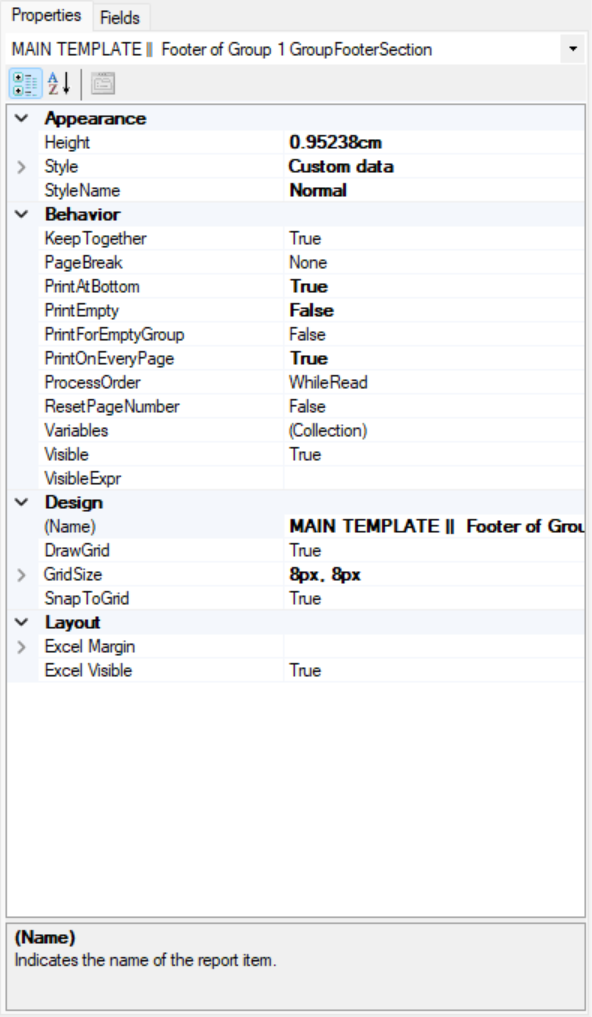
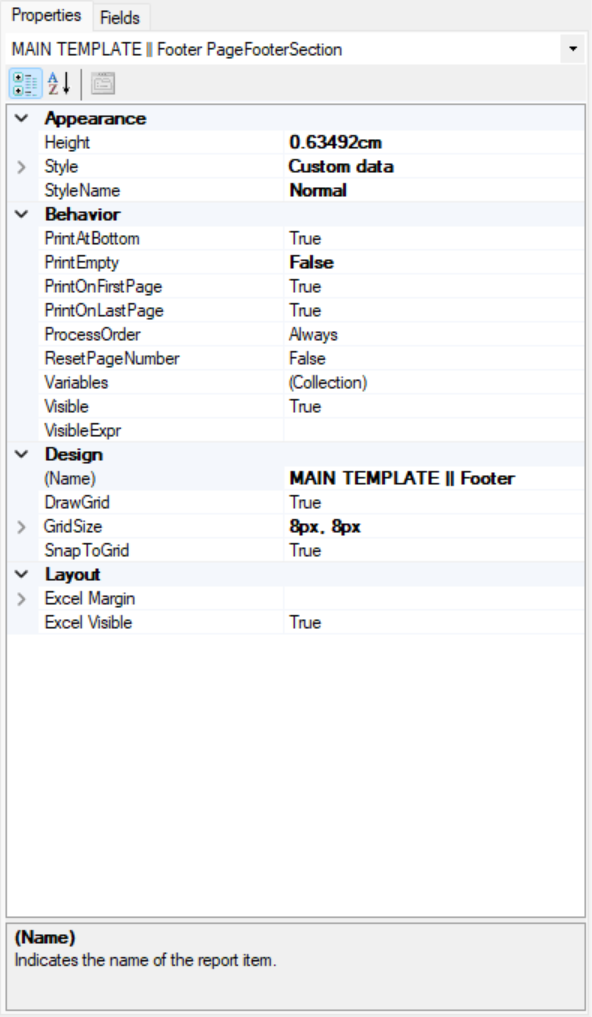
It’s the header and both footers displayed on my final blank page.

I updated the header to printempty = false.

Did not fix the issue.


Here’s the properties of each footer:


Translate

Forum|alt.badge.img+8
  • Semi-Pro I
  • Feb 14, 2024 9:56 AM UTC

 Hi @dylantheriault Please check the height of the sections and adjust if you see anything that can lead to an extra page.

Also, is it possible share the report.

Thanks

Translate

Forum|alt.badge.img+1

Hi!

Have you tried changing the paperkind specified on the report?

A similar issue was discussed here previously as well:
so641000 and so641010 are adding extra pages when being printed or exported | Community (acumatica.com)

Translate

darylbowman
Captain II
Forum|alt.badge.img+17

I had a similar situation with the Purchase Order report. The only remedy I could find was to delete the last two sections. One was an unused sub-report and one was blank.

Translate

  • Freshman I
  • Aug 22, 2024 7:51 PM UTC

Not sure if this has been solved, but I always change the PaperKind from A4 to Letter.

Acumatica Reports default to PaperKind A4.

A4 is 8.3 x 11.7 inches, therefore it will print an extra page at the end.

Letter is 8.5 by 11 inches.

Translate

Forum|alt.badge.img
  • Jr Varsity III
  • May 1, 2025 5:38 PM UTC

Not sure if this has been solved, but I always change the PaperKind from A4 to Letter.

Acumatica Reports default to PaperKind A4.

A4 is 8.3 x 11.7 inches, therefore it will print an extra page at the end.

Letter is 8.5 by 11 inches.

This worked for me. Thanks!

Translate