

Answer

How to remove excess white space above a report?

  • January 27, 2025
  • 1 reply
  • 68 views

Forum|alt.badge.img

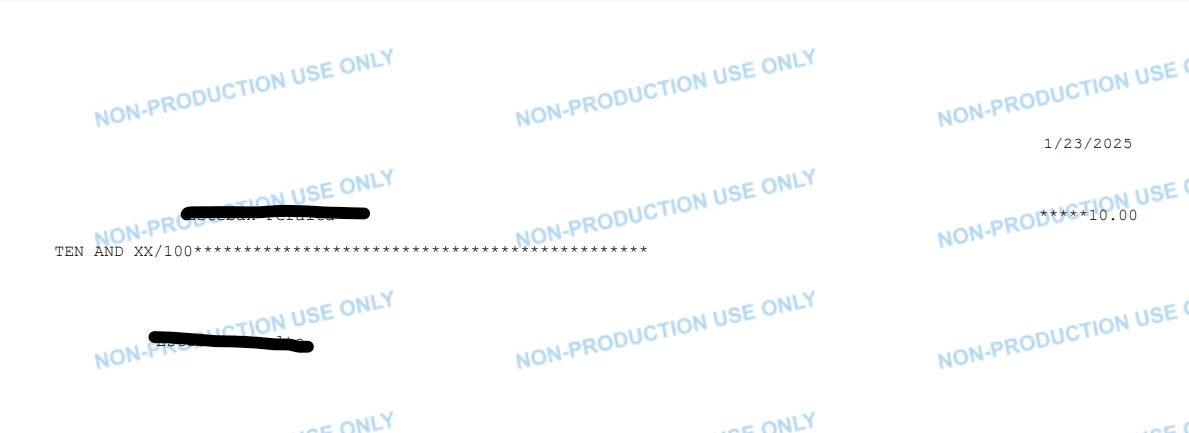
I’m trying to get this check report to work with the checks our company uses, however, there seems to be some white space at the top of the report I can’t get rid of it. Is there some way to get the text, specifically the date, higher up on the printout?
 

Best answer by darylbowman

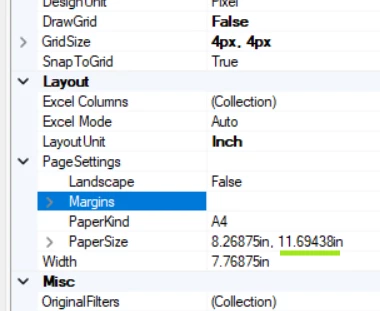
Your page height is set at 11.69438in (A4) and your groupFooterWithoutSuppliedByVendor is set to 10.5in. There’s nothing wrong with this in particular, except that a ‘footer’ is set (by default) to PrintAtBottom=true, which means exactly what it sounds like, leaving you with about 1.25in of whitespace at the top.

The easiest fix would probably be to set PrintAtBottom=false.

1 reply

darylbowman
Captain II
Forum|alt.badge.img+15
  • Answer
  • January 27, 2025

Your page height is set at 11.69438in (A4) and your groupFooterWithoutSuppliedByVendor is set to 10.5in. There’s nothing wrong with this in particular, except that a ‘footer’ is set (by default) to PrintAtBottom=true, which means exactly what it sounds like, leaving you with about 1.25in of whitespace at the top.

The easiest fix would probably be to set PrintAtBottom=false.

