Answer

How to limit a GI to inventory items with a default vendor

  • January 6, 2023
  • 8 replies
  • 324 views

Forum|alt.badge.img

I’m trying to generate a GI connecting the InventoryItem table to the POVendor table.
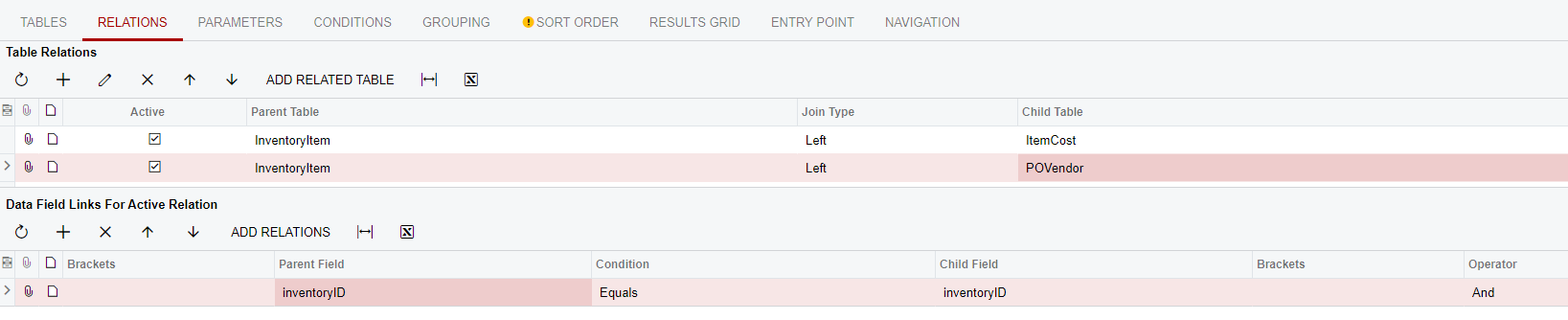


I want to limit the results to only show the default vendor and vendor inventory ID assigned to each item. However, if an item has multiple vendors assigned the results will display multiple lines for that item.

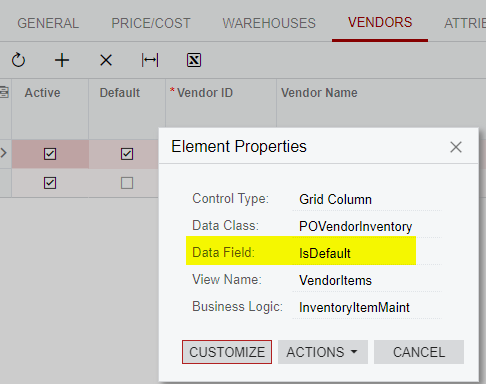
This “IsDefault” field does not appear to exist as a field by which I can filter the results:
 

Does anyone know of another way to go about this?
Best answer by aborisova37

Hi @mikeho ,

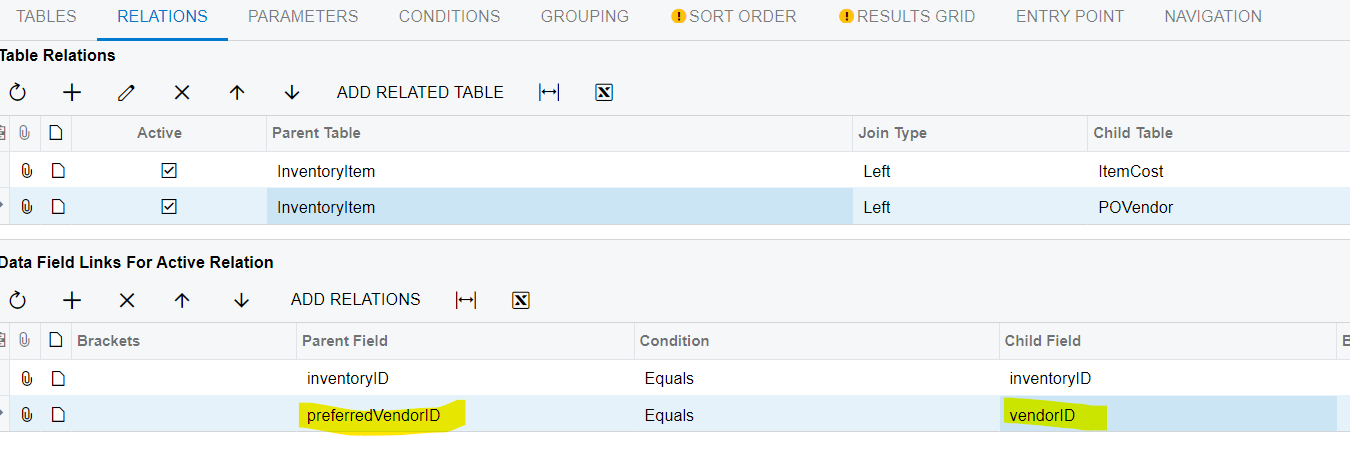
you need to add one more relation to your GI for the InventoryItem and POVendor tables as shown below:


8 replies

YasasWithanage76
Acumatica Employee
Forum|alt.badge.img+4

Hello @mikeho ,

There was a community post that may be able to help to get an idea about the IsDefault field in the POVendorInventory DAC.

https://community.acumatica.com/reports-and-generic-inquires-115/custsalespeople-isdefault-vs-povendorinventory-isdefault-7332

It may be helpful to you to create your GI.


Forum|alt.badge.img
  • Author
  • Semi-Pro II
  • January 6, 2023

Thank you, @YasasWithanage76. That post didn’t come up in my search.

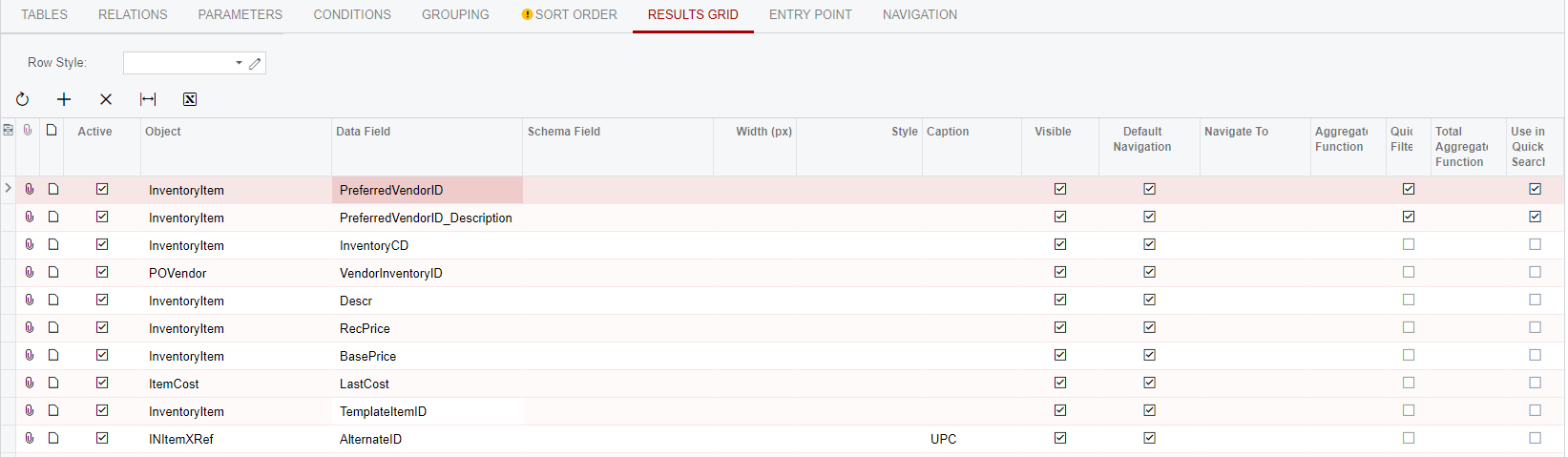
However, I’m having difficulty figuring out how to include the InventoryItemCurySettings table in the GI. These are the fields I’m trying to display in the results:


All I need to do is make sure the results are limited to a single line per InventoryID and display the “default” PreferredVendorID.

Any suggestions regarding how to accomplish this by including the InventoryItemCurySettings table?


DavidEichner
Captain II
Forum|alt.badge.img+13
  • Captain II
  • January 6, 2023

Hi Mike,

Can you export the GI as XML and upload it or email it to me?  I can take a look at it for you.

Best,

David


Forum|alt.badge.img
  • Author
  • Semi-Pro II
  • January 6, 2023

Hi David,

Please see the attached. Thanks!


aborisova37
Semi-Pro I
Forum|alt.badge.img+1
  • Semi-Pro I
  • Answer
  • January 6, 2023

Hi @mikeho ,

you need to add one more relation to your GI for the InventoryItem and POVendor tables as shown below:


DavidEichner
Captain II
Forum|alt.badge.img+13
  • Captain II
  • January 6, 2023

Hi Mike,

Looks like that field is not actually stored in the database table which is probably why it can not be selected.  In looking at the InventoryItem table, there is a PreferredVendorID field that would need to be used in your join.  Let me know if you are able to take it from there or if you would like me to update the GI for you.


Best,

David


Forum|alt.badge.img
  • Author
  • Semi-Pro II
  • January 6, 2023

Thank you, @aborisova37 and @DavidEichner! Sometimes it’s the simple solutions that are hardest to see.


Michaelh
Pro I
Forum|alt.badge.img+2
  • Pro I
  • April 18, 2023

Is there a way to know from the DAC Browser that the POVendorInventory.IsDefault flag essentially moved to InventoryItem.PreferredVendor? This was frustrating to track down lol. I’d like to avoid this in the future if there’s a way to know that the field lives elsewhere.